Each module, step by step, on Operation Fraser Crossing, a fictional bridge project. Open any picture to go through its tour at full size.
Mission Control 3 steps
Mission Control is the project's front page: what needs attention, and one click away, the task behind it. Seen by Rob Callaghan, CEO of the general contractor, on the fictional Fraser Crossing project.
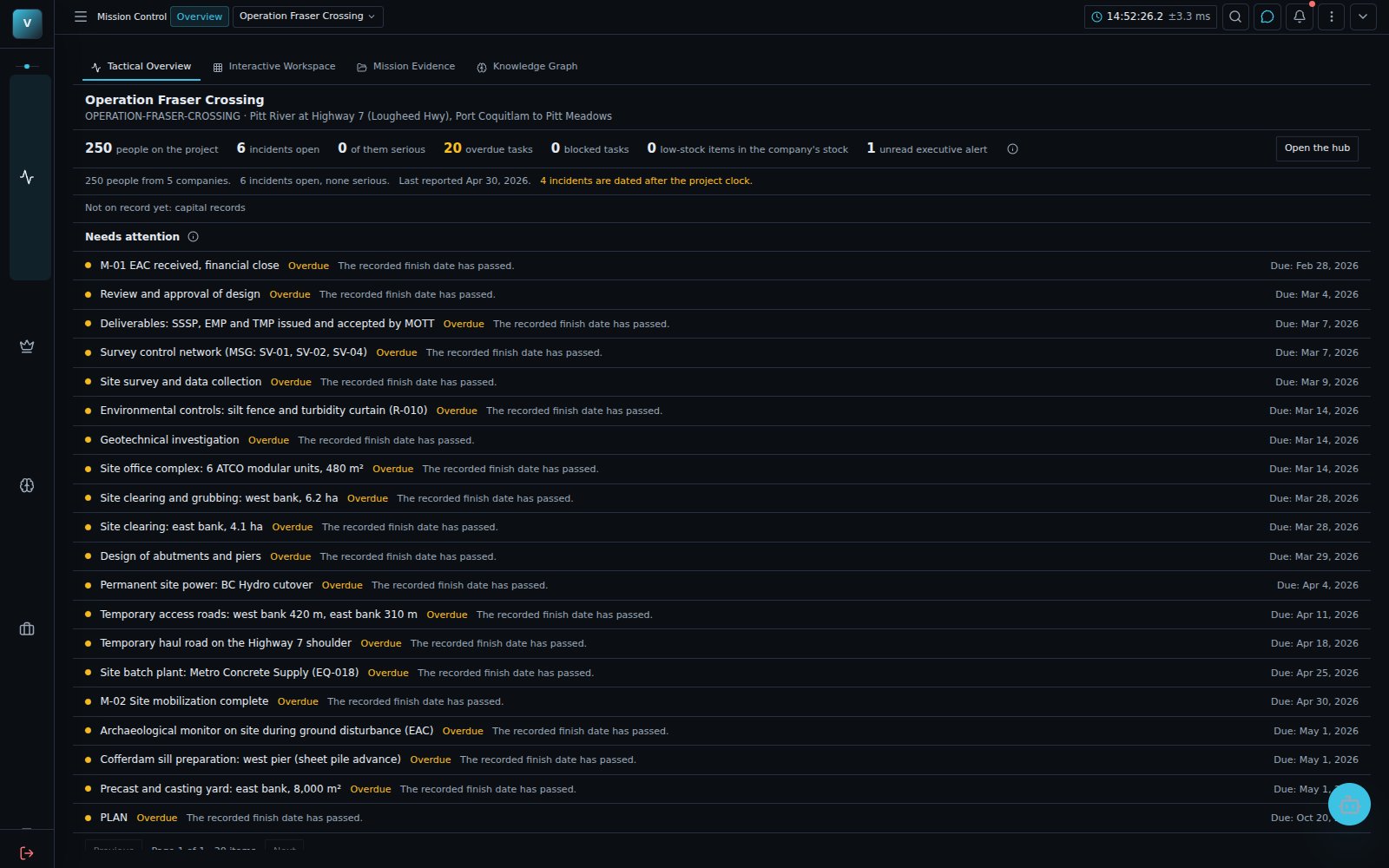
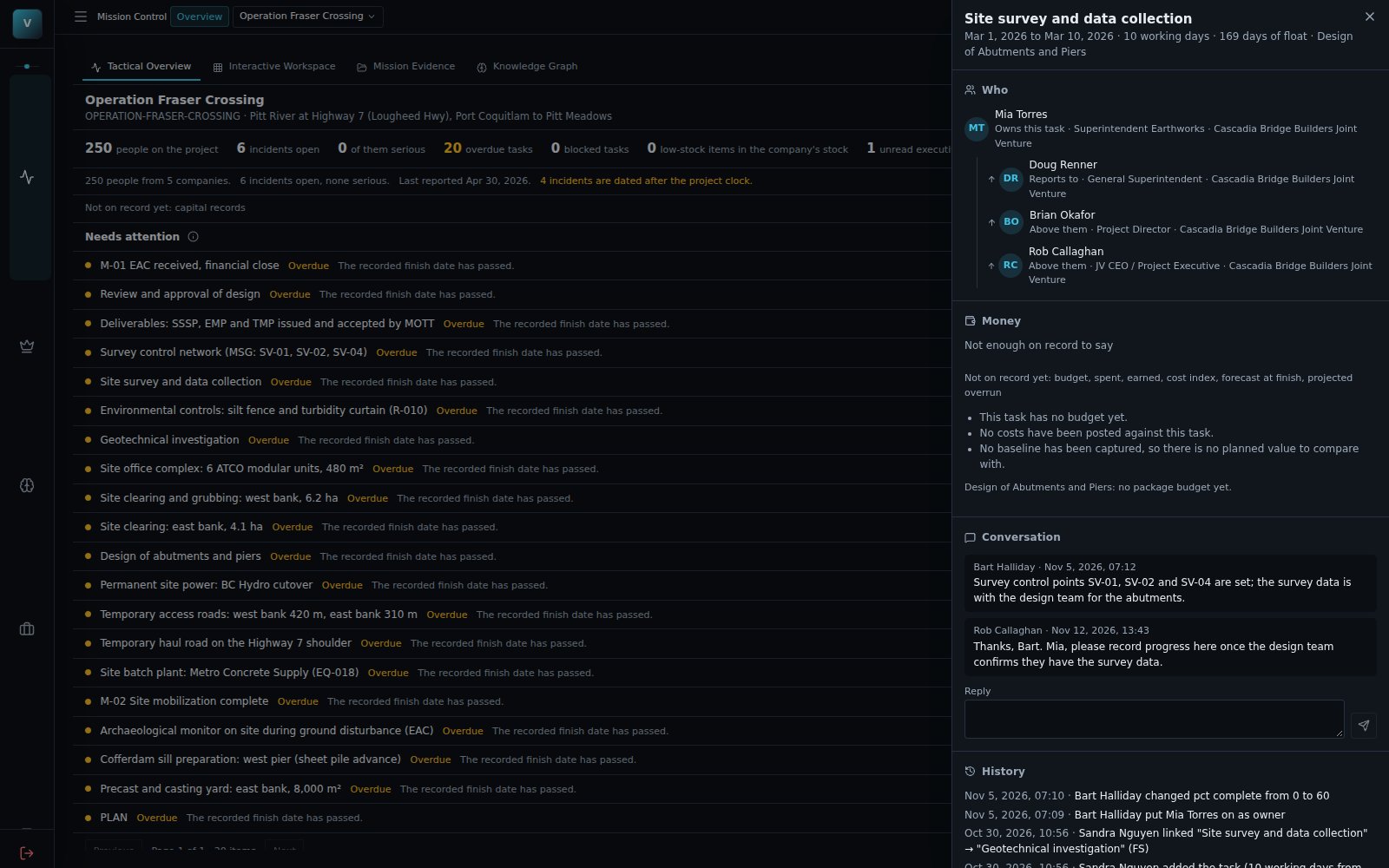
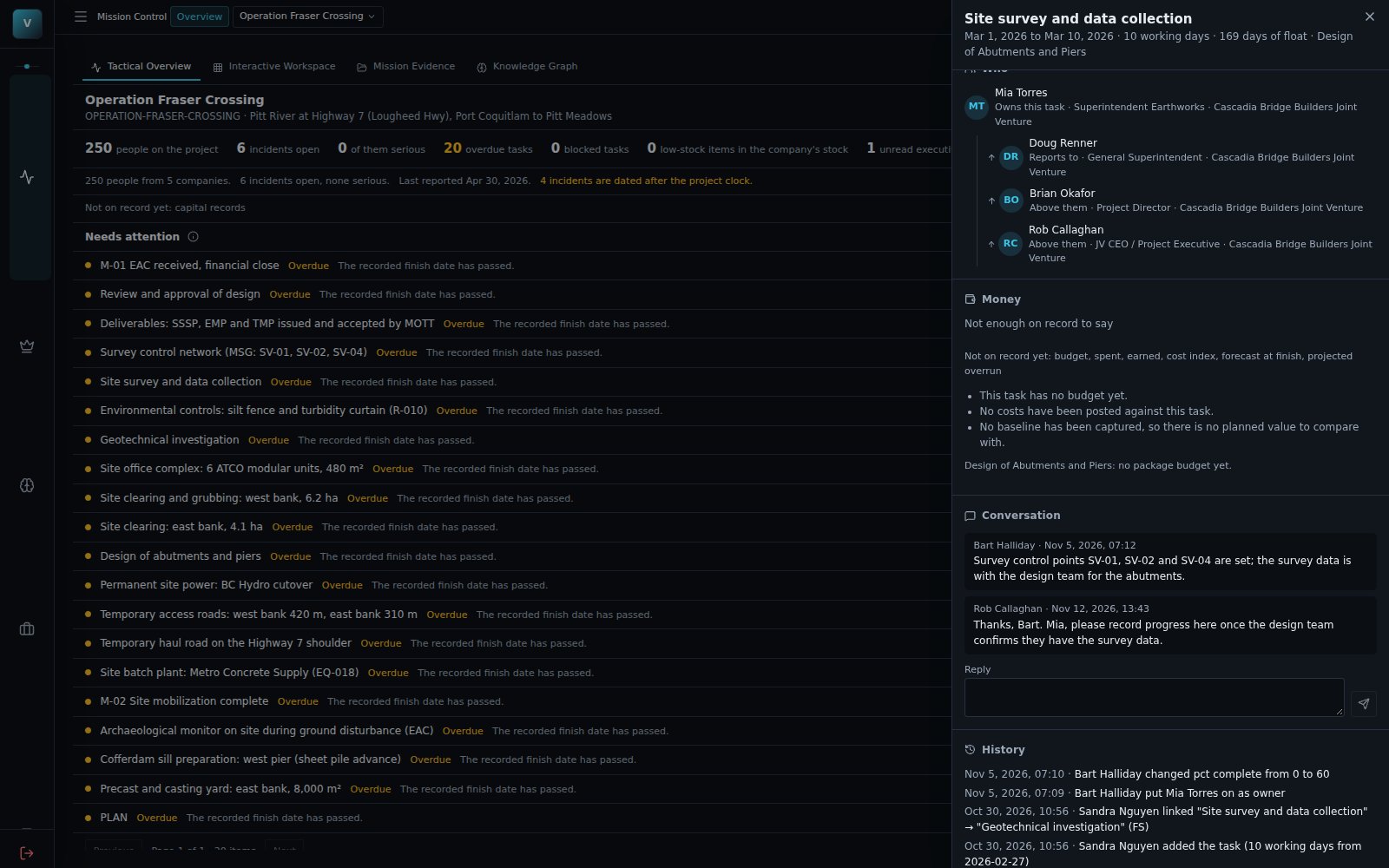
1See what needs attentionOne line of figures counts 250 people on the project, 6 incidents open with none serious, and 20 overdue tasks. Below it, each overdue task is a row with its recorded due date; open Site survey and data collection to work on that task's own record.Tap the picture for the whole screen.2The task's owner, chain and moneyMia Torres owns the task, with Doug Renner, Brian Okafor and Rob Callaghan above her. No budget, cost or baseline is recorded, so the money panel says there is not enough on record to say instead of showing a figure.Tap the picture for the whole screen.3The conversation and history stay with the taskBart Halliday's message says the survey control points are set and the data is with the design team, and Rob's reply asks Mia Torres to record progress once the design team confirms. Each message carries its author and time, and the history keeps who put Mia on as owner and who moved progress from 0 to 60 percent.Tap the picture for the whole screen.
Executive Command 5 steps
Rob Callaghan, chief executive of the general contractor, reads where the company stands across its projects, what each figure rests on, and the economy around them. This is the fictional Fraser Crossing project.
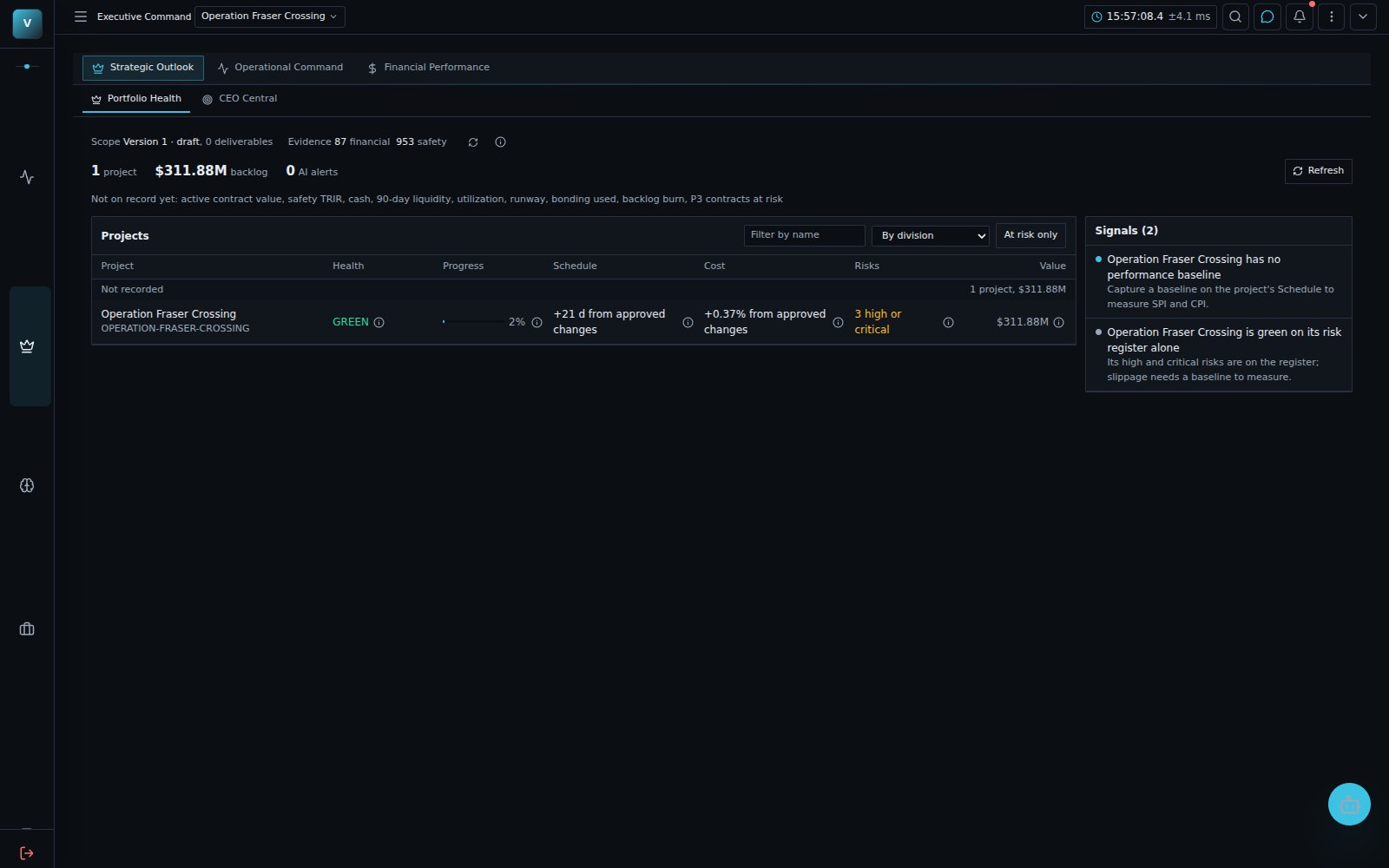
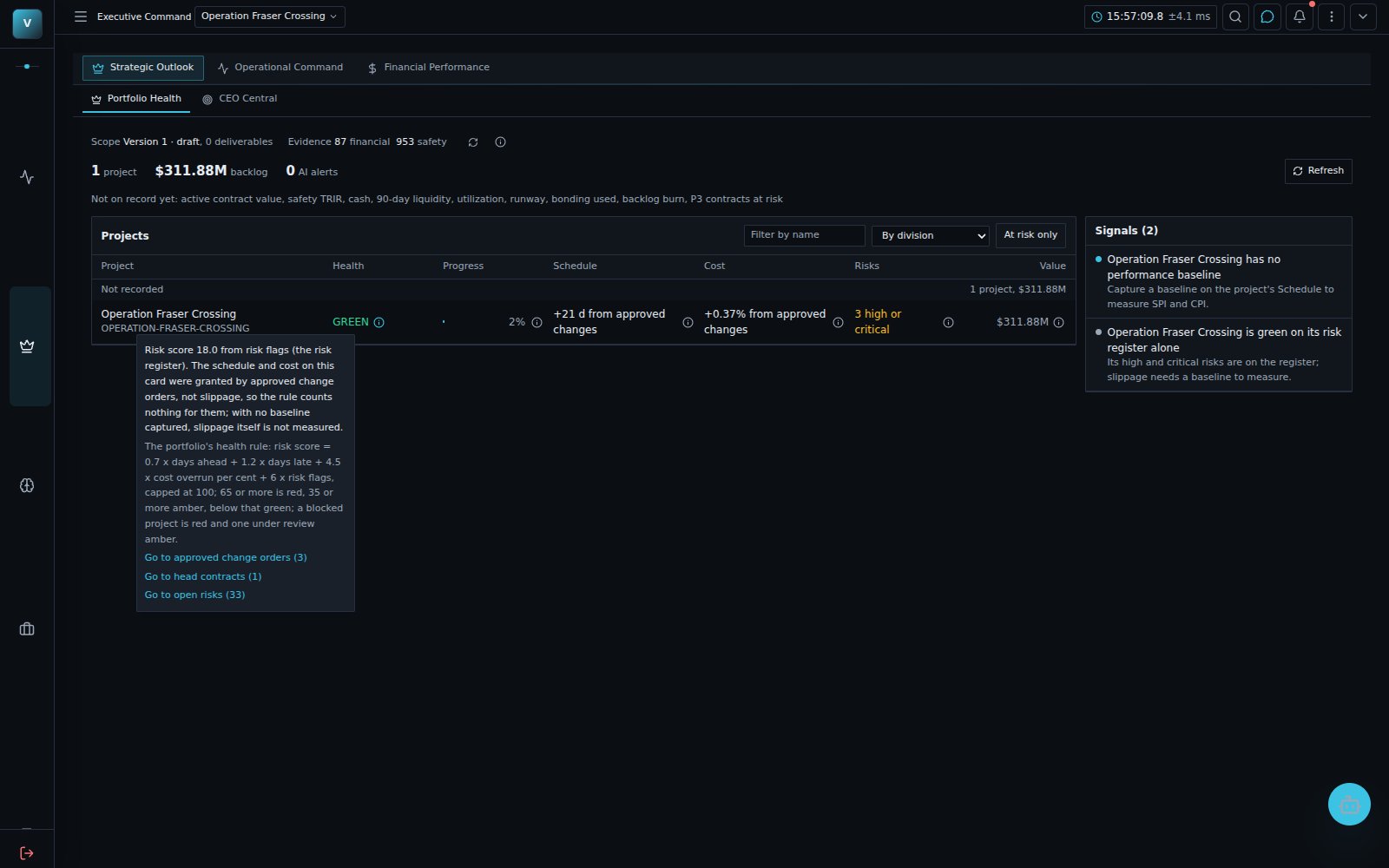
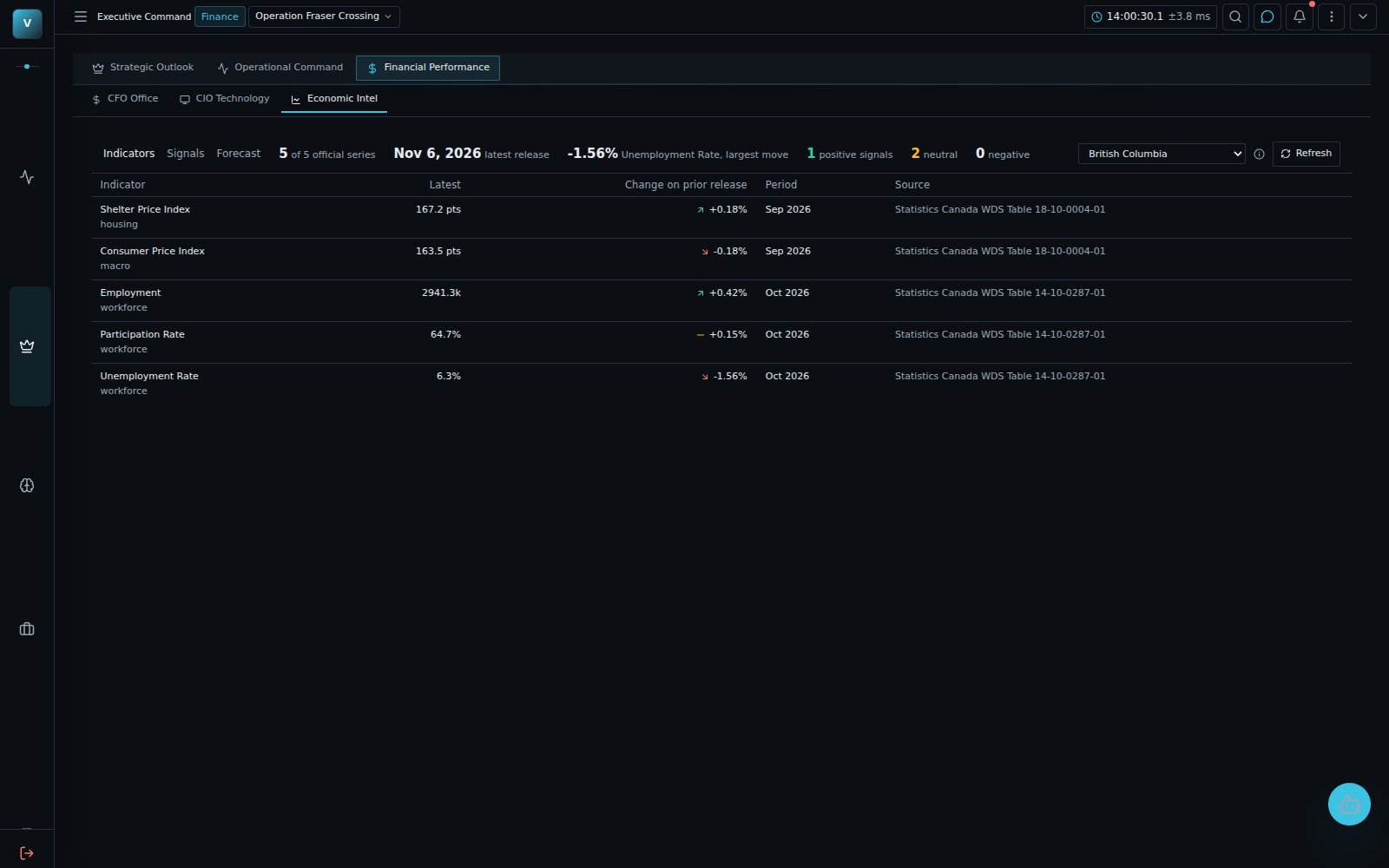
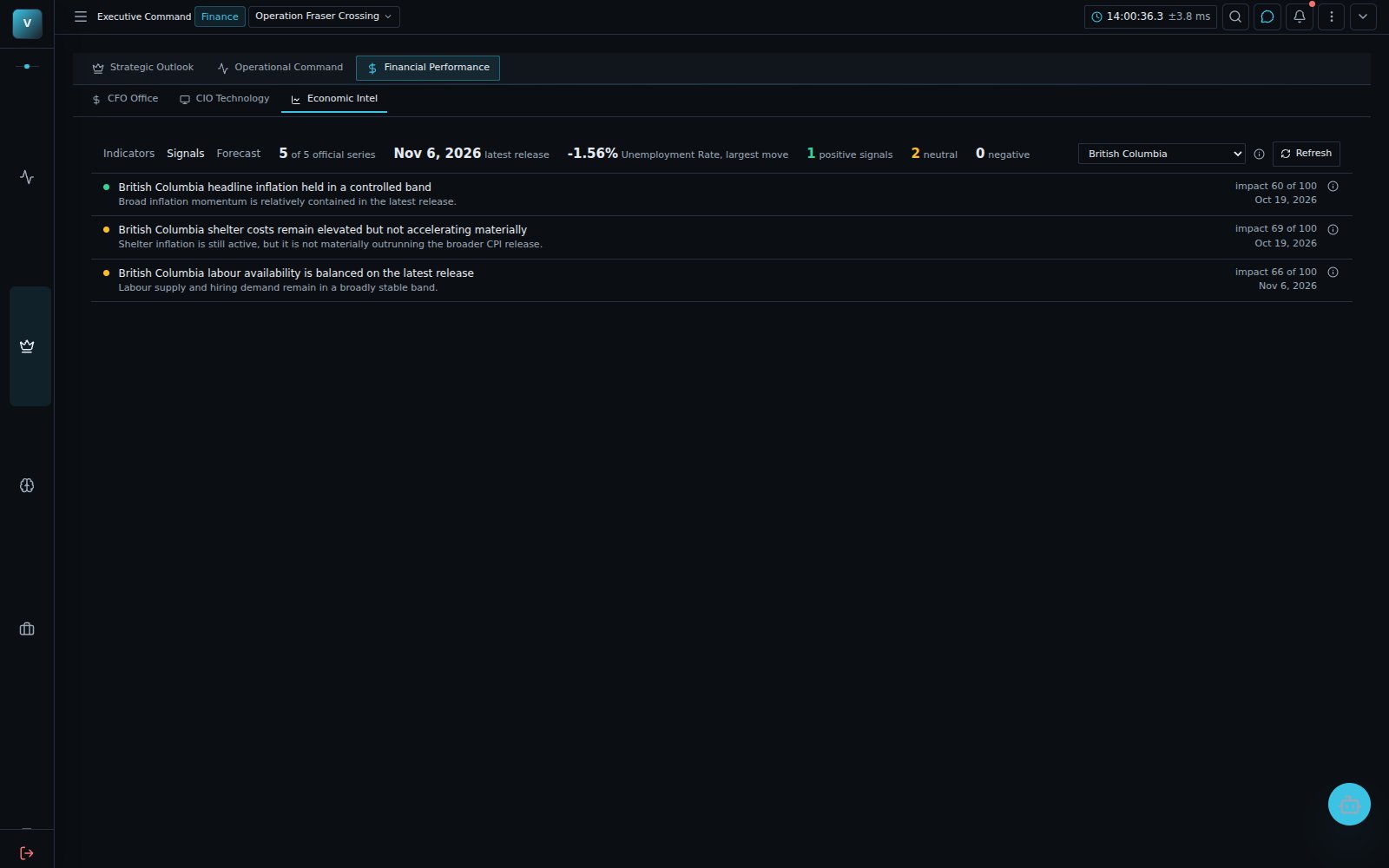
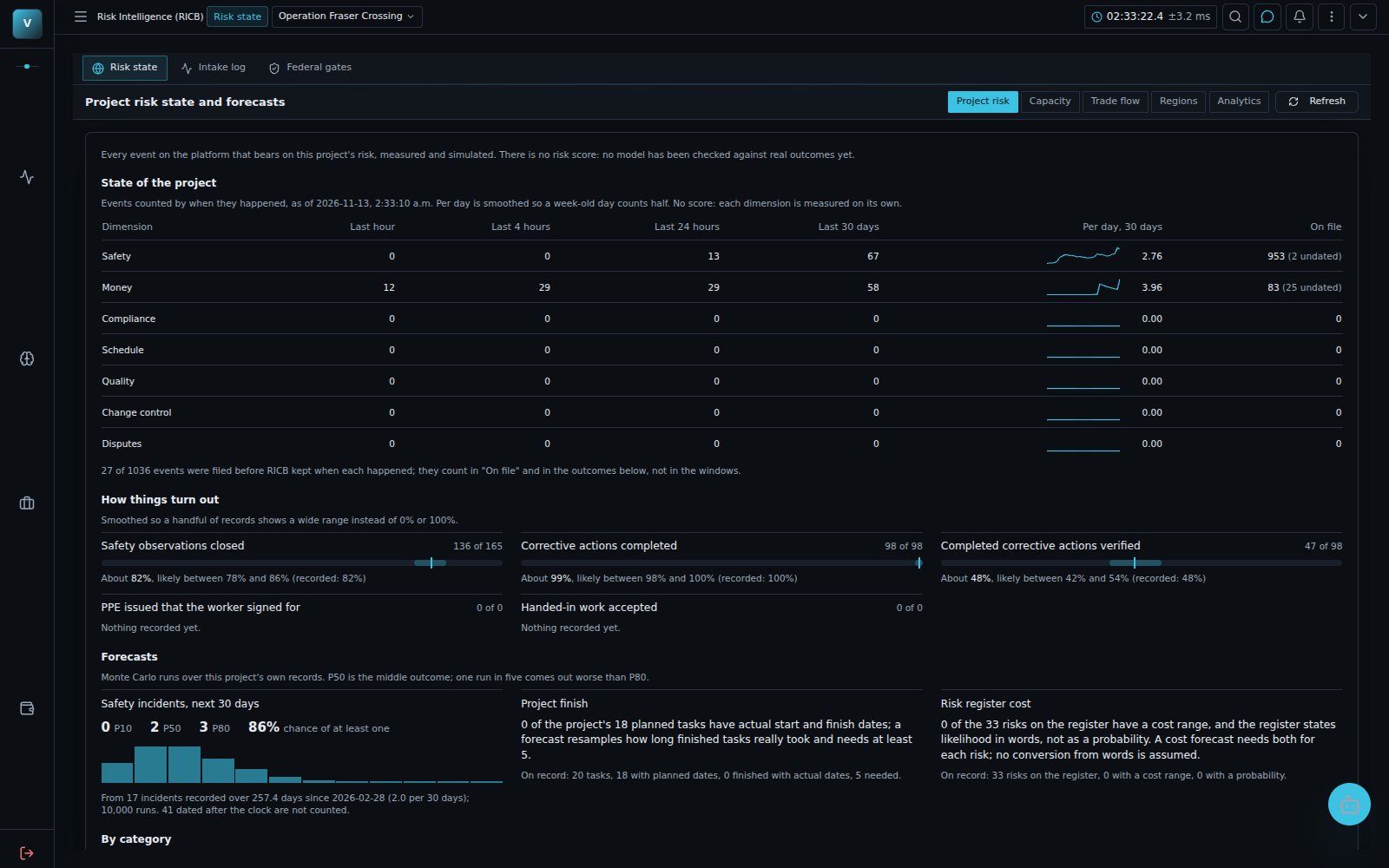
1Read the portfolioFraser Crossing's card reads from the project's own records: the $311.88M head contract, 2% of the scheduled work done, 21 days and 0.37% added by approved change orders, and 3 risks rated high or critical. Health is green on the risk register alone, and a signal beside it says no baseline has been captured.Tap the picture for the whole screen.2See where each figure comes fromEvery figure opens on how it was worked out, with a way to its records. Health says the days and money granted by approved changes are not slippage, gives the rule it uses, and links to the change orders, the contract and the 33 open risks.Tap the picture for the whole screen.3What it cannot measure yetThe signal opens the project's Schedule, where no baseline has been captured: nothing to measure progress against. Until a project manager captures one, slippage and earned value are not worked out, and the portfolio says so instead of showing a number.Tap the picture for the whole screen.4Check the economy in British ColumbiaFive official Statistics Canada series for British Columbia, each with its latest value, the change on the prior release, the period it covers and the source table. Unemployment stands at 6.3 percent, down 1.56 percent on the prior release.Tap the picture for the whole screen.5Read what the figures signalThe same releases read as three plain statements: inflation held in a controlled band, shelter costs elevated but not accelerating, and labour availability balanced. Each carries the date of the release it comes from.Tap the picture for the whole screen.
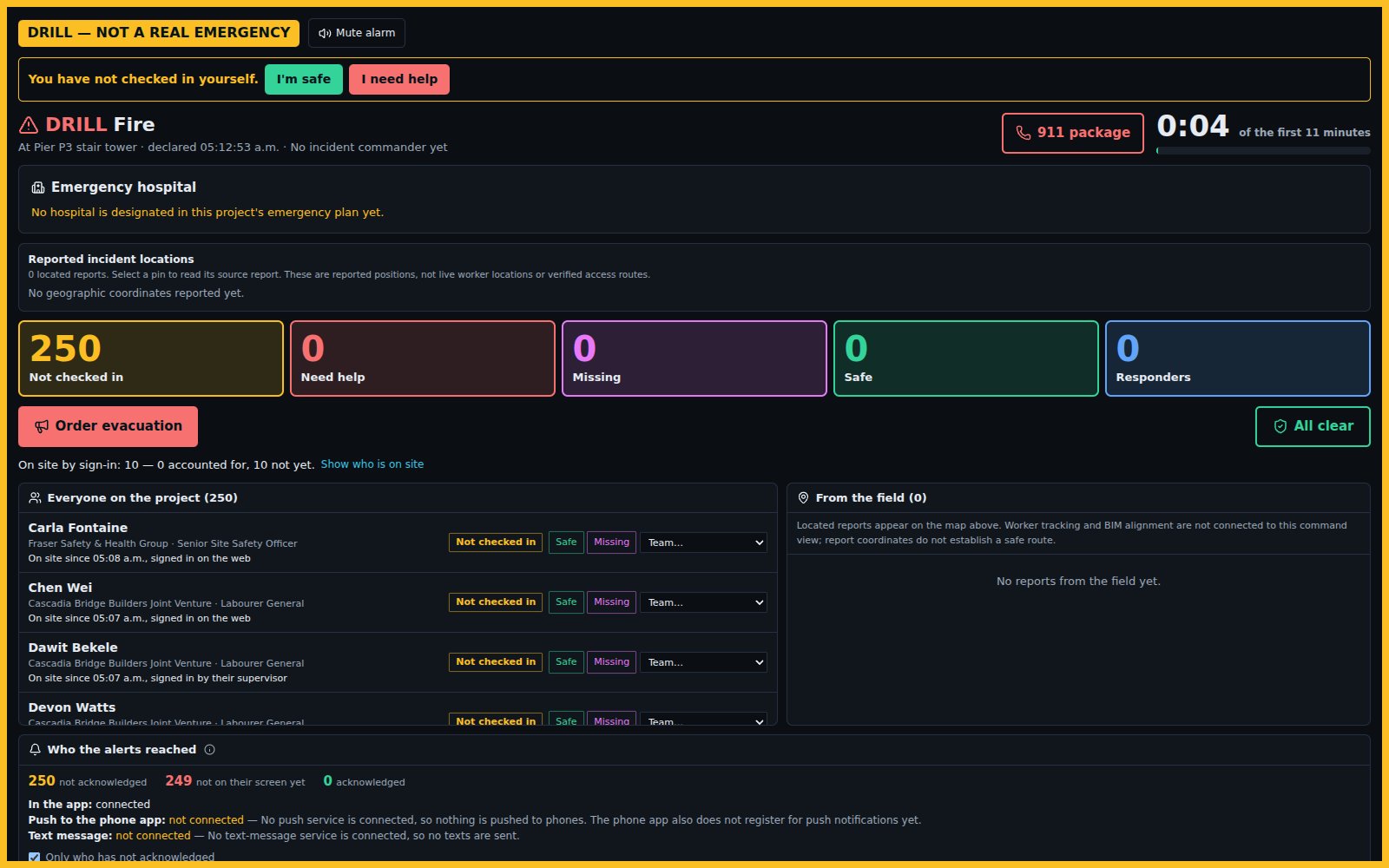
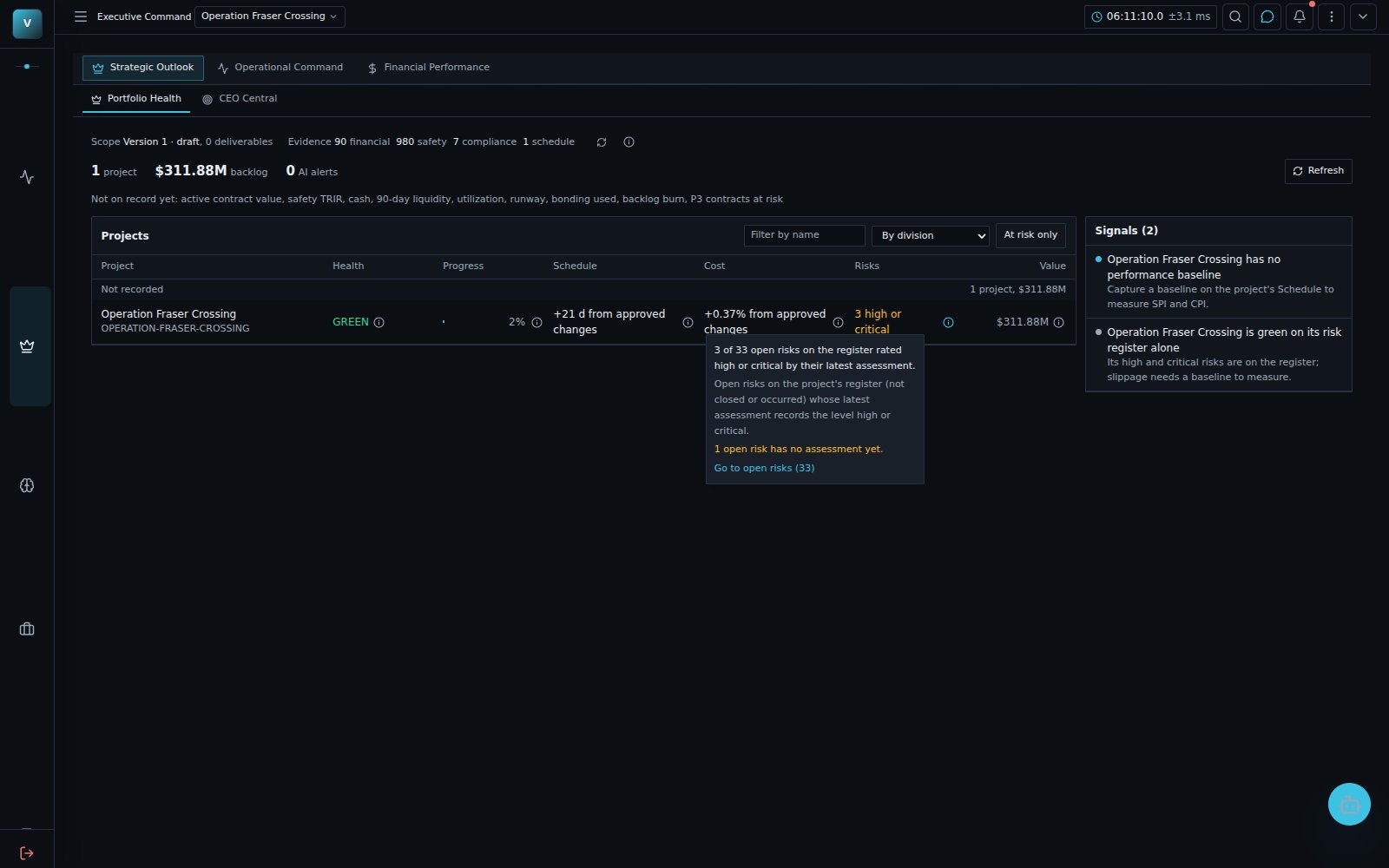
Closeout 4 steps
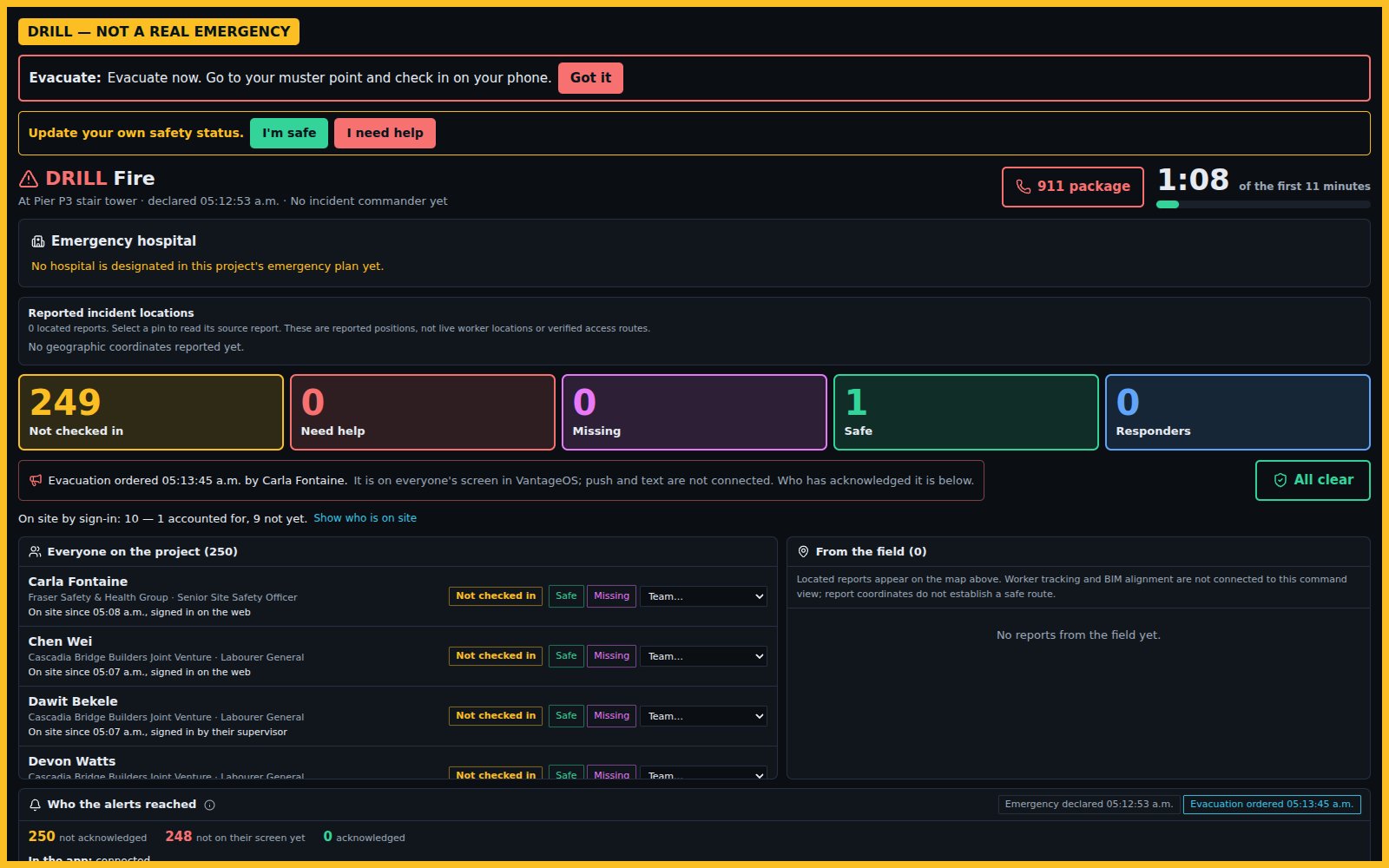
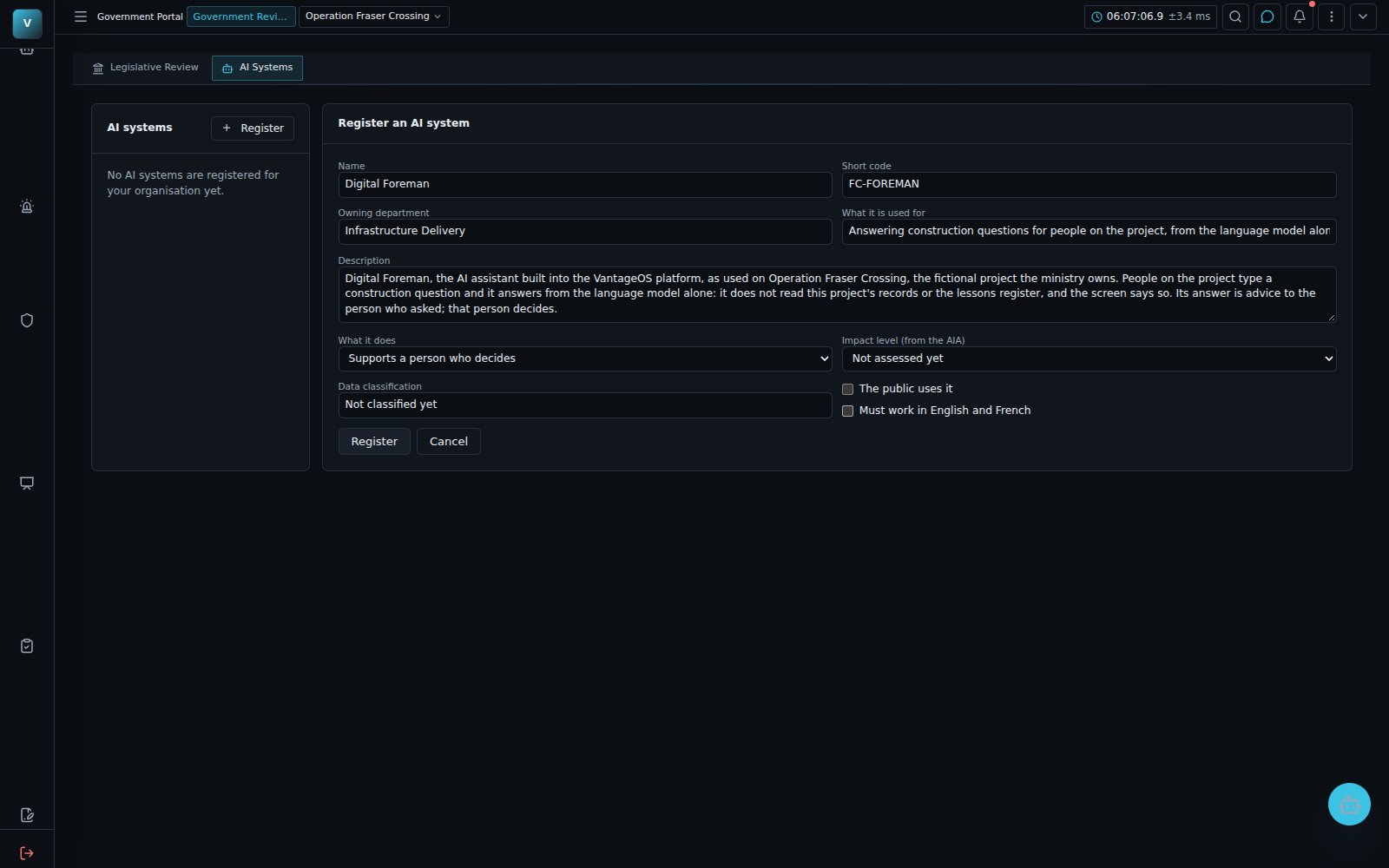
Closeout brings the project's records together to finish the job: what each phase still needs, the final report, and each day's report read and signed. Seen by Rob Callaghan, CEO of the general contractor, and, for the end of day, Carla Fontaine, senior site safety officer, on the fictional Fraser Crossing project.
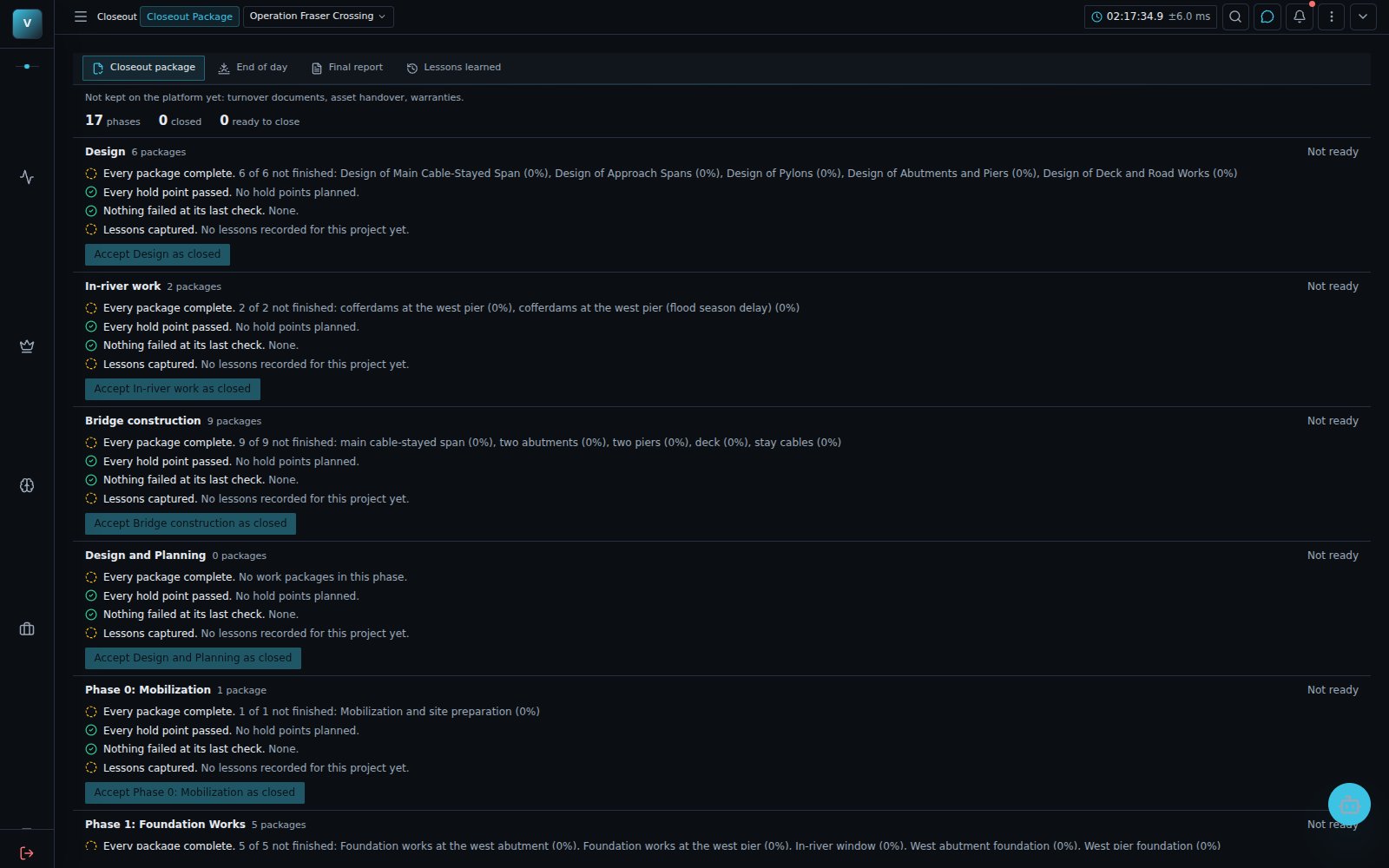
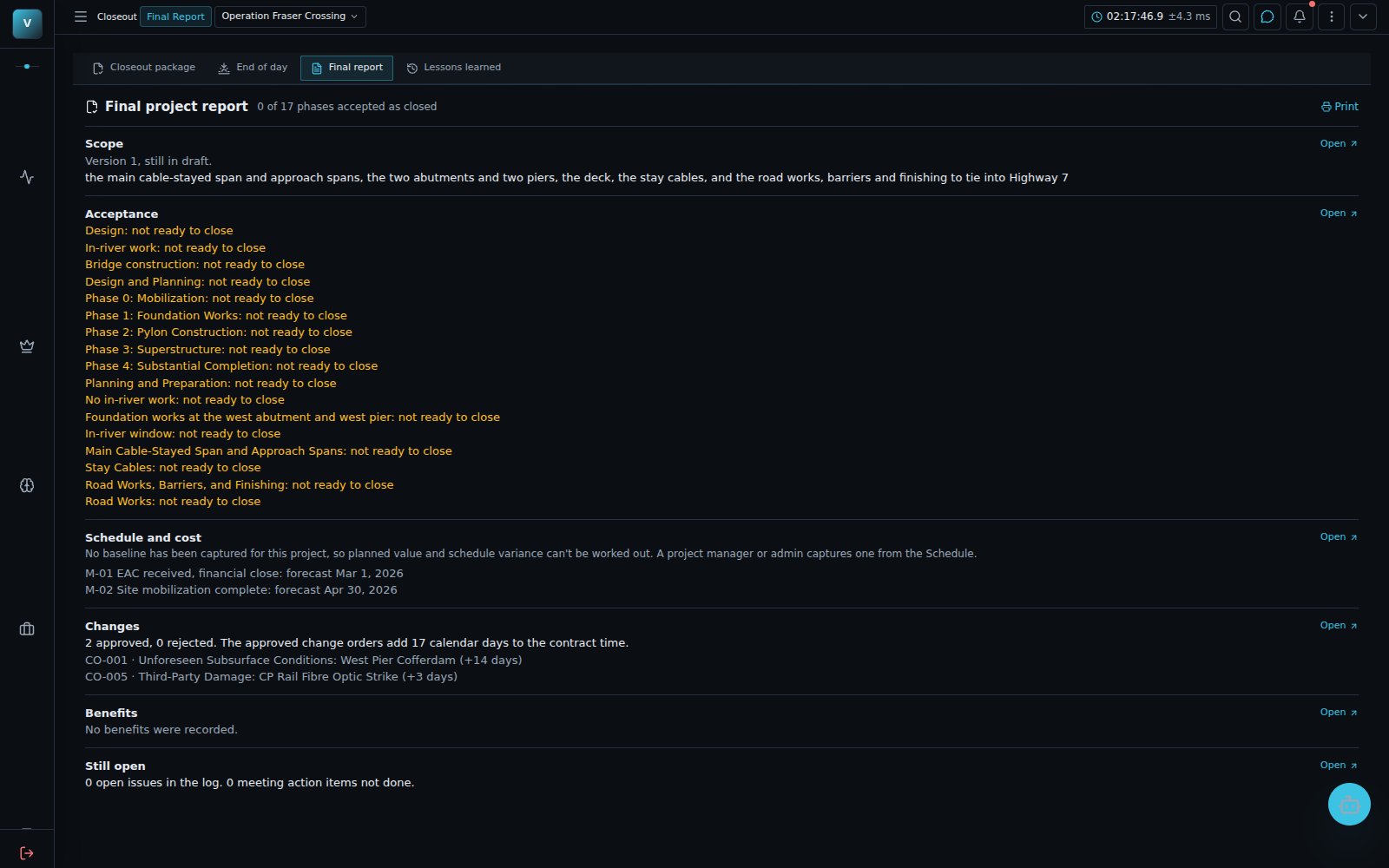
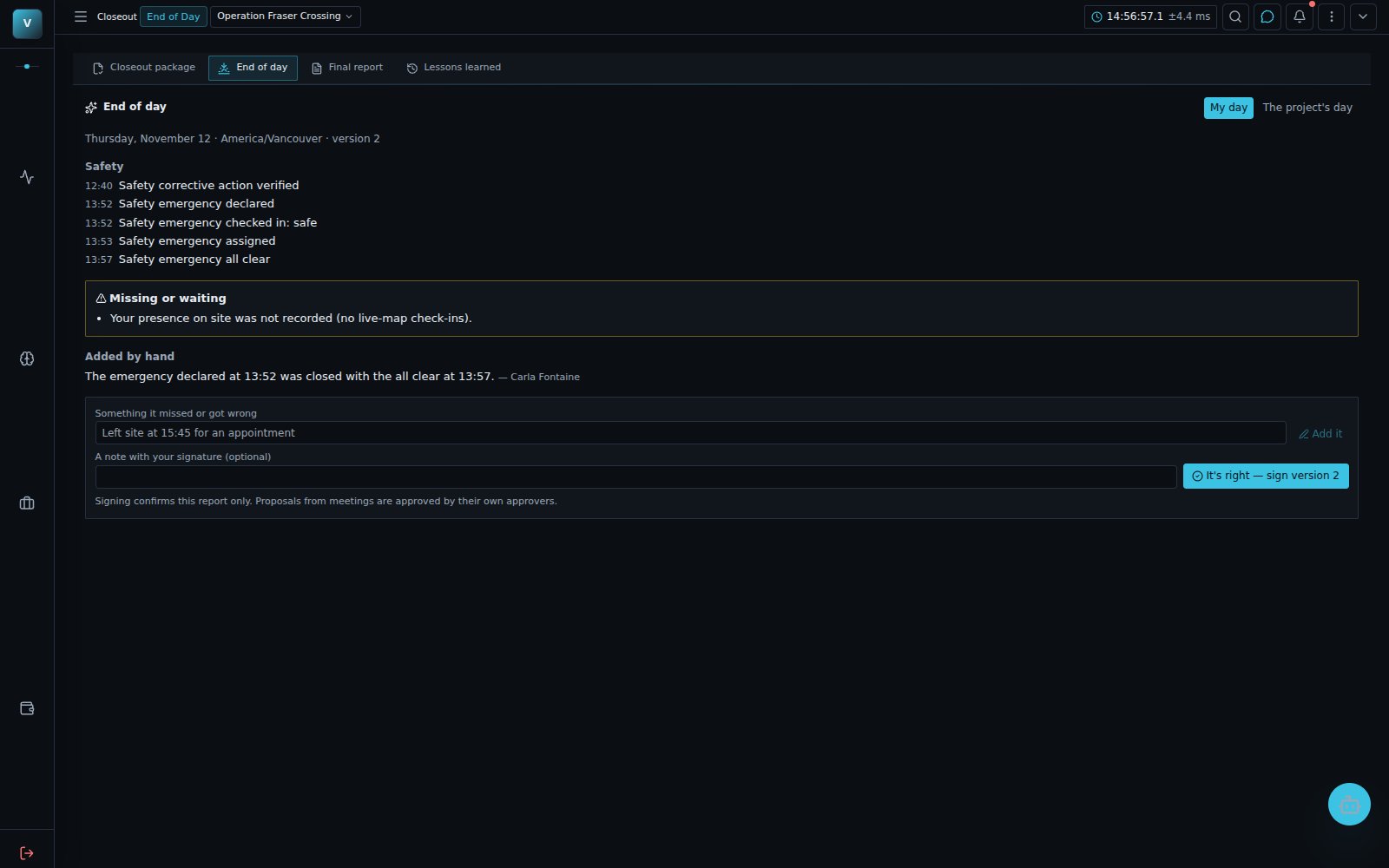
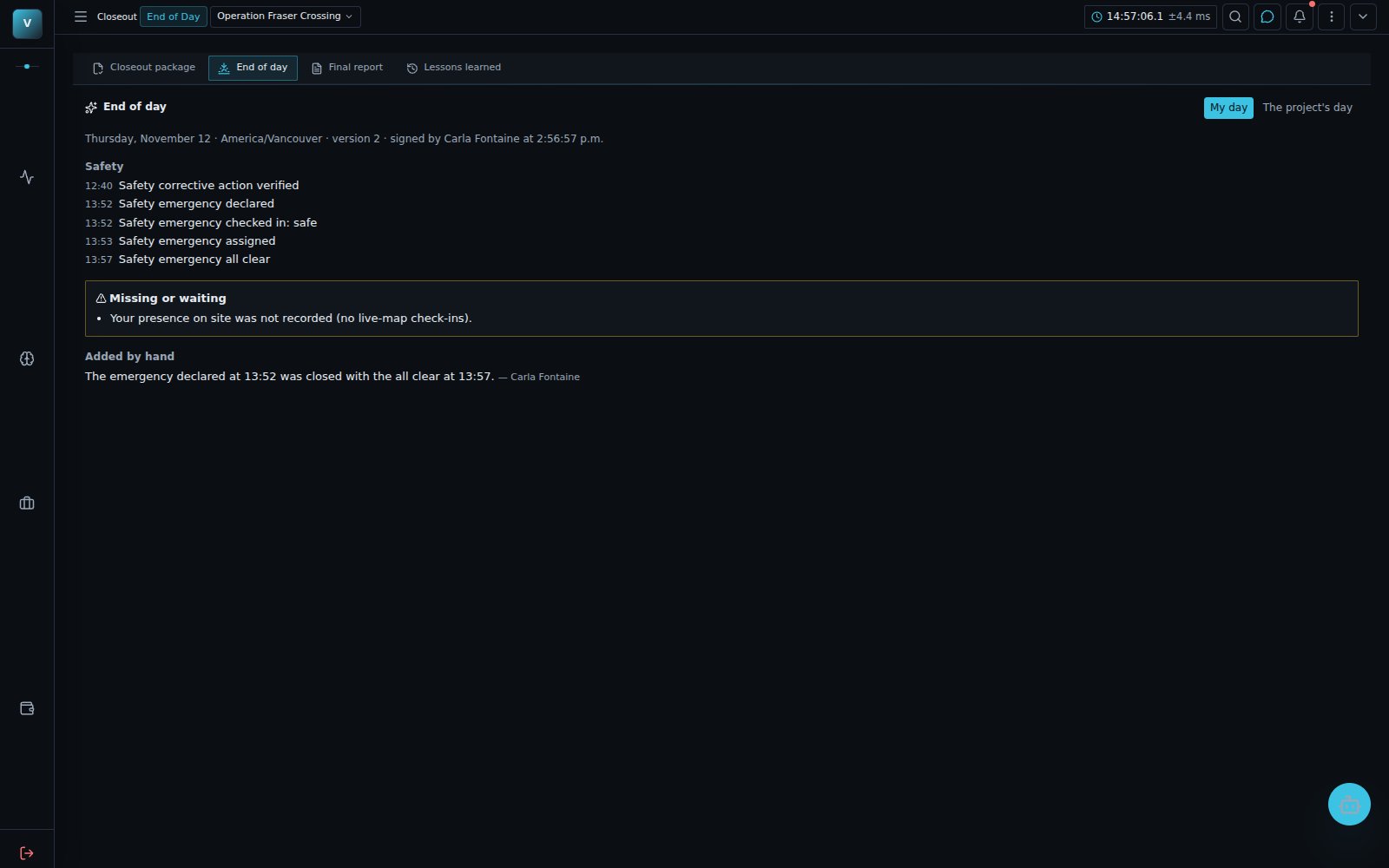
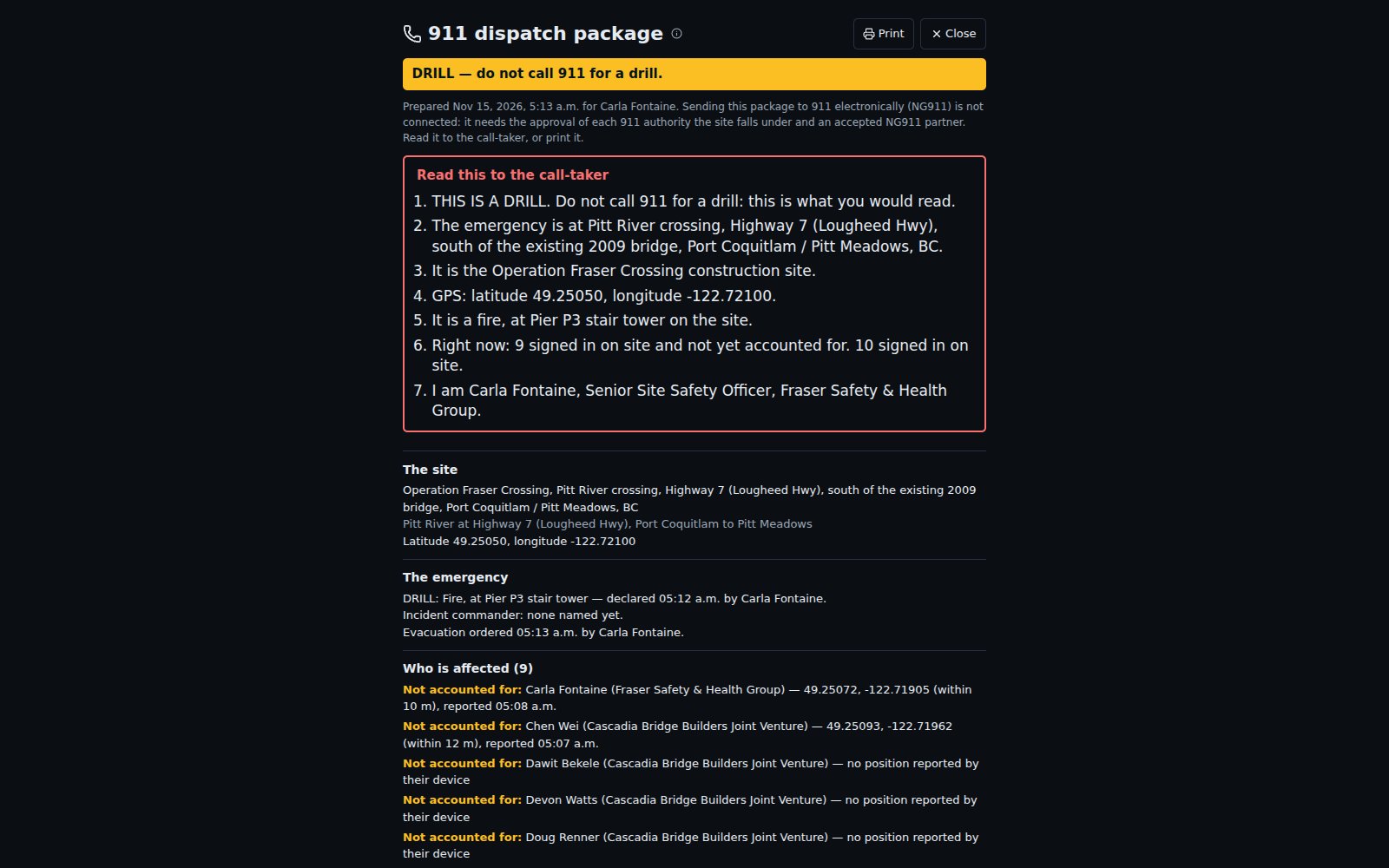
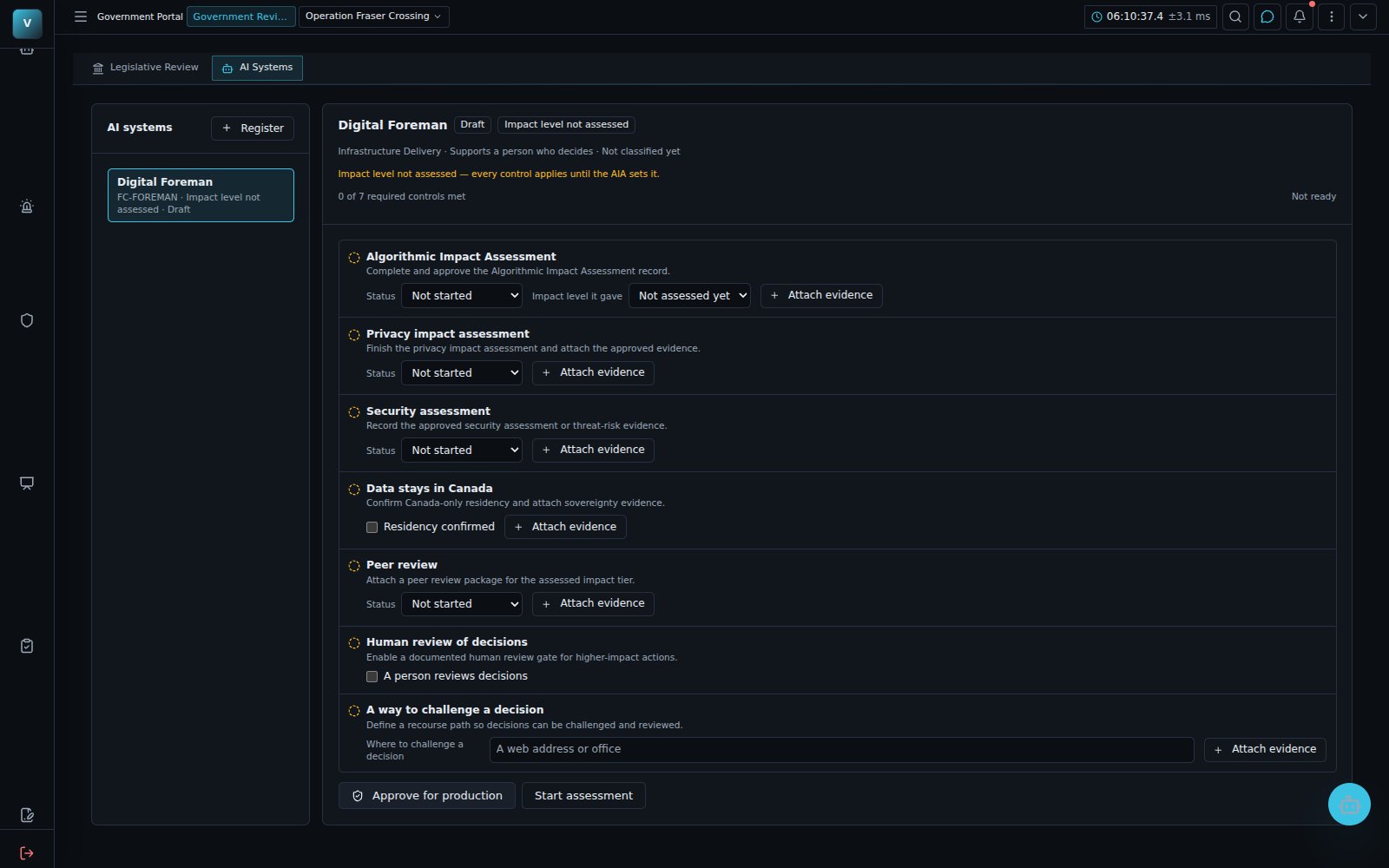
1What each phase still needsThe closeout package checks every phase against the same four checks: every package complete, every hold point passed, nothing failed, lessons recorded. Of 17 phases, none is closed or ready to close; Design, for one, has 6 packages still at 0%.Tap the picture for the whole screen.2Read the final reportThe final report is read from the records: scope, each phase's acceptance, schedule and cost, and changes. None of the 17 phases is accepted as closed, and the two approved change orders add 17 calendar days, 14 for CO-001 and 3 for CO-005.Tap the picture for the whole screen.3Add what the day's report missedCarla Fontaine's day lists, with times, the safety corrective action she verified and an emergency from declaration to all clear, and states that her presence on site was not recorded. She adds a line by hand about the emergency, and it appears with her name before she signs.Tap the picture for the whole screen.4Sign the dayThe report shows its version, who signed it and when, with Carla's hand-added line kept under her name. The signature confirms this report only.Tap the picture for the whole screen.
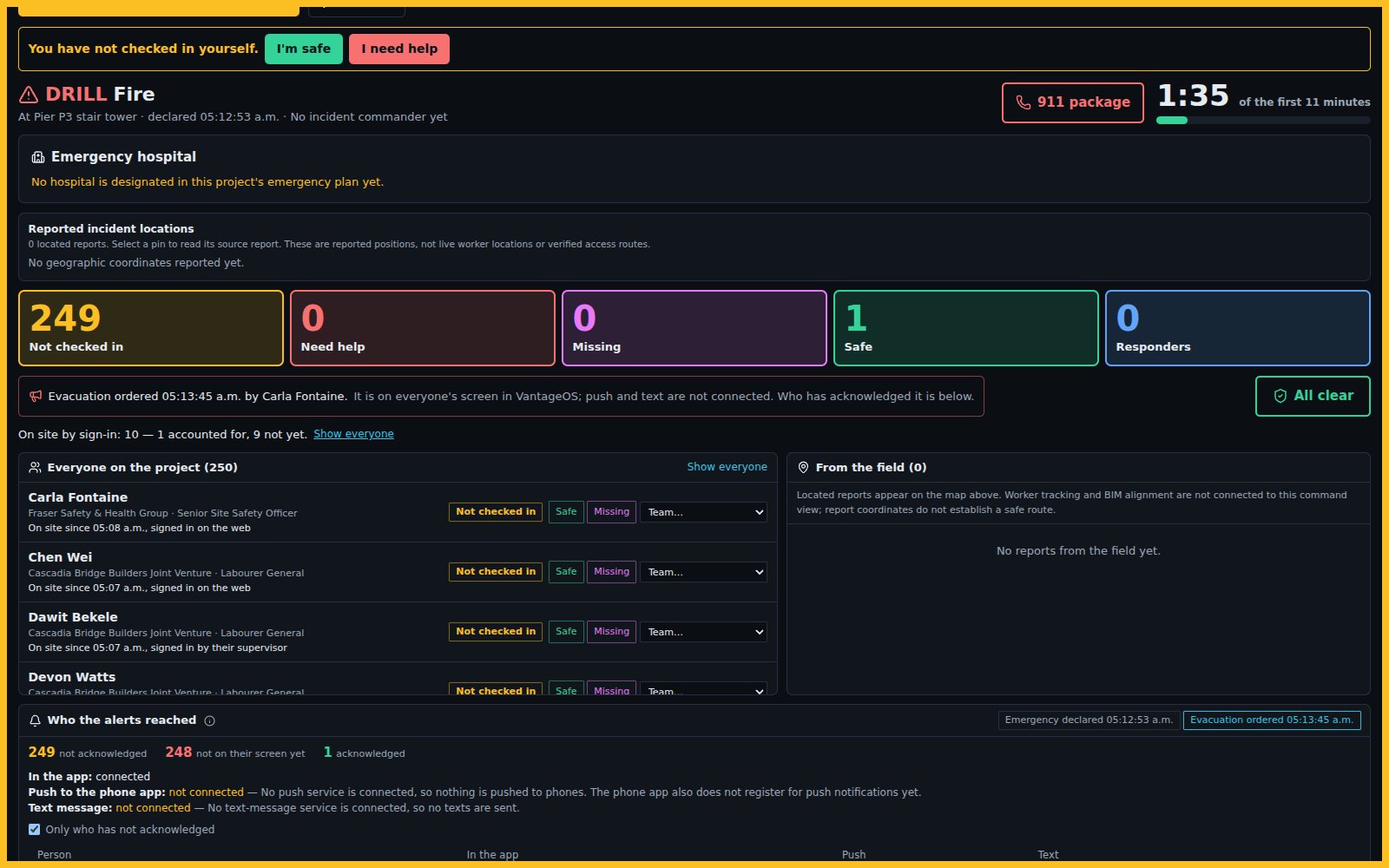
Discovery & Feasibility 6 steps
Work a problem through from a first idea to a decision before anyone plans a solution: say it, name what is not known, write down what could be tested, and make the call. This is a superintendent's session on the fictional Fraser Crossing project.
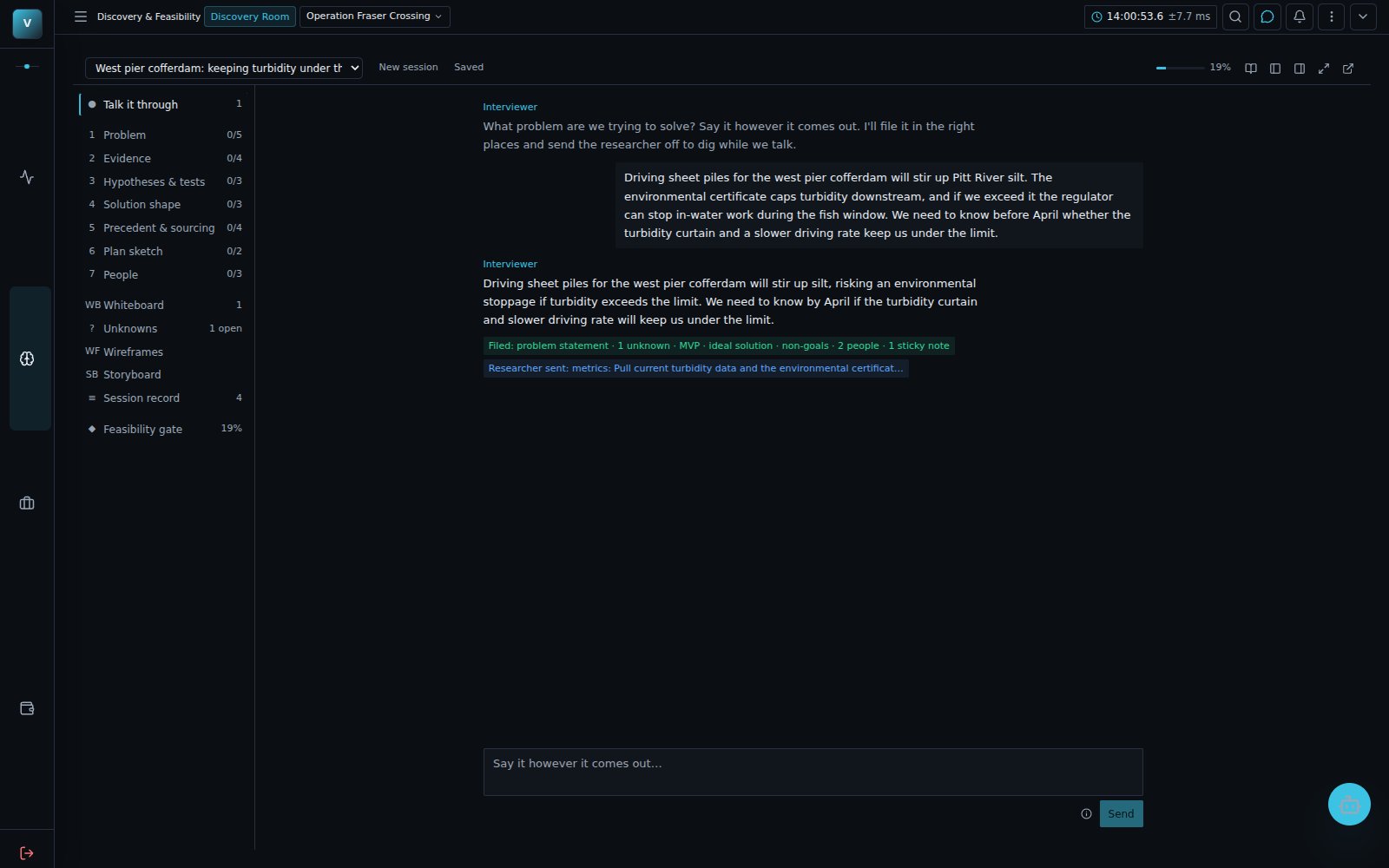
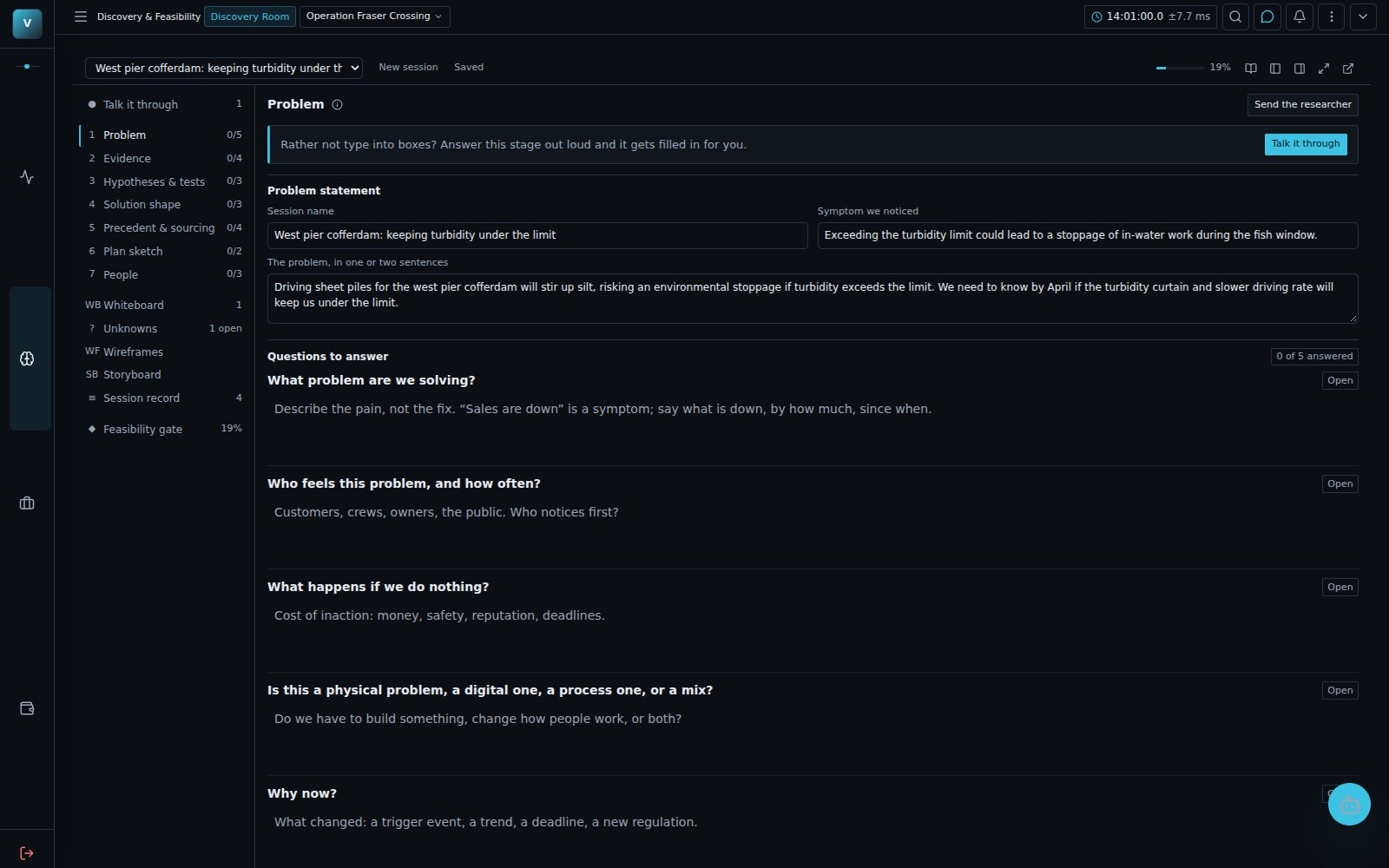
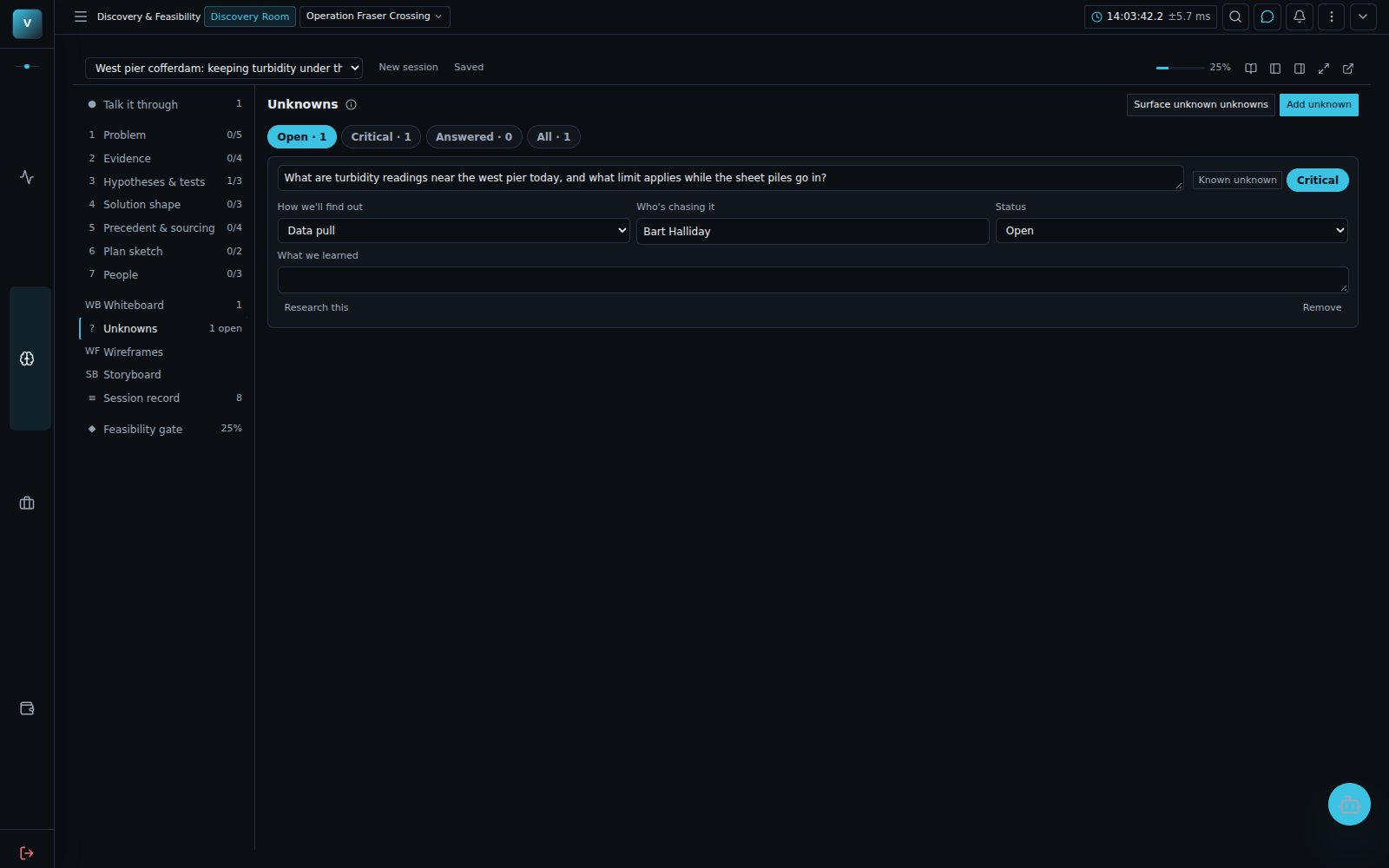
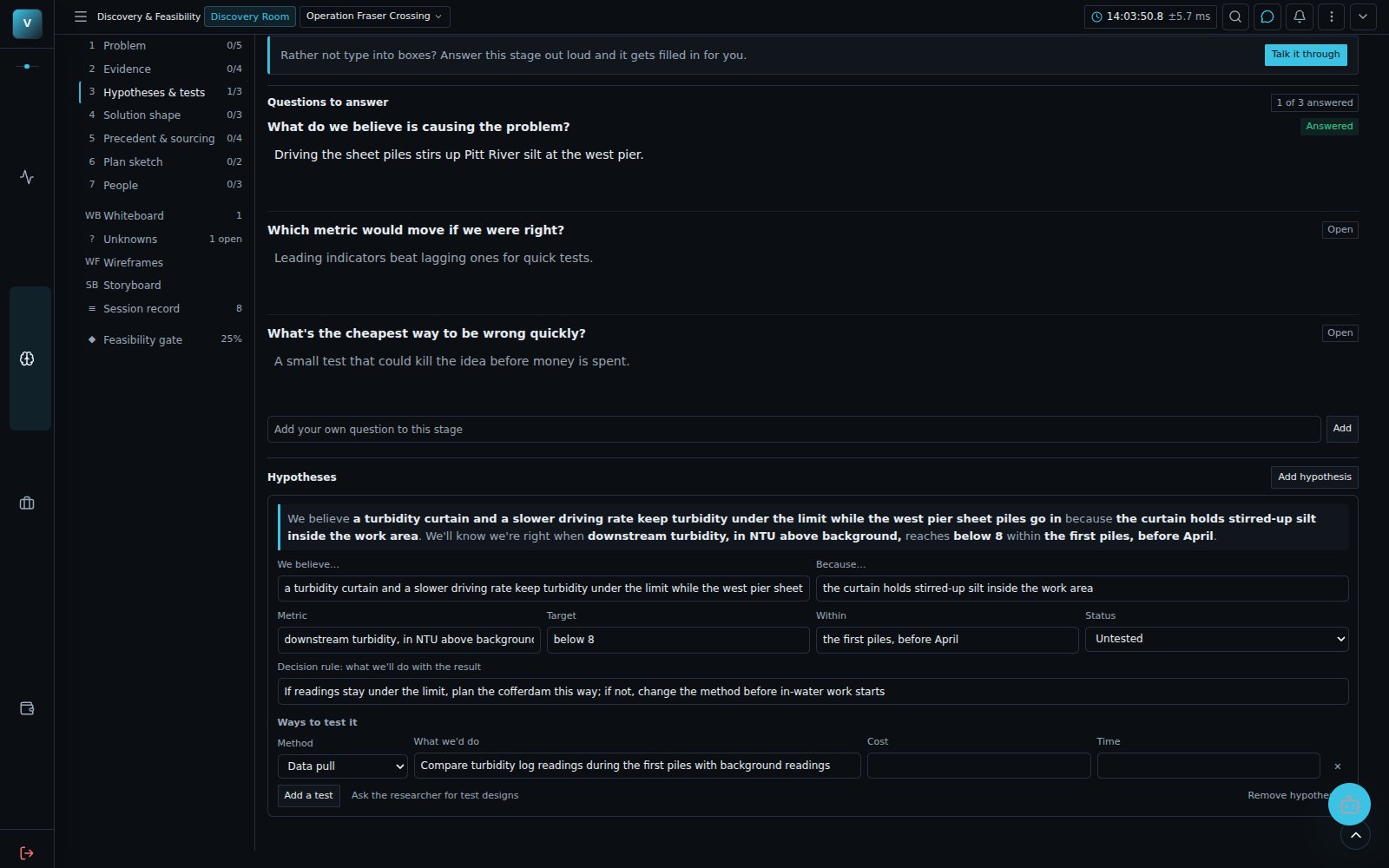
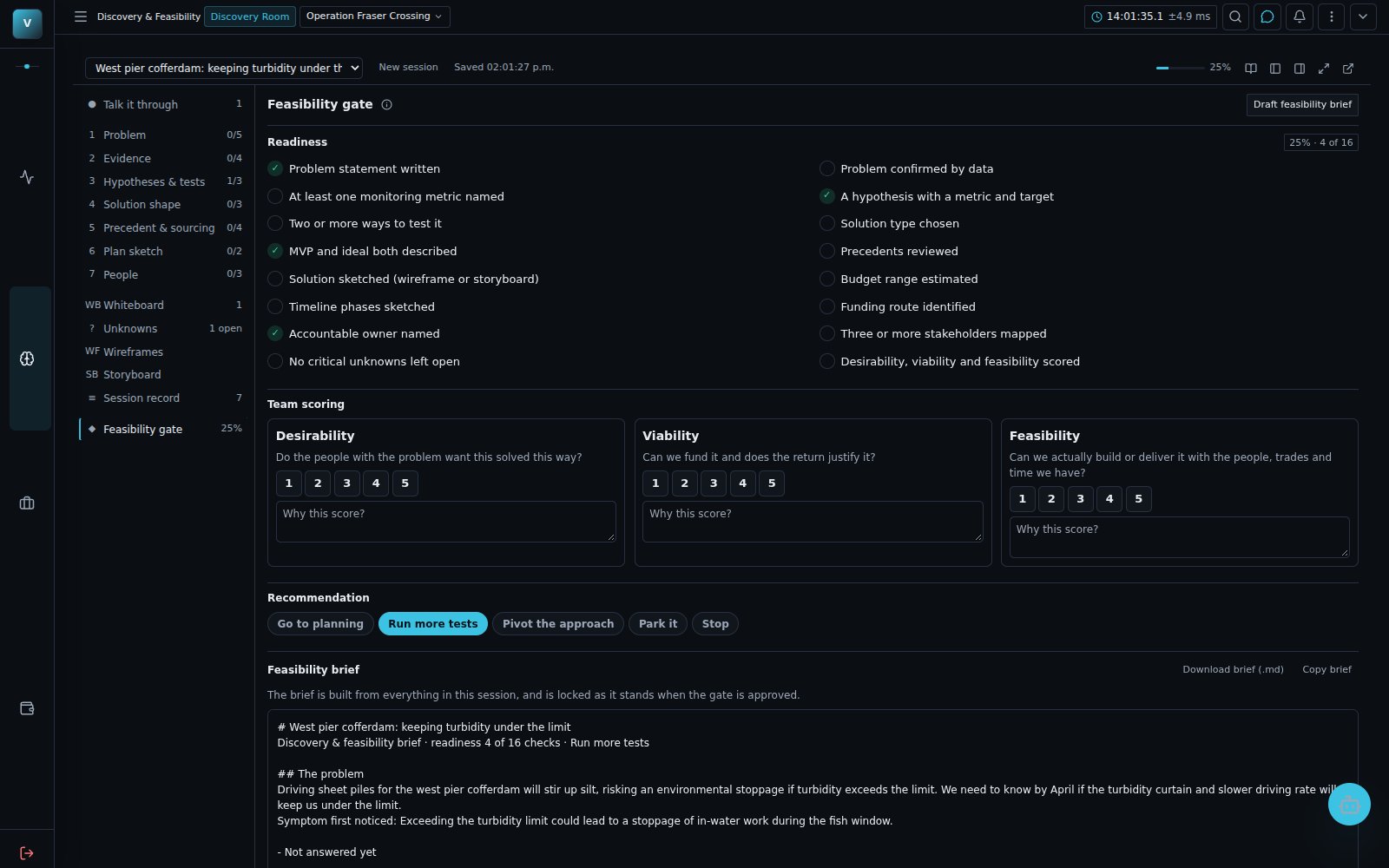
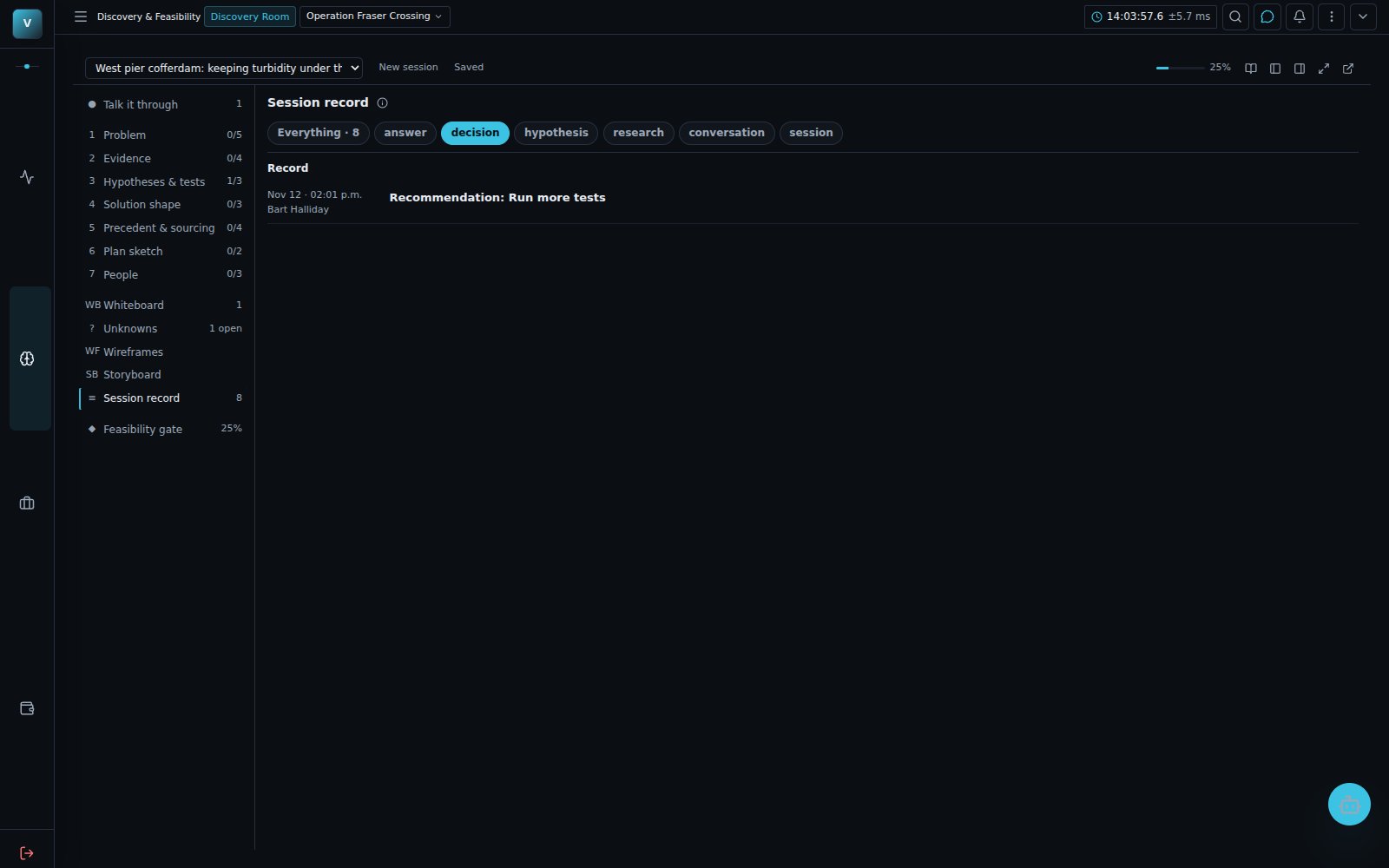
1Talk it throughThe superintendent describes the turbidity risk at the west pier cofferdam. The interviewer restates it, files the problem statement, an unknown and the people involved, and sends the researcher to look for turbidity data and the certificate's limits.Tap the picture for the whole screen.2The problem, filedWhat was said lands in the Problem stage as a session name, the symptom and the problem in two sentences. The questions still to answer are listed beside it, none answered yet.Tap the picture for the whole screen.3Name what is not knownThe open unknown is written as a question: what turbidity readings near the west pier are today, and what limit applies while the sheet piles go in. It is marked critical, to be found by a data pull, and the superintendent names himself as the one chasing it.Tap the picture for the whole screen.4Write a belief a test could prove wrongThe hypothesis reads as one sentence: a turbidity curtain and a slower driving rate keep turbidity under the limit, measured downstream against background. It carries a decision rule, a way to test it, and stays marked Untested.Tap the picture for the whole screen.5Make the call at the gateThe feasibility gate checks readiness: 4 of 16 checks are met. With the problem not yet confirmed by data and a critical unknown still open, the recommendation is Run more tests, not Go to planning.Tap the picture for the whole screen.6The decision is on the recordThe session record keeps every answer, hypothesis and decision with who made it and when. Filtered to decisions, it shows Bart Halliday's recommendation to run more tests.Tap the picture for the whole screen.
Project Delivery 16 steps
Project Delivery turns the plan into field work. This is the view of Rob Callaghan, chief executive of the joint venture building the fictional Fraser Crossing bridge: where the project stands, its schedule, risks and submittals, and a piece of work given to a foreperson. Then a change order from start to finish, entered by the people who handled it: raised by the Ministry, signed in order, approved within the approver's authority, accepted by the contractor, carried onto the contract, and its days put on the schedule.
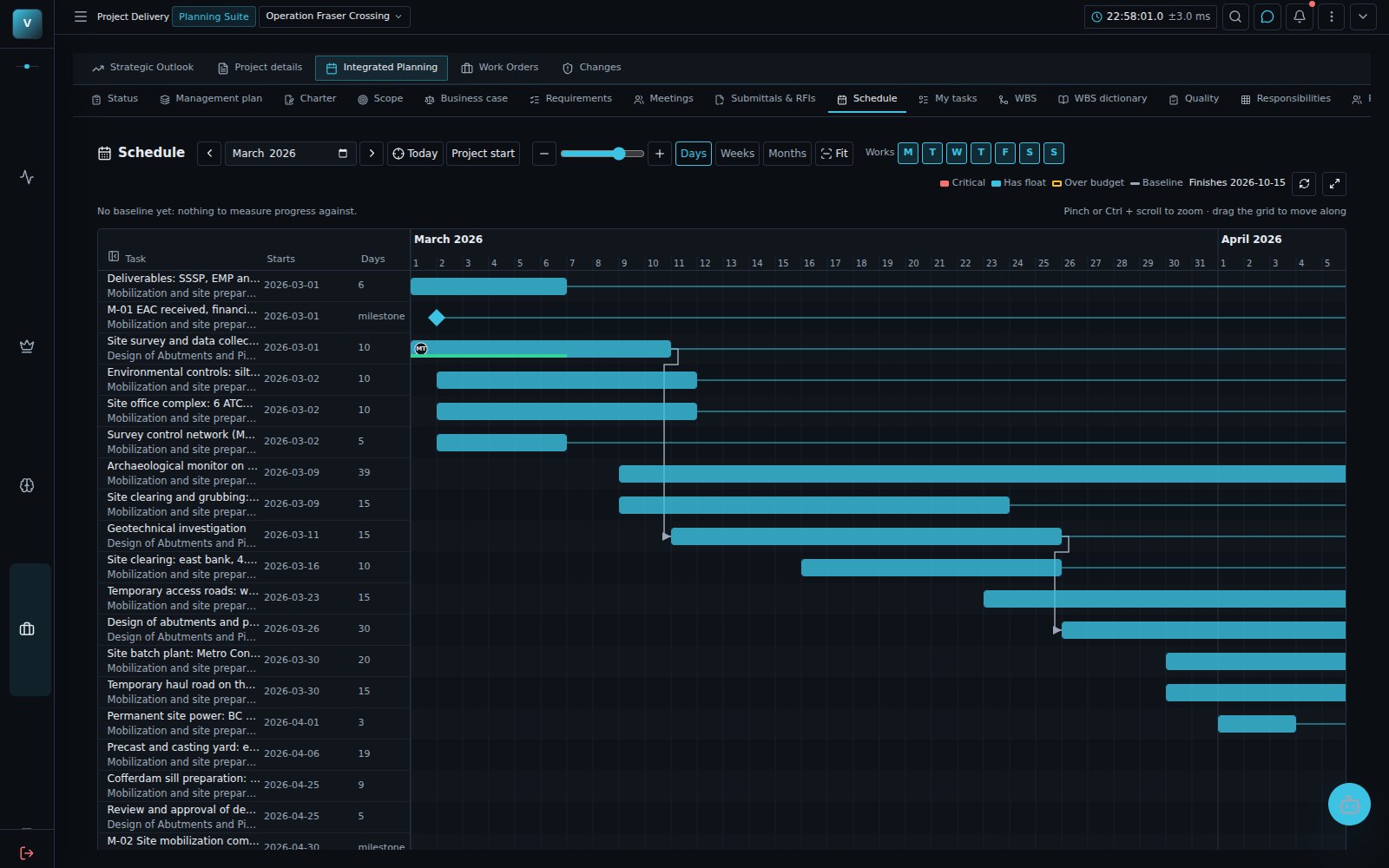
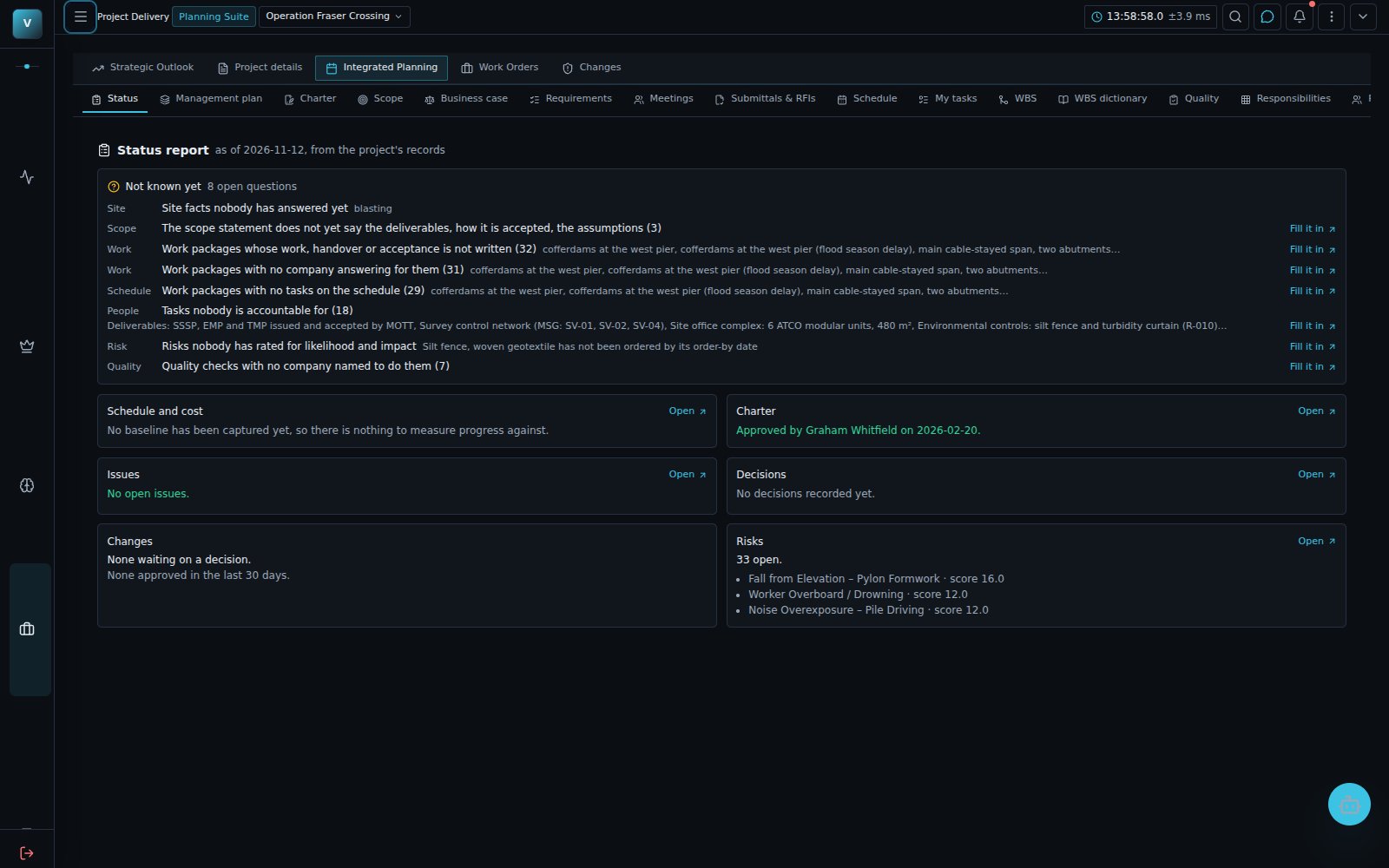
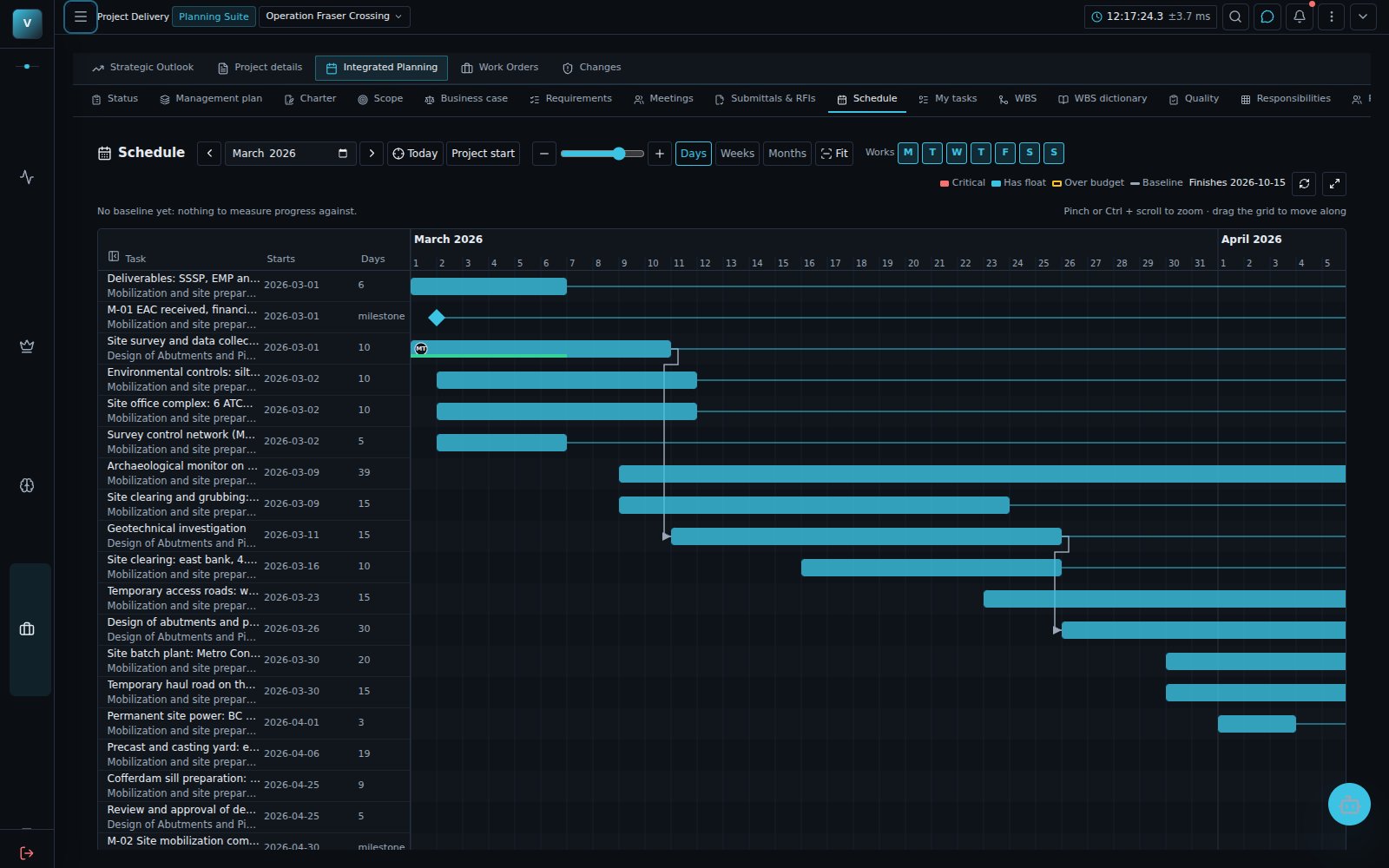
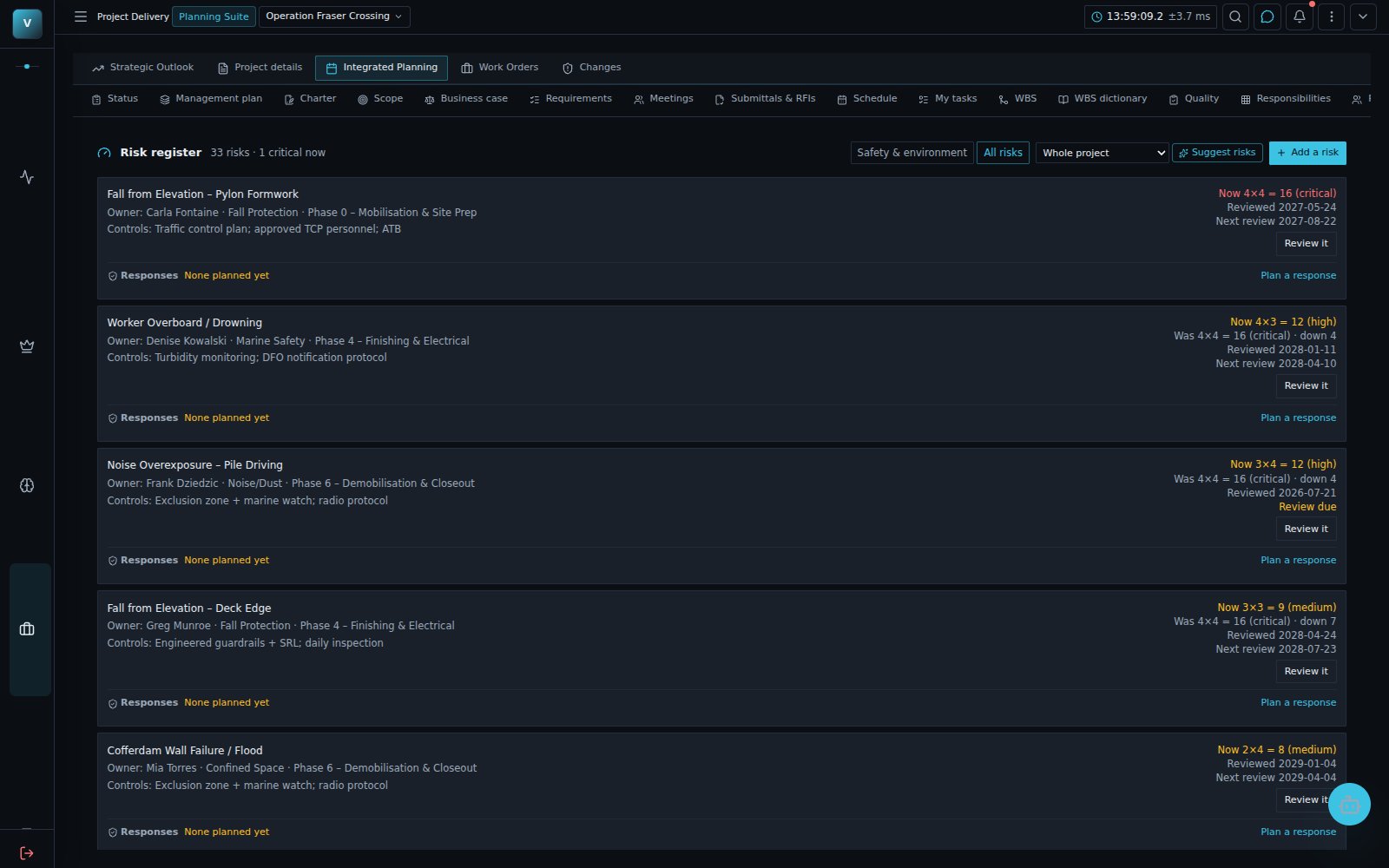
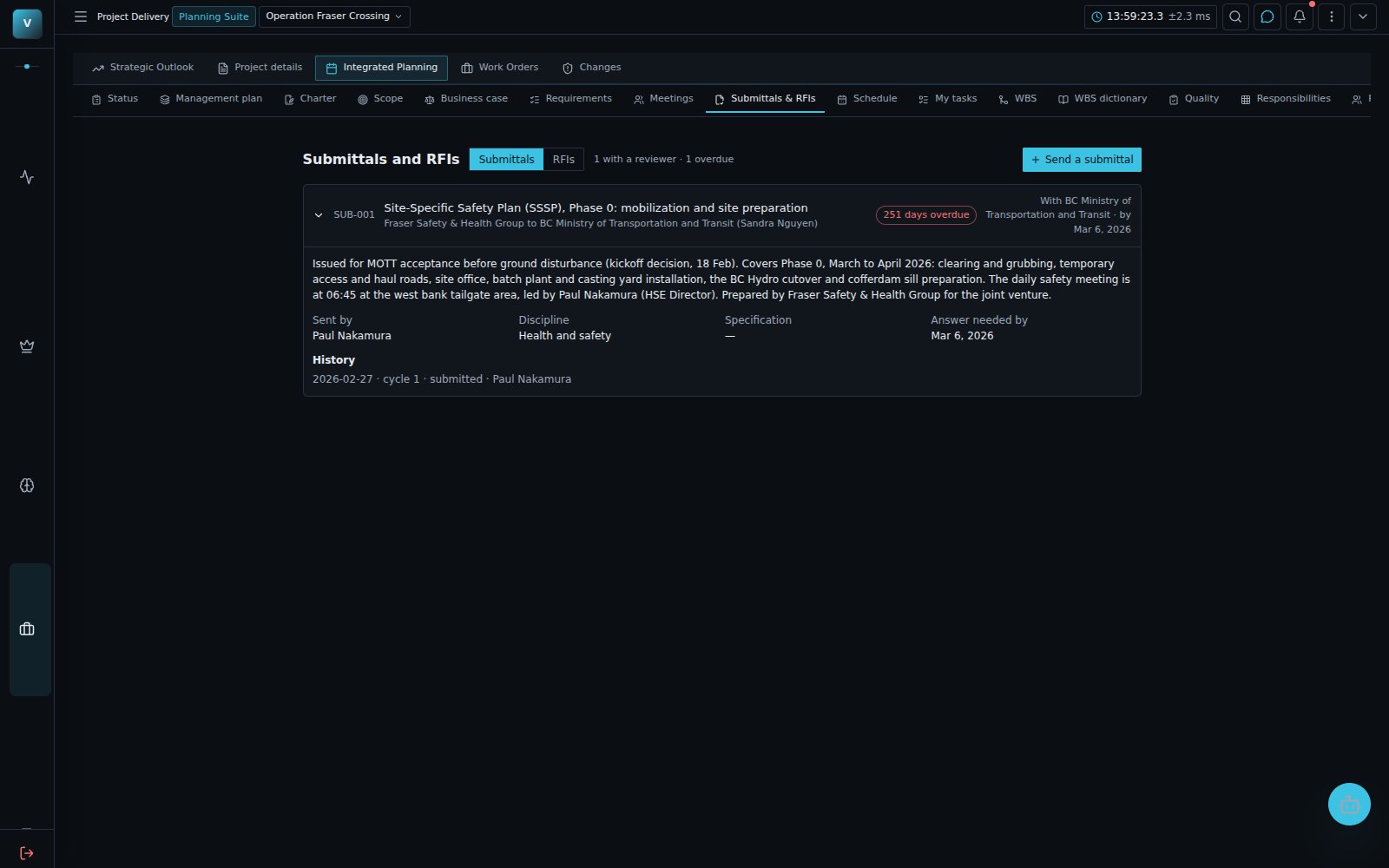
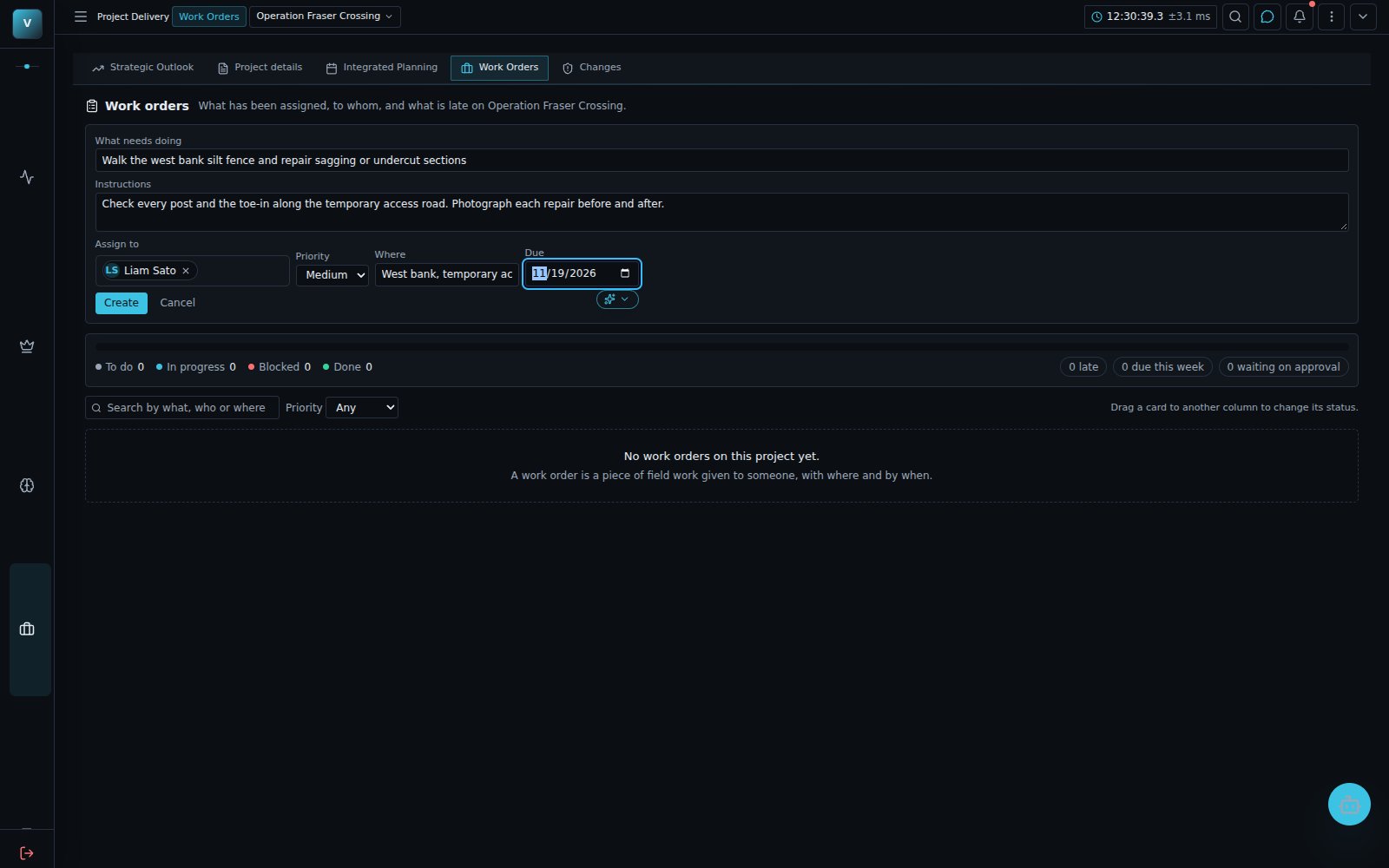
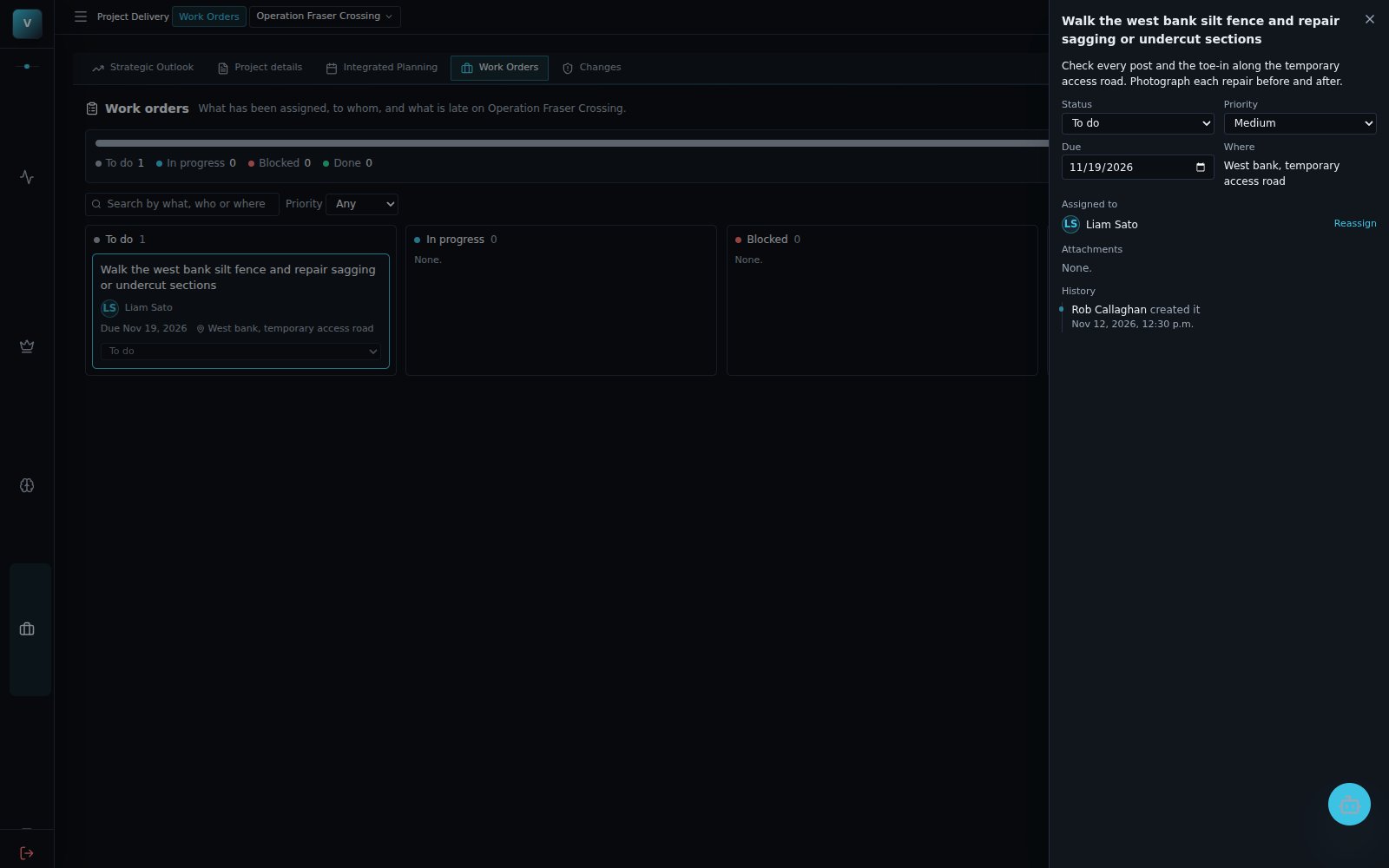
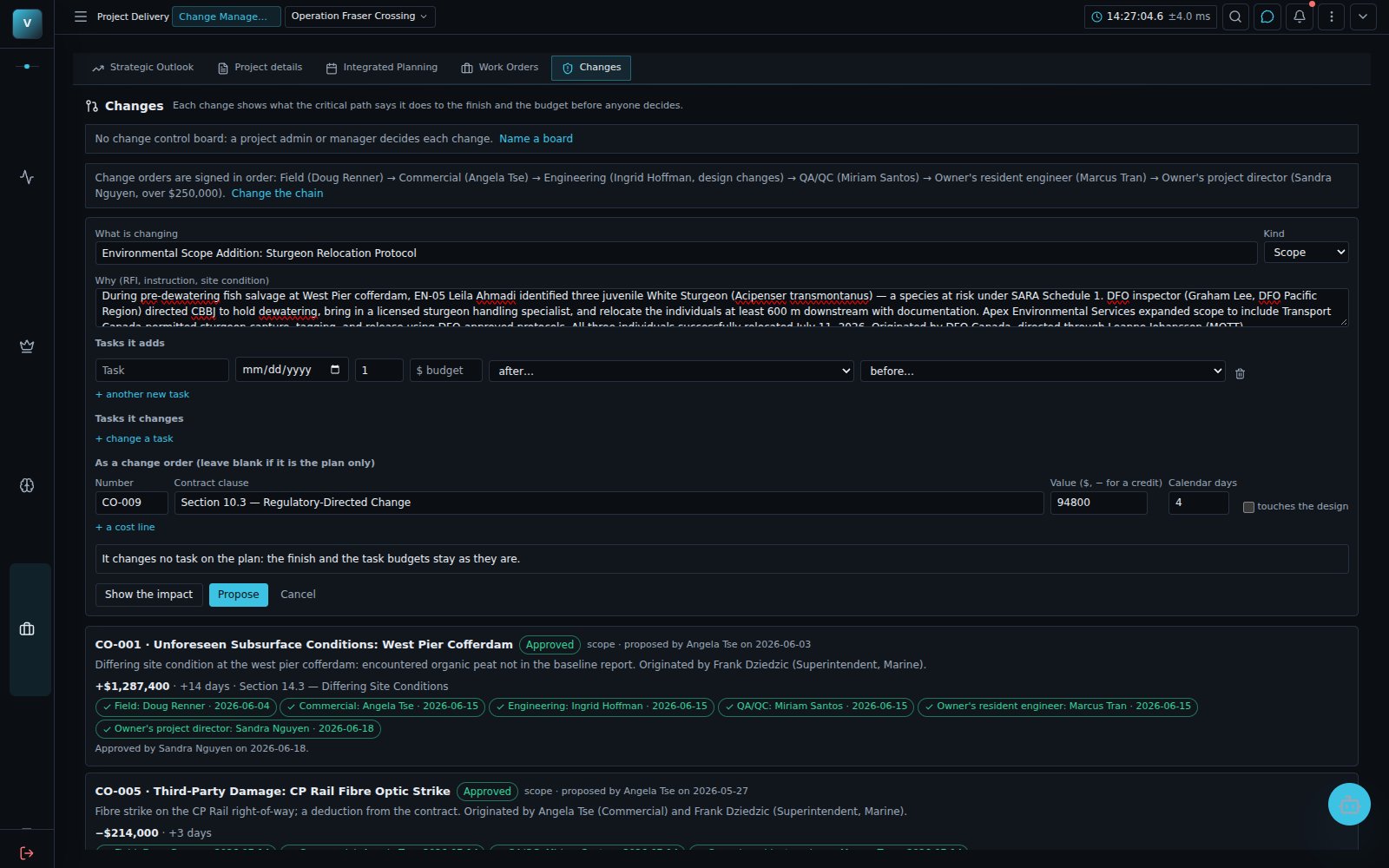
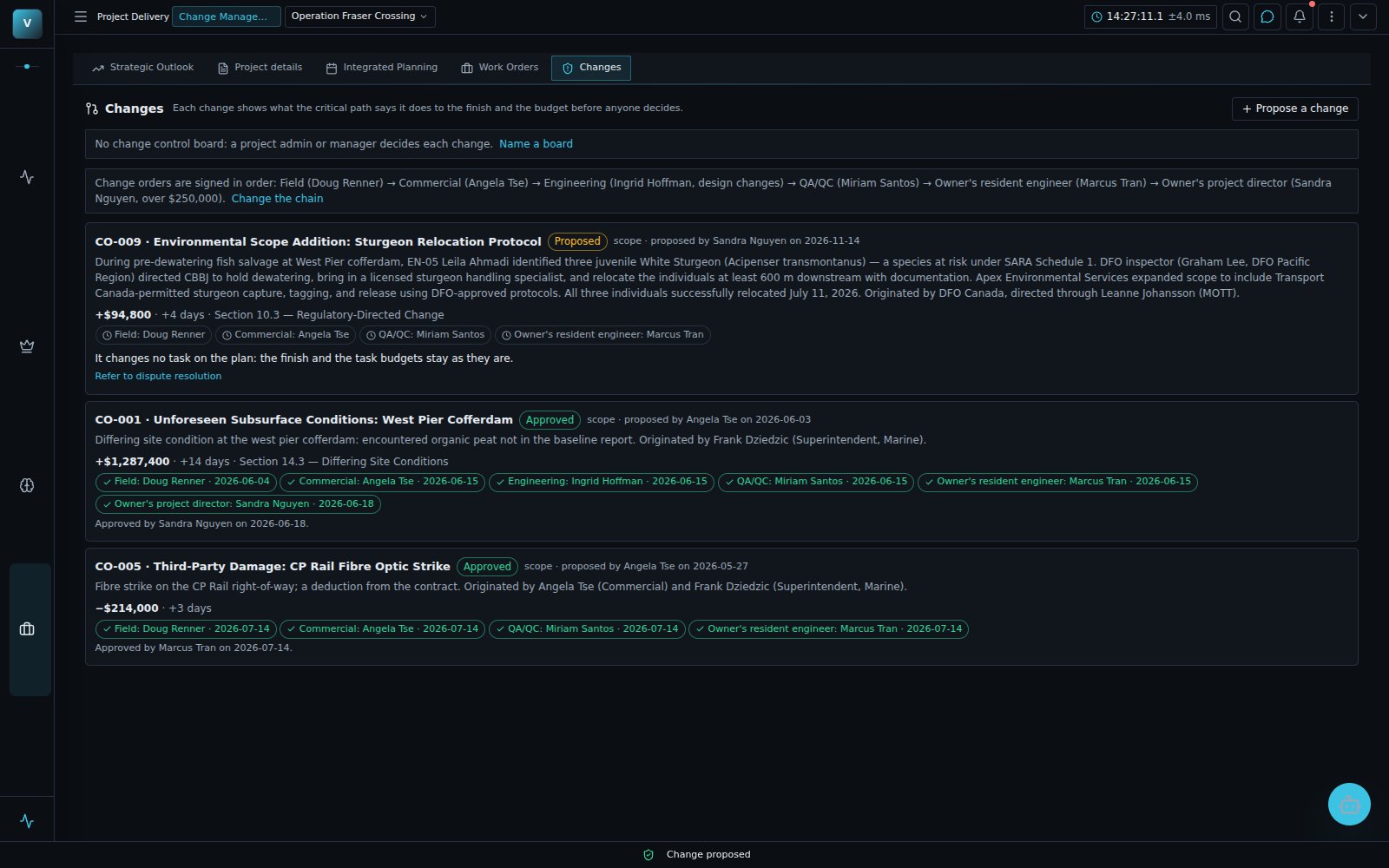
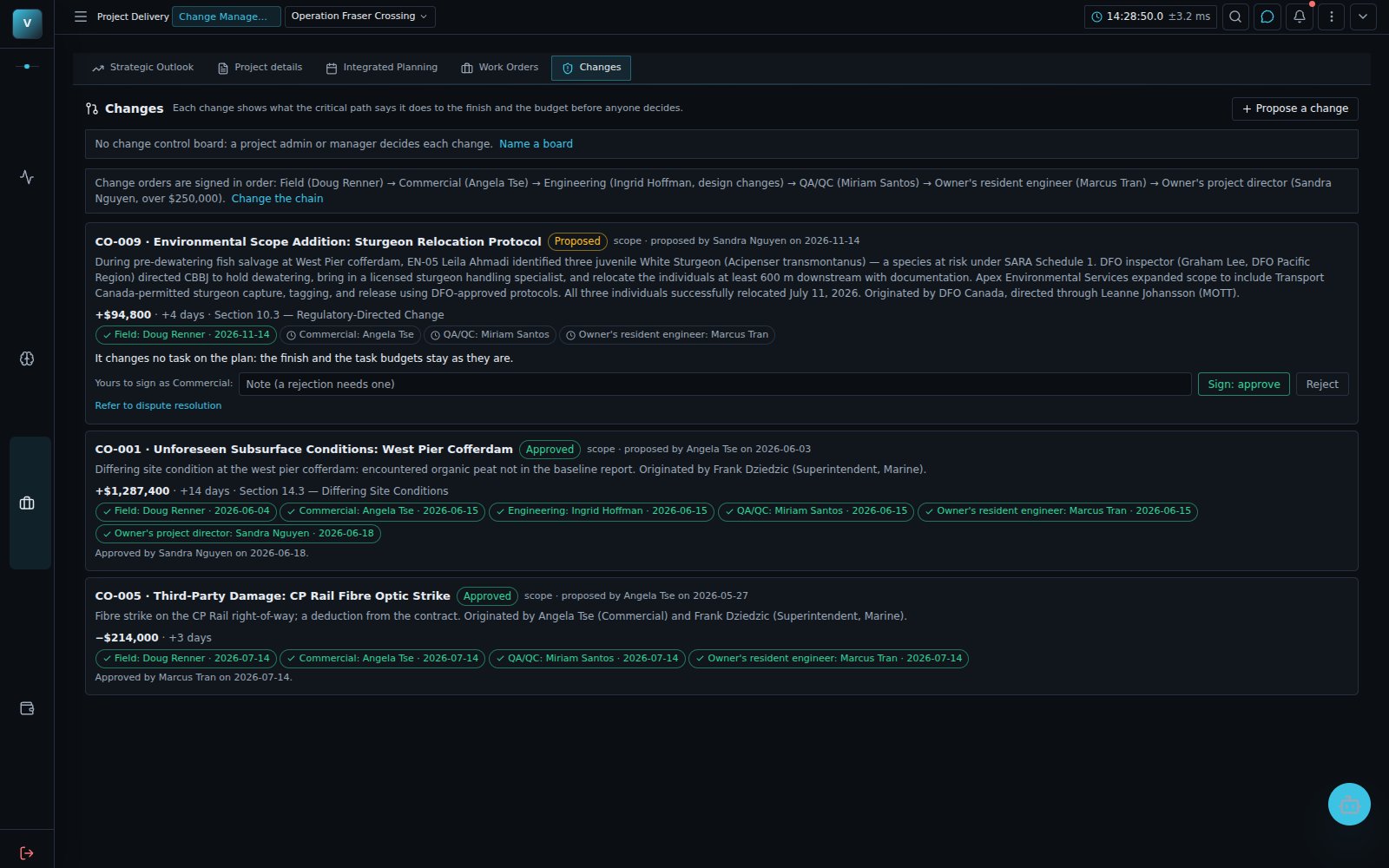
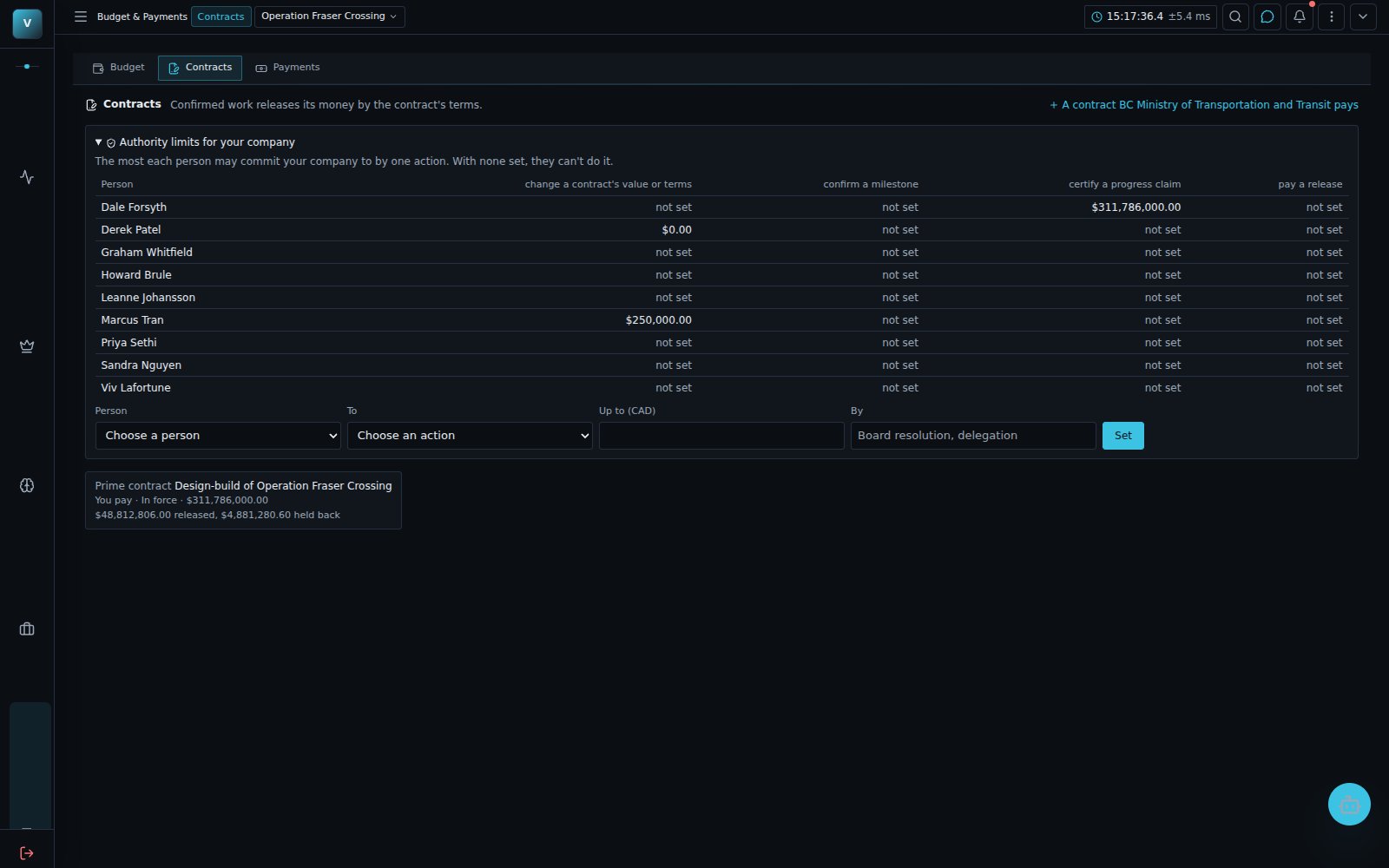
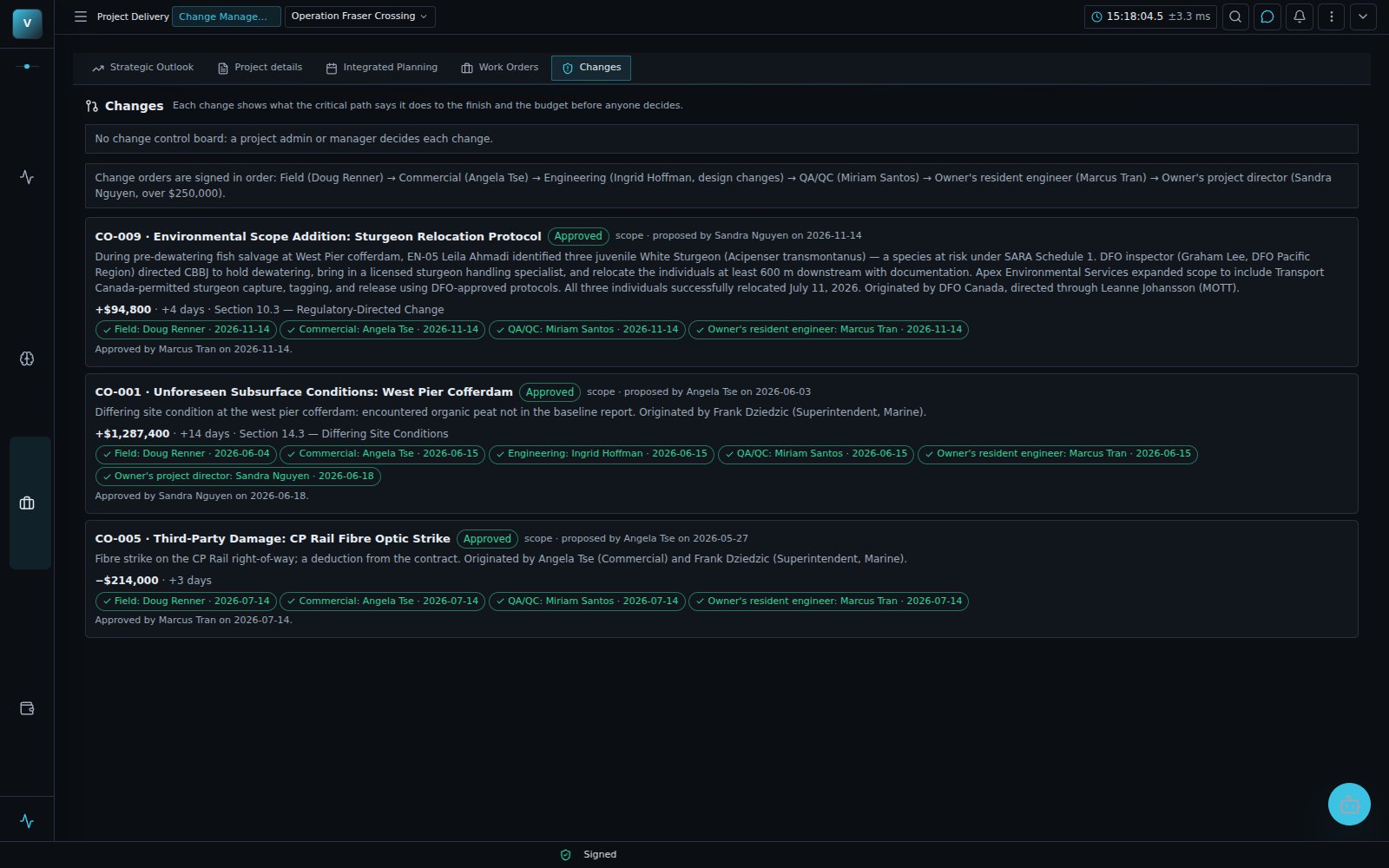
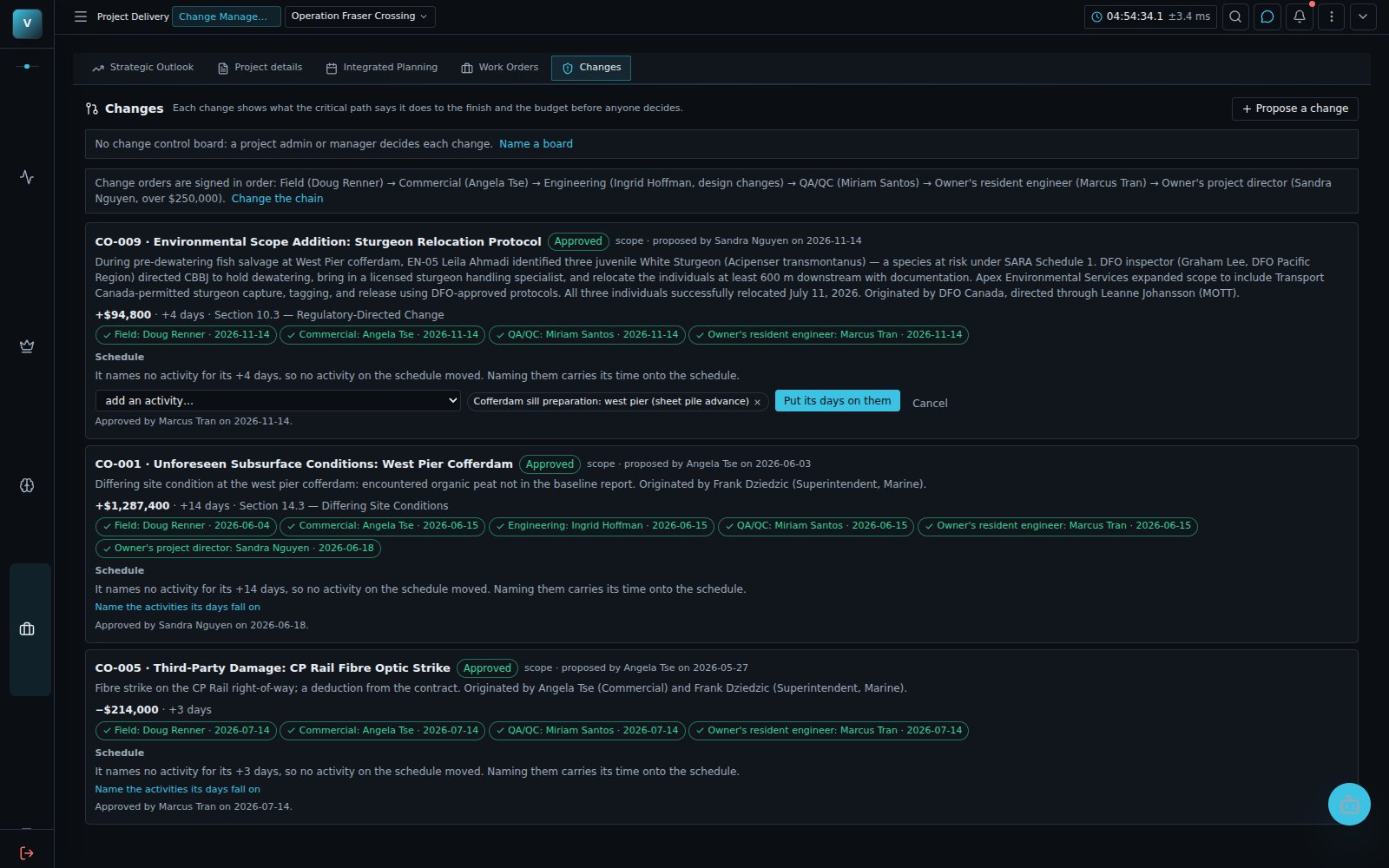
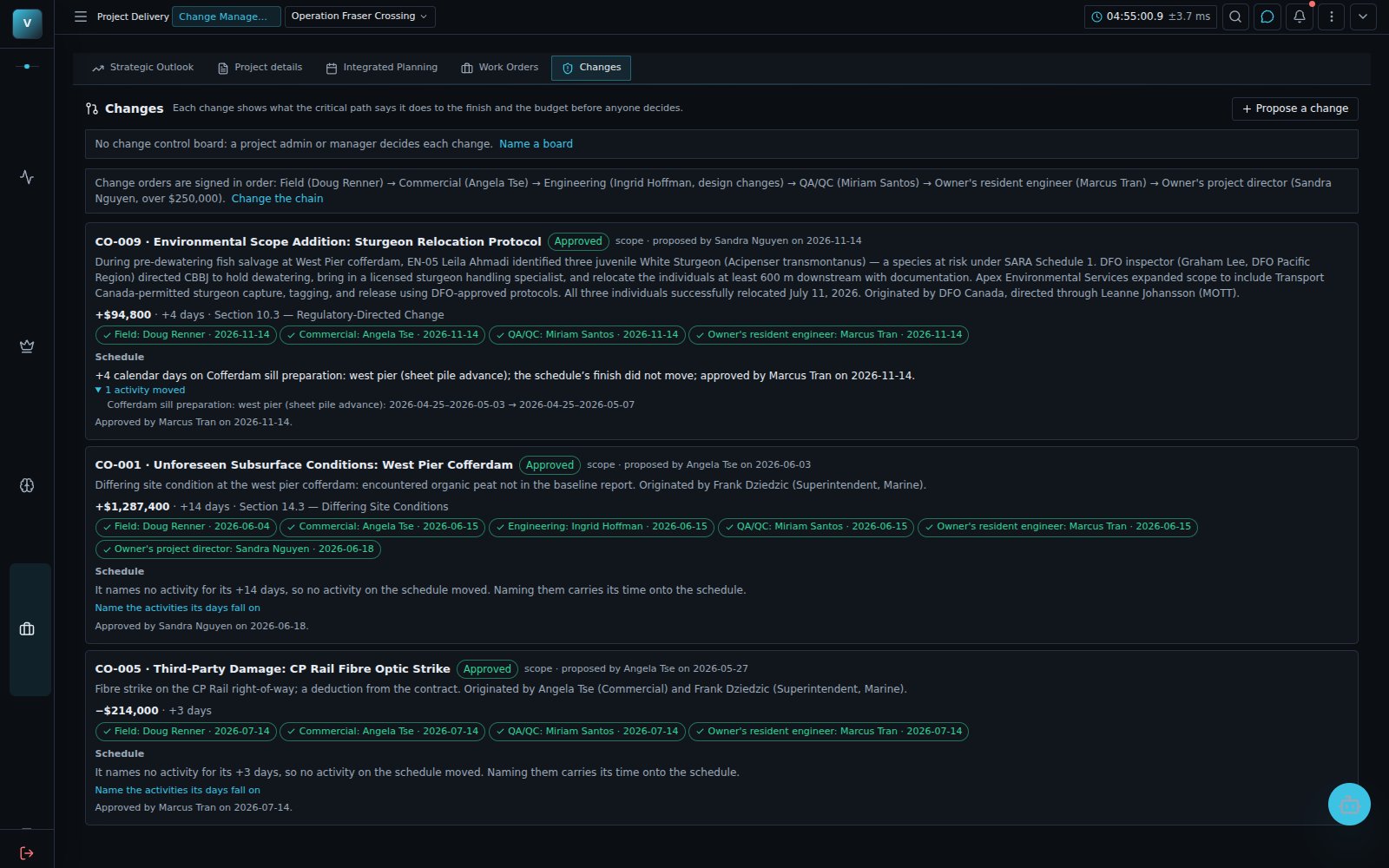
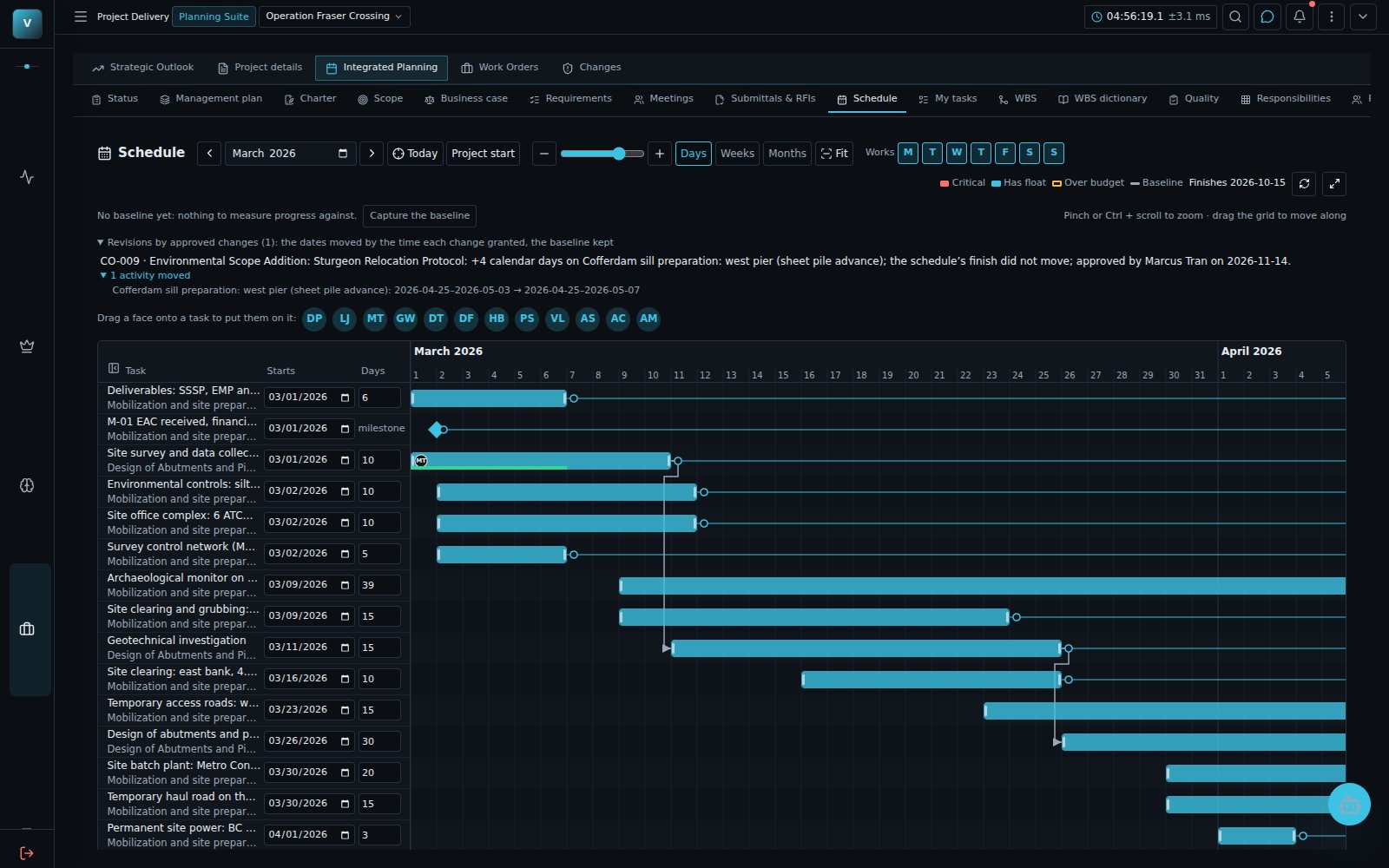
1See where the project standsThe status report is written from the project's own records. It lists first what nobody has answered yet, such as work packages with no company responsible for them, then the charter's approval by Graham Whitfield, the open risks and the changes waiting on a decision.Tap the picture for the whole screen.2Read the planThe integrated schedule shows each task, its start and length, and the links between them. Nothing is baselined yet, and the screen says so rather than inventing progress against a plan.Tap the picture for the whole screen.3Weigh the risksThe risk register holds 33 risks, each with an owner, its controls and a likelihood-times-impact score. A fall from the pylon formwork is the one rated critical; every row shows when it was last reviewed and whether a response has been planned.Tap the picture for the whole screen.4Follow a submittal to the ownerSubmittal SUB-001, the site-specific safety plan for mobilization, was sent by Paul Nakamura to the BC Ministry of Transportation and Transit on 27 February 2026. The ministry's answer was due on 6 March, and the record counts the days it is overdue.Tap the picture for the whole screen.5Give the work to someoneRob Callaghan writes what needs doing and where, and picks Liam Sato, a foreperson in his own company, by name and face rather than from a list of ids.Tap the picture for the whole screen.6The record says who and whenThe work order sits in To do with its assignee, place and due date. Its history names Rob Callaghan as the person who created it, with the time.Tap the picture for the whole screen.7Raise a change and see its impactSandra Nguyen, the Ministry's project director, raises CO-009: DFO directed the relocation of three white sturgeon at the west pier cofferdam, $94,800 and 4 calendar days under Section 10.3, Regulatory-Directed Change. Show the impact reports that it changes no task on the plan, so the finish and task budgets stay as they are.Tap the picture for the whole screen.8The change waits on its signaturesProposed, CO-009 waits on four signatures in the order the project set: field, commercial, QA/QC and the owner's resident engineer. Engineering signs only design changes, and the owner's project director only changes over $250,000, so neither is asked.Tap the picture for the whole screen.9Each signer signs as themselvesDoug Renner has signed for the field. Angela Tse sees that the change is hers to sign as Commercial, with a note, an approval and a rejection; a rejection needs a note.Tap the picture for the whole screen.10Authority decides who may approveThe Ministry's delegation of authority lets its resident engineer approve change orders up to $250,000. Sandra Nguyen records that limit for Marcus Tran; with no limit recorded, nobody can move the contract.Tap the picture for the whole screen.11The last signature approves itMarcus Tran gives the last signature and CO-009 is approved, every signature named and dated beside the earlier change orders, a $1,287,400 addition and a $214,000 deduction.Tap the picture for the whole screen.12The contractor accepts the amendmentThe Ministry raised the change, so its approval becomes an amendment to the prime contract that the joint venture must accept. Angela Tse accepts the +$94,800; the amendment shows who proposed it and who accepted it.Tap the picture for the whole screen.13The contract moves, its record still sealedThe prime contract now reads $311,880,800.00. Its record is re-checked each time it is opened, and all 43 sealed entries are intact. The 4 days are on the change order, but it names no activity they fall on, so no date on the schedule has moved.Tap the picture for the whole screen.14Name the activity its days fall onApproved CO-009 says plainly that it names no activity for its 4 days, so nothing on the schedule moved. Sandra Nguyen picks the activity they fall on, the cofferdam sill preparation at the west pier, and puts its days on it.Tap the picture for the whole screen.15The change moves the scheduleThe change now reads +4 calendar days on the west pier cofferdam sill preparation: it ran 25 April to 3 May and now runs to 7 May. The schedule's finish did not move, and the record says so. CO-001 and CO-005 still name no activity for their days, and offer the same step.Tap the picture for the whole screen.16The schedule keeps the reasonOn the schedule, Revisions by approved changes lists CO-009 with the activity it moved and its dates before and after. No baseline is captured yet, so there is nothing to measure progress against, and the screen says so.Tap the picture for the whole screen.
Field Operations 10 steps
Field Operations puts the site map in front of whoever runs the job, with site sign-in, attendance, the fleet, equipment and drone surveys beside it. Rob Callaghan, CEO of the general contractor, opens the site; Tom Hicks, its fleet and equipment manager, enters the machines his operators run; Jackson Martins, the surveyor lead, plans a drone survey; the crews sign in for the day, on the fictional Fraser Crossing project. Nothing tracks anyone live: a person or machine is on the map only where someone sent or recorded its position, with how long ago.
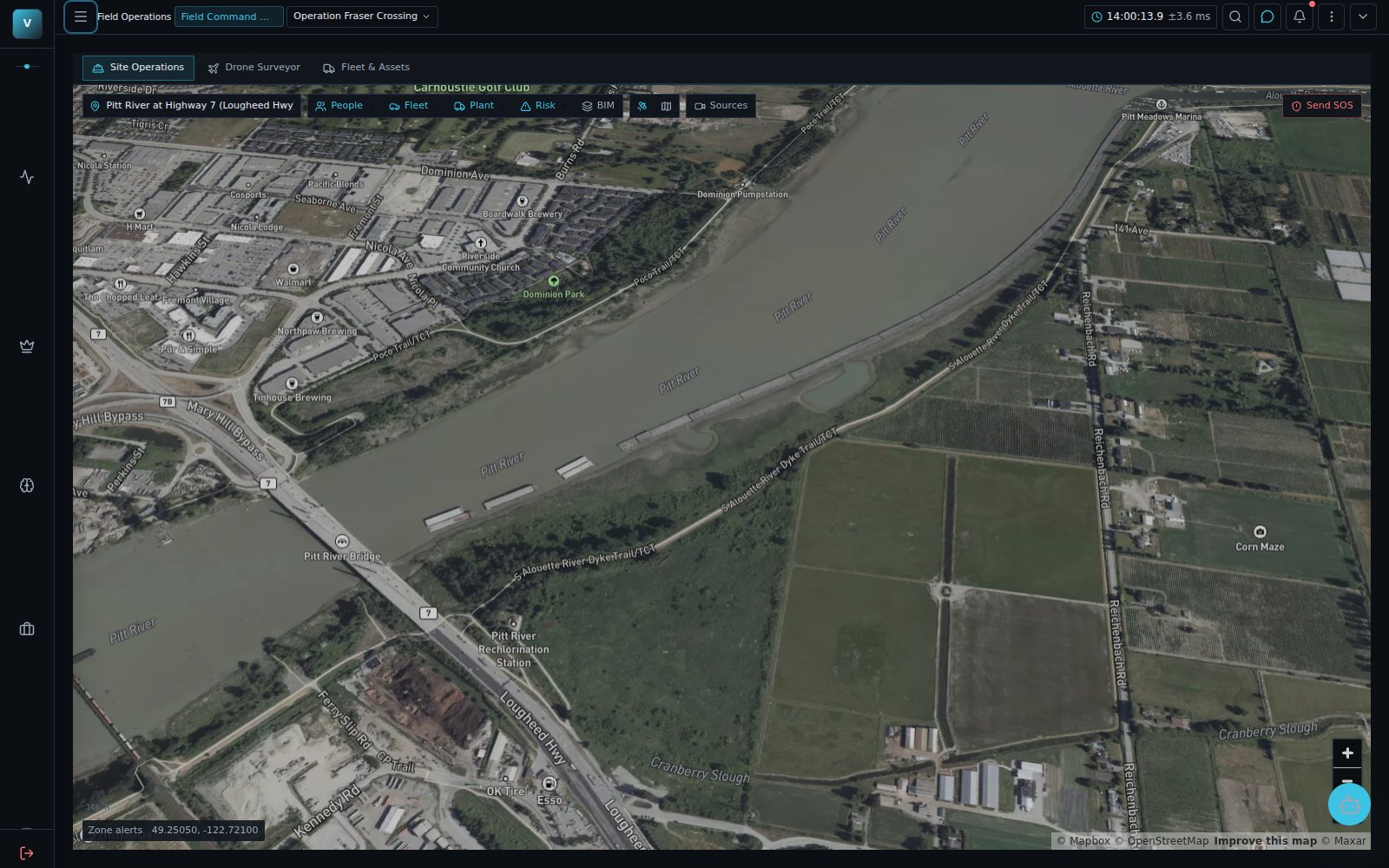
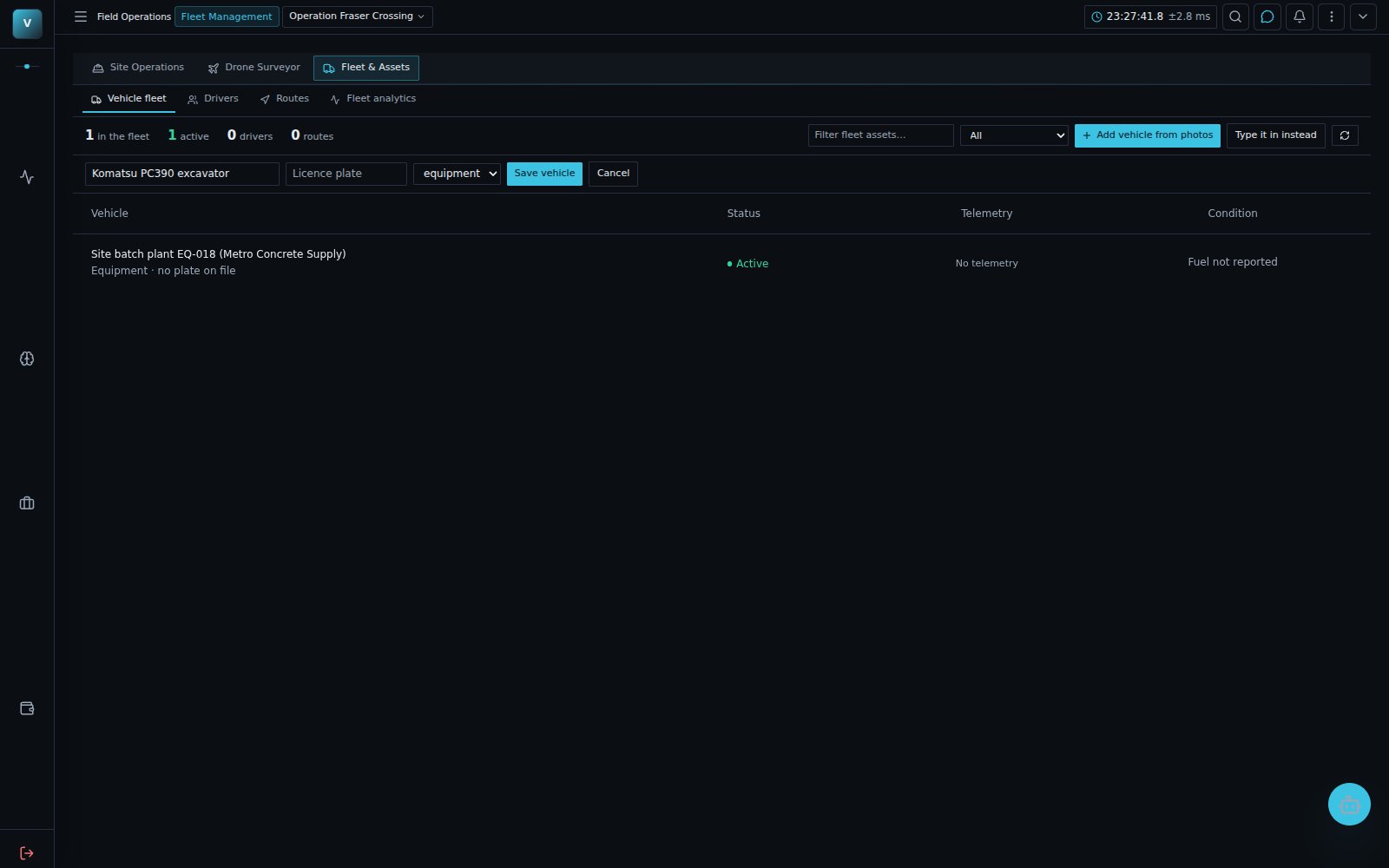
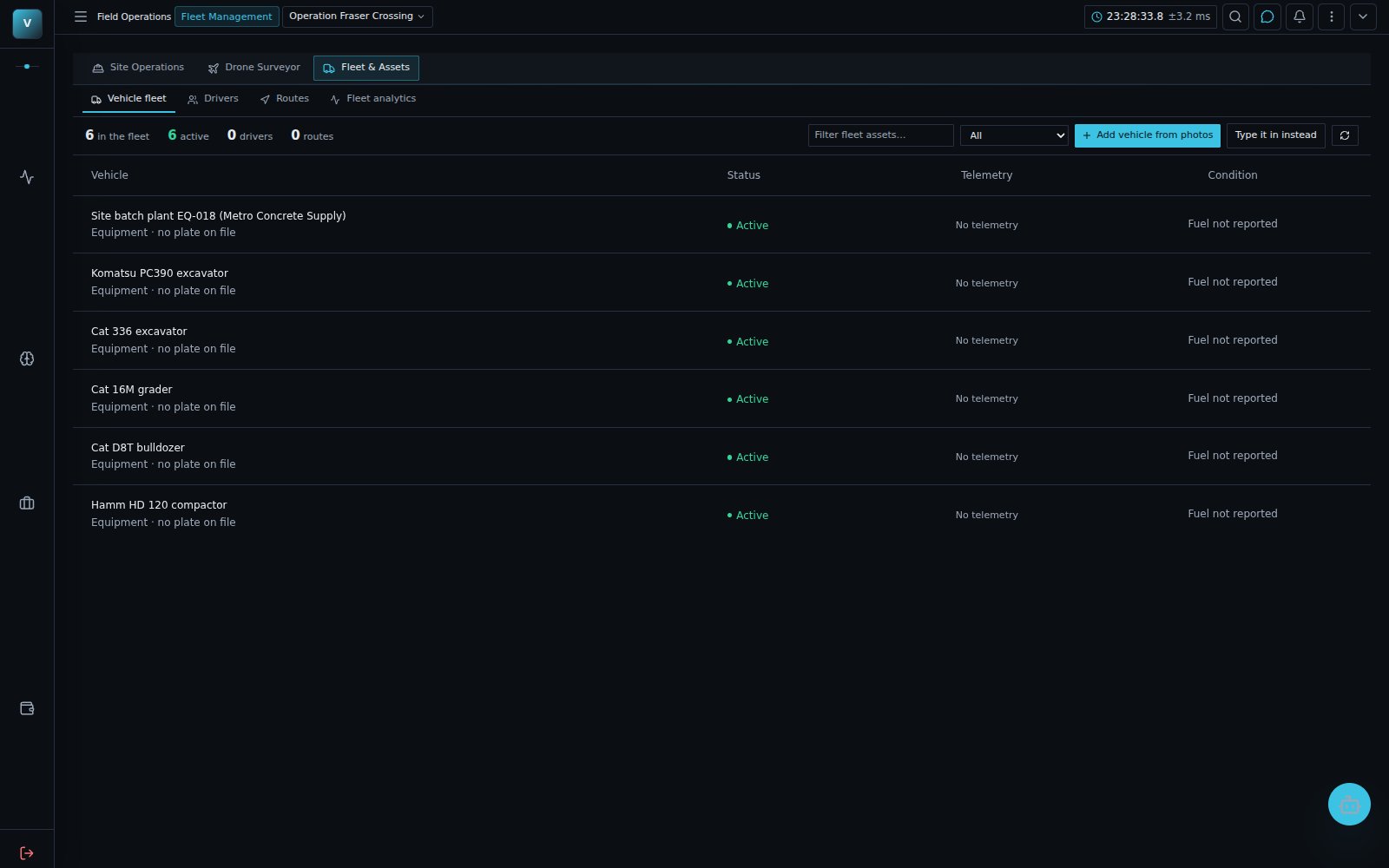
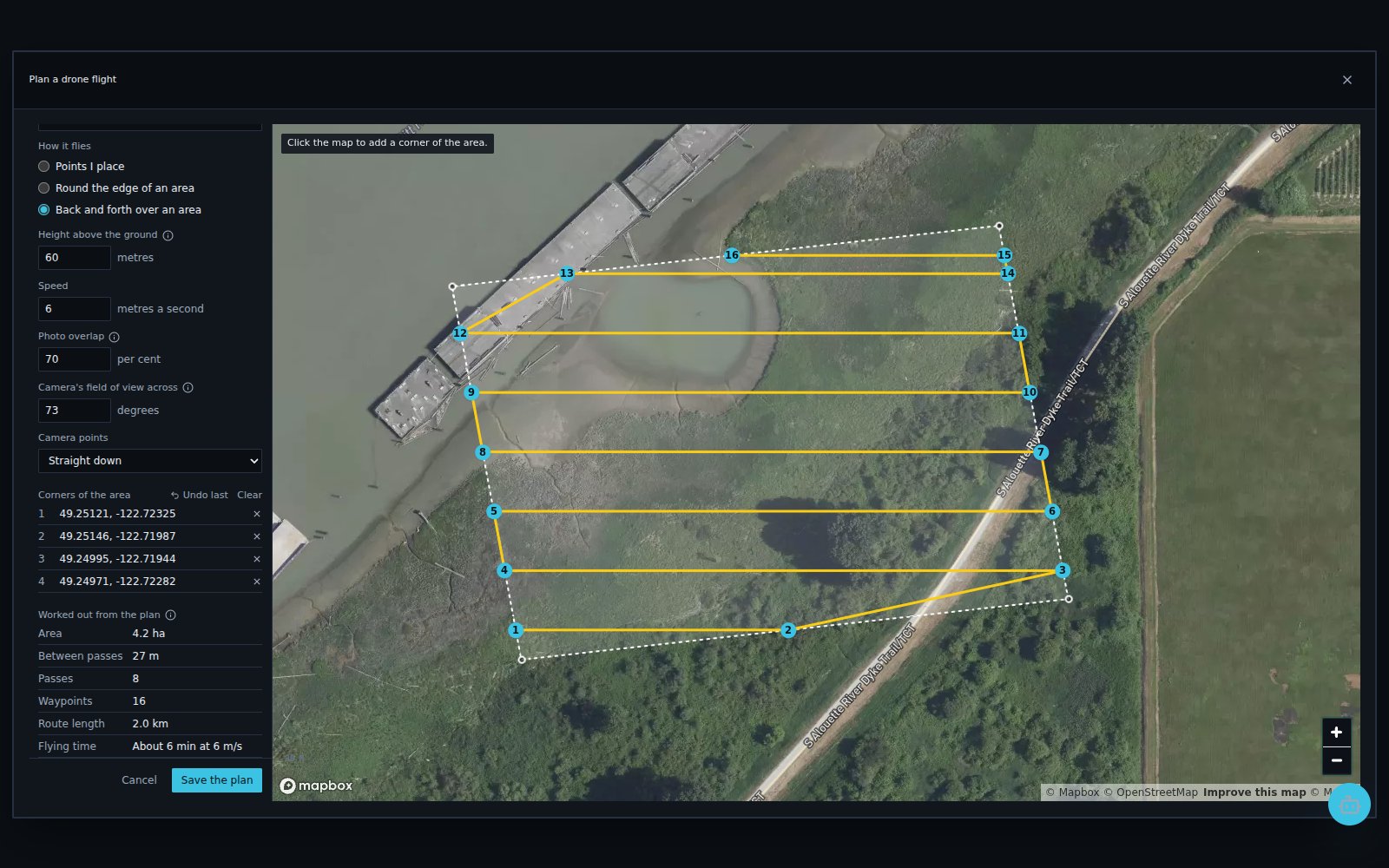
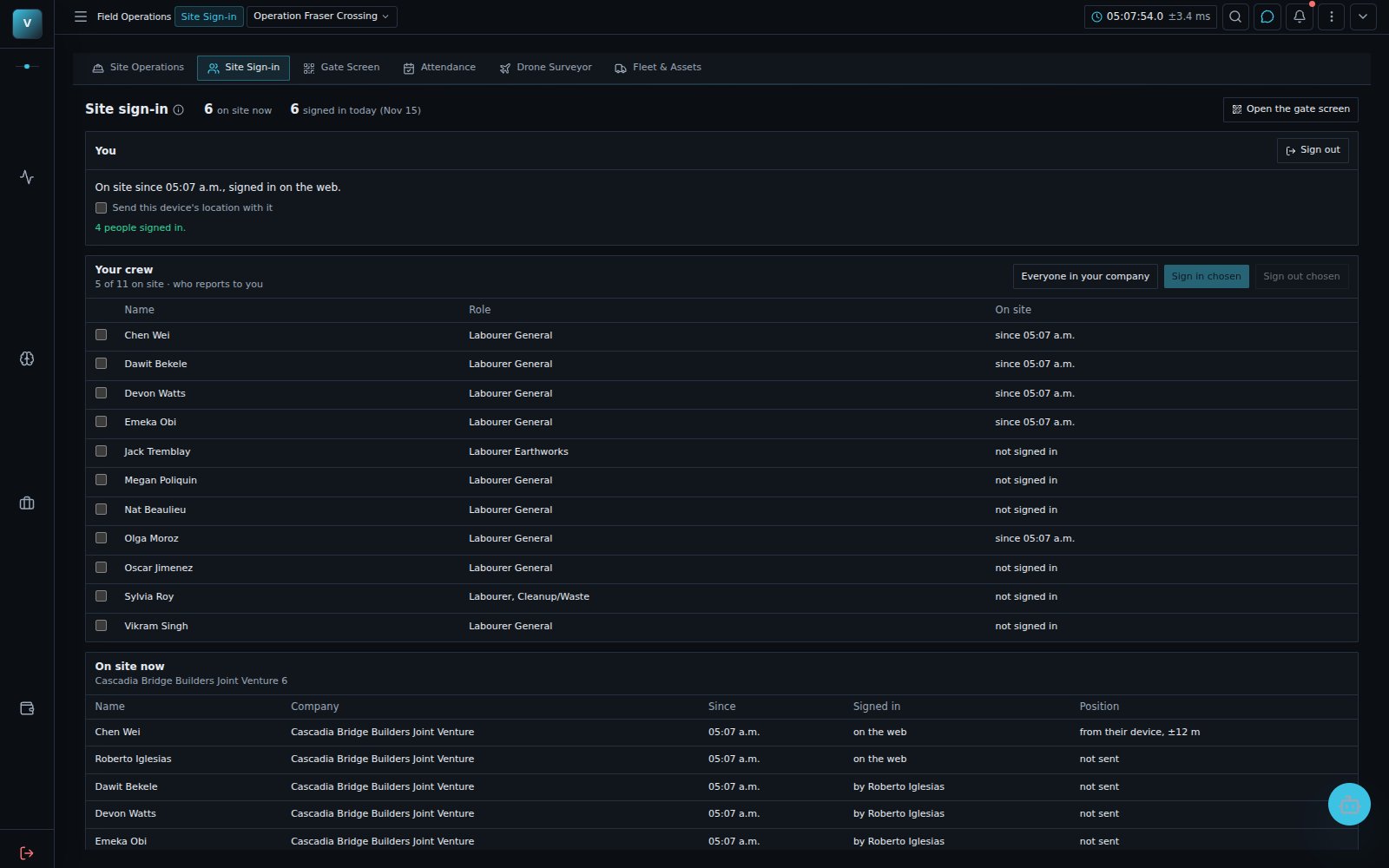
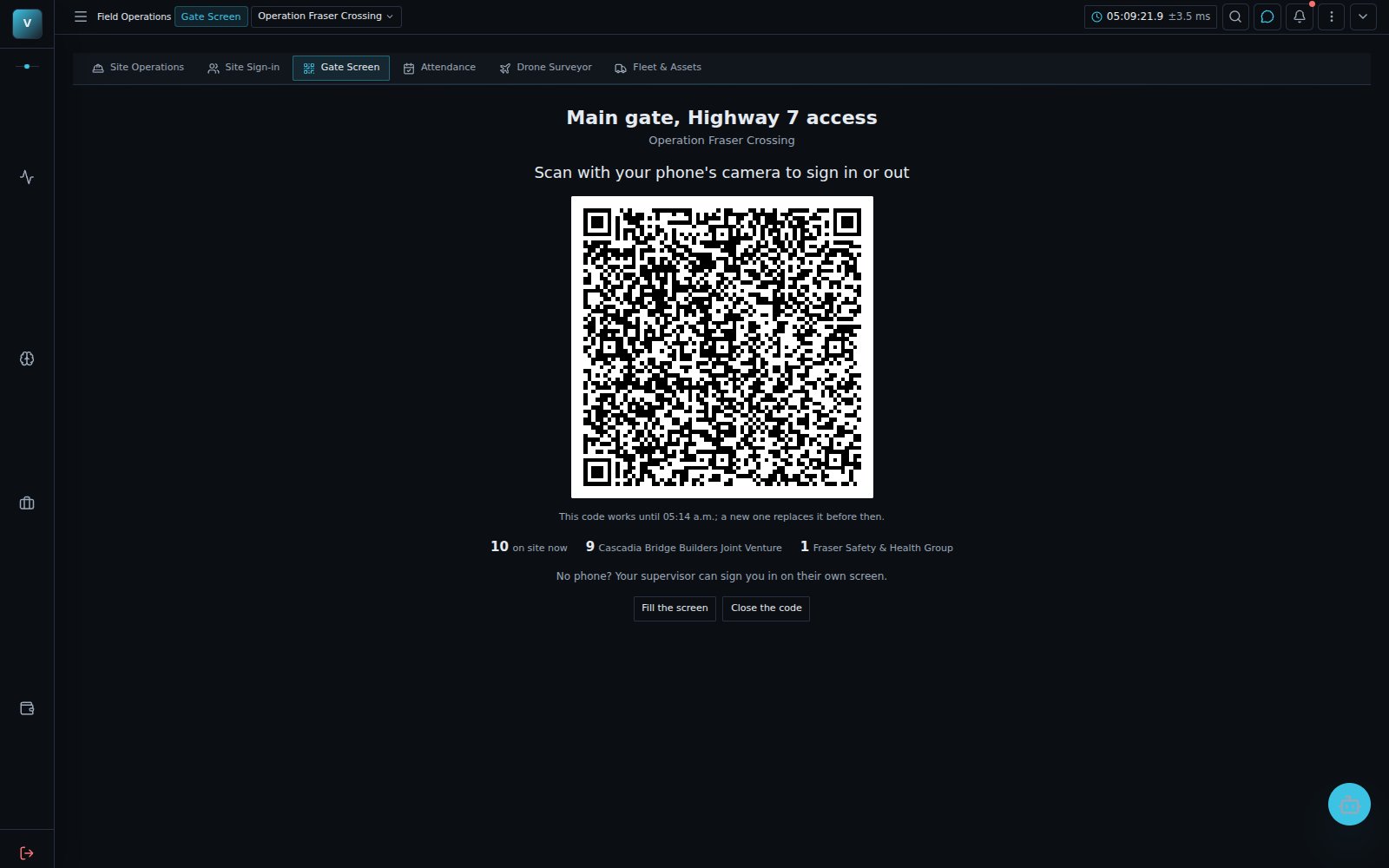
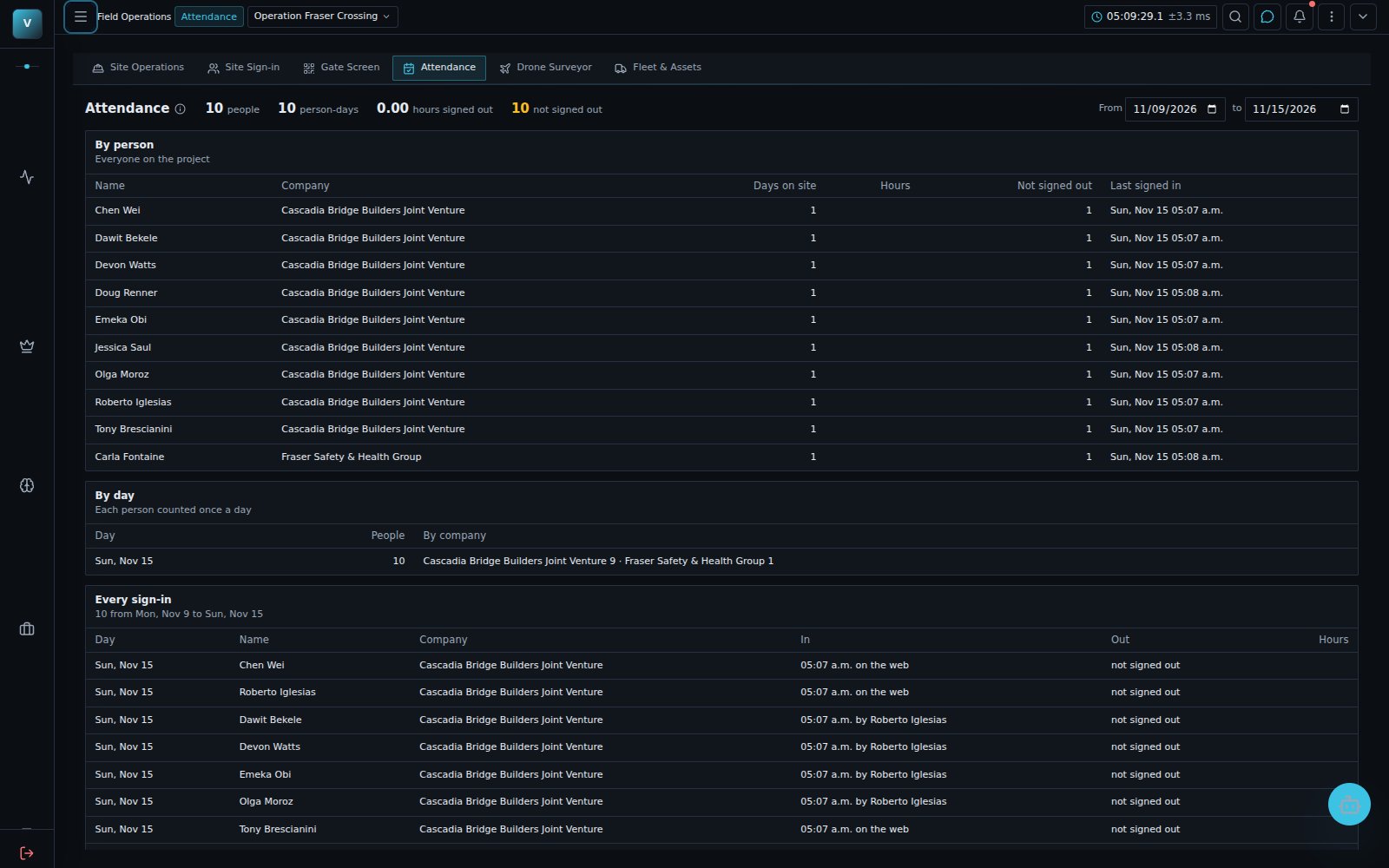
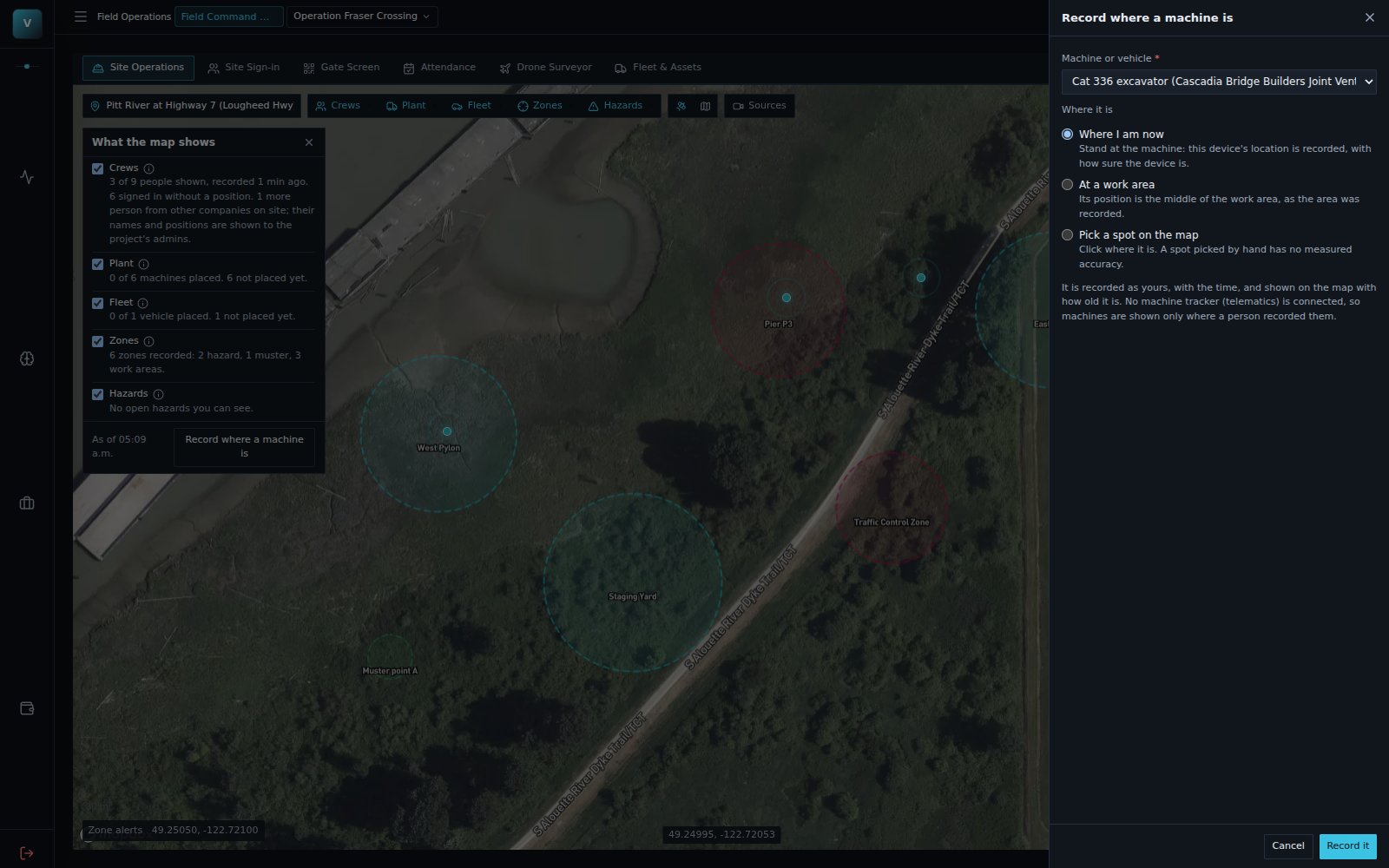
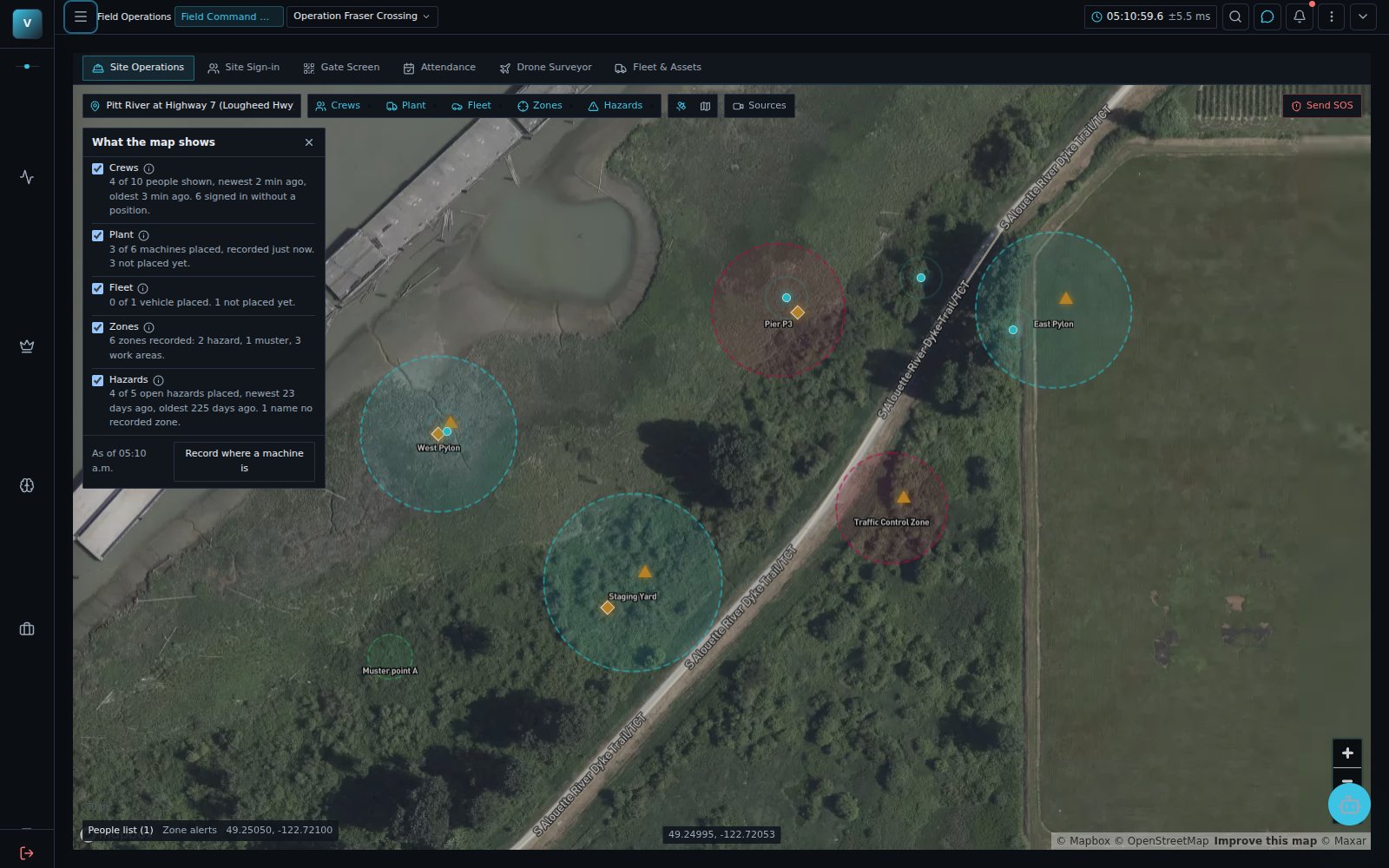
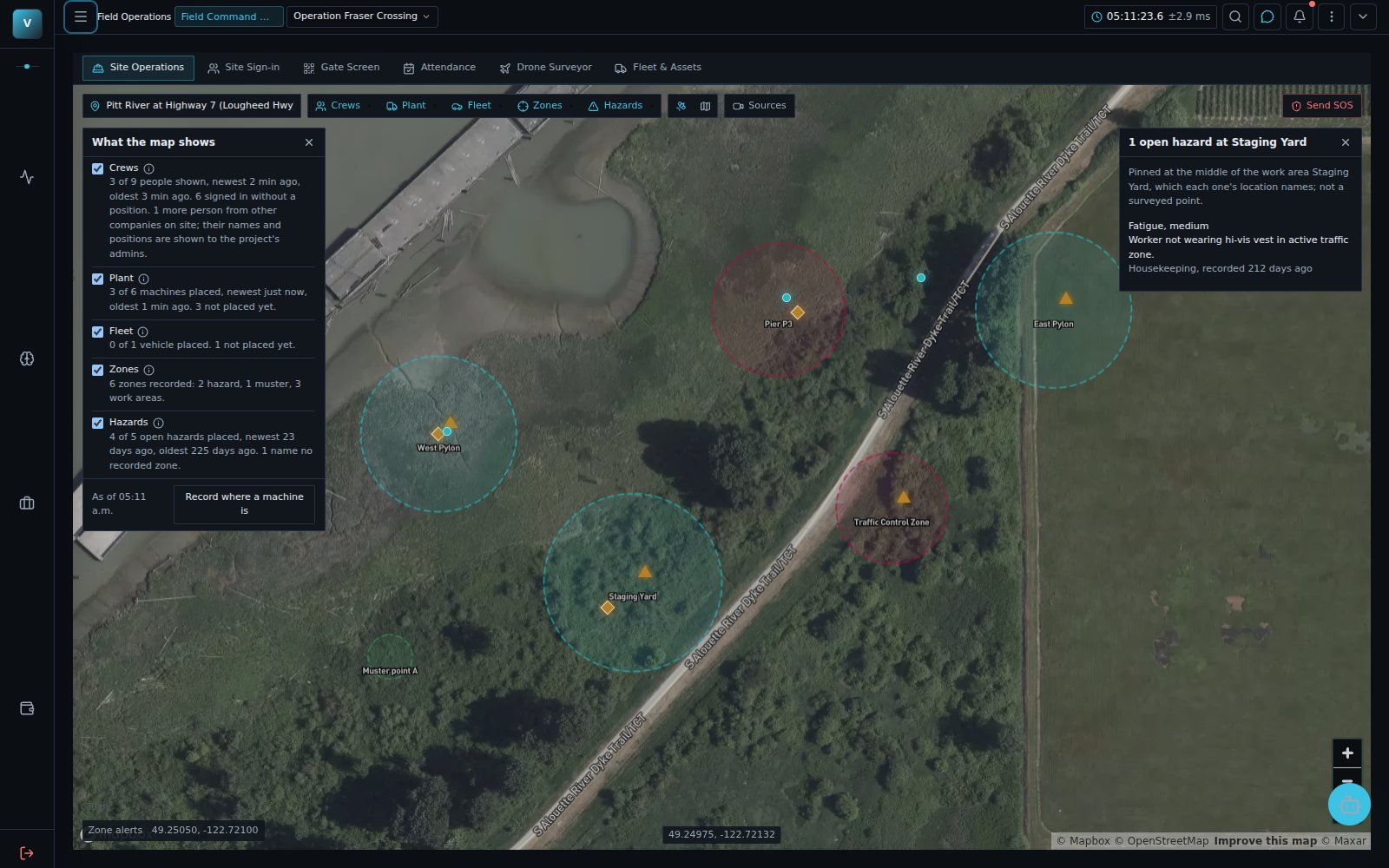
1Open the siteThe satellite map opens on the Pitt River crossing at Highway 7. People, fleet, plant, risk and model layers switch from one bar, with the list of sources and the SOS control beside them.Tap the picture for the whole screen.2Enter a machine by typing it inTom Hicks types in the Komatsu PC390 excavator that Jessica Saul operates on the project, as equipment. The licence plate is left empty because none is on record. The site batch plant from the schedule is already in the fleet.Tap the picture for the whole screen.3The fleet, machine by machineSix machines are in the fleet: the batch plant and the two excavators, grader, bulldozer and compactor the crew's operators run. Each shows its status, that no telemetry or fuel reading has come in, and that no plate is on file.Tap the picture for the whole screen.4Plan a drone surveyJackson Martins, the surveyor lead, places the four corners of the riverbank area on the map and sets the flight: 60 metres up at 6 metres a second, 70 per cent overlap. The platform works out eight passes 27 metres apart over 4.2 hectares, a 2-kilometre route and about six minutes of flying, then saves the plan with its flight record.Tap the picture for the whole screen.5Sign the crew inRoberto Iglesias, a labour foreman, signs himself in, then picks four of the labourers who report to him and signs them in together. Chen Wei had already signed in from his own device, which sent its position. On site now lists each person with when and how they signed in, and whether a position came with it.Tap the picture for the whole screen.6The gate's codeDoug Renner, the general superintendent, opens the gate screen for the main gate on Highway 7. Its code opens the sign-in on a worker's phone, works for a few minutes, and is replaced before it runs out. Beside it, 10 people are on site now, by company; anyone without a phone is signed in by their supervisor.Tap the picture for the whole screen.7Attendance from the sign-insSandra Nguyen, the Ministry's project director, sees every sign-in over the week she picks: by person, with days on site, hours and whether they signed out; by day, with the head count per company; and every sign-in with who made it. Nobody has signed out yet, so no hours are counted.Tap the picture for the whole screen.8Record where a machine isTony Brescianini, who runs the Cat 336 excavator, records where it is from where he stands; a machine can also be placed at a work area or on a spot picked on the map. The drawer says plainly that no machine tracker is connected, so machines are shown only where a person recorded them.Tap the picture for the whole screen.9The map's layersThe map shows each layer with what is behind it: the people who sent a position with their sign-in and how long ago, the 3 of 6 machines someone placed, the 6 zones recorded, and the open hazards pinned to the zone their report names. Sandra, an administrator of the project, sees people of every company.Tap the picture for the whole screen.10Hazards at a work areaHoward Kramer, the joint venture's senior safety advisor, opens the hazard at the Staging Yard: a worker without a hi-vis vest in an active traffic zone, recorded 212 days ago and still open. It is pinned at the middle of the work area its report names, and the card says it is not a surveyed point.Tap the picture for the whole screen.
Digital Foreman 2 steps
Digital Foreman is the site's assistant. Its Needs you list carries what the platform could not finish by itself, such as a statutory deadline nobody has recorded done, to the person who can act on it. Asked a construction question, it answers from general knowledge; it does not read the project's records yet, and says so. On the fictional Fraser Crossing project, the safety lead takes a WorkSafeBC deadline from an incident on the project.
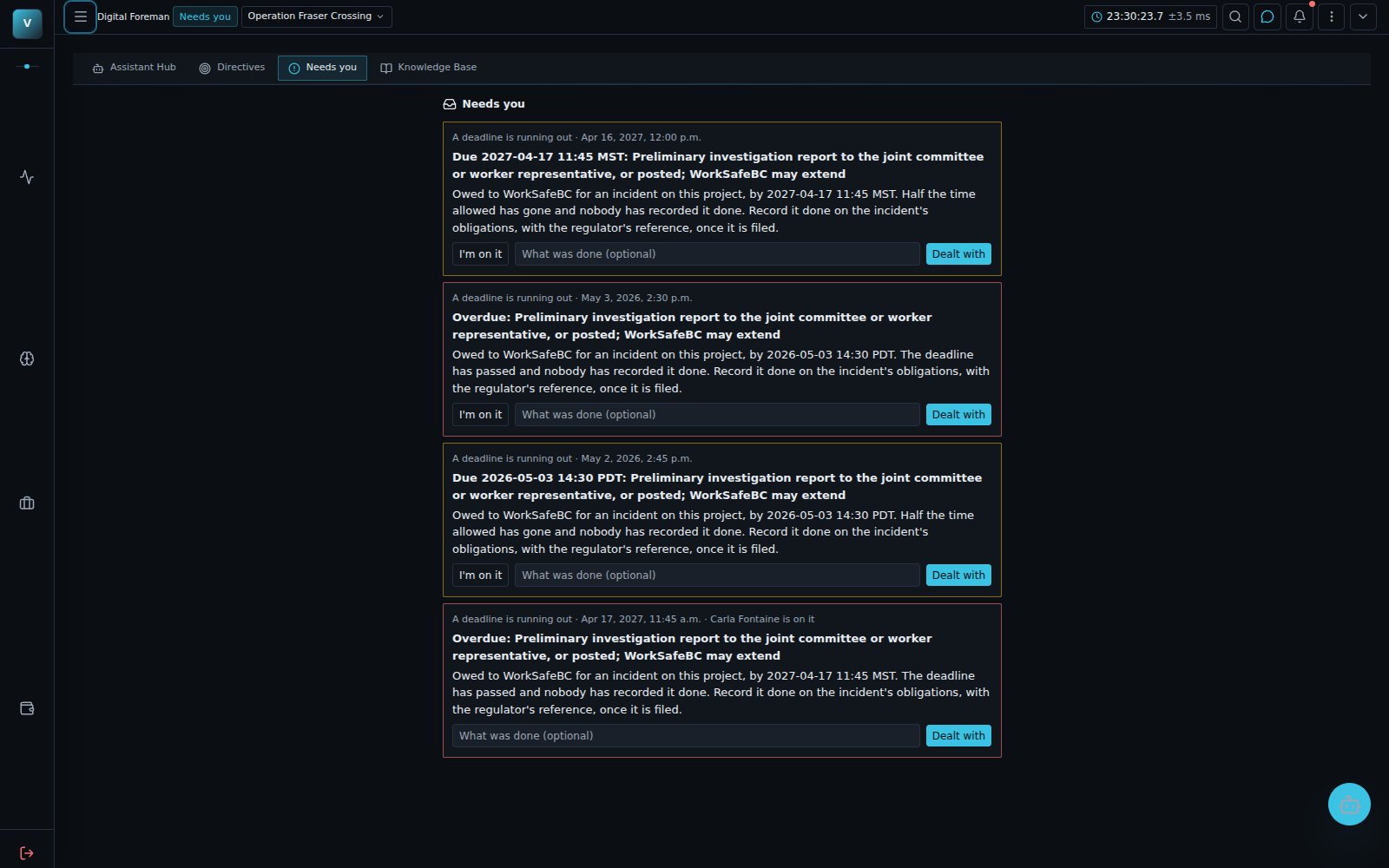
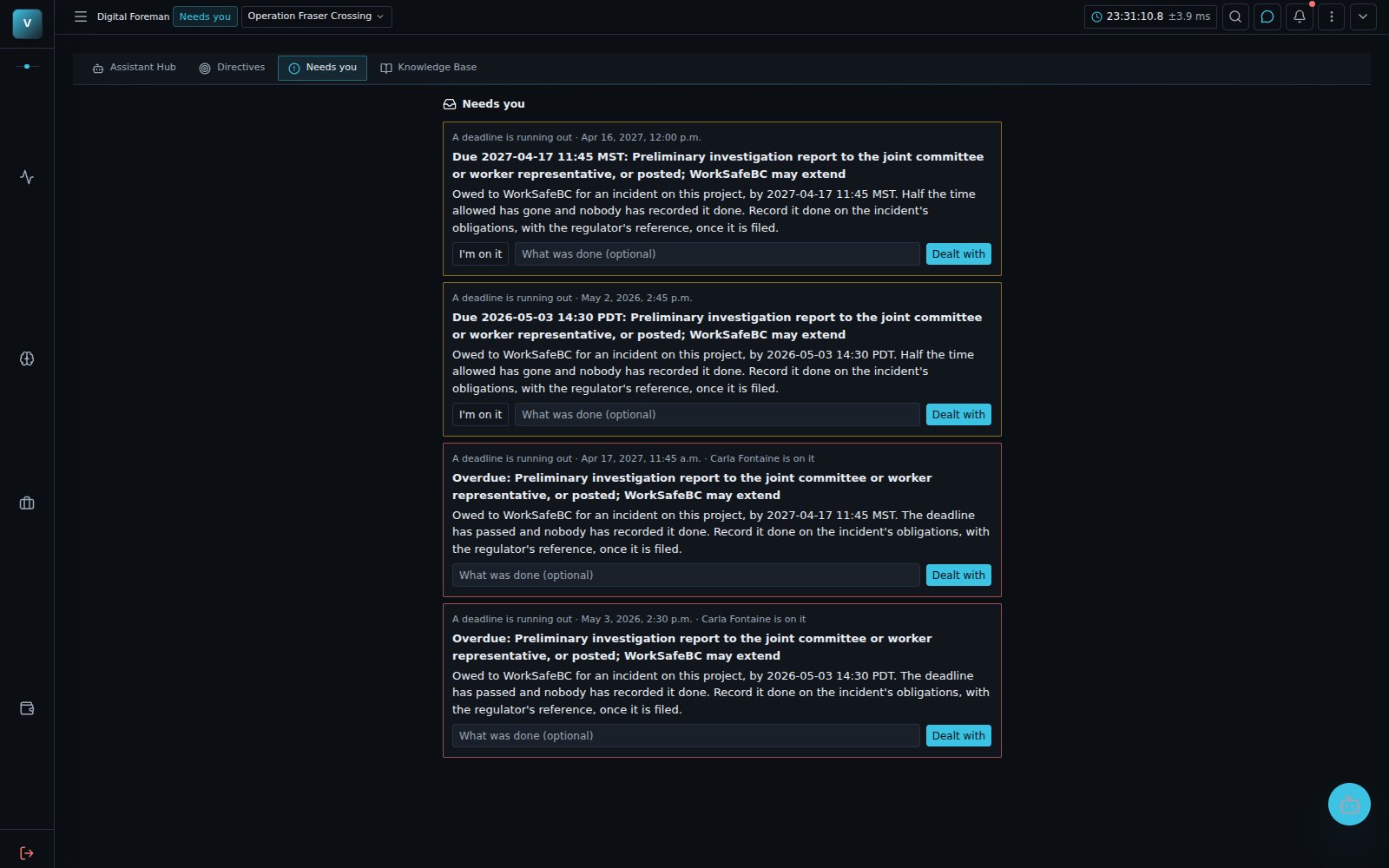
1What the platform cannot finish aloneNeeds you holds WorkSafeBC's preliminary investigation report for the 1 May incident, when a fitting fell from the form staging: due 48 hours after it, at 14:30 on 3 May. Half the time had gone with nobody recording it filed, so it reached the project's safety lead, with what to record once it is: the regulator's reference.Tap the picture for the whole screen.2Take it on, by nameCarla Fontaine, the safety lead, says she is on it, and the item carries her name. It stays open, marked overdue once the deadline has passed, until someone records it done with the regulator's reference; nothing marks it filed for her.Tap the picture for the whole screen.
Emergency Command (ERCC) 10 steps
Emergency Command is the screen a site turns to when someone is hurt or the site must be cleared: who is in charge, who is accounted for and what was decided. Signed in as Carla Fontaine, senior site safety officer, running a person-down drill and then a fire drill on the fictional Fraser Crossing project, with the people signed in on site that morning. Nothing here is a real emergency.
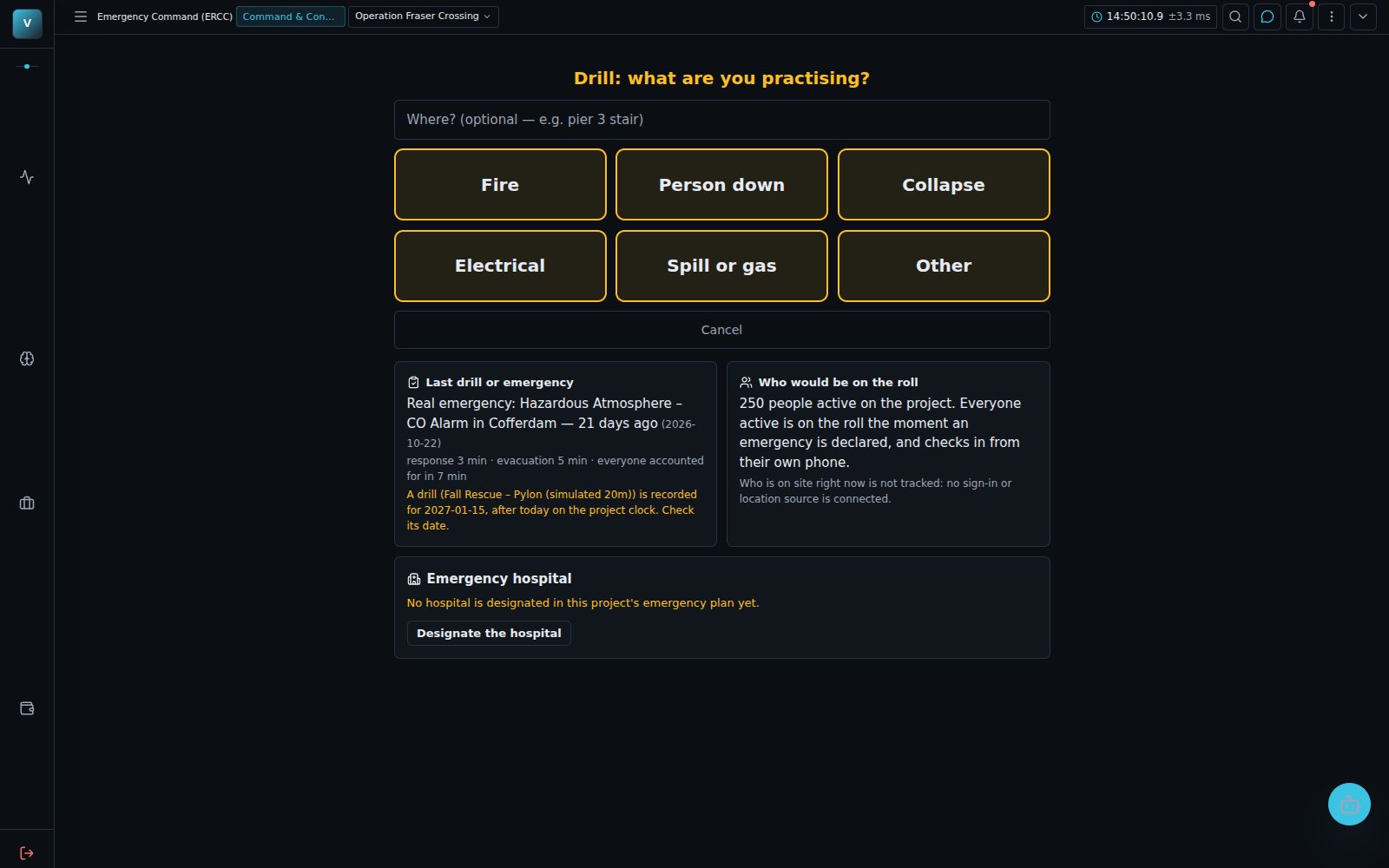
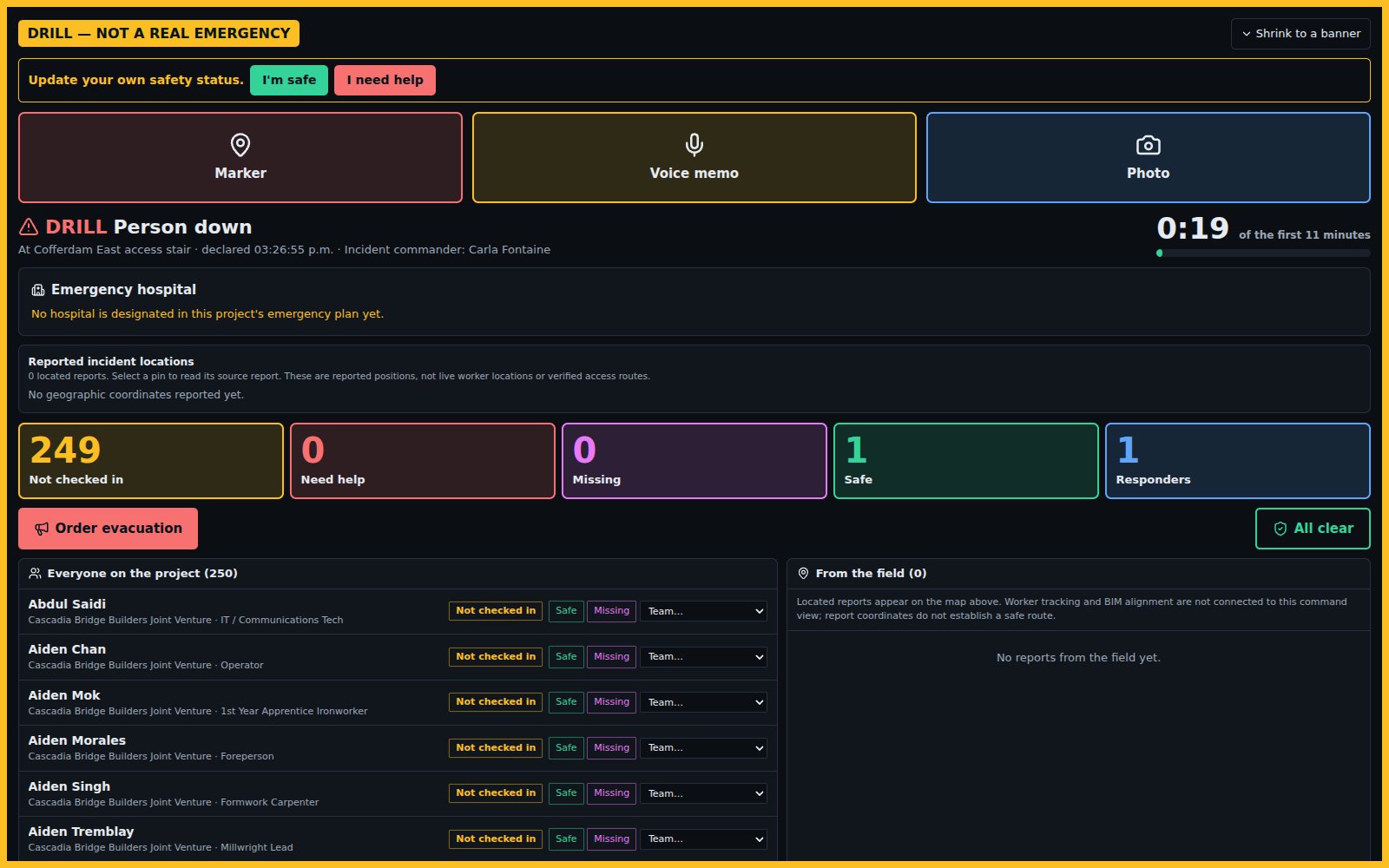
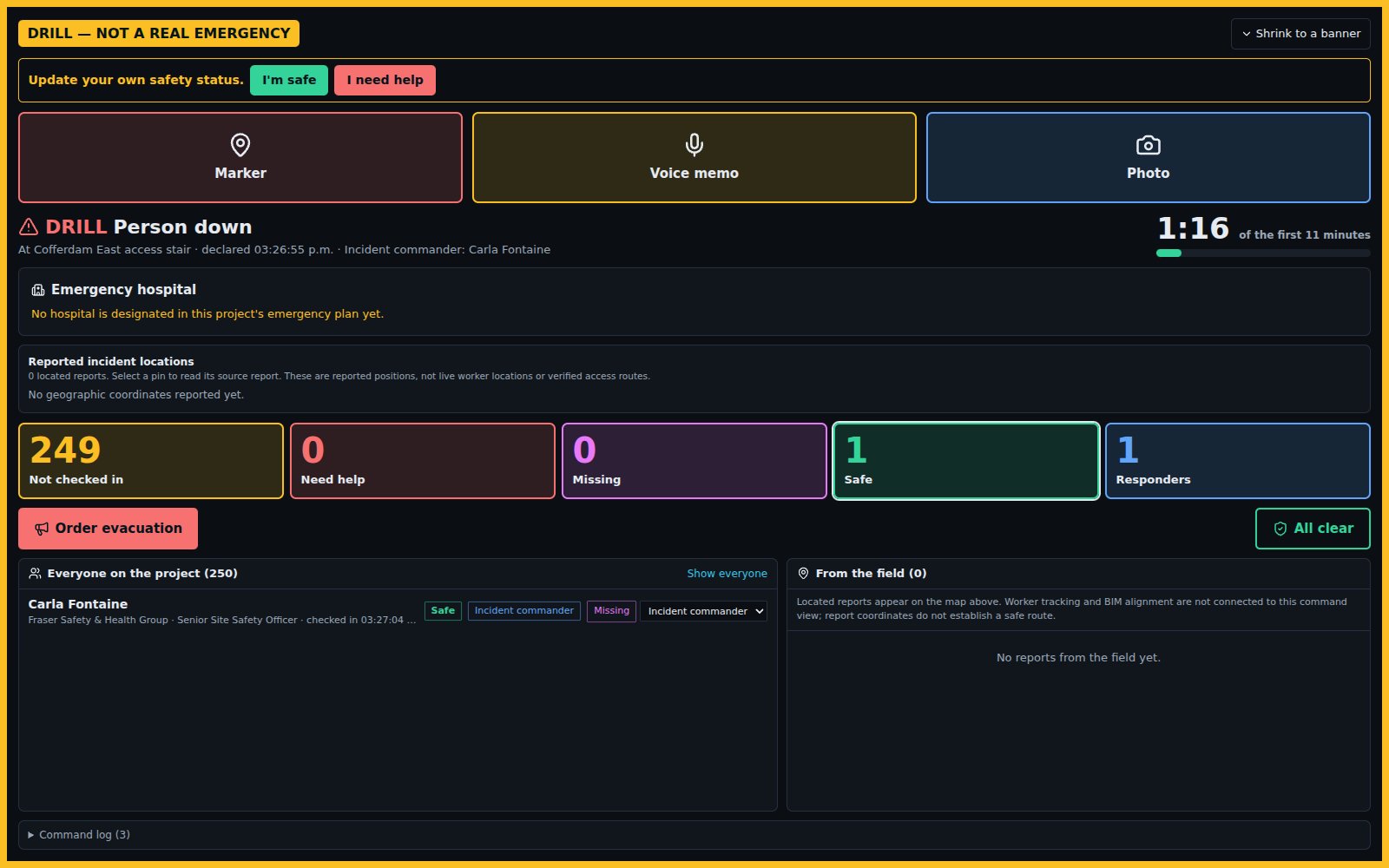
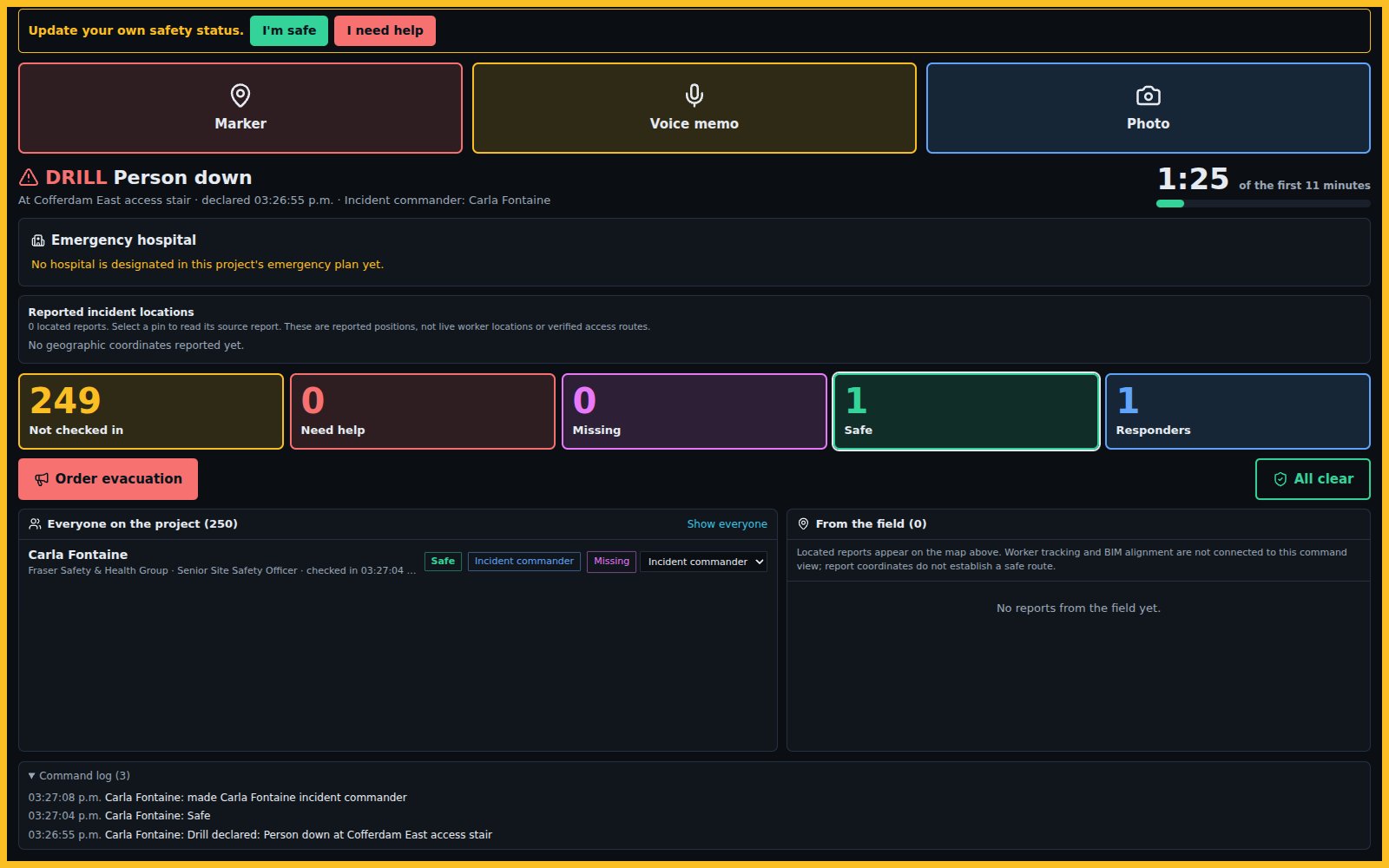
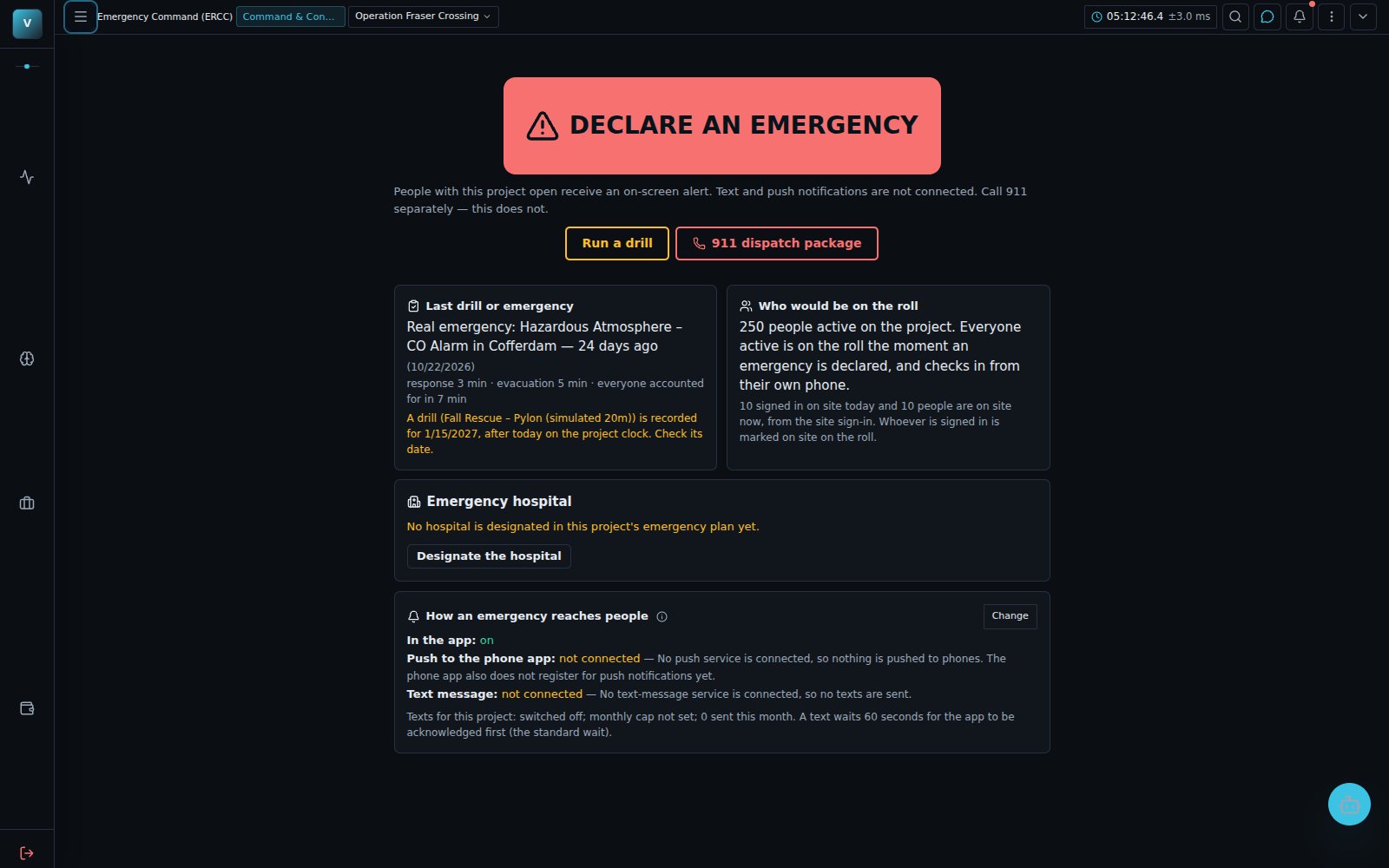
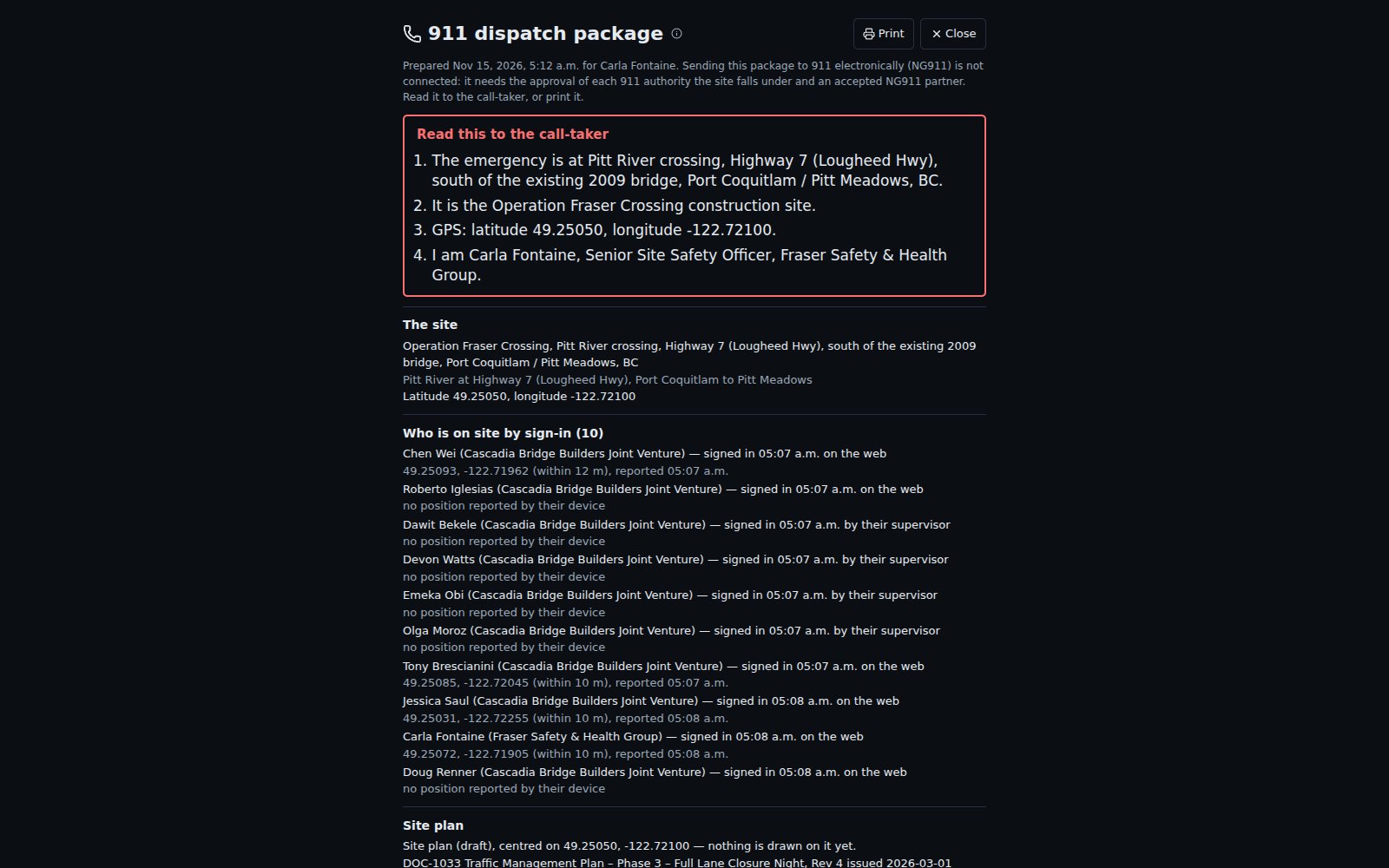
1Choose what to practiseRun a drill asks what is being practised and where, one large button per kind of emergency. Below, the screen shows the last real emergency on record with its response times, who would be on the roll, and that no hospital is designated in the project's emergency plan yet.Tap the picture for the whole screen.2Take commandThe whole app turns into the drill screen, marked as not a real emergency. It names Carla Fontaine as incident commander, times the first 11 minutes, and counts who is not checked in, needs help, is missing, is safe or is responding. Ordering an evacuation and giving the all clear sit beside the roll.Tap the picture for the whole screen.3Account for everyoneSelecting the Safe count narrows the roll of all 250 people on the project to those accounted for: Carla Fontaine, who checked herself in and was assigned as incident commander, with the time.Tap the picture for the whole screen.4Trace the decisionsThe command log keeps each step with its time and who took it: the drill declared at the Cofferdam East access stair, Carla Fontaine marked safe, then made incident commander. No reports came in from the field during this drill, and the screen says so.Tap the picture for the whole screen.5How an emergency reaches peopleBefore anything happens, the standby screen says who would be on the roll, with the 10 people signed in on site today from the site sign-in, and how an alert reaches them: on screen in the app, yes. Pushes to the phone app and text messages are not connected, and the screen says so; texts for the project are switched off with no monthly cap set.Tap the picture for the whole screen.6The 911 package, ready before it is neededThe 911 dispatch package is written from the records: what to read to the call-taker, where the site is with its coordinates, who is speaking, and everyone on site by sign-in with the position their device sent, if any. It is read aloud or printed. Sending it to 911 electronically is not connected; it needs each 911 authority's approval and an NG911 partner.Tap the picture for the whole screen.7A fire drill, with the sign-in rollCarla runs a fire drill at the Pier P3 stair tower. The drill screen, marked as not a real emergency, counts all 250 people on the roll and says that 10 are on site by sign-in, none yet accounted for. Below, who the alerts reached: on screen in the app, with push and text named as not connected.Tap the picture for the whole screen.8The evacuation takes the screen backRoberto Iglesias, a labour foreman on site, has already checked in safe. When Carla orders the evacuation, his screen shows it at the top, with Got it to acknowledge it: the order reaches people on screen in the app, and push and text are not connected.Tap the picture for the whole screen.9The 911 package during the drillDuring the drill, the package is marked do not call 911 for a drill. What to read now says it is a fire at the Pier P3 stair tower, that 9 people signed in on site are not yet accounted for, and that the evacuation was ordered, then names each person still to be accounted for.Tap the picture for the whole screen.10Who has acknowledgedBack on Carla's screen, the roll shows one person safe and 9 of the 10 on site still to account for. The roll is narrowed to the people on site, and who the alerts reached now counts one acknowledgement of the evacuation order: Roberto's.Tap the picture for the whole screen.
Safety Command 11 steps
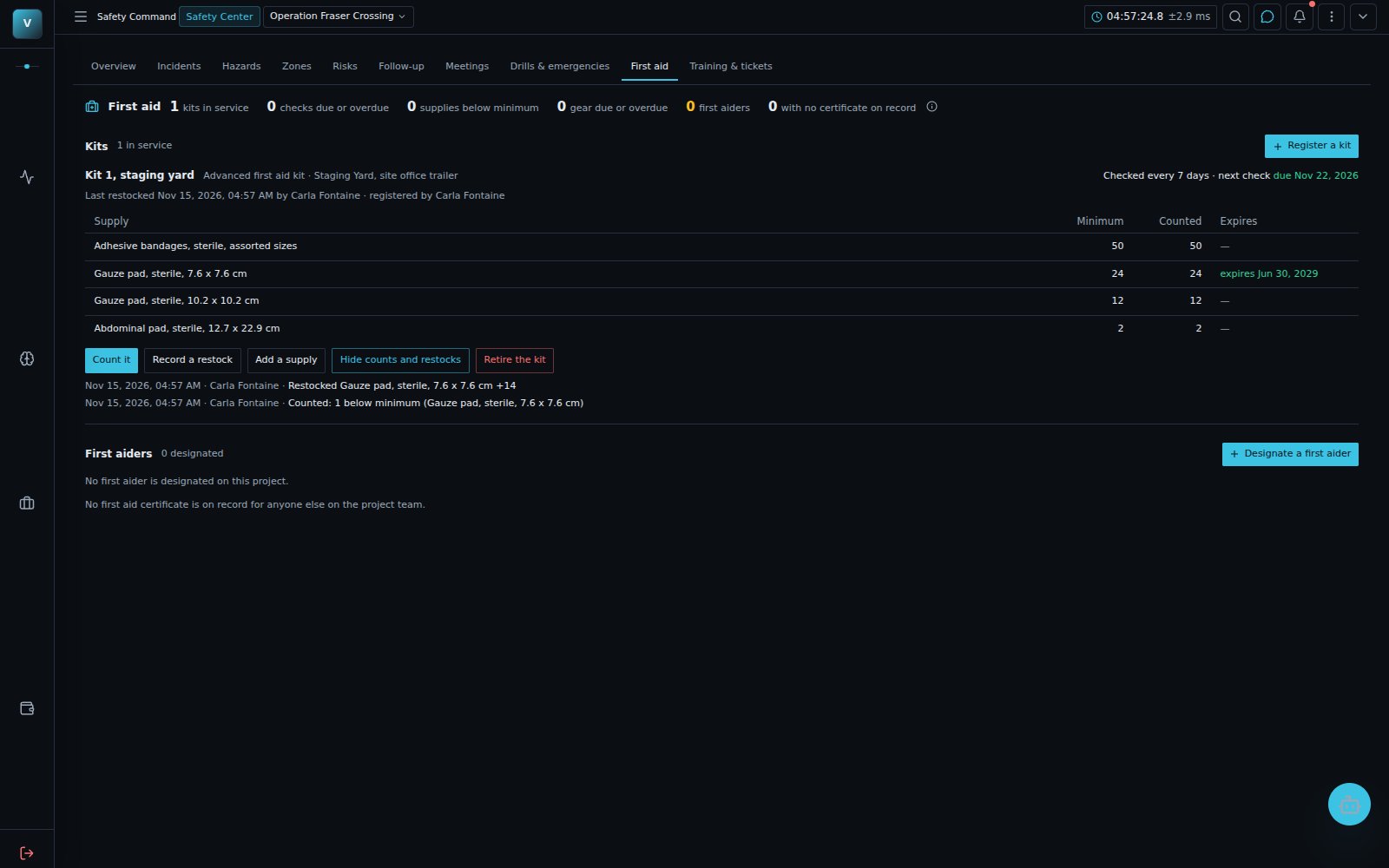
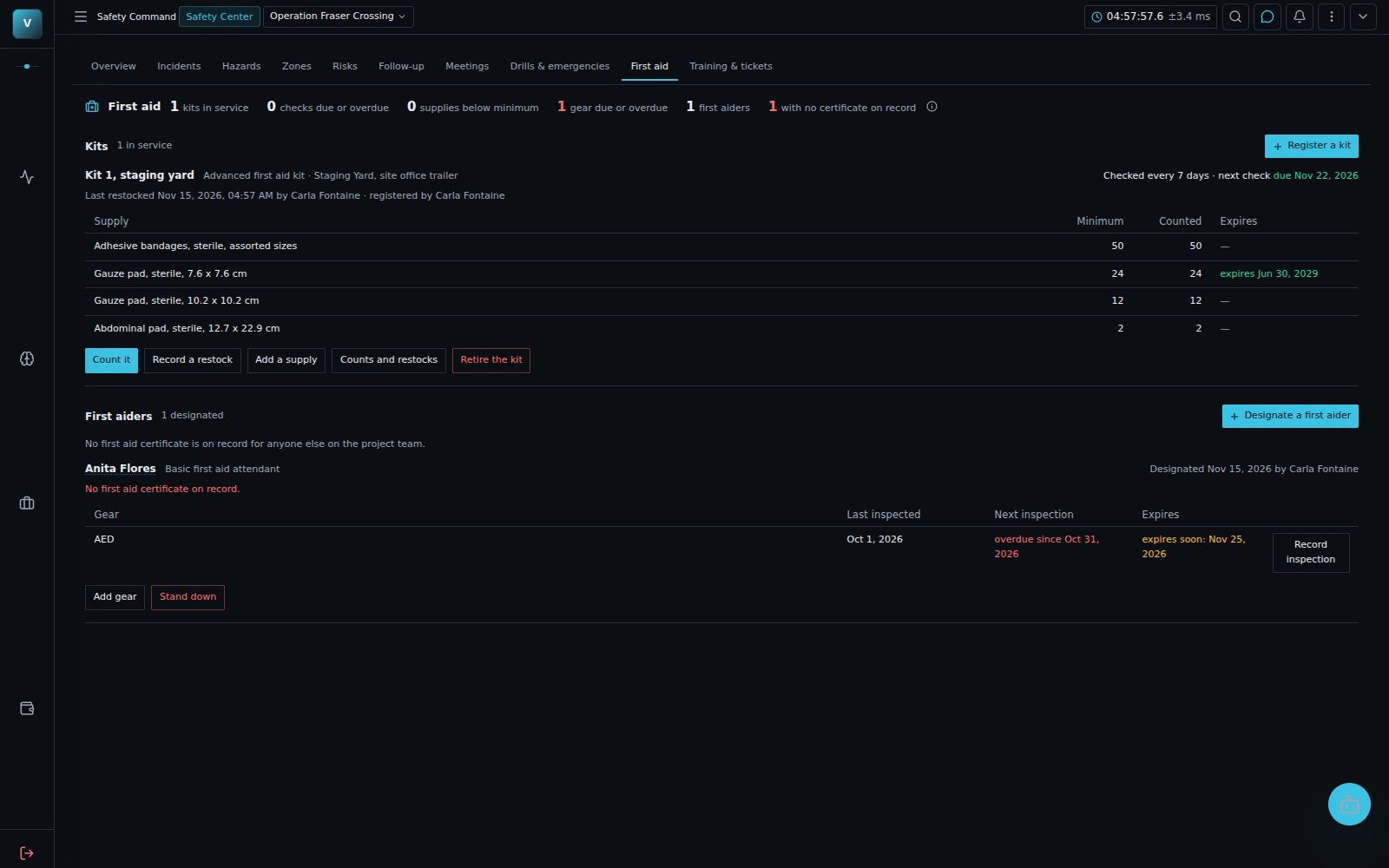
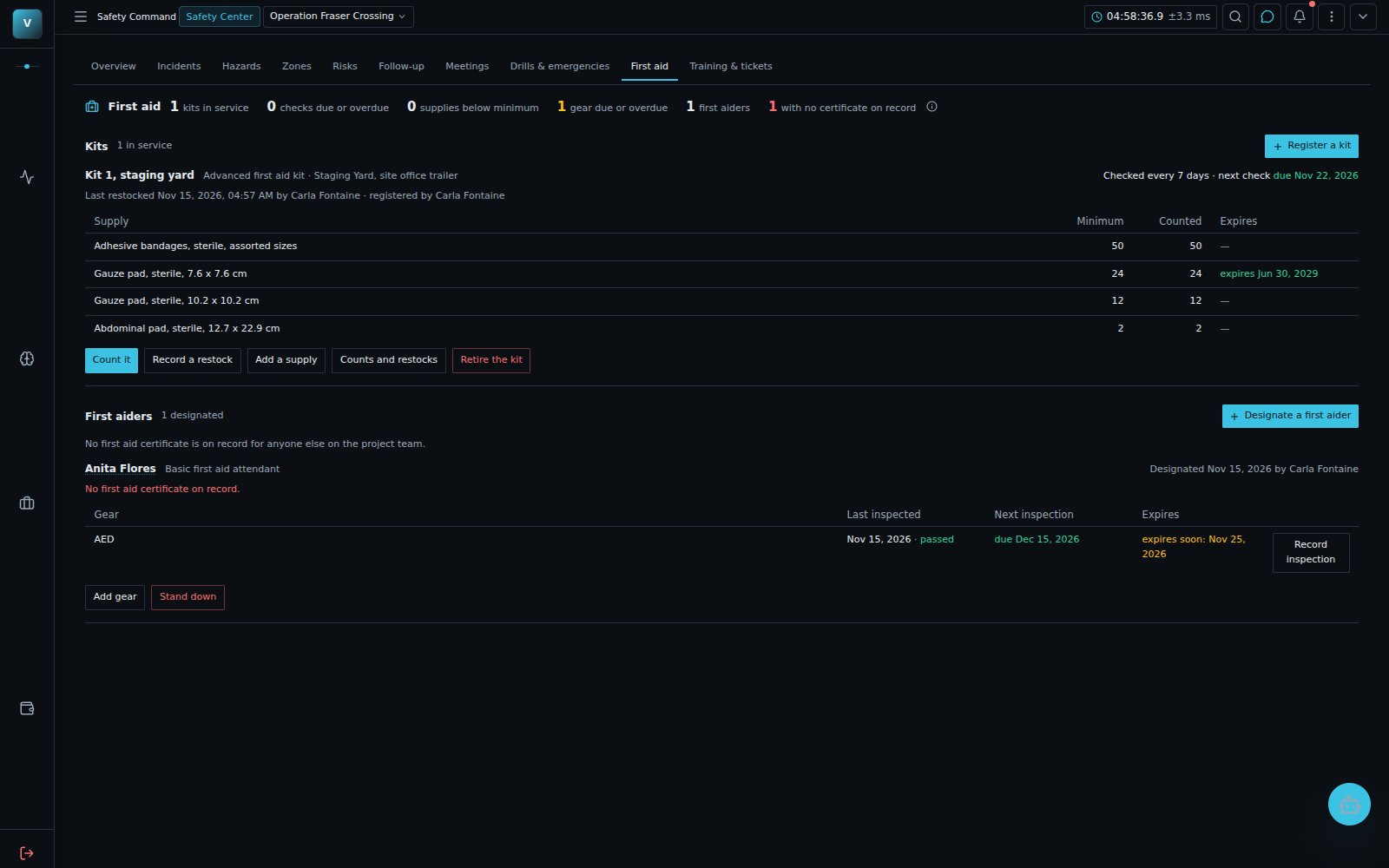
Safety Command is where the people responsible for site safety see what needs attention and close the loop on it: incidents, risks, toolbox talks, drills, corrective actions and first aid. Signed in as Carla Fontaine, the project's senior site safety officer, on the fictional Fraser Crossing project; Anita Flores, a first aider, keeps her own gear.
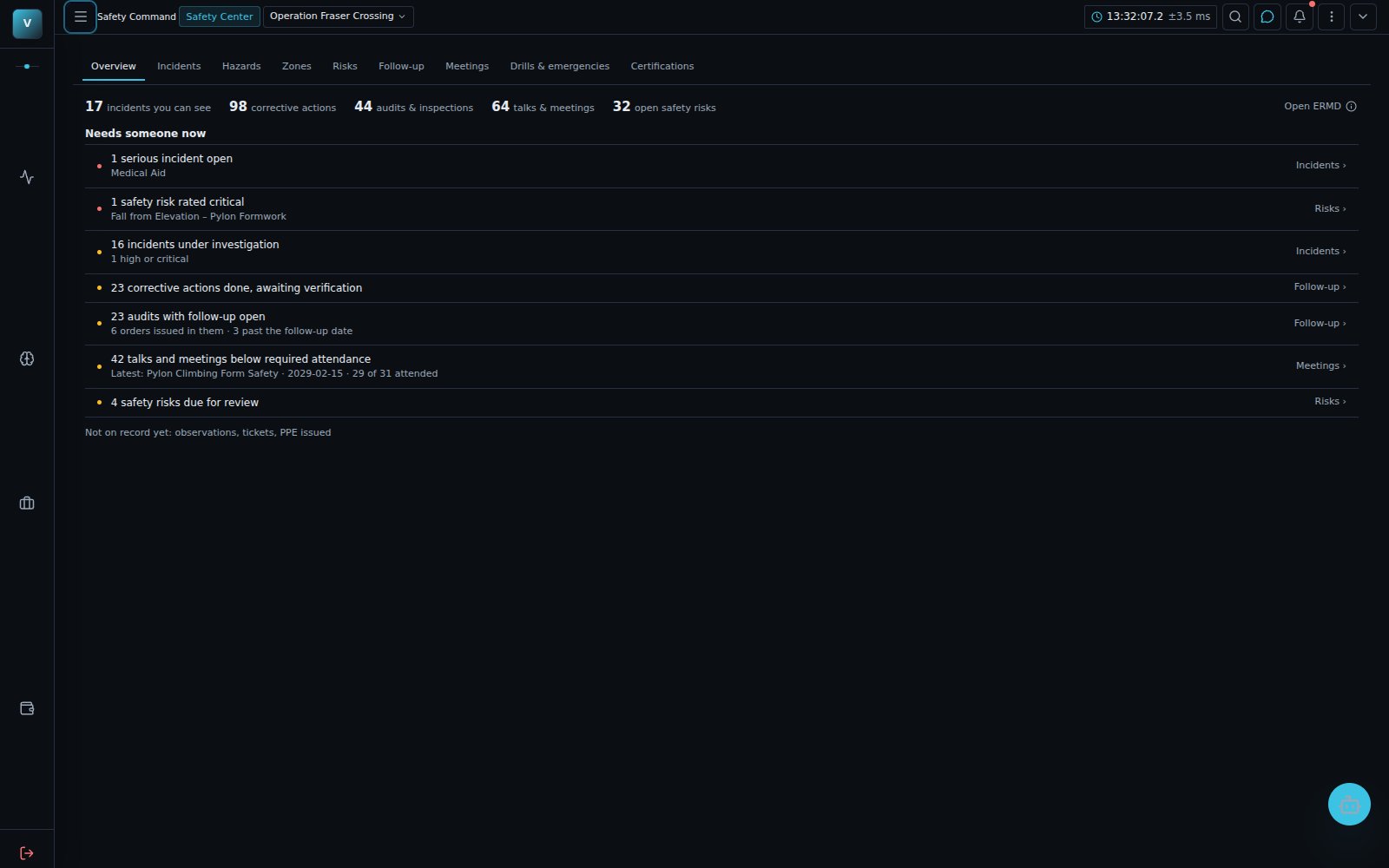
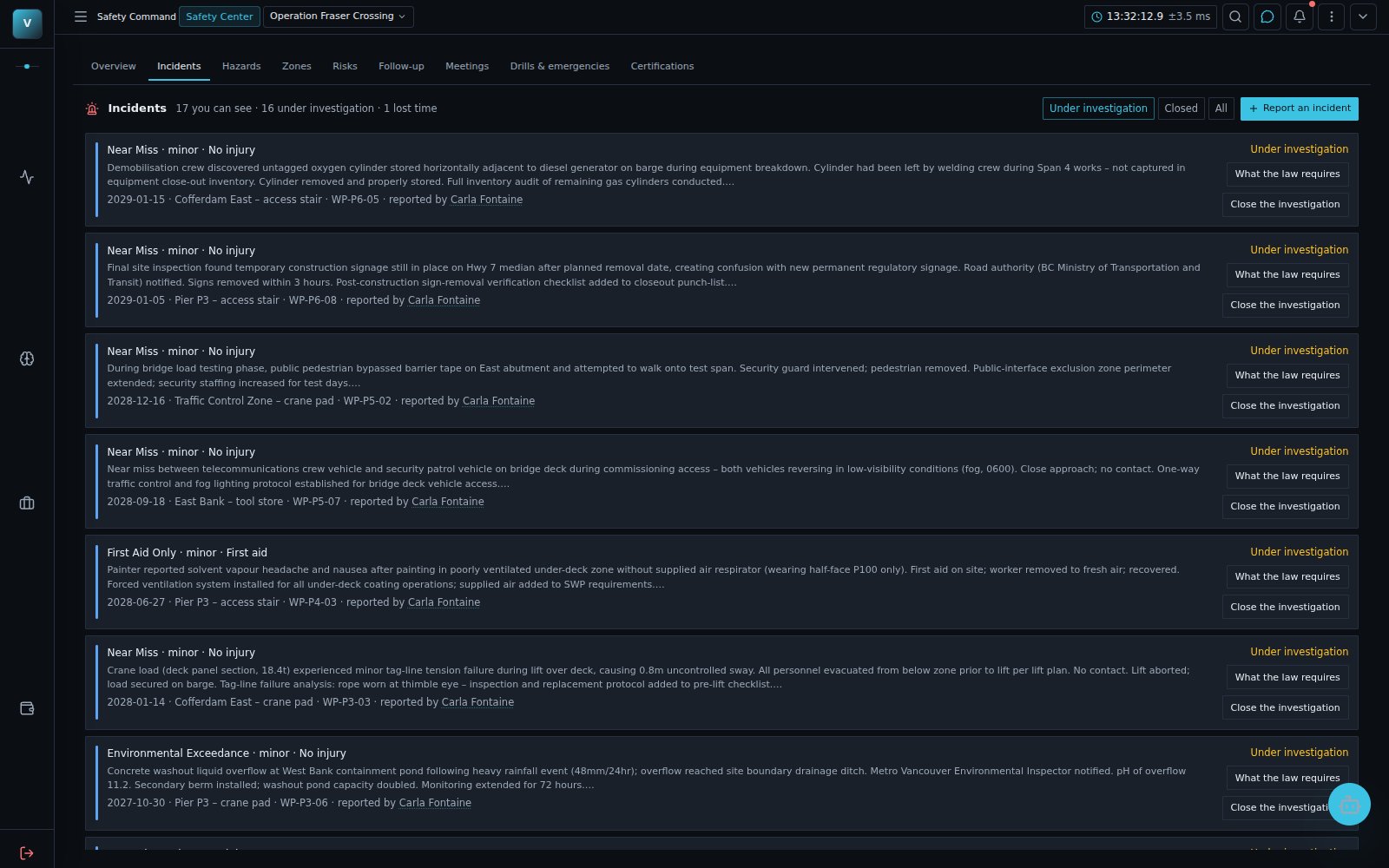
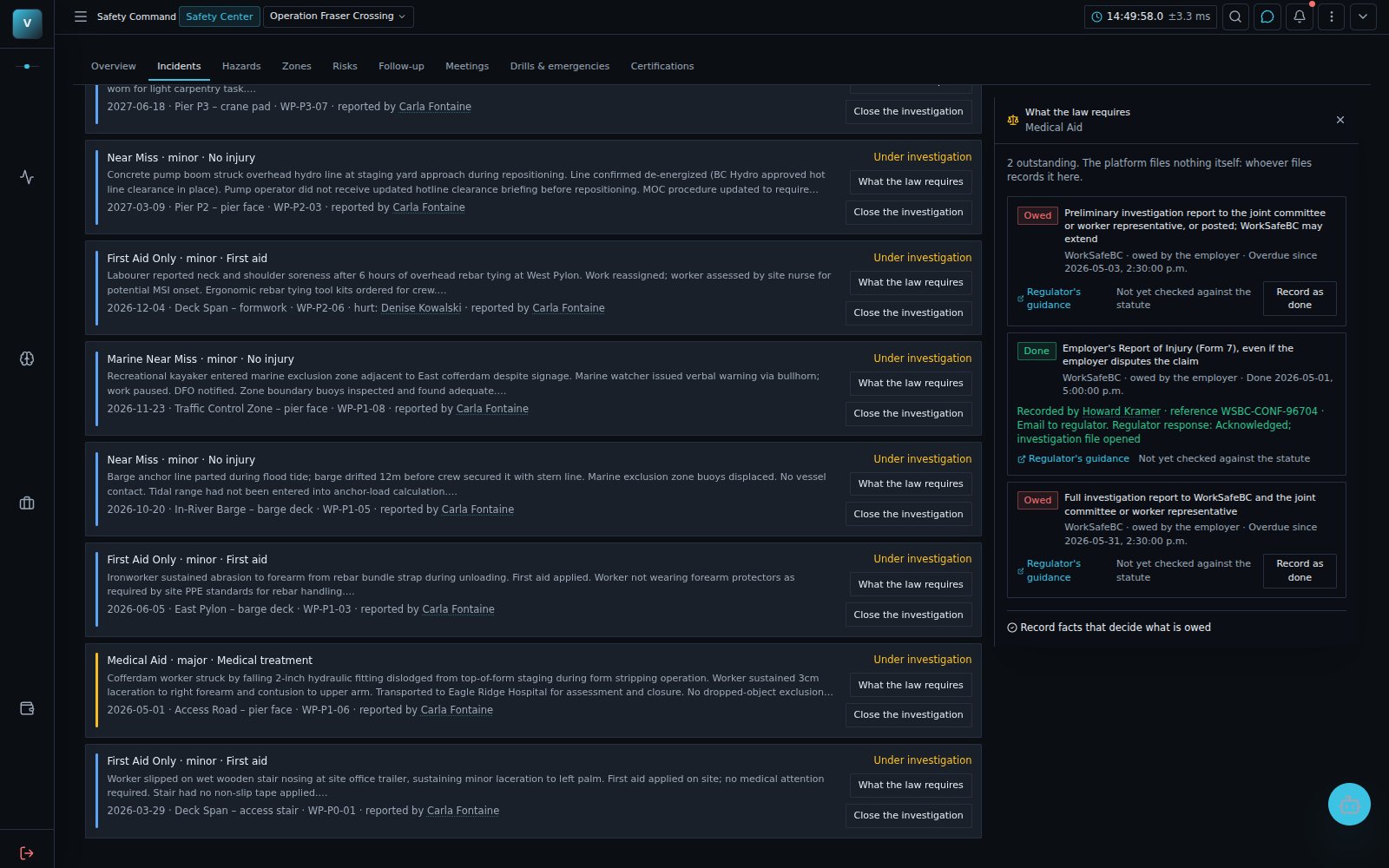
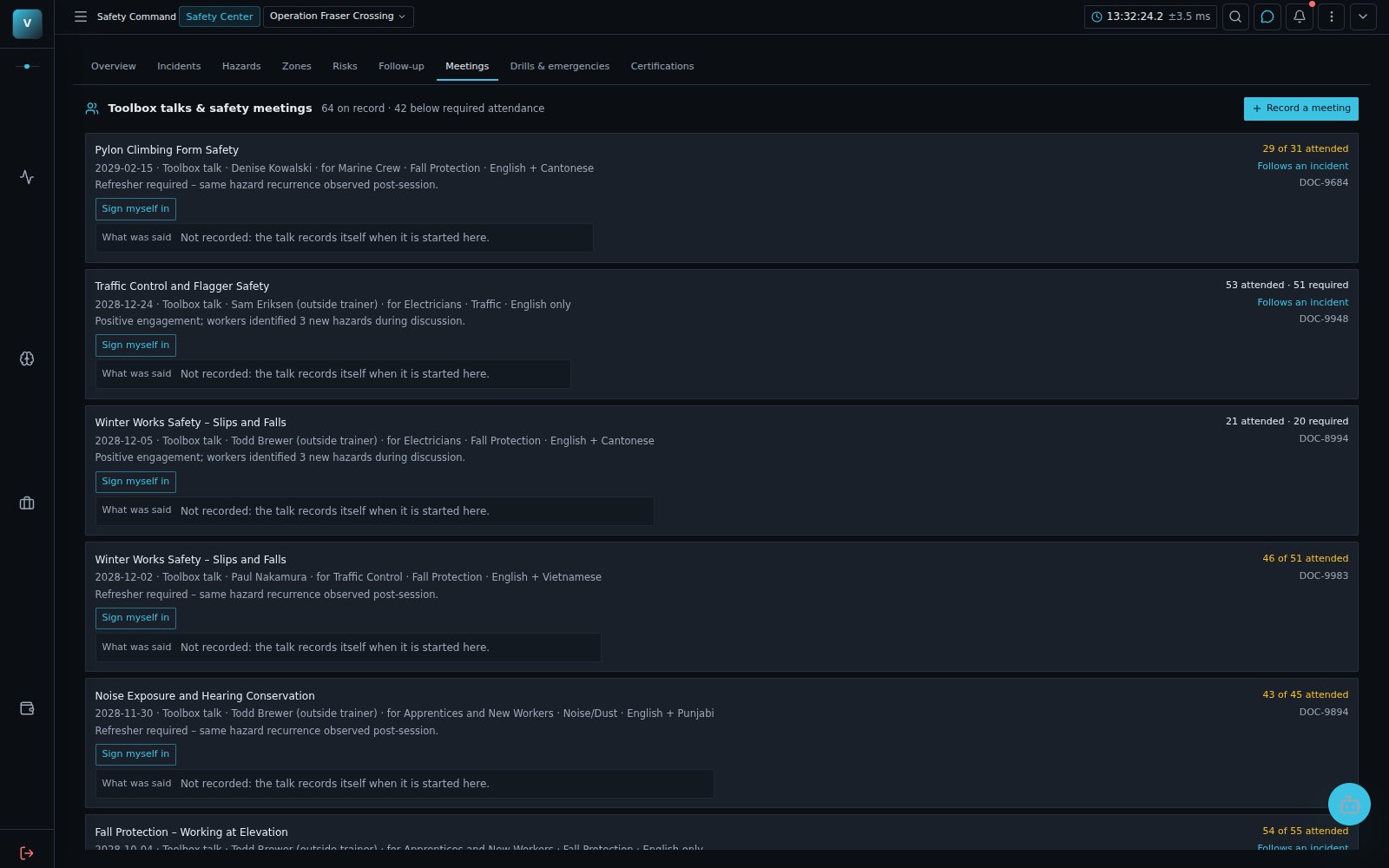
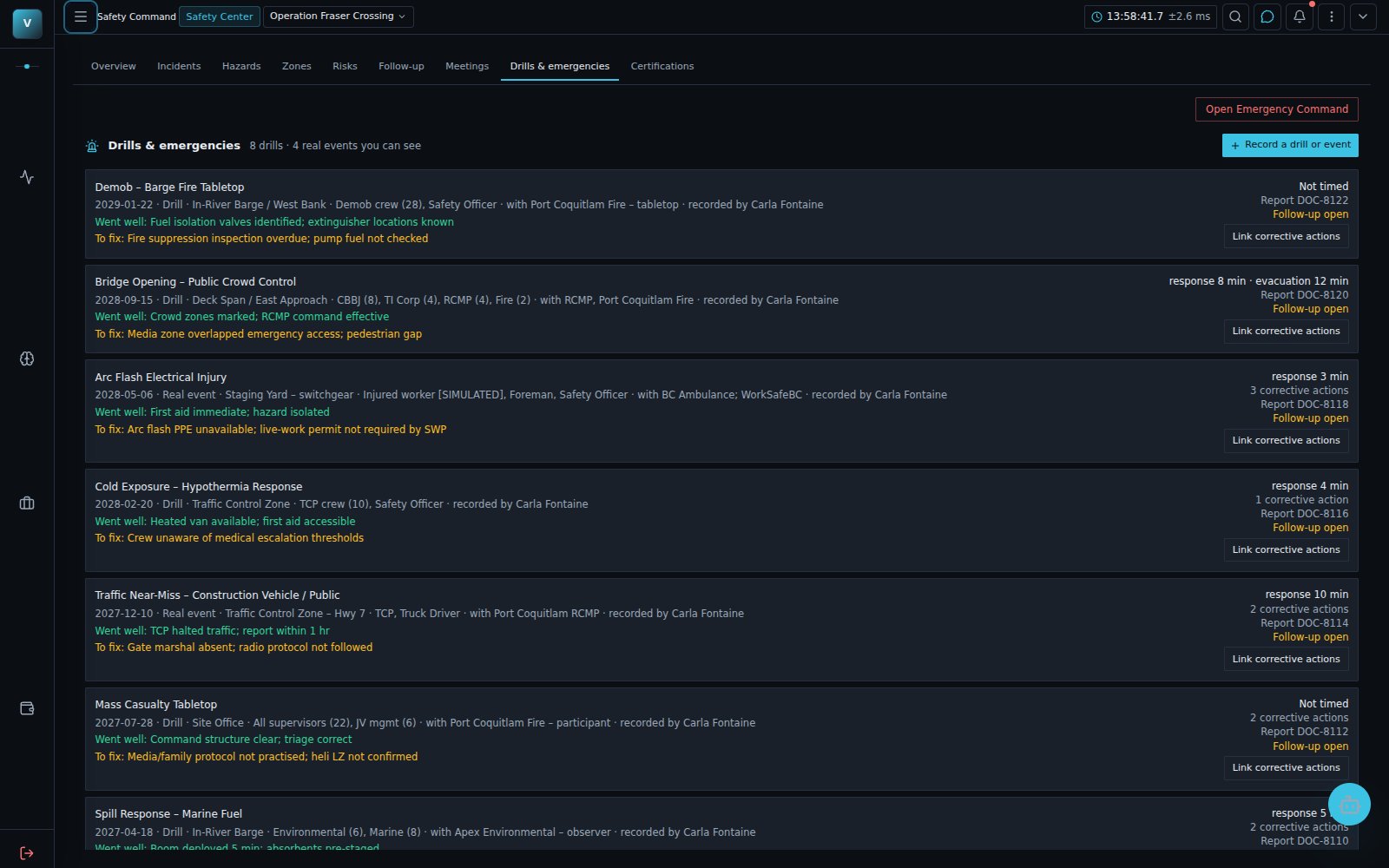
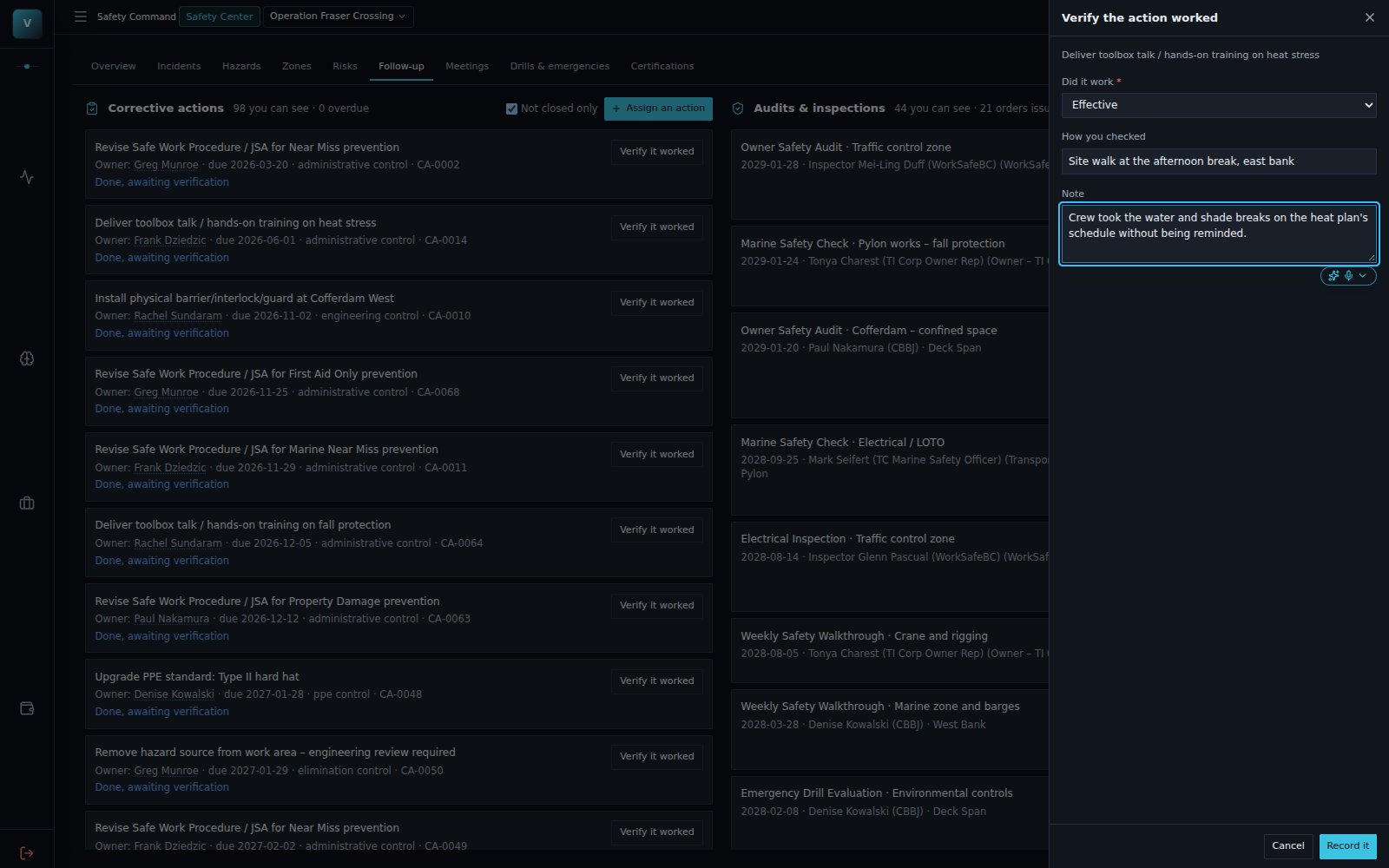
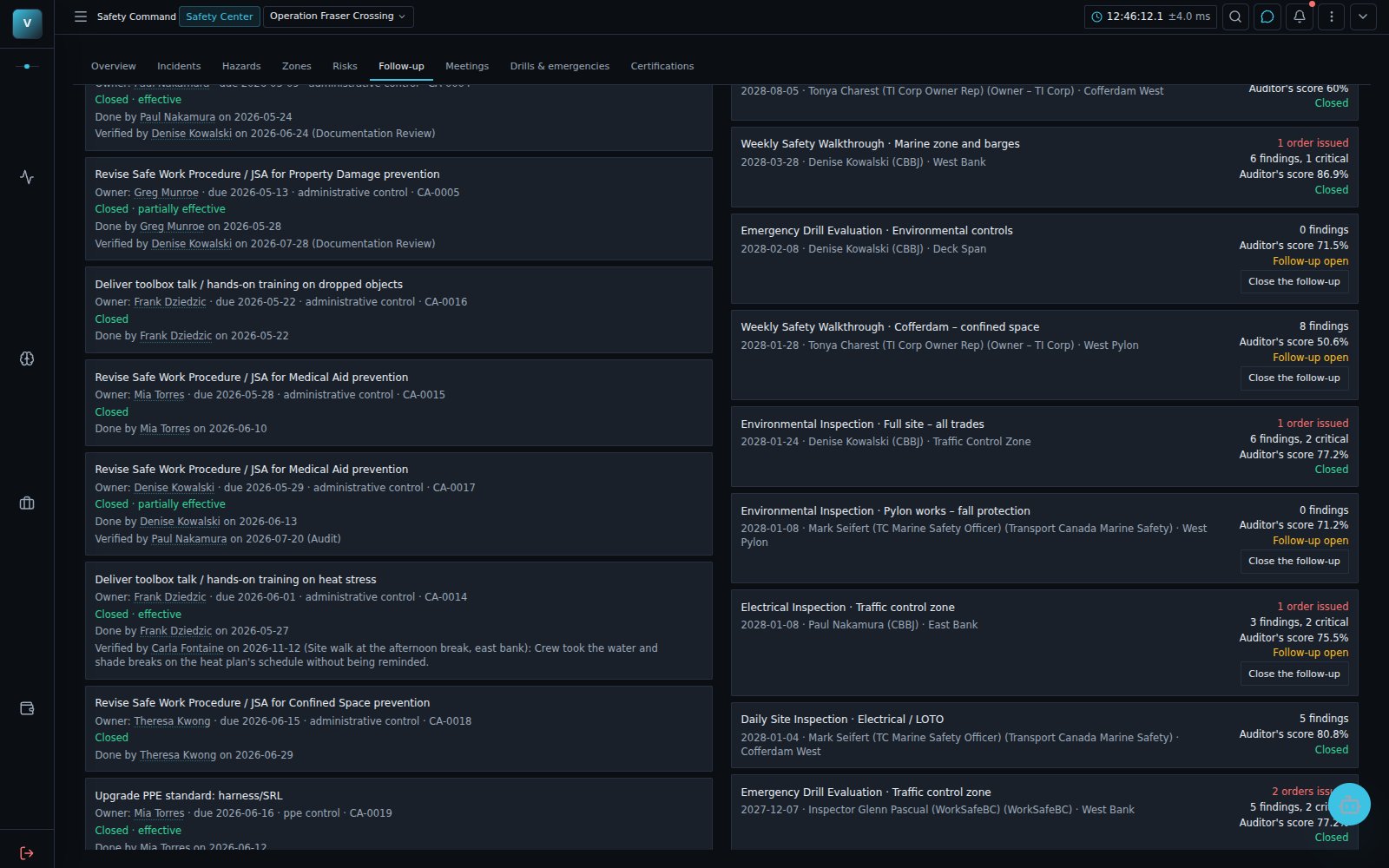
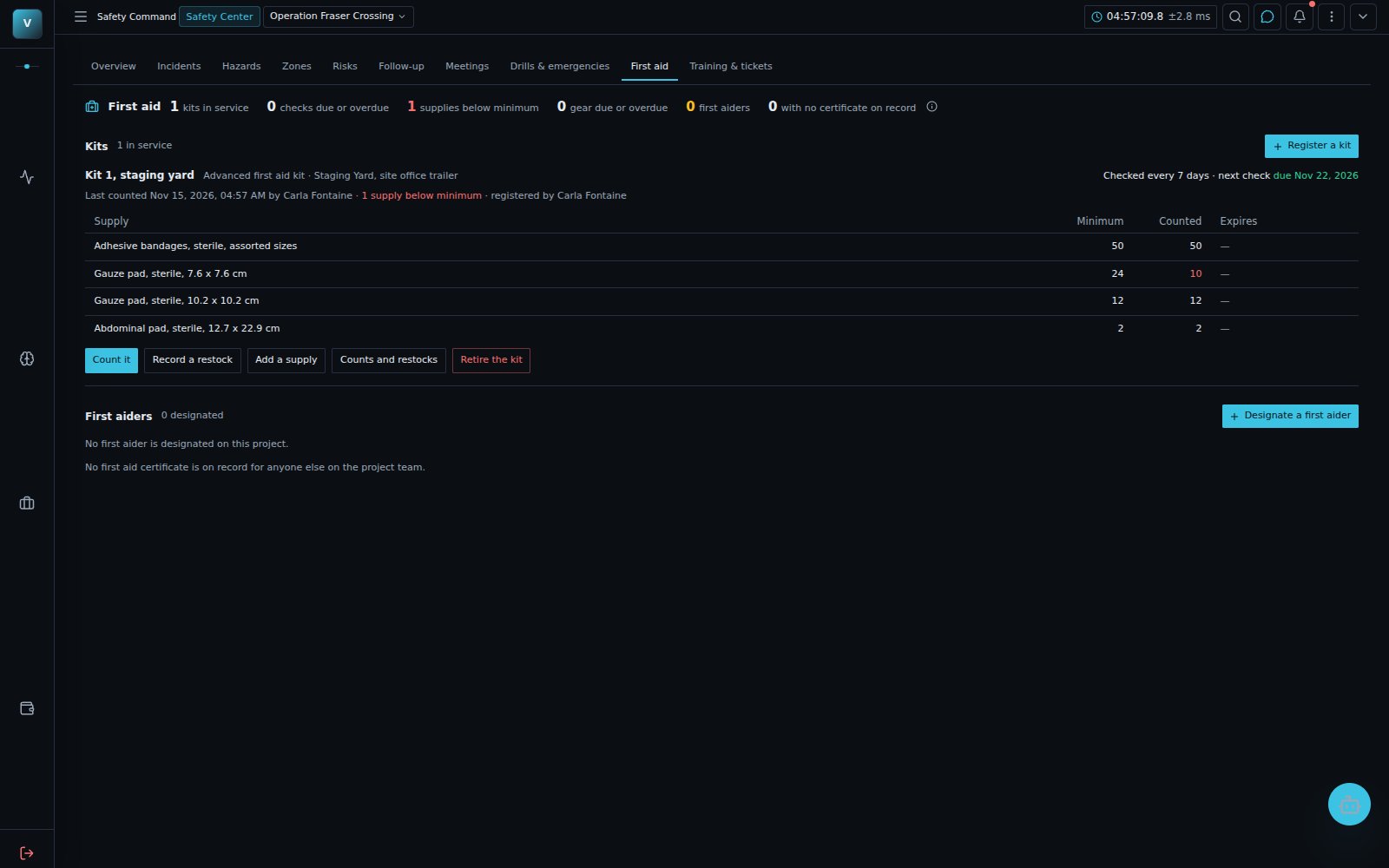
1See what is waiting on someoneOne line of what is on record, then the things waiting on a person: a serious incident open, a safety risk rated critical, corrective actions done but not yet verified, audits with follow-up open and talks below required attendance. Each row opens its tab. Observations, tickets and PPE issued are not on record yet, and the screen says so.Tap the picture for the whole screen.2Follow every incidentSeventeen incidents are on record, sixteen still under investigation and one with lost time. Each says what happened, when, where and under which work package, and who reported it. Each open one offers what the law requires for it and a way to close the investigation.Tap the picture for the whole screen.3What the law requiresFor the medical-aid incident on the access road, the panel lists each report owed to WorkSafeBC and who owes it. The employer's report of injury is recorded done by Howard Kramer, with the regulator's reference and response. The preliminary and full investigation reports are still owed and past due. The platform files nothing itself.Tap the picture for the whole screen.4Toolbox talks and who cameSixty-four talks and meetings are on record and forty-two fell short of the attendance they required. Each shows who gave it, to which crew, the topic, the languages used, how it went and how many attended. Talks held because of an incident are marked.Tap the picture for the whole screen.5Learn from drills and real eventsEight drills and four real events, each with what went well, what to fix, how long the response took, the corrective actions linked to it and its report number. Every one listed still has follow-up open.Tap the picture for the whole screen.6Check that the fix workedThe heat stress training was marked done by its owner. Carla Fontaine, who did not do it, records whether it worked, how she checked and what she saw.Tap the picture for the whole screen.7Closed, with who and whenThe action reads closed and effective. It says who did the work and when, and who verified it, when, how and what they found. Other closed actions carry the same trail.Tap the picture for the whole screen.8Count the first aid kitCarla registers Kit 1 in the staging yard's site office trailer, an advanced kit checked every 7 days, with the supplies it must hold. Her count finds 10 sterile 7.6 cm gauze pads against a minimum of 24, so the kit shows one supply below minimum and the restock goes to Needs you.Tap the picture for the whole screen.9Restock it, on the recordShe records 14 pads restocked, expiring 30 June 2029. The kit is back to its minimum, and its counts and restocks list each one with who did it and when.Tap the picture for the whole screen.10First aiders and their gearCarla designates Anita Flores of Fraser Safety & Health Group as a basic first aid attendant. No first aid certificate is on record for her, and the screen says so in red. Anita adds the AED she looks after: last inspected 1 October, so its inspection is overdue, and it expires soon, on 25 November.Tap the picture for the whole screen.11The gear inspectedAnita records the AED's inspection as passed, and the next one falls due on 15 December. The expiry warning stays until the AED is replaced or given a new date.Tap the picture for the whole screen.
Presentation Builder 4 steps
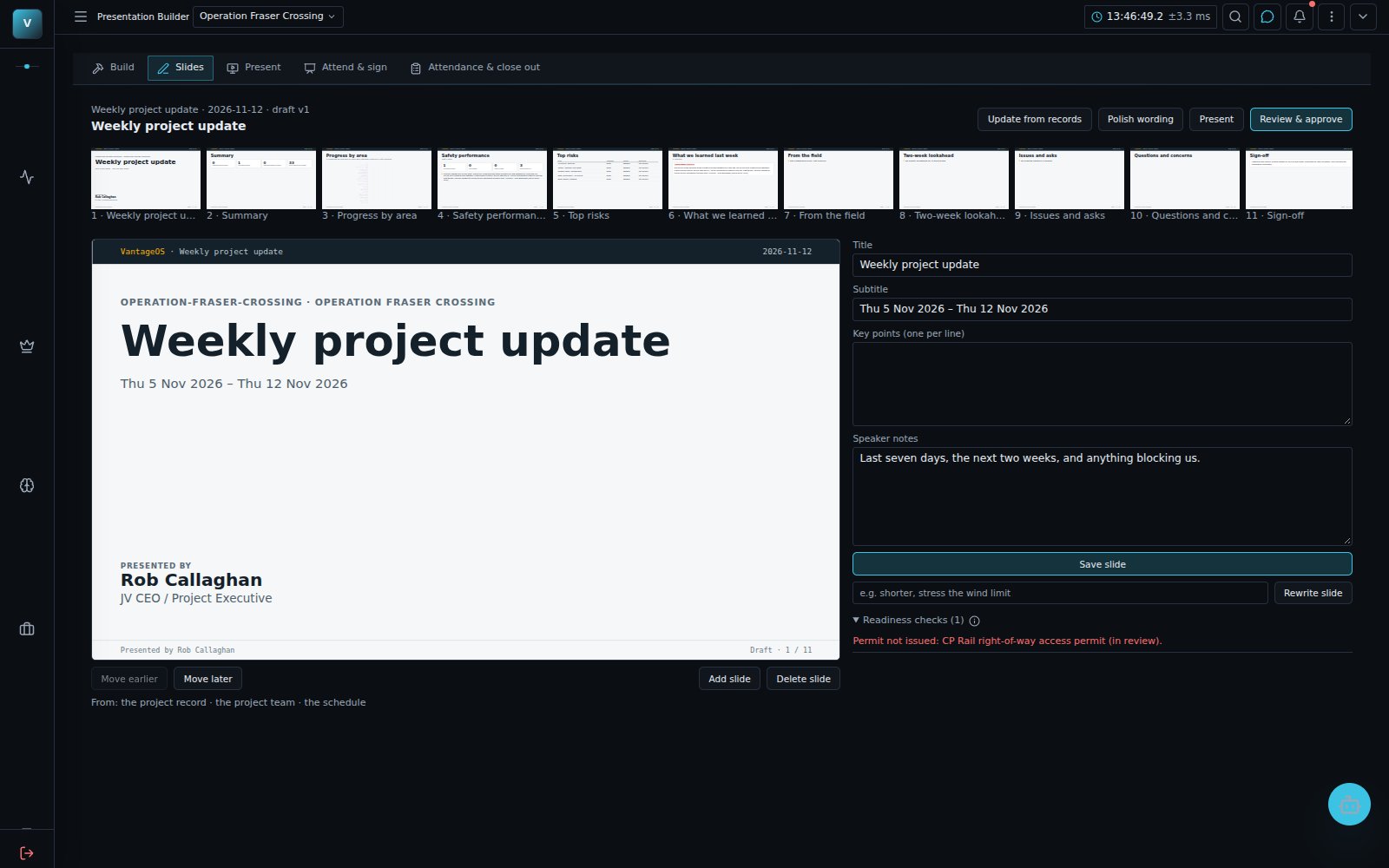
Presentation Builder turns the project's records into a meeting deck, then presents it and keeps track of who is expected to attend. Seen by Rob Callaghan, CEO of the general contractor, on the fictional Fraser Crossing project.
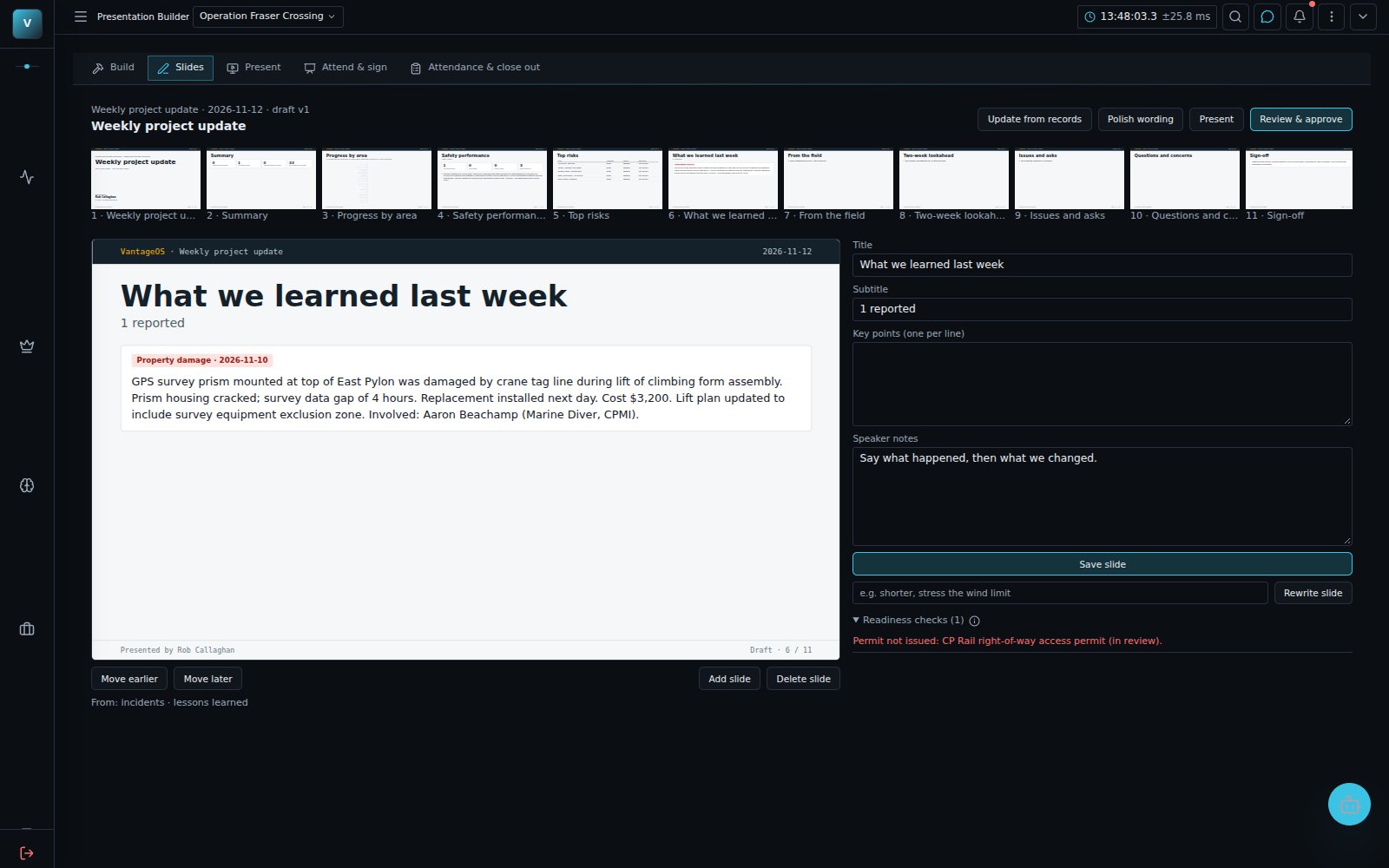
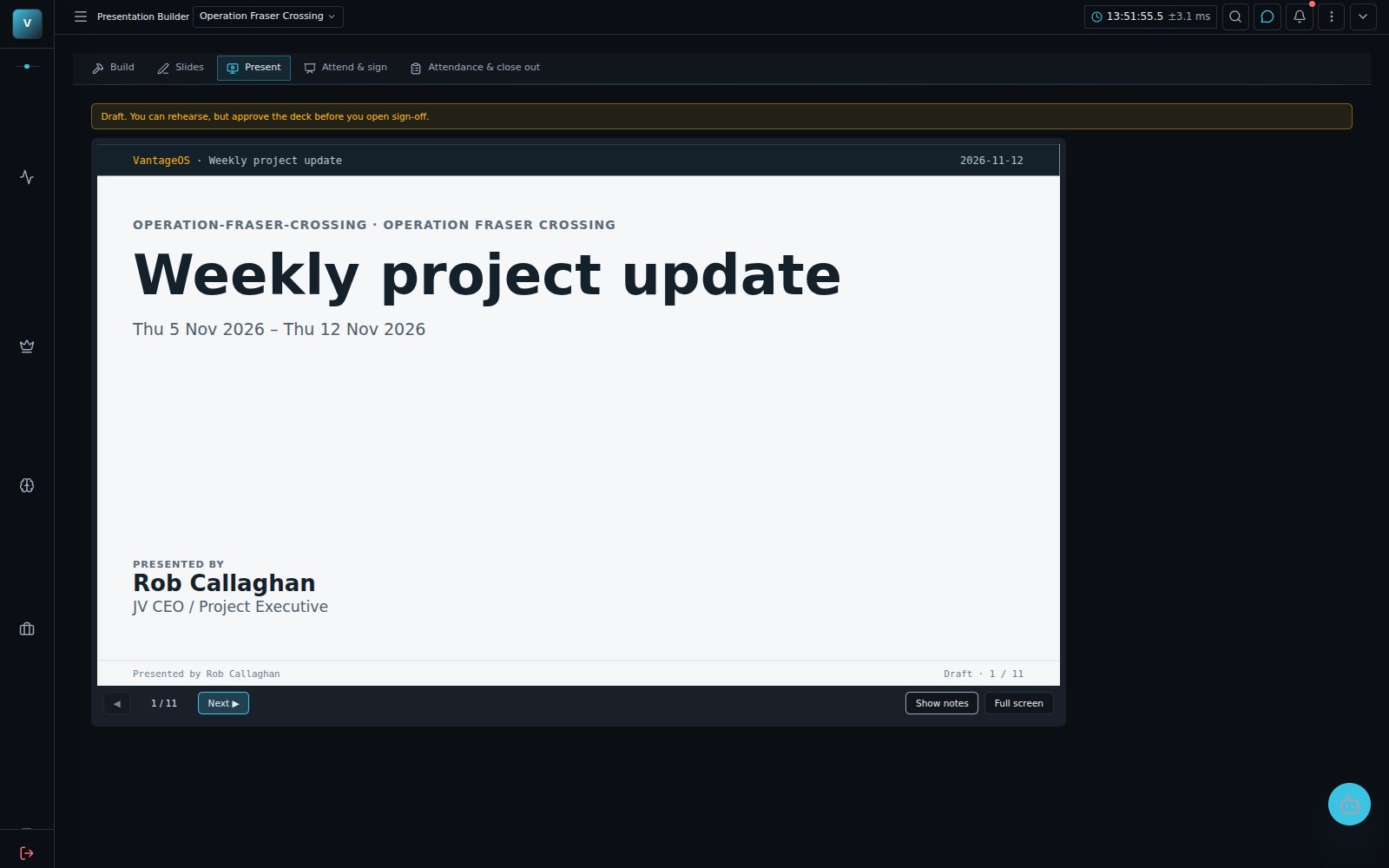
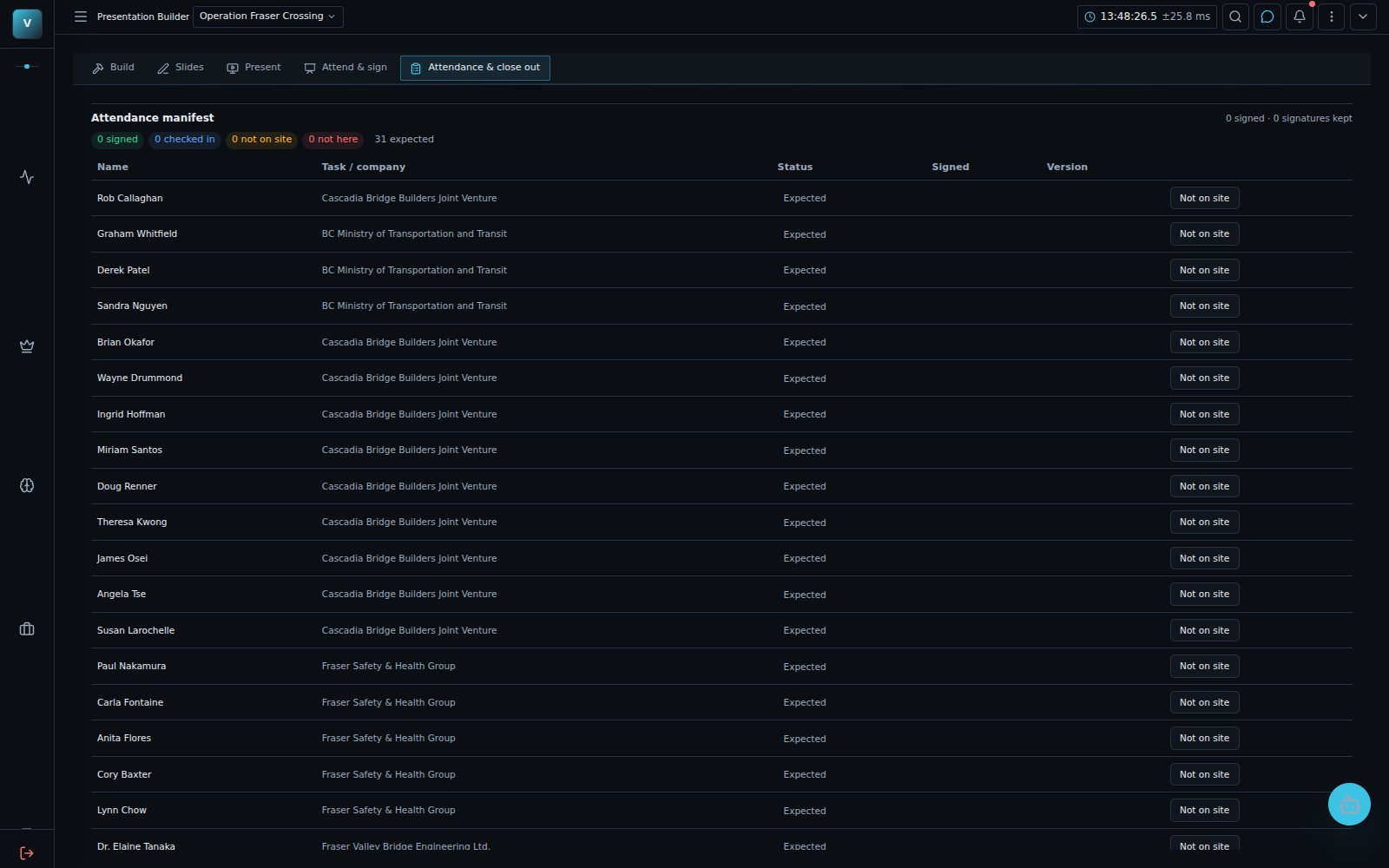
1Build the weekly updateRob chooses Weekly project update and the deck is built as a draft from the project's records, with him as presenter. A readiness check flags that the CP Rail right-of-way access permit is not issued.Tap the picture for the whole screen.2Each slide names its recordsThe What we learned last week slide carries the property damage reported on 2026-11-10, taken from its incident record. Under the slide it names its sources: incidents and lessons learned.Tap the picture for the whole screen.3Rehearse the presentationPresent shows the deck one slide at a time. Because it is still a draft, a banner says it can be rehearsed but must be approved before sign-off opens.Tap the picture for the whole screen.4Who is expected to attendThe attendance manifest lists the 31 people expected, with their company and columns for signature and version. Nobody has signed, because the deck has not been approved and presented.Tap the picture for the whole screen.
Regulatory Compliance 5 steps
See which permits the fictional Fraser Crossing project needs, which it holds and when each runs out, and keep the letters to each authority with the permit they concern. This is the general superintendent's view.
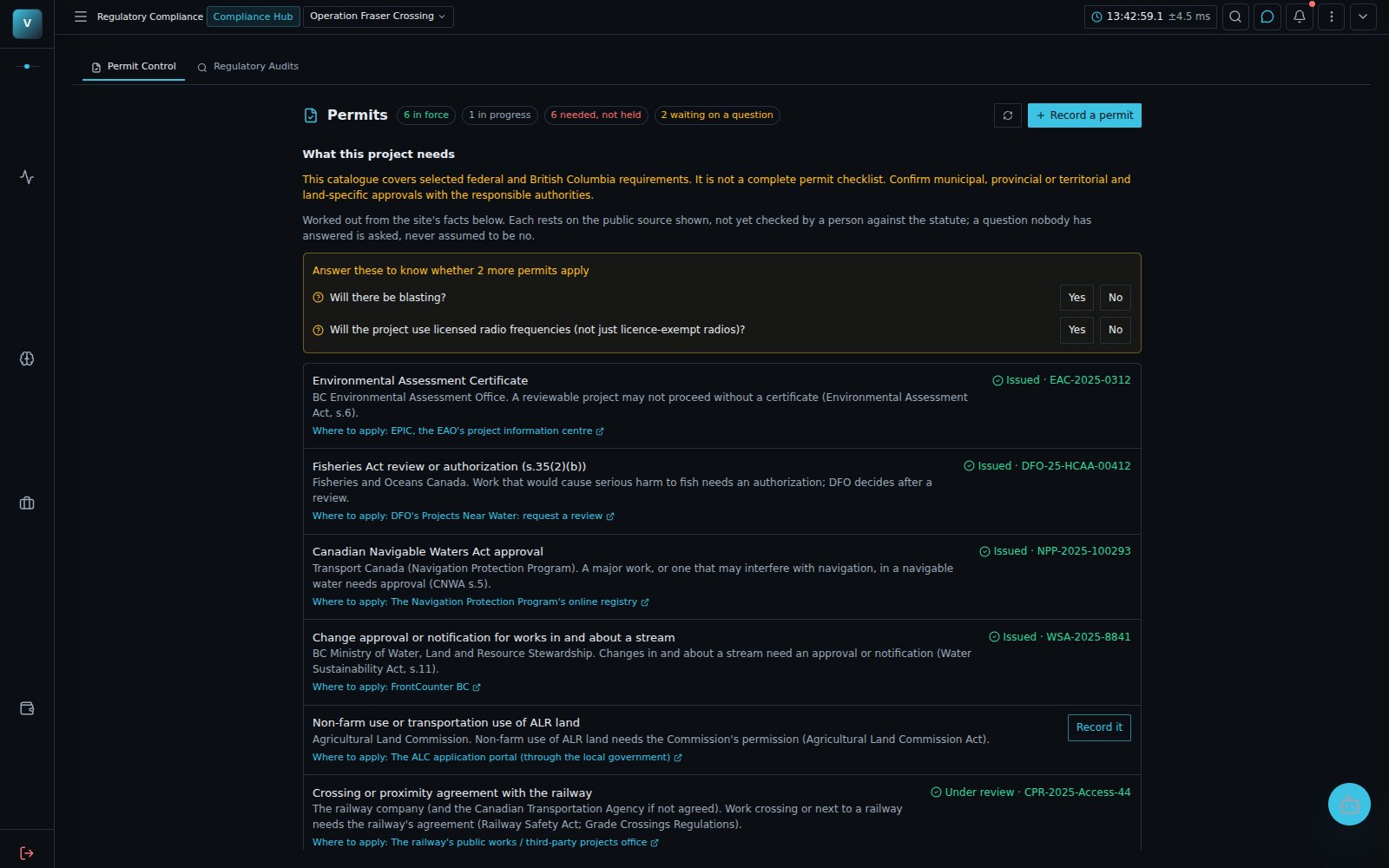
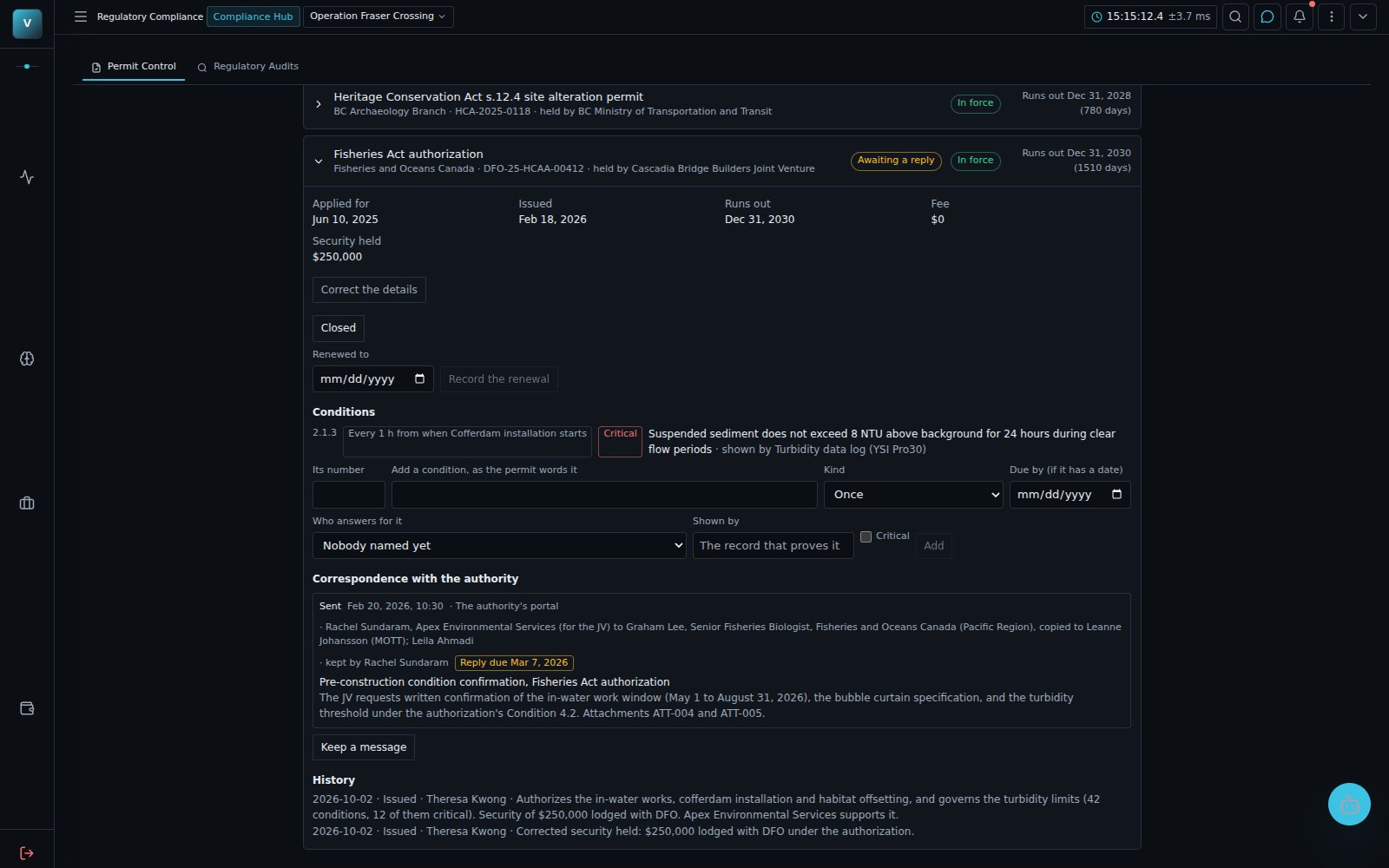
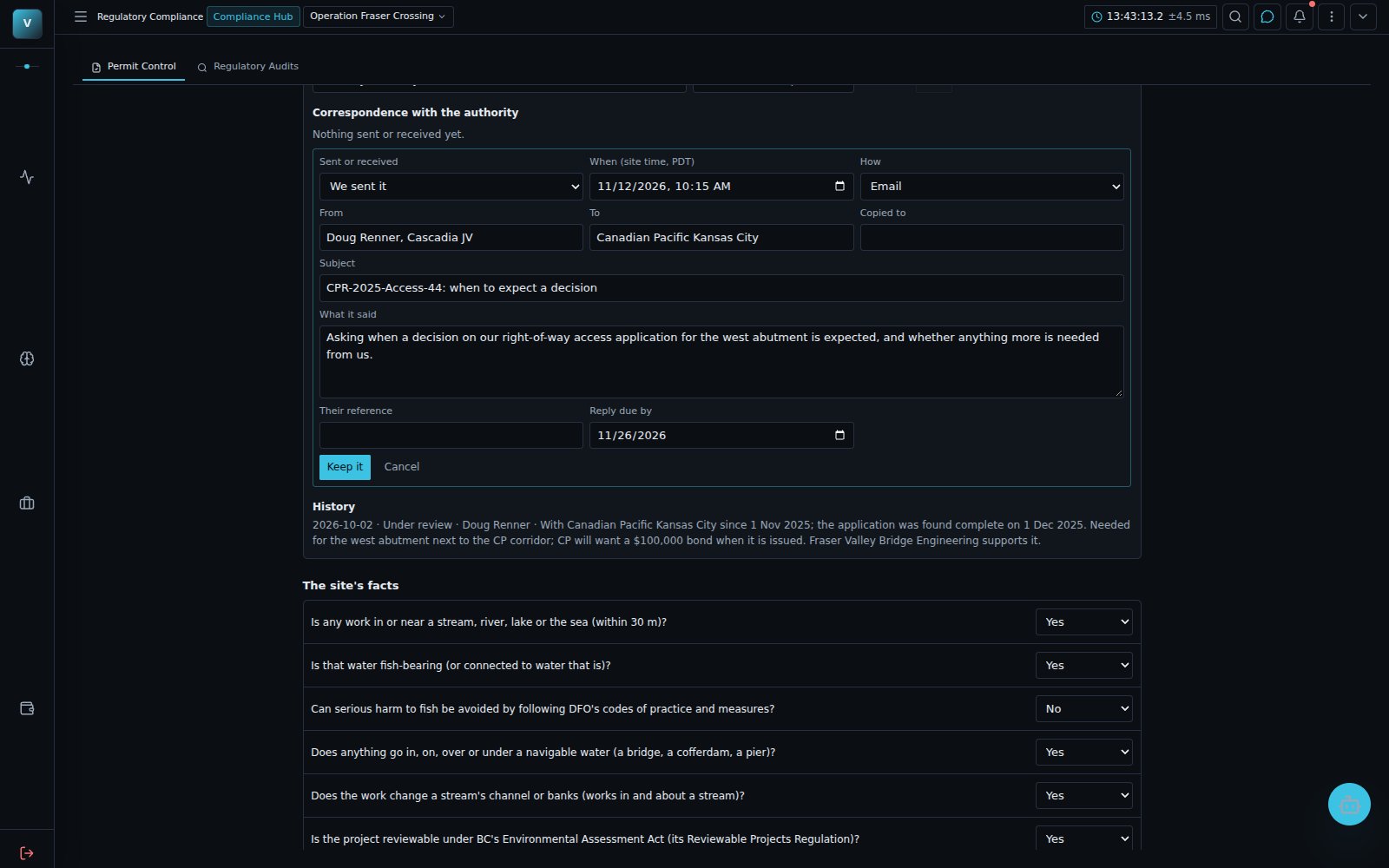
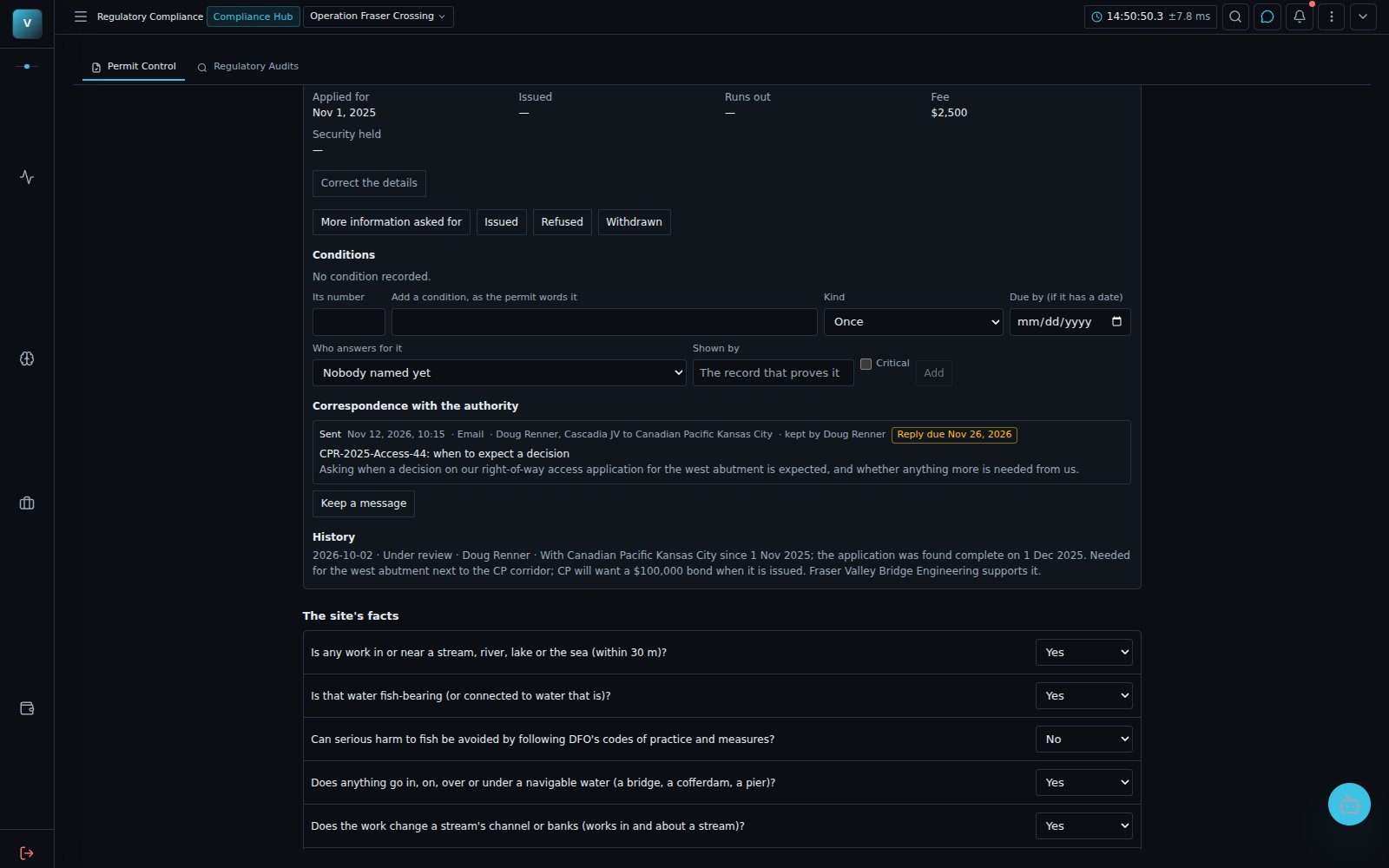
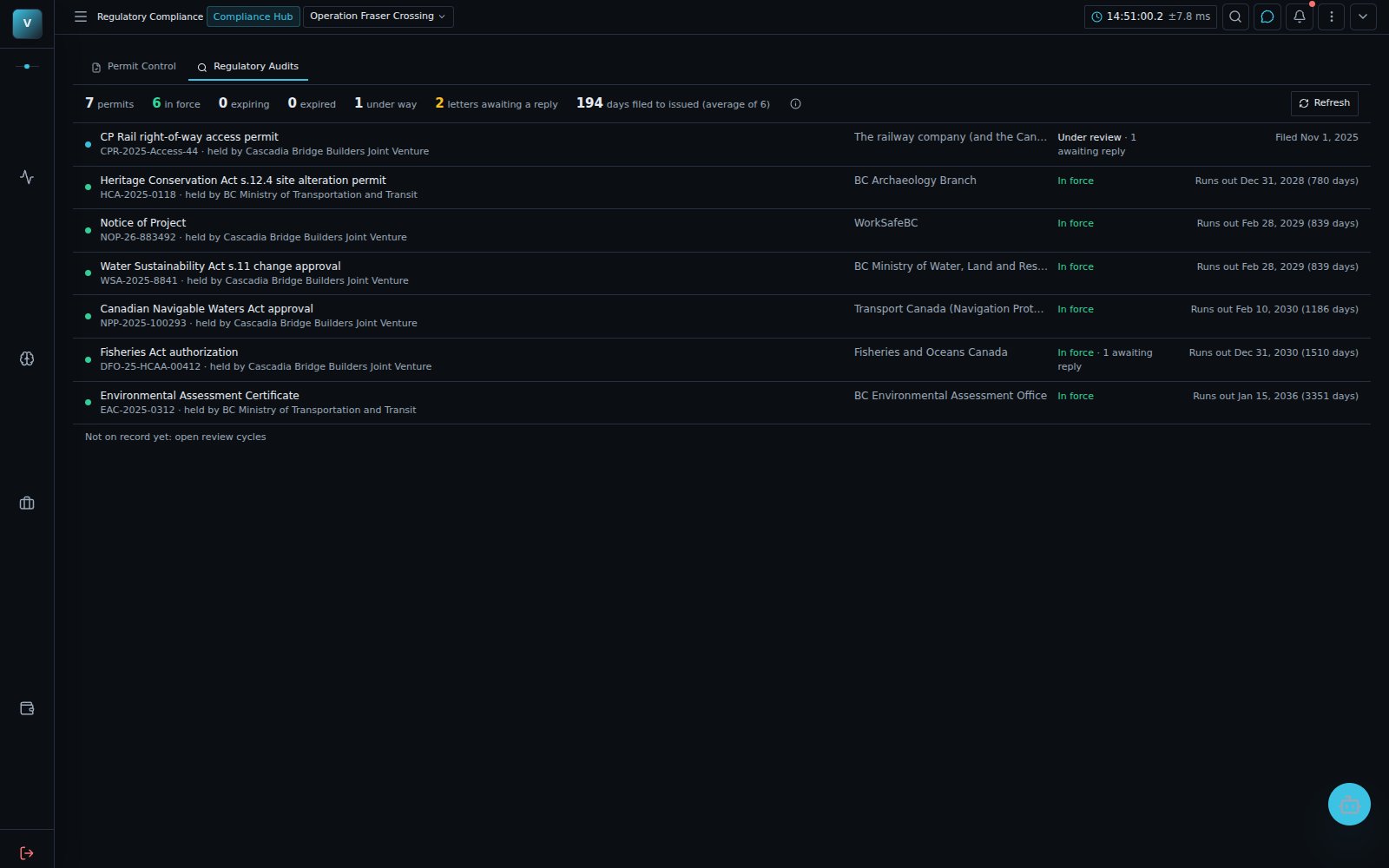
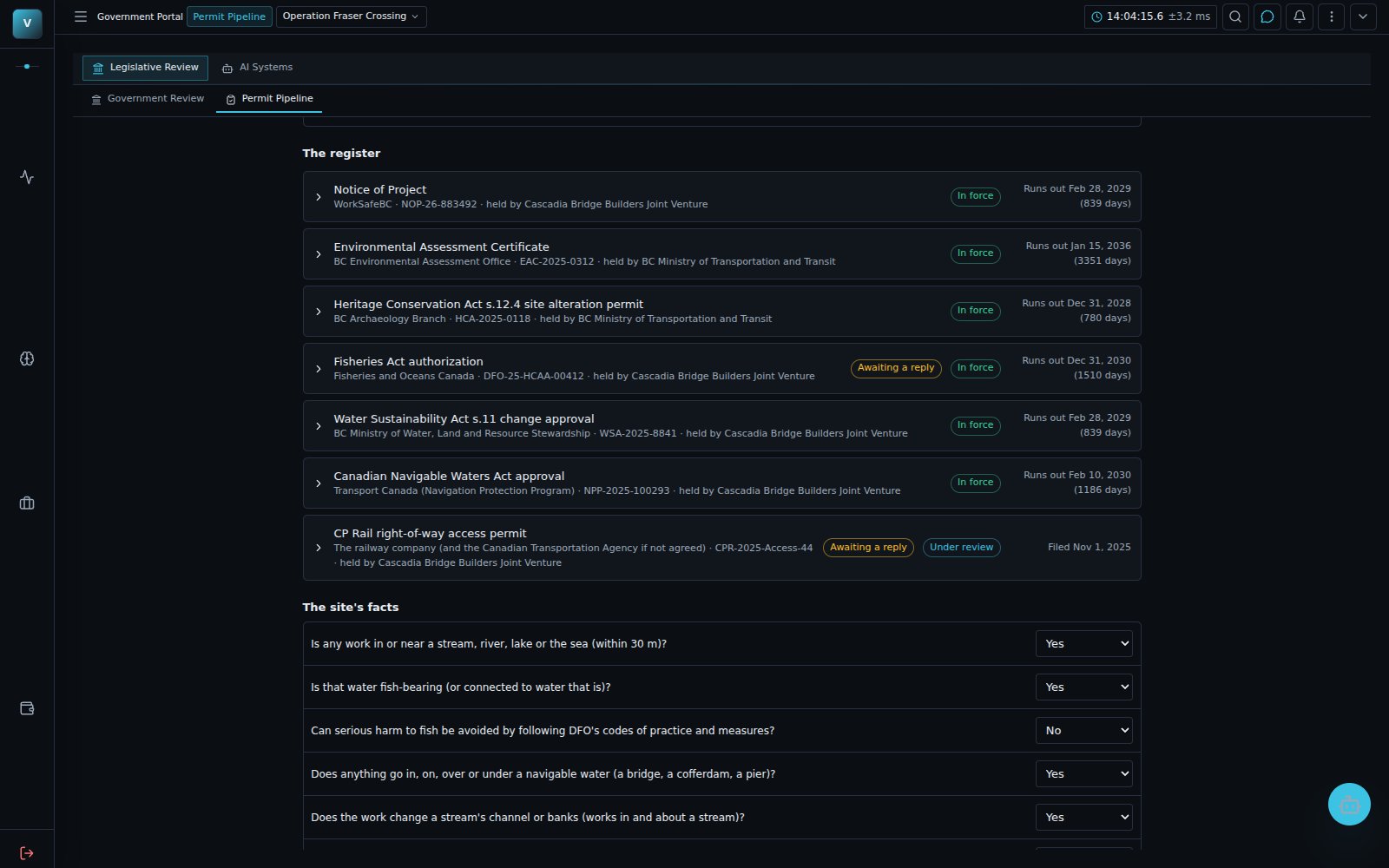
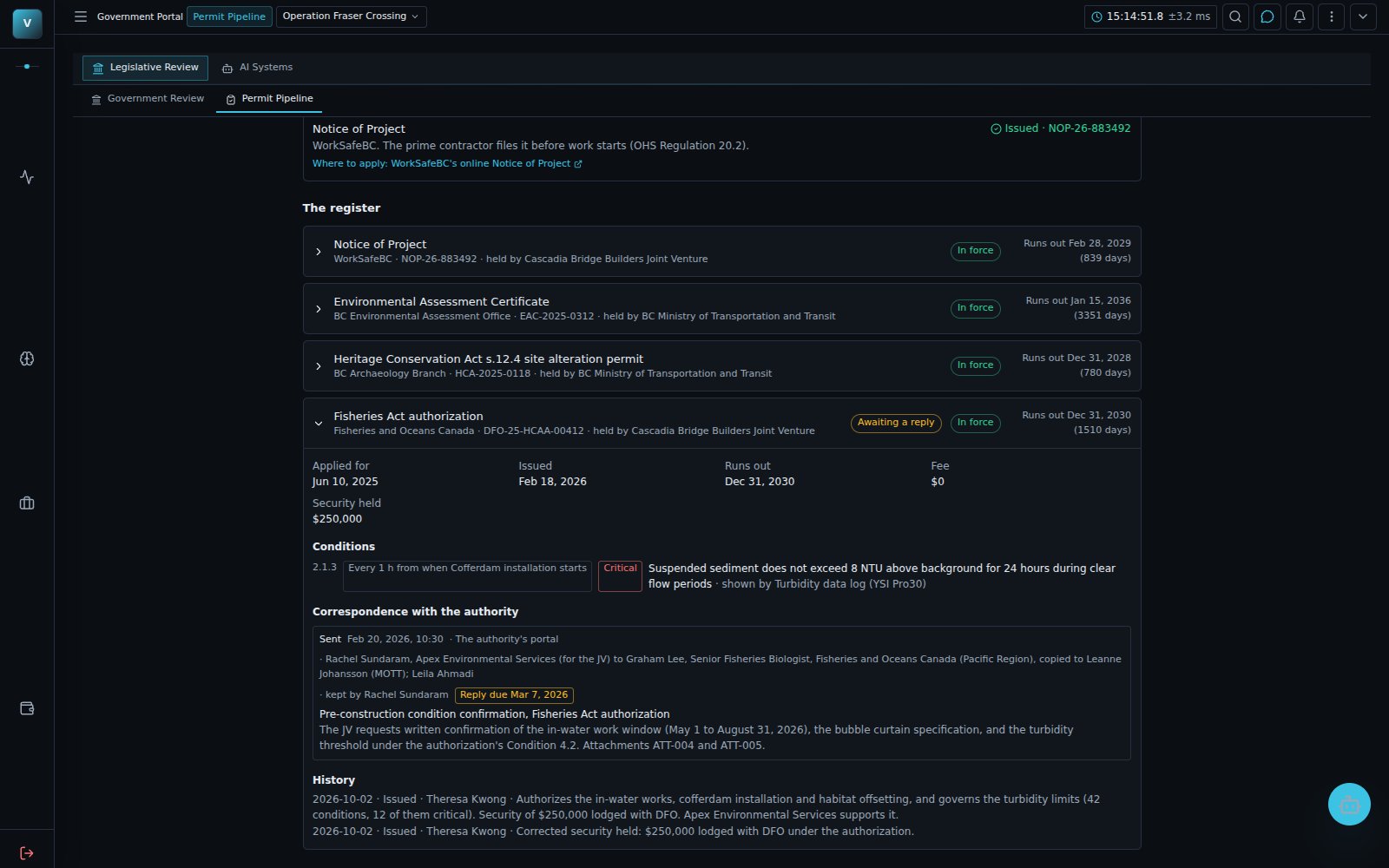
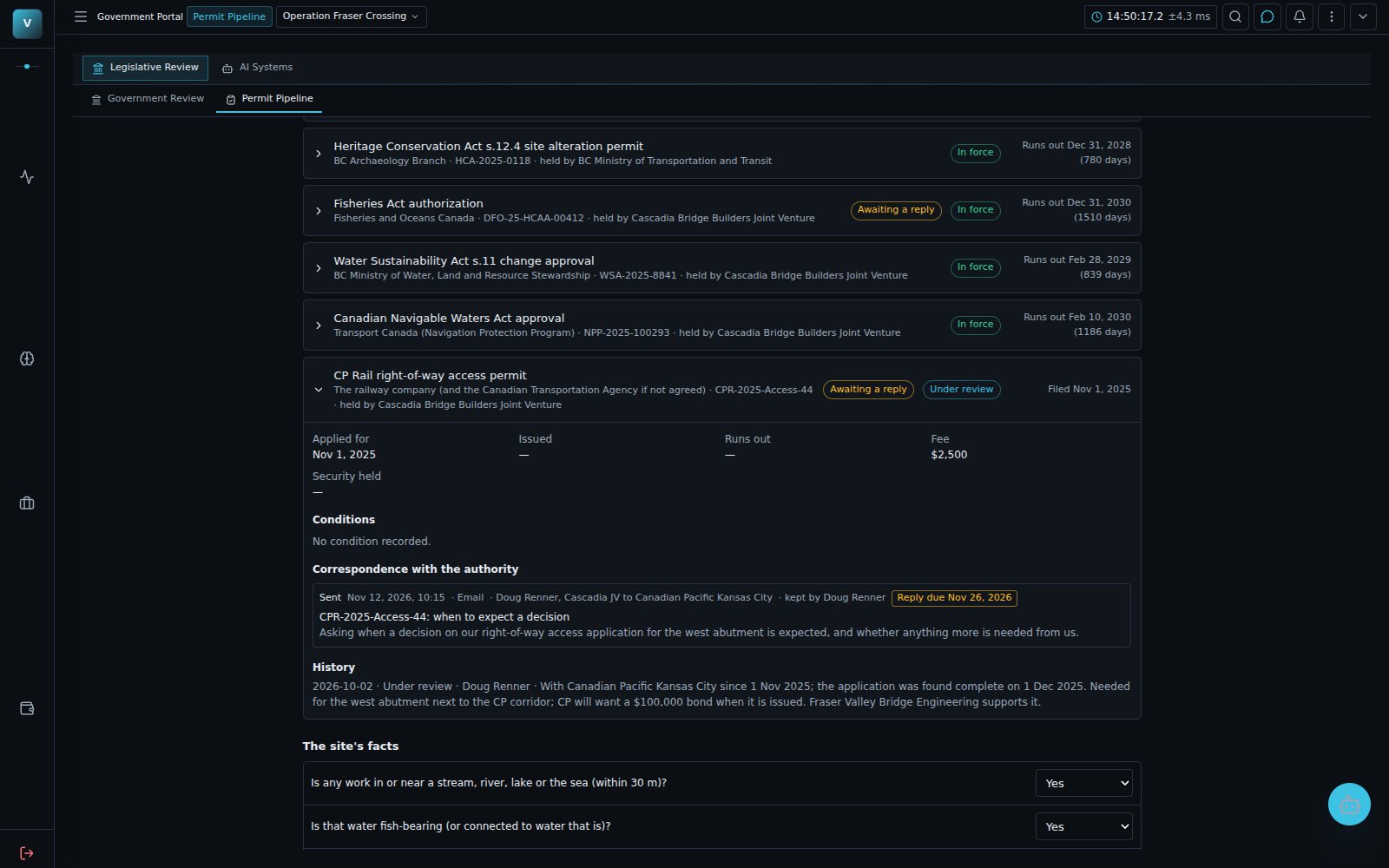
1What this project needsThe permits the site's facts call for, each with the authority, the law behind it and where to apply. Two questions nobody has answered are asked, never assumed to be no, and the screen says this catalogue is not a complete checklist.Tap the picture for the whole screen.2Open a permit's recordThe Fisheries Act authorization: when it was applied for and issued, when it runs out, the $250,000 security held, its critical turbidity condition and the record that proves it, the letter still awaiting a reply with who kept it, and its history.Tap the picture for the whole screen.3Keep a letter with its permitThe CP Rail right-of-way permit is still under review; its history says it has been with the railway since 1 November 2025. The superintendent records the email he sent the railway asking when to expect a decision, and sets the date a reply is due.Tap the picture for the whole screen.4The letter is on the recordThe email is kept on the permit with when it was sent, how, from whom and to whom, who kept it, and the reply due date.Tap the picture for the whole screen.5Every permit, its authority and expiryOne row per permit: its number, holder, issuing authority, standing and when it runs out. The figures are counted from the register, including the two letters awaiting a reply; what is not recorded, such as open review cycles, is named instead of shown as zero.Tap the picture for the whole screen.
Permit Portal 10 steps
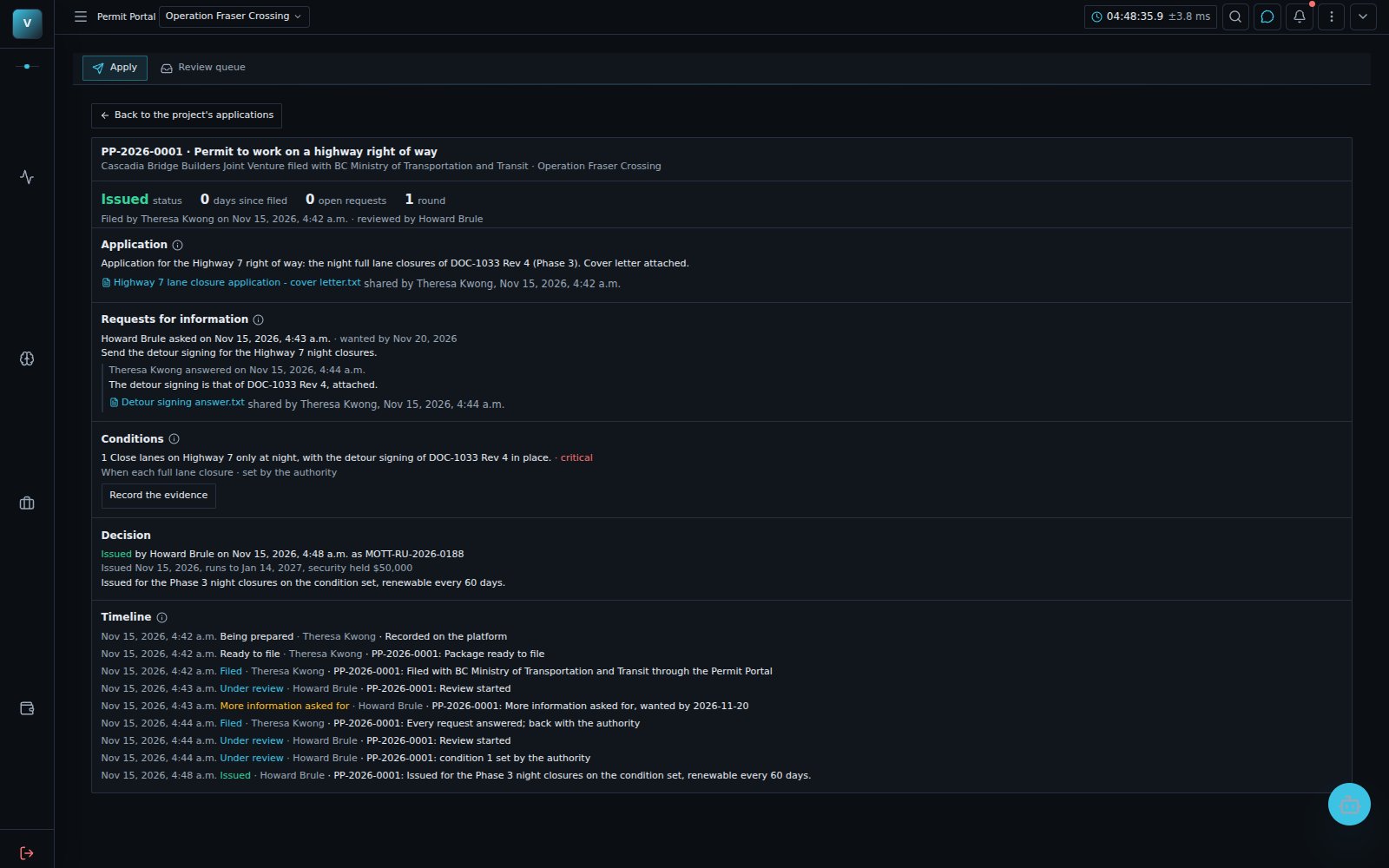
The Permit Portal puts both sides of a permit on one case: the applicant files with the authority and answers what it asks; the authority reviews, sets conditions and decides. On the fictional Fraser Crossing project, Theresa Kwong of the joint venture applies to the BC Ministry of Transportation and Transit to close Highway 7's lanes at night, and Howard Brule, a Ministry inspector, decides it.
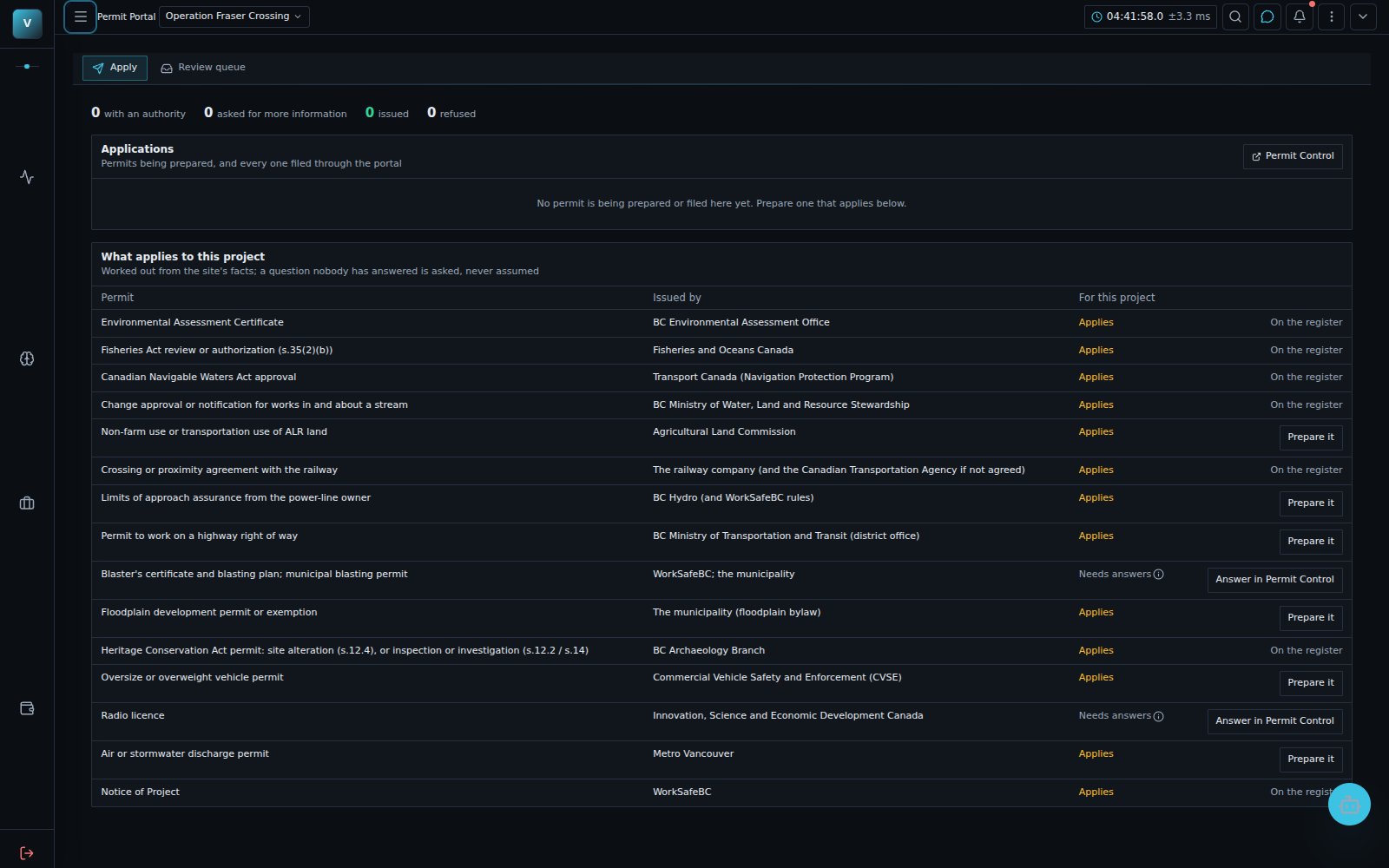
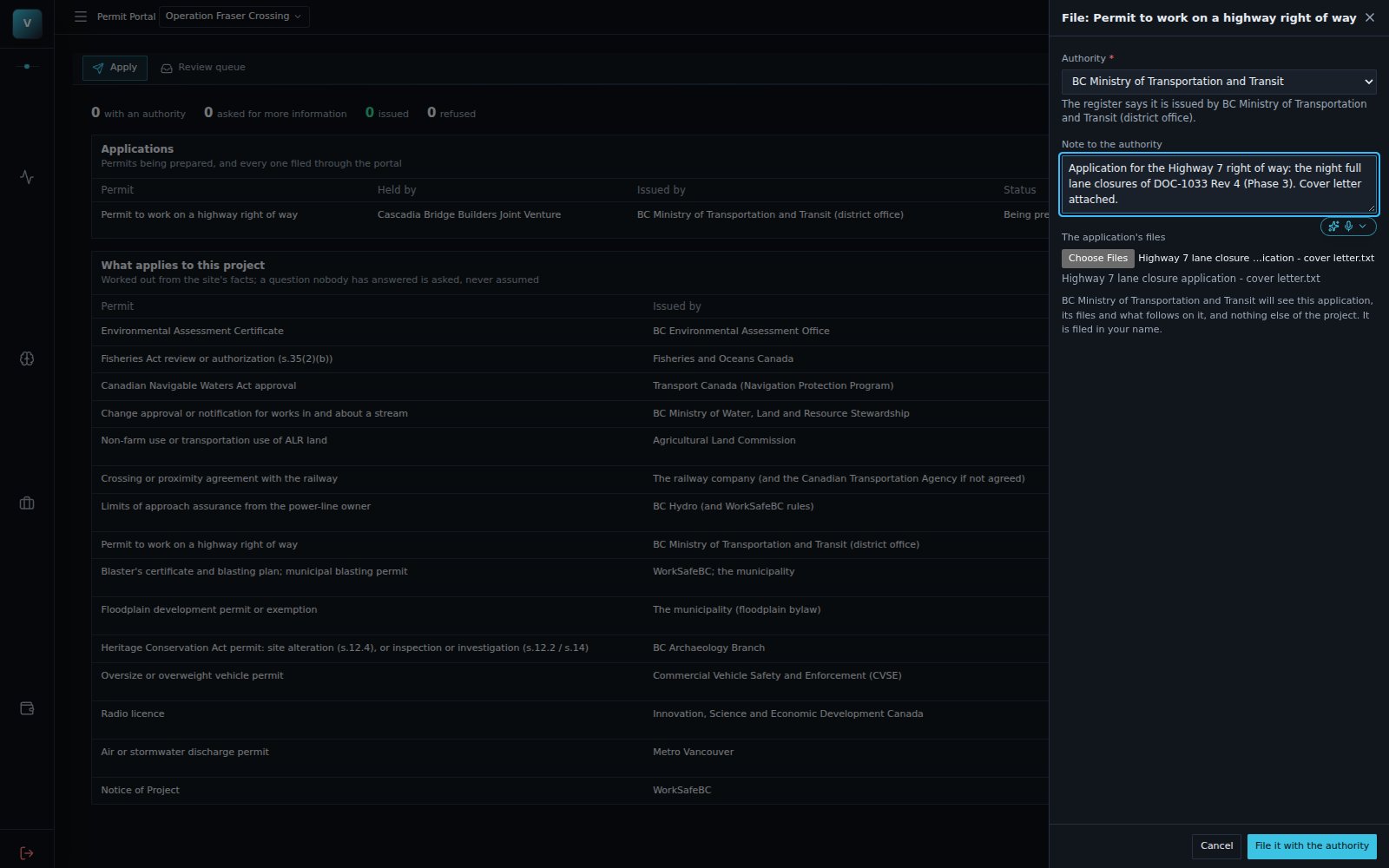
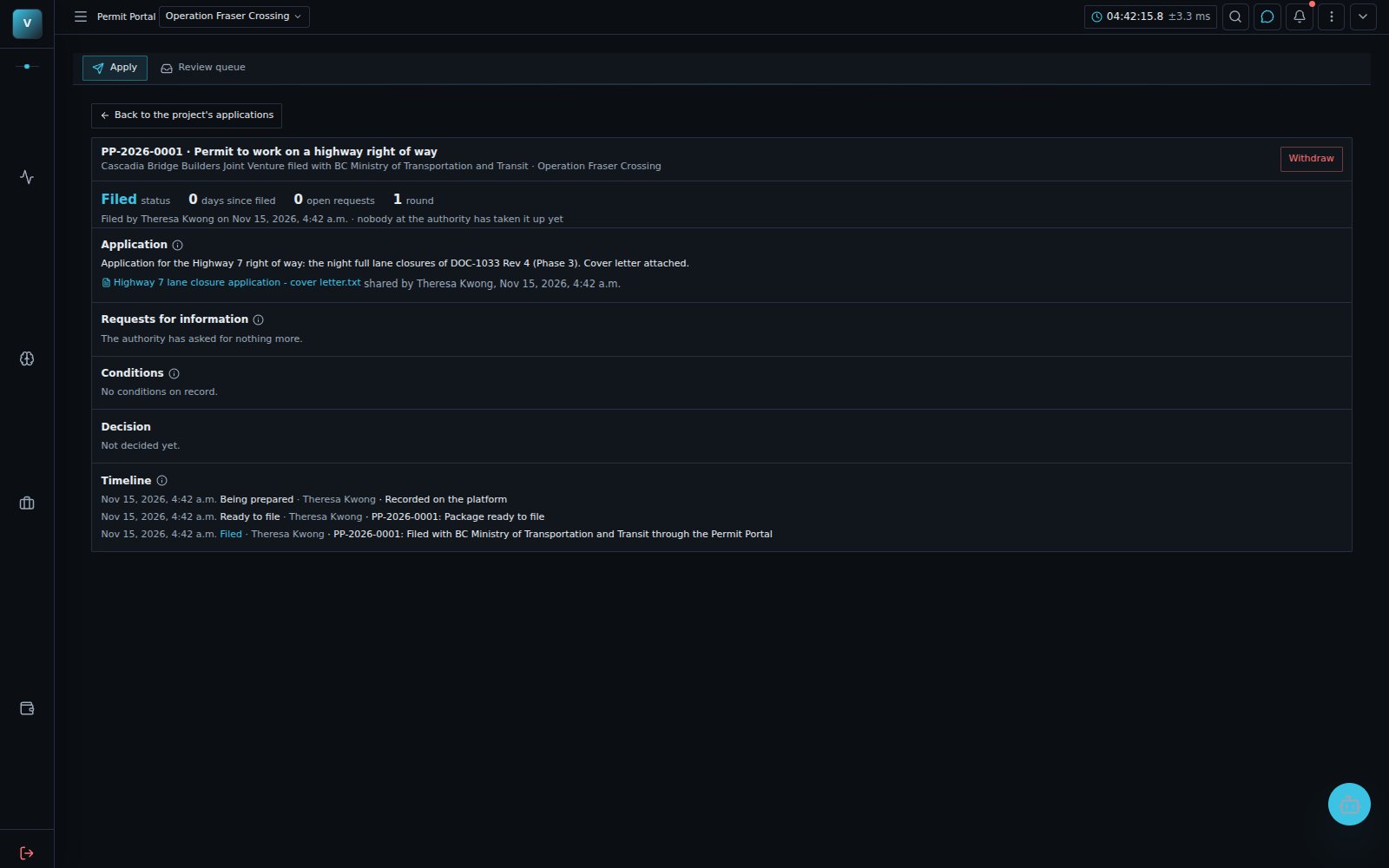
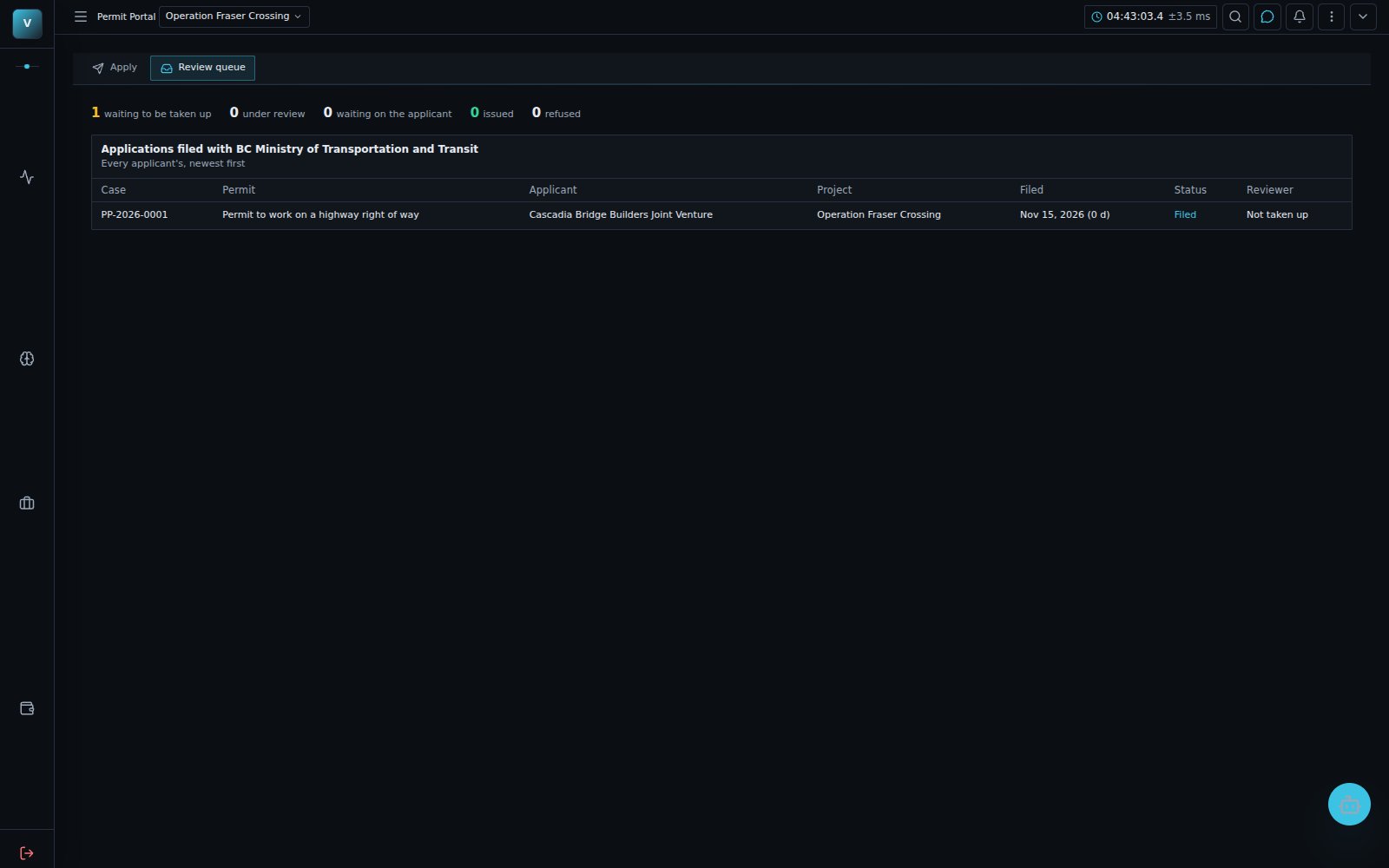
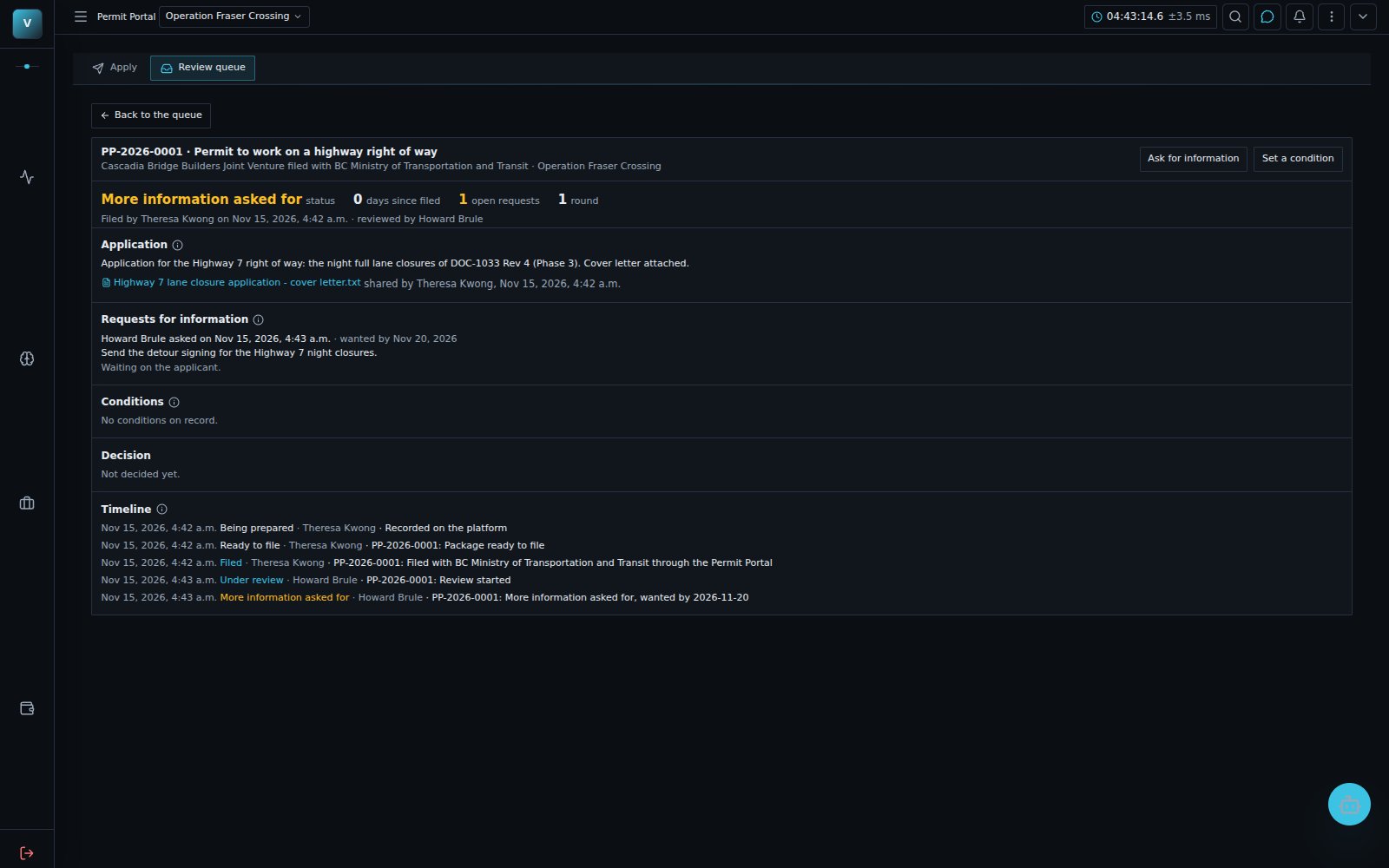
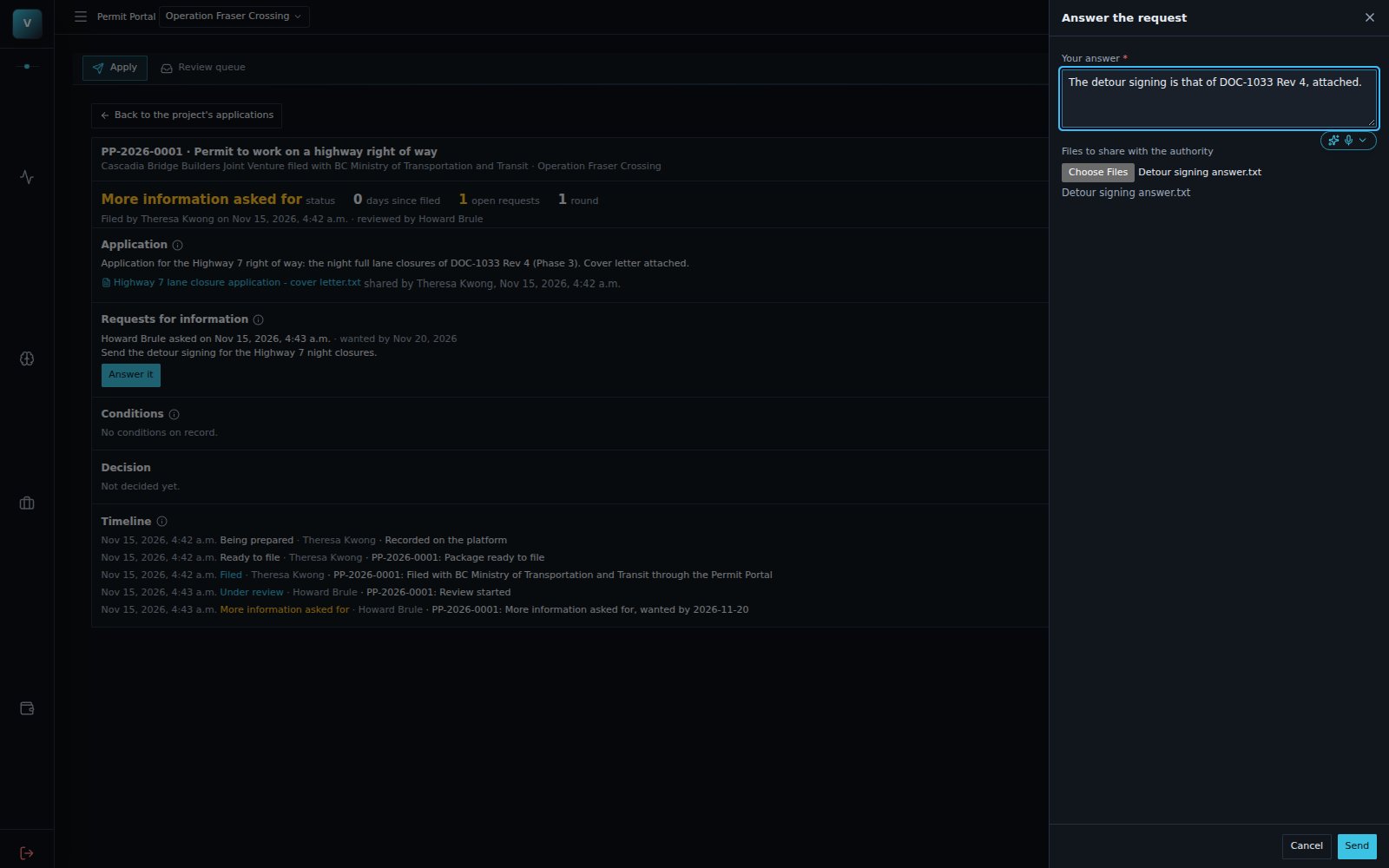
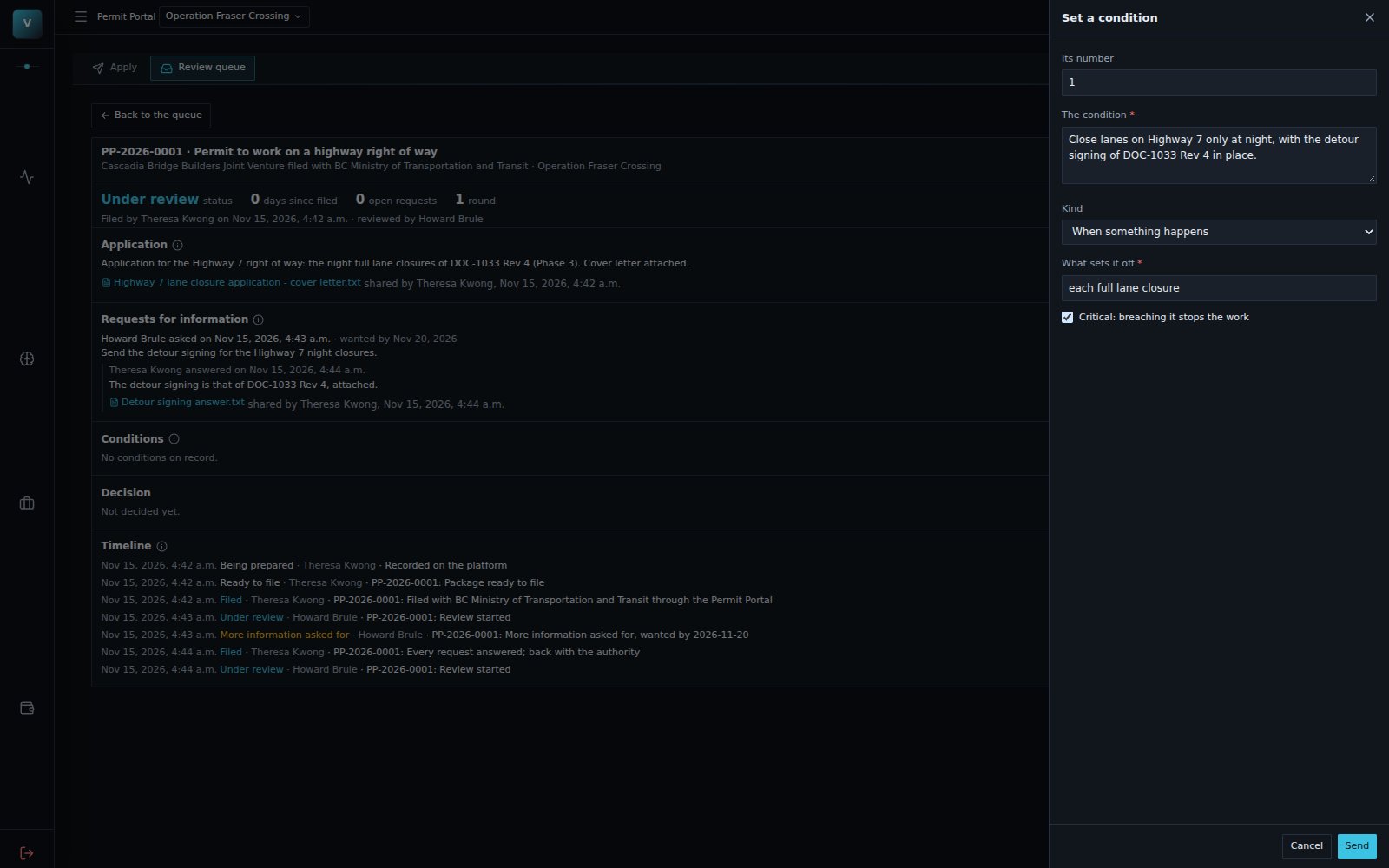
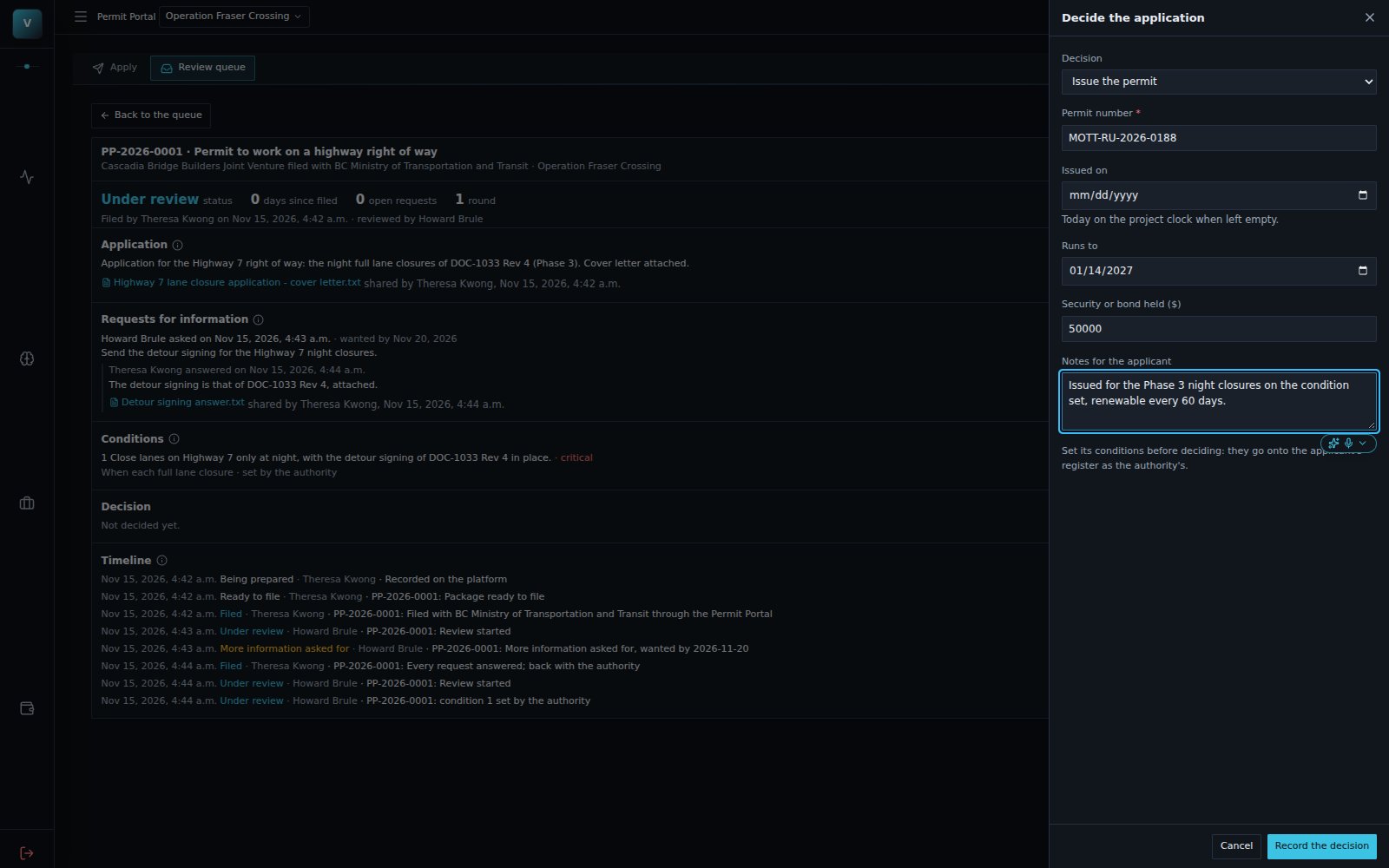
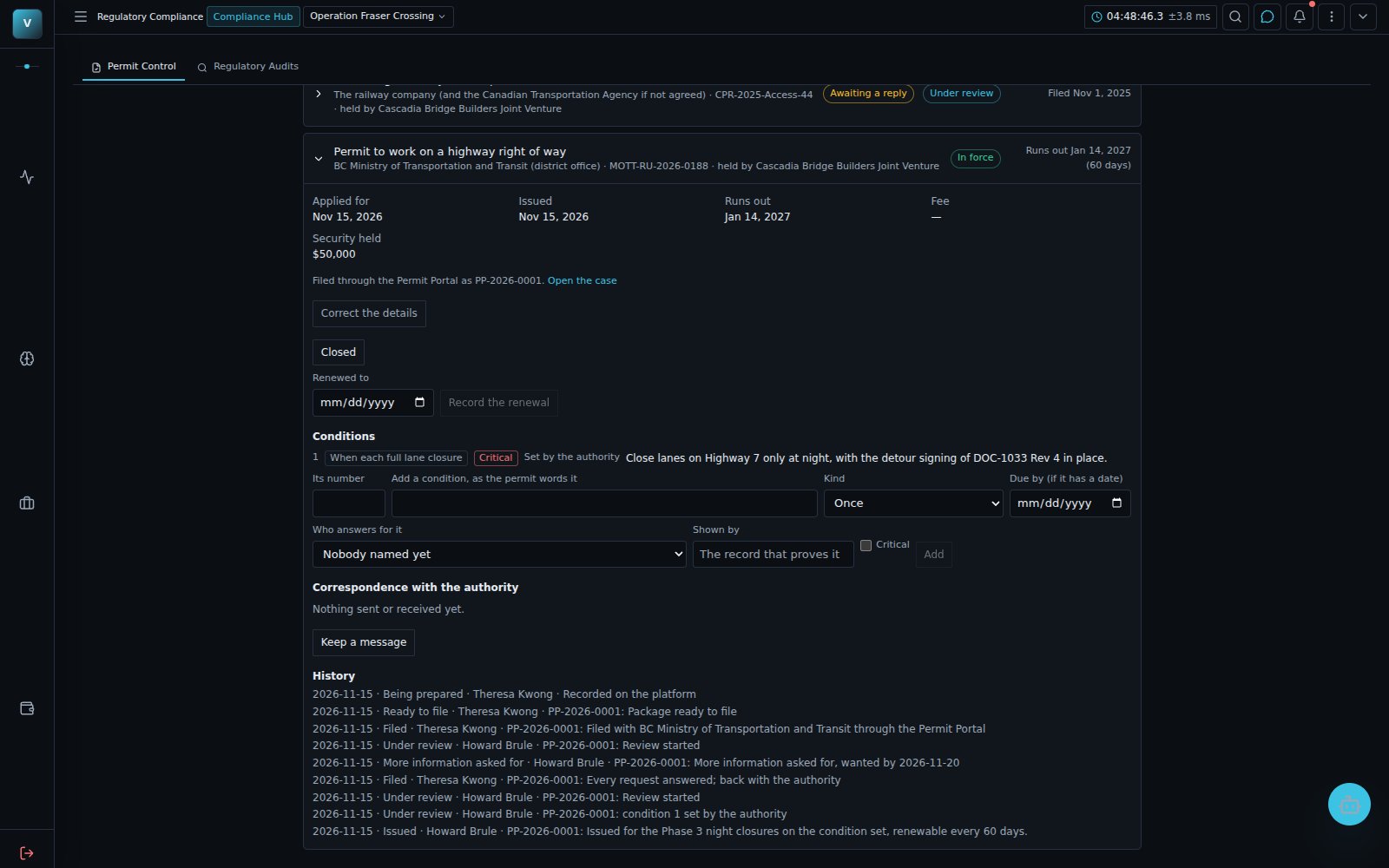
1What applies to this projectWorked out from the site's facts: each permit the project needs and who issues it. Most are already on the project's permit register. The permit to work on a highway right of way, issued by the BC Ministry of Transportation and Transit, is still to prepare, and two that hang on unanswered questions are asked about, never assumed.Tap the picture for the whole screen.2File it with the authorityTheresa Kwong records the highway permit as being prepared, then files it with the Ministry: a note naming the night full lane closures of traffic plan DOC-1033 Rev 4, and the cover letter attached. The drawer says the Ministry will see this application, its files and what follows on it, and nothing else of the project.Tap the picture for the whole screen.3Filed, as one caseThe application becomes case PP-2026-0001, filed in Theresa Kwong's name. Nobody at the authority has taken it up yet; there are no requests, conditions or decision, and the timeline lists each step with who took it.Tap the picture for the whole screen.4The authority's queueHoward Brule opens the review queue: every application filed with the BC Ministry of Transportation and Transit, newest first, with the applicant, the project, the days since filing and who is reviewing it. PP-2026-0001 is waiting to be taken up.Tap the picture for the whole screen.5Ask for what is missingHoward starts the review and asks for the detour signing for the Highway 7 night closures, wanted by 20 November. The case reads More information asked for, with one open request, until the applicant answers.Tap the picture for the whole screen.6Answer on the same caseTheresa sees the request on her side of the same case and answers it: the detour signing is that of DOC-1033 Rev 4, with the file attached. Sent, the case goes back to the Ministry's queue.Tap the picture for the whole screen.7Set a conditionHoward reads the answer under his request and sets condition 1: close lanes on Highway 7 only at night, with the detour signing of DOC-1033 Rev 4 in place, each time there is a full lane closure. He marks it critical: breaching it stops the work.Tap the picture for the whole screen.8DecideHoward issues the permit as MOTT-RU-2026-0188, running to 14 January 2027 with $50,000 security held, renewable every 60 days. Conditions are set before the decision and go onto the applicant's permit register as the authority's.Tap the picture for the whole screen.9The applicant sees the decisionOn Theresa's side the case reads Issued: the Ministry's condition, the permit number, its dates, the security held and the note, with every step in the timeline. Record the evidence sits under the condition, for showing it was met.Tap the picture for the whole screen.10On the permit registerIn Regulatory Compliance, the project's register holds the highway permit in force until 14 January 2027, filed through the Permit Portal as PP-2026-0001, with the $50,000 security, the condition set by the authority and the same history.Tap the picture for the whole screen.
Intelligence Engine 4 steps
The project's recorded risks on one grid of likelihood and impact, and the natural hazards at its recorded location. Scores are the recorded assessments, not cost forecasts. This is the fictional Fraser Crossing project.
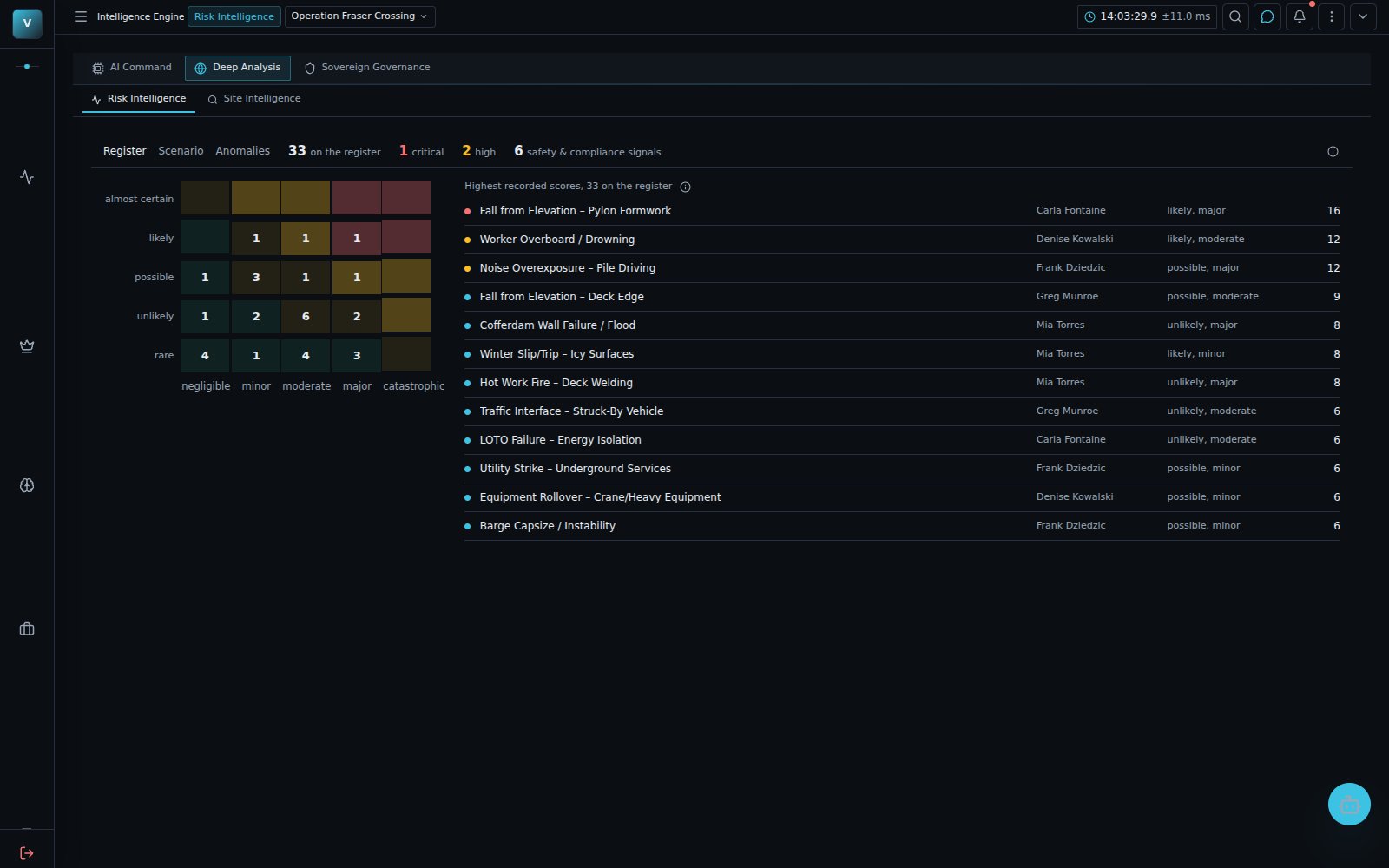
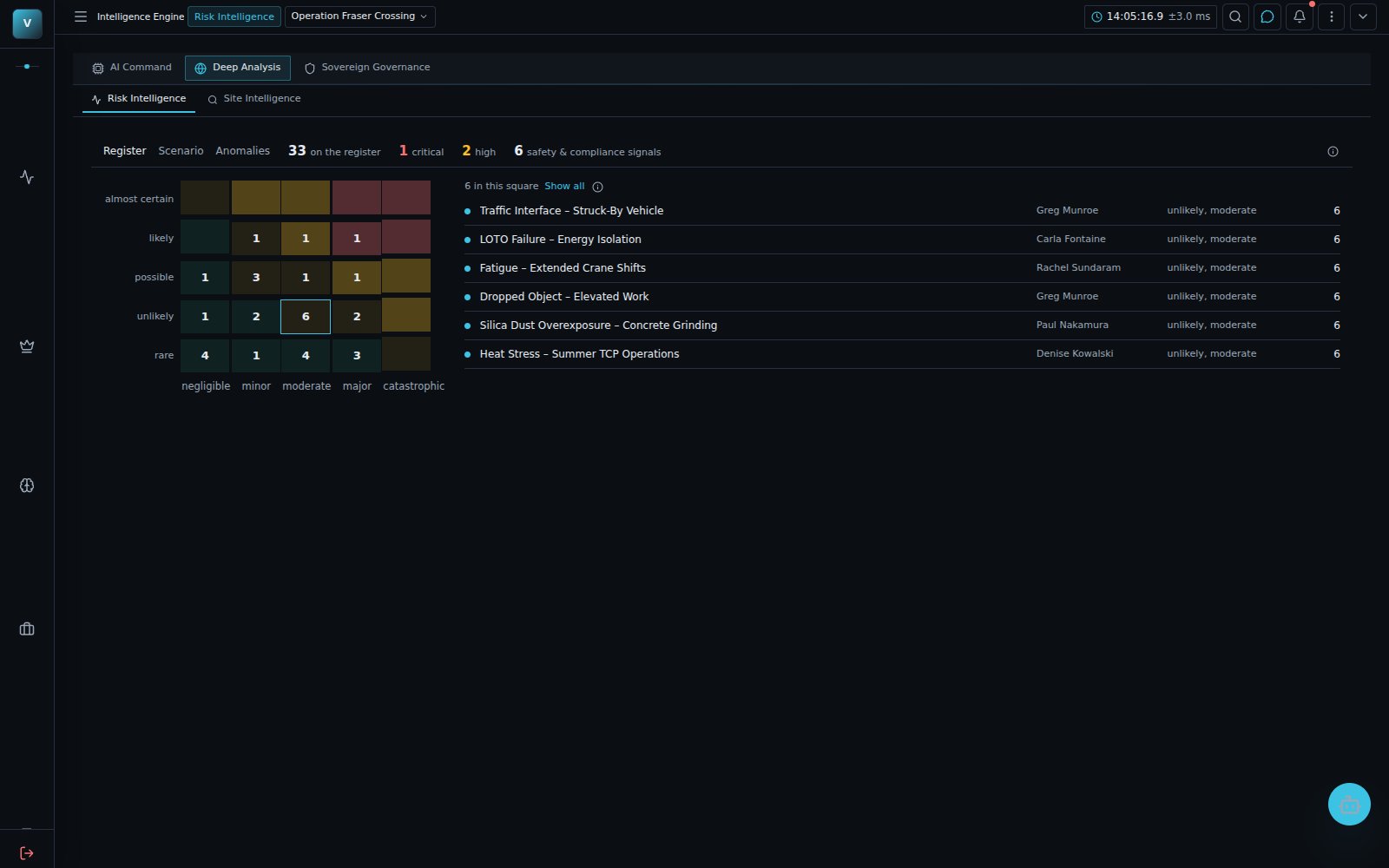
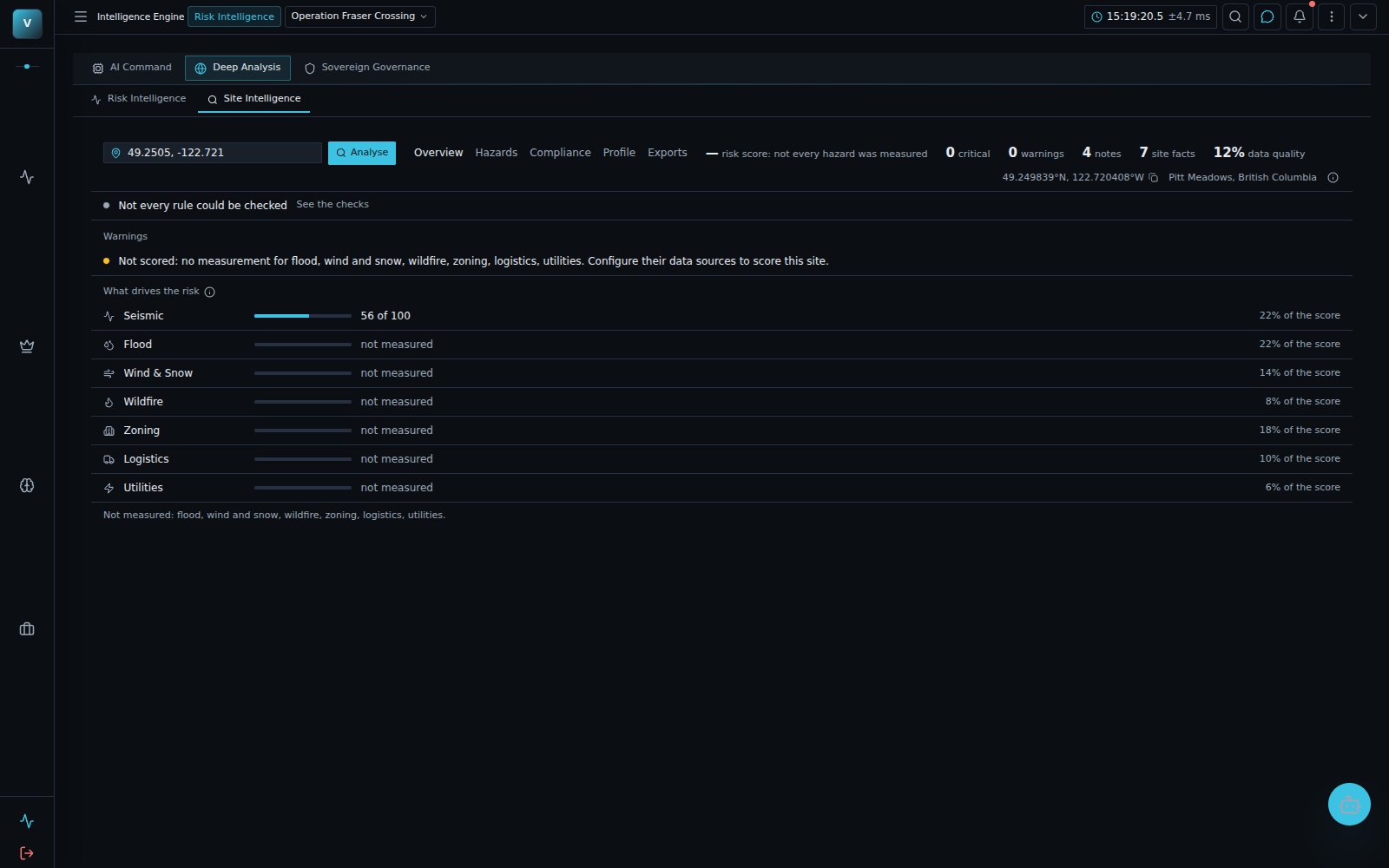
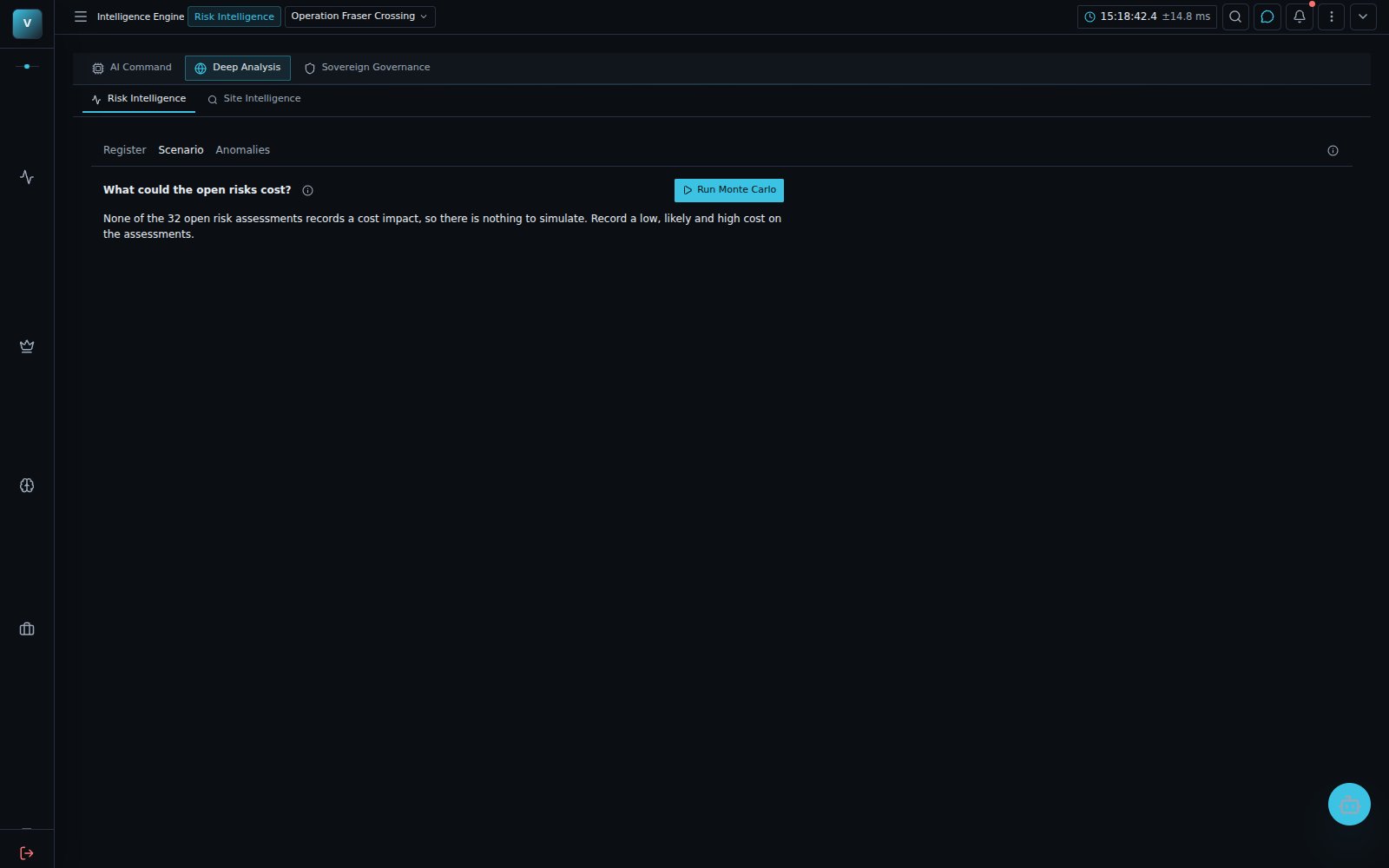
1See the whole registerAll 33 recorded risks sit on a five-by-five grid of likelihood and impact. Beside it are the highest scores with each risk's owner; one risk is rated critical and two high.Tap the picture for the whole screen.2Pick a squareSelecting the unlikely-and-moderate square lists the six risks in it, each with its owner and score.Tap the picture for the whole screen.3Read the siteAnalysing the project's recorded location, in Pitt Meadows, British Columbia, gives a seismic reading of 56 out of 100. Flood, wind and snow, wildfire, zoning, logistics and utilities are marked not measured, so no overall risk score is given.Tap the picture for the whole screen.4Ask what the open risks could costRunning the Monte Carlo simulation finds that none of the 32 open risk assessments records a cost impact, so it simulates nothing and shows no figure. It says what to record first: a low, likely and high cost on each assessment.Tap the picture for the whole screen.
Project Media 5 steps
Project Media keeps the drawings, documents and site plan of the fictional Fraser Crossing project in one place. Derek Patel, the owner's senior project manager, opens the drawing set he filed; Theresa Kwong, senior project engineer with the joint venture, checks the document register and starts the site plan. The drawing set is a clearly labelled public reference set from NIST, not the bridge's own drawings.
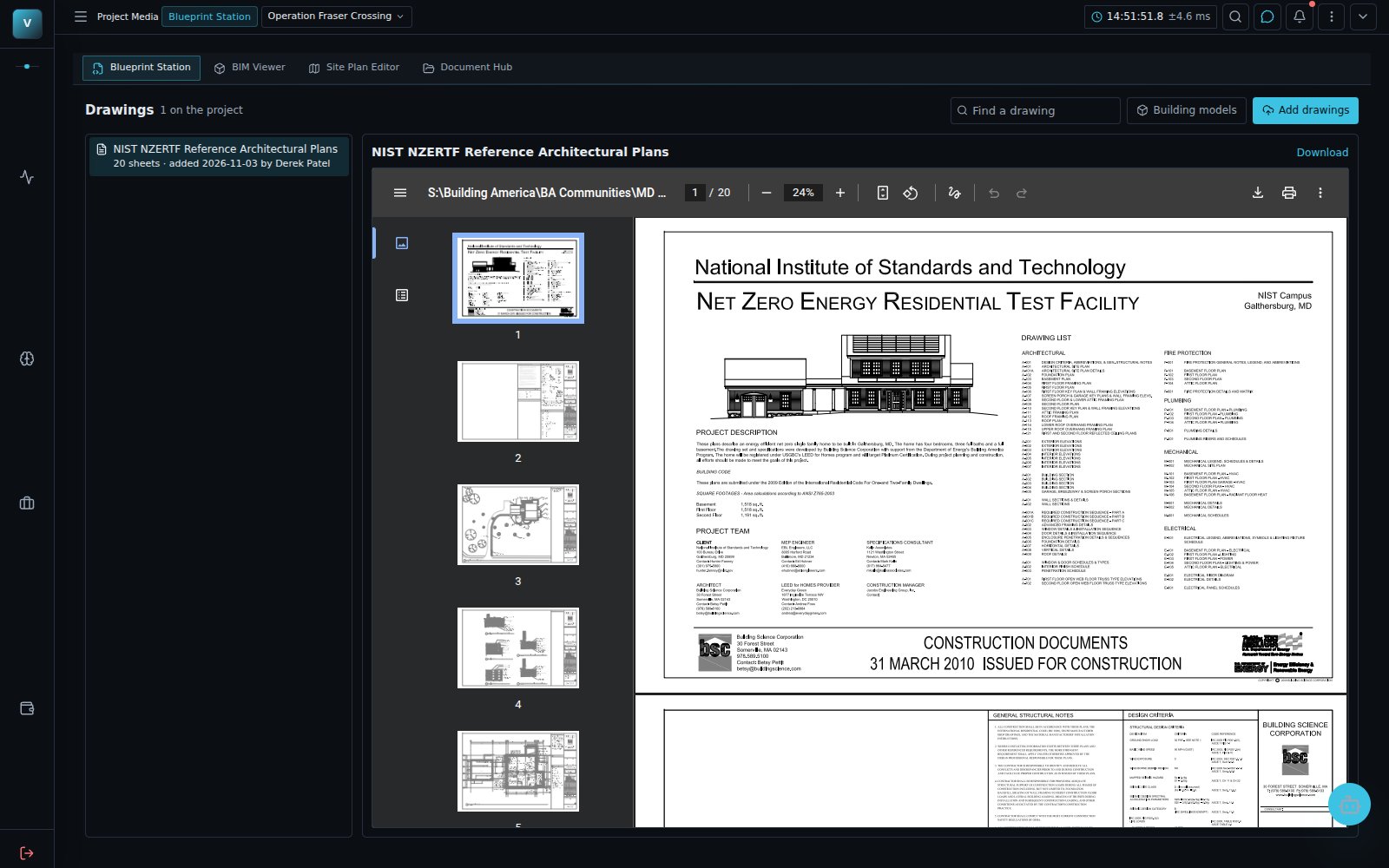
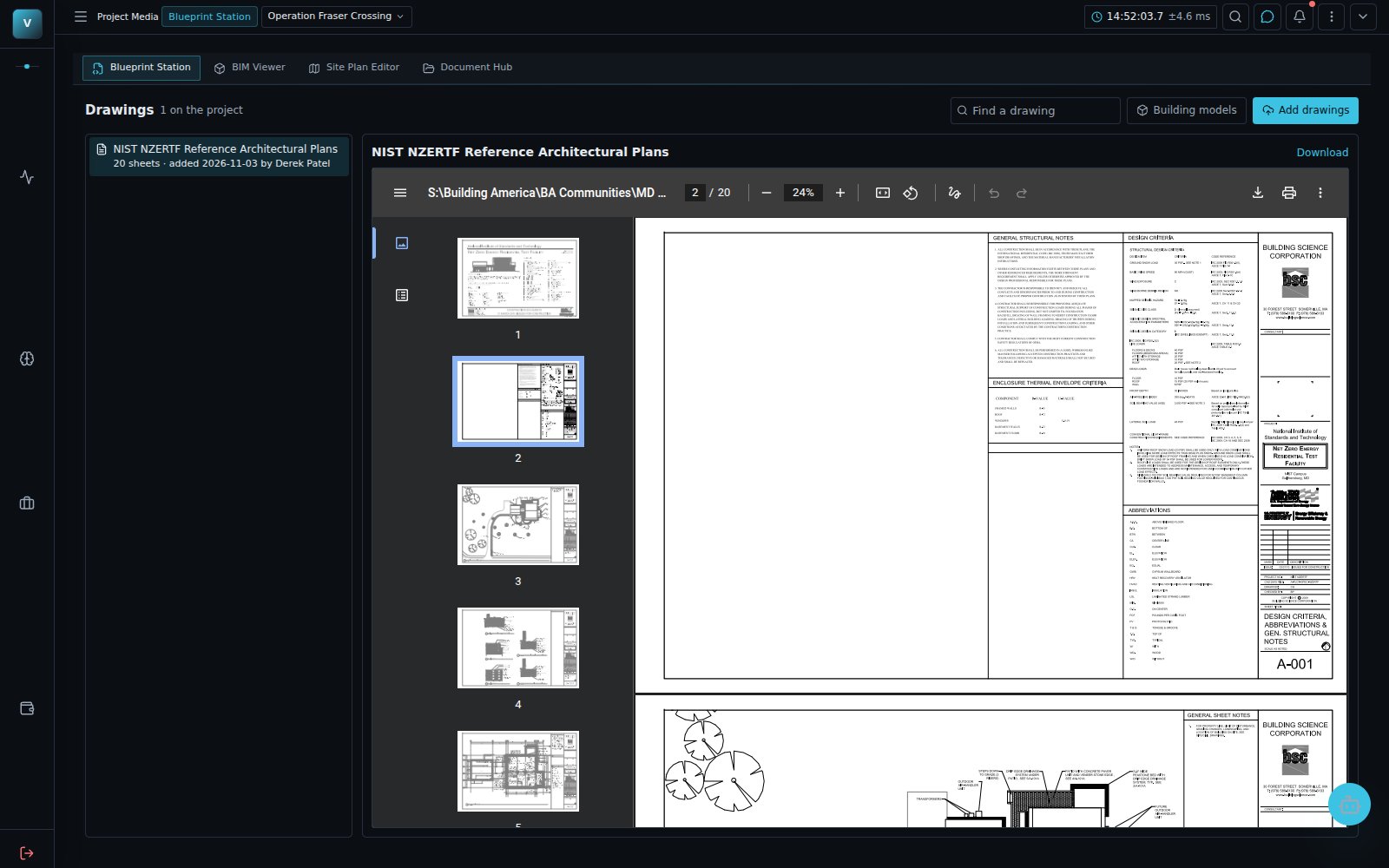
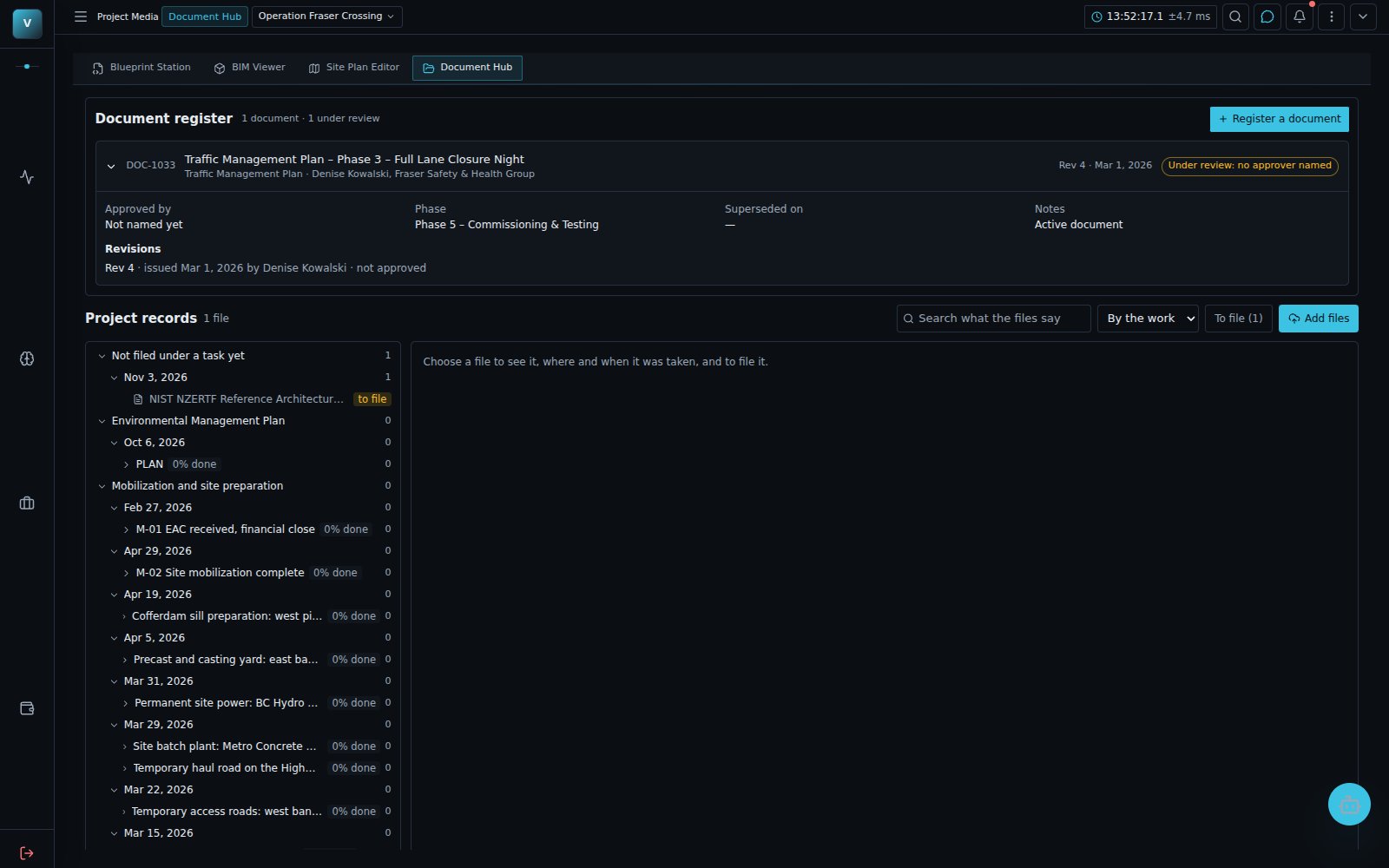
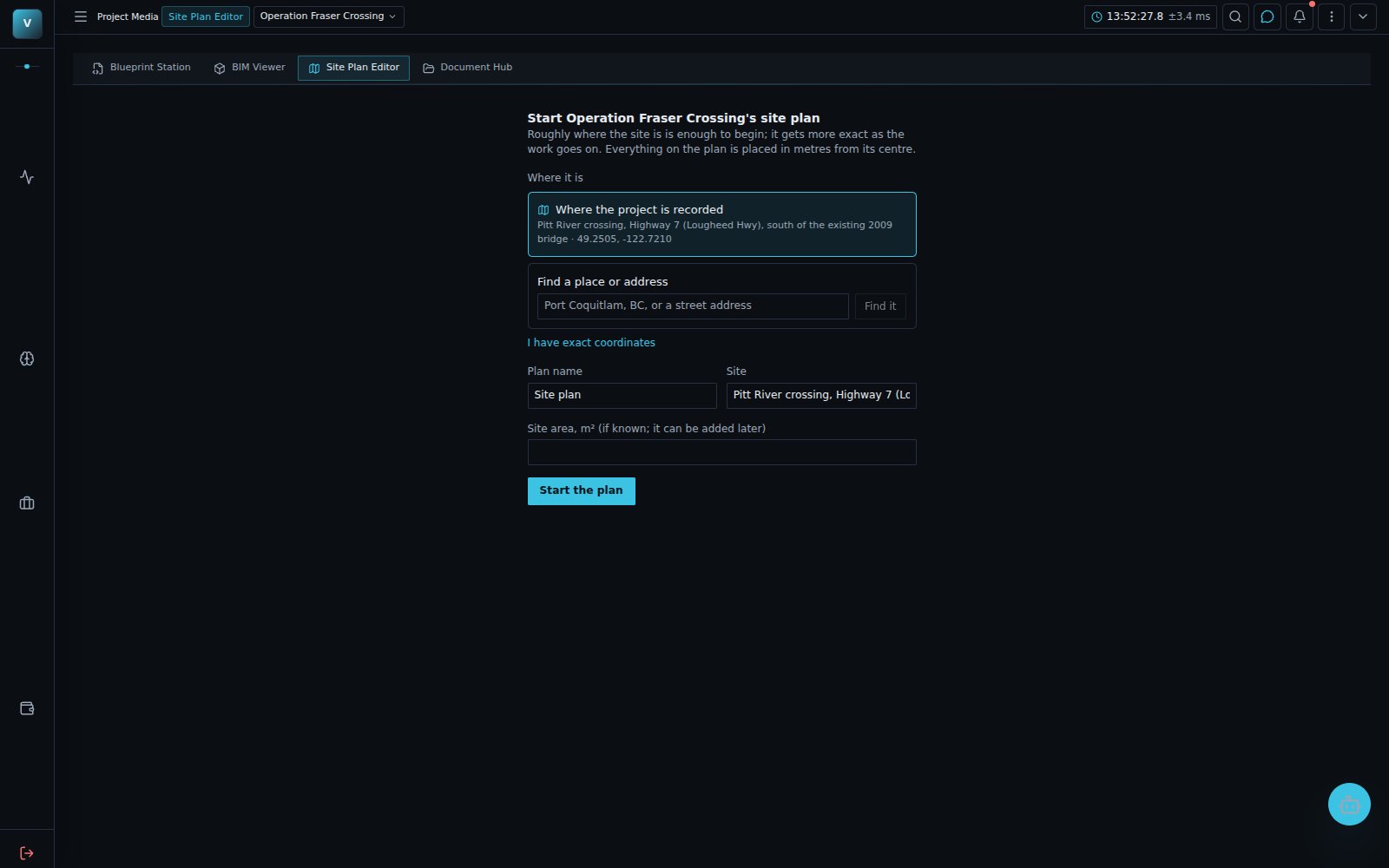
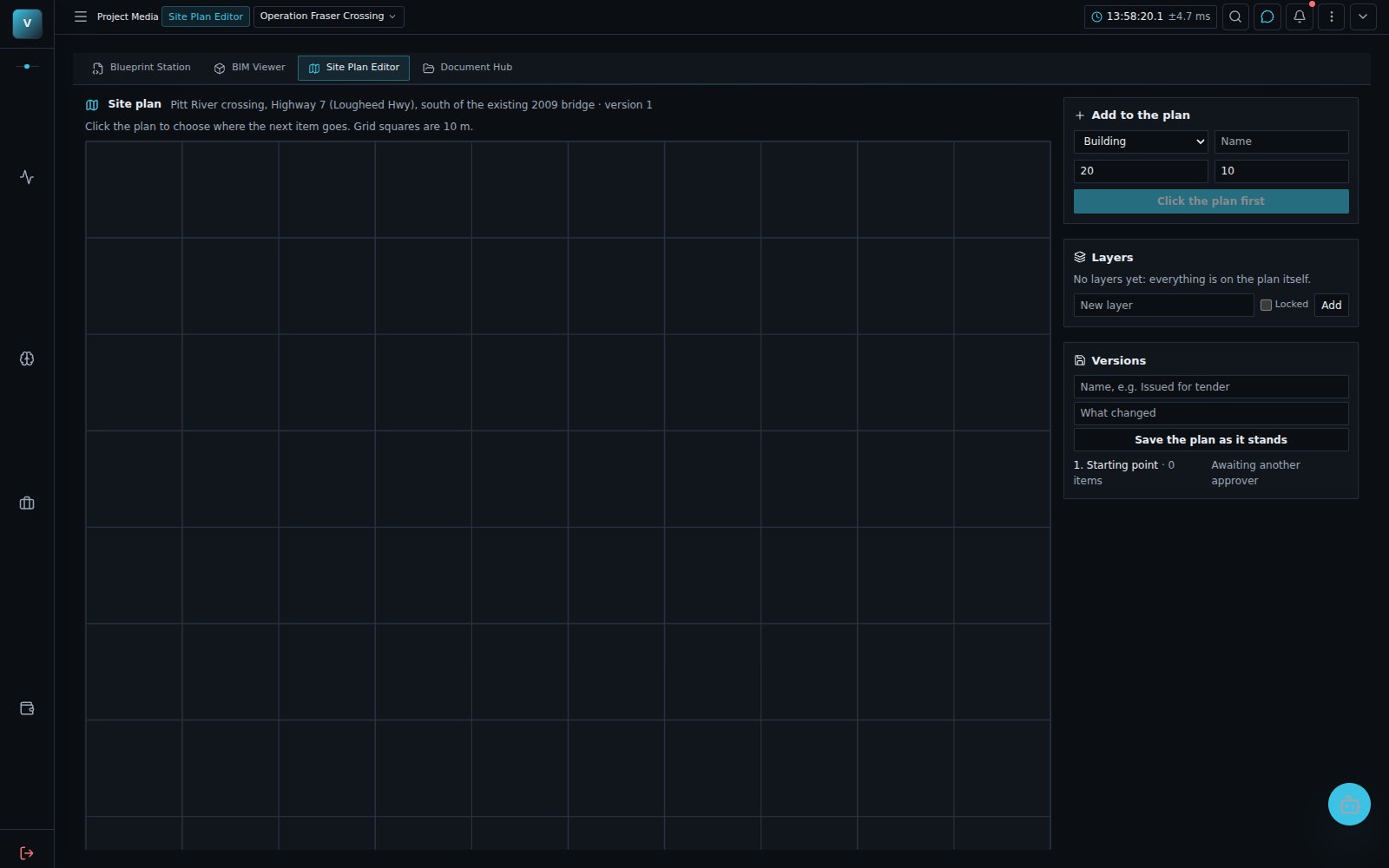
1Open the drawing setThe 20-sheet set is listed with its sheet count, who added it and when. Selecting it opens the original sheets with page controls, thumbnails, zoom and download.Tap the picture for the whole screen.2Move through the sheetsMoving on to sheet 2, the page number, the highlighted thumbnail and the drawing change together, beside the project's list of drawings.Tap the picture for the whole screen.3Check a document's revisionThe document register shows the traffic management plan for the phase 3 night lane closure at revision 4, issued by Denise Kowalski on 1 March 2026. It is under review, and the register says plainly that no approver has been named. Below it, the project's files are grouped by the work they belong to.Tap the picture for the whole screen.4Start the site planThe site plan starts from where the project is recorded: the Pitt River crossing on Highway 7, south of the existing bridge, with its coordinates. Theresa keeps the recorded location and selects Start the plan.Tap the picture for the whole screen.5Save the first versionThe plan opens as version 1 on a 10-metre grid, with nothing placed on it yet. Theresa saves it as the starting point, and the saved version waits for a second person to approve it.Tap the picture for the whole screen.
Trades Network 10 steps
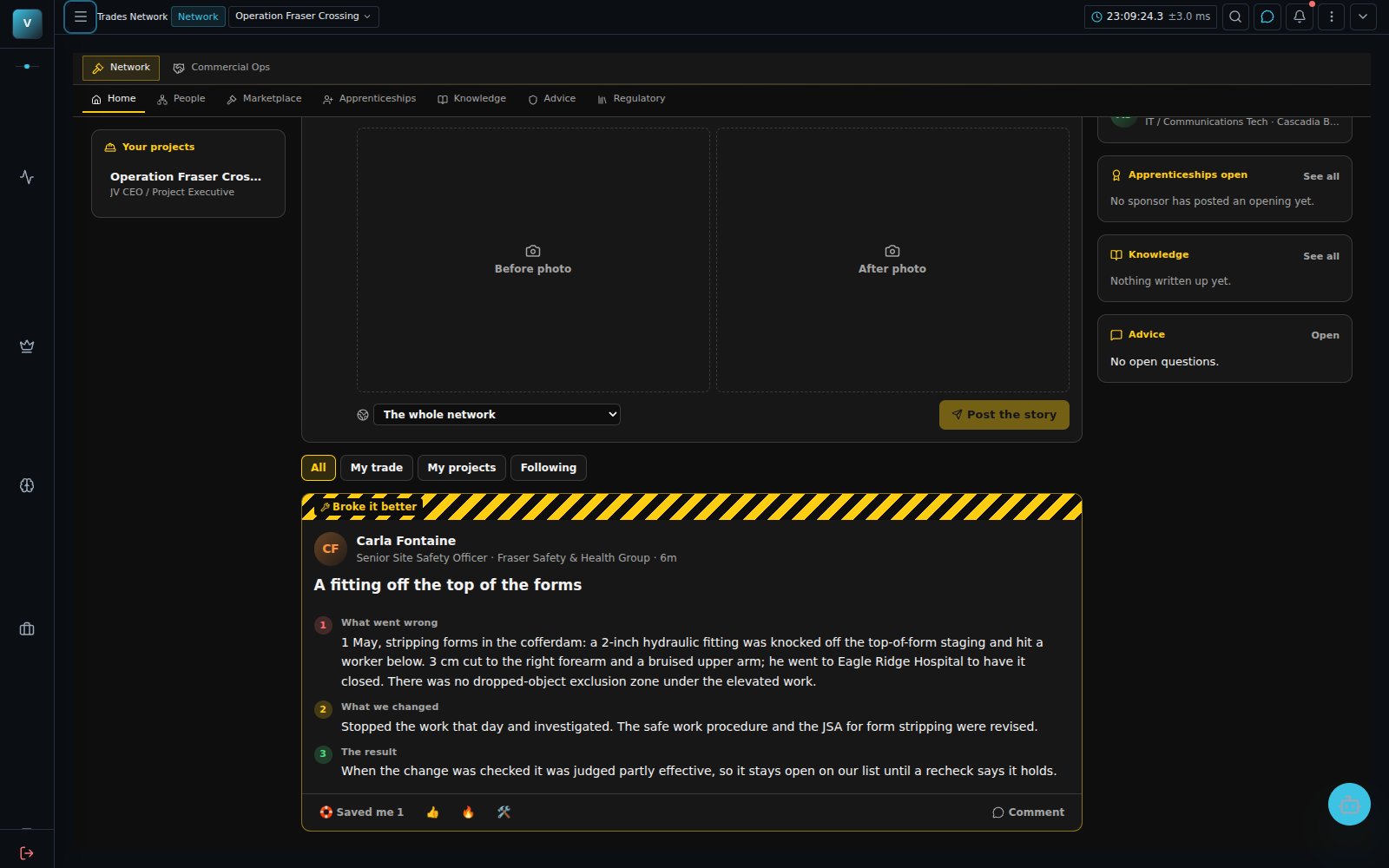
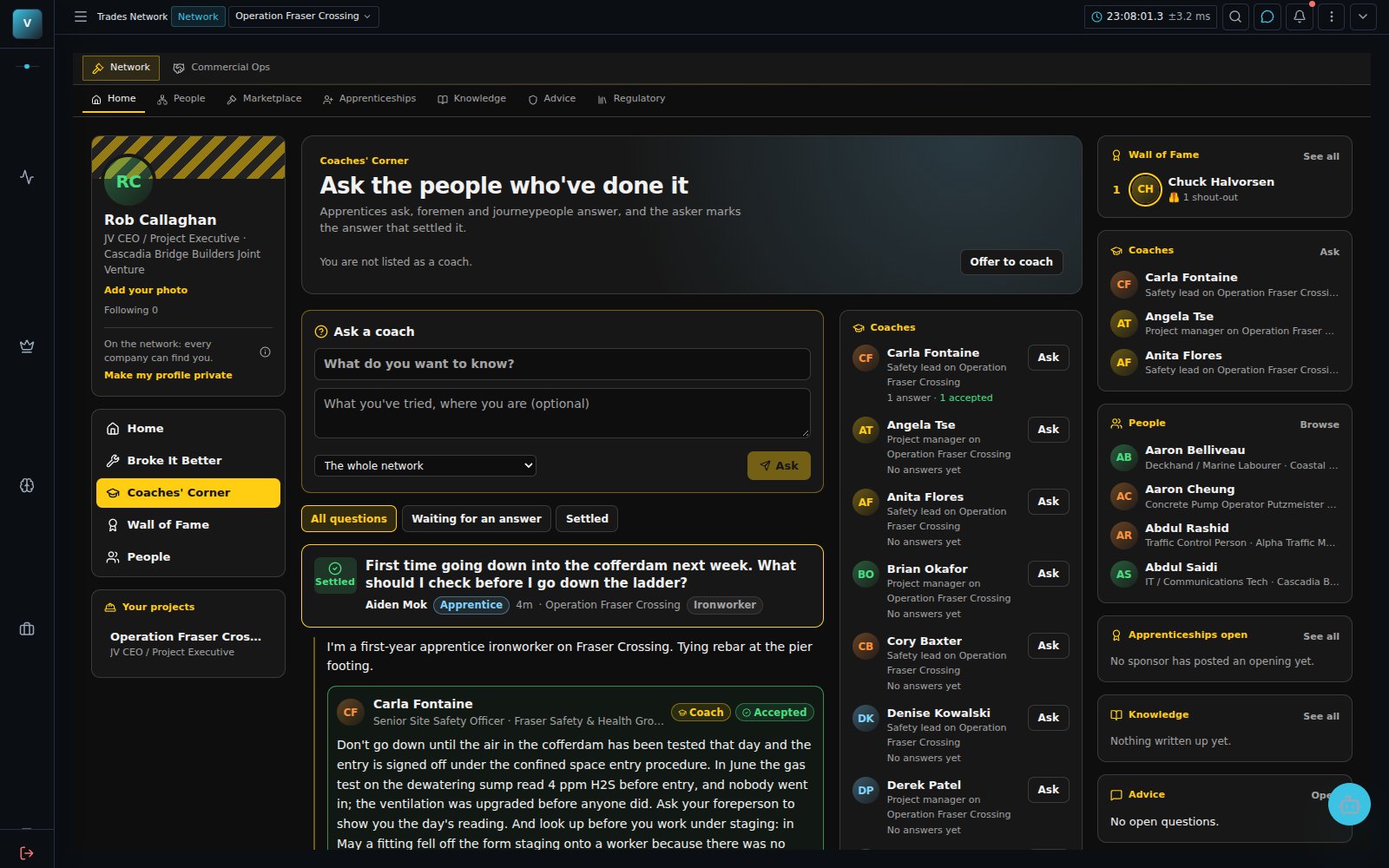
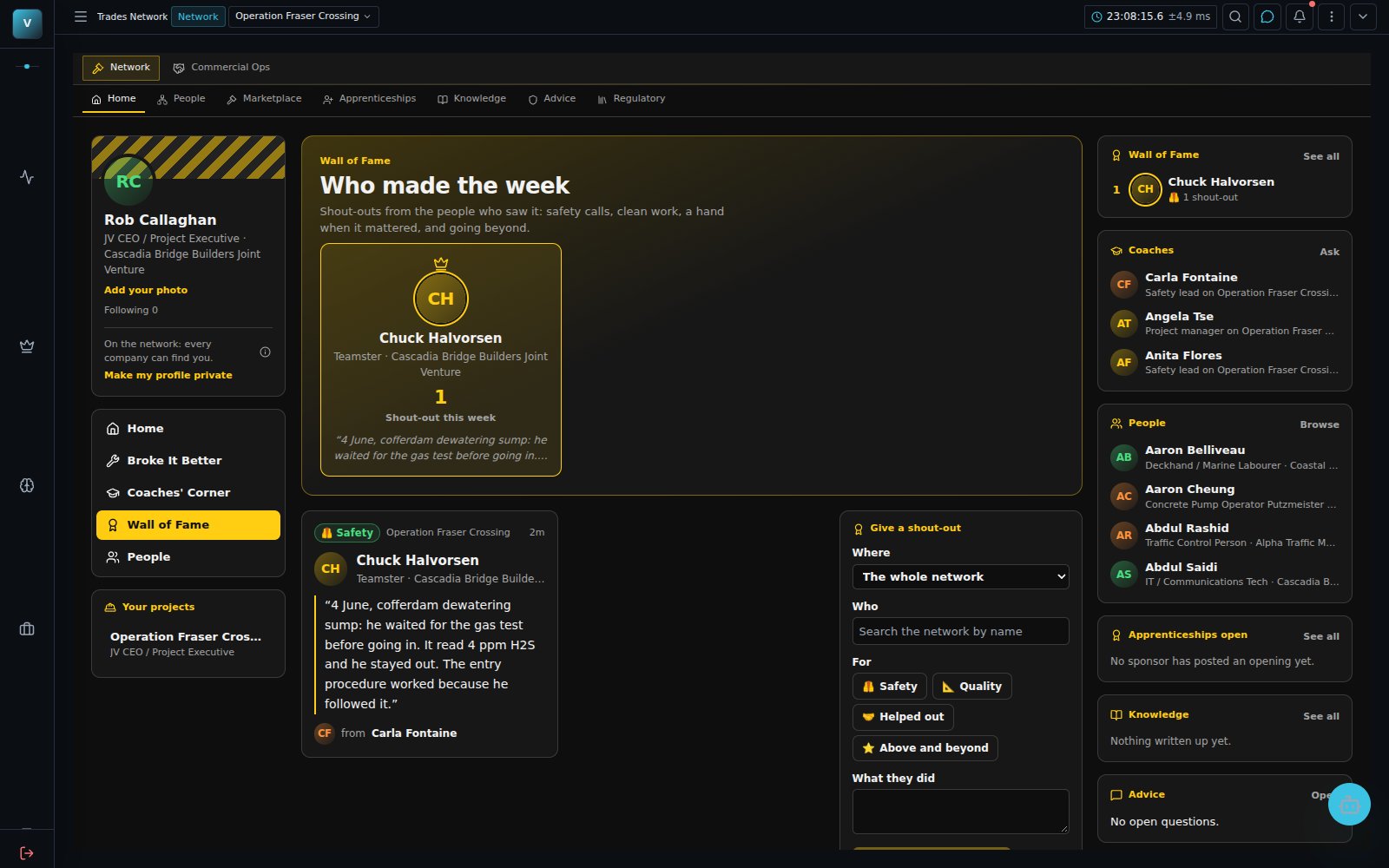
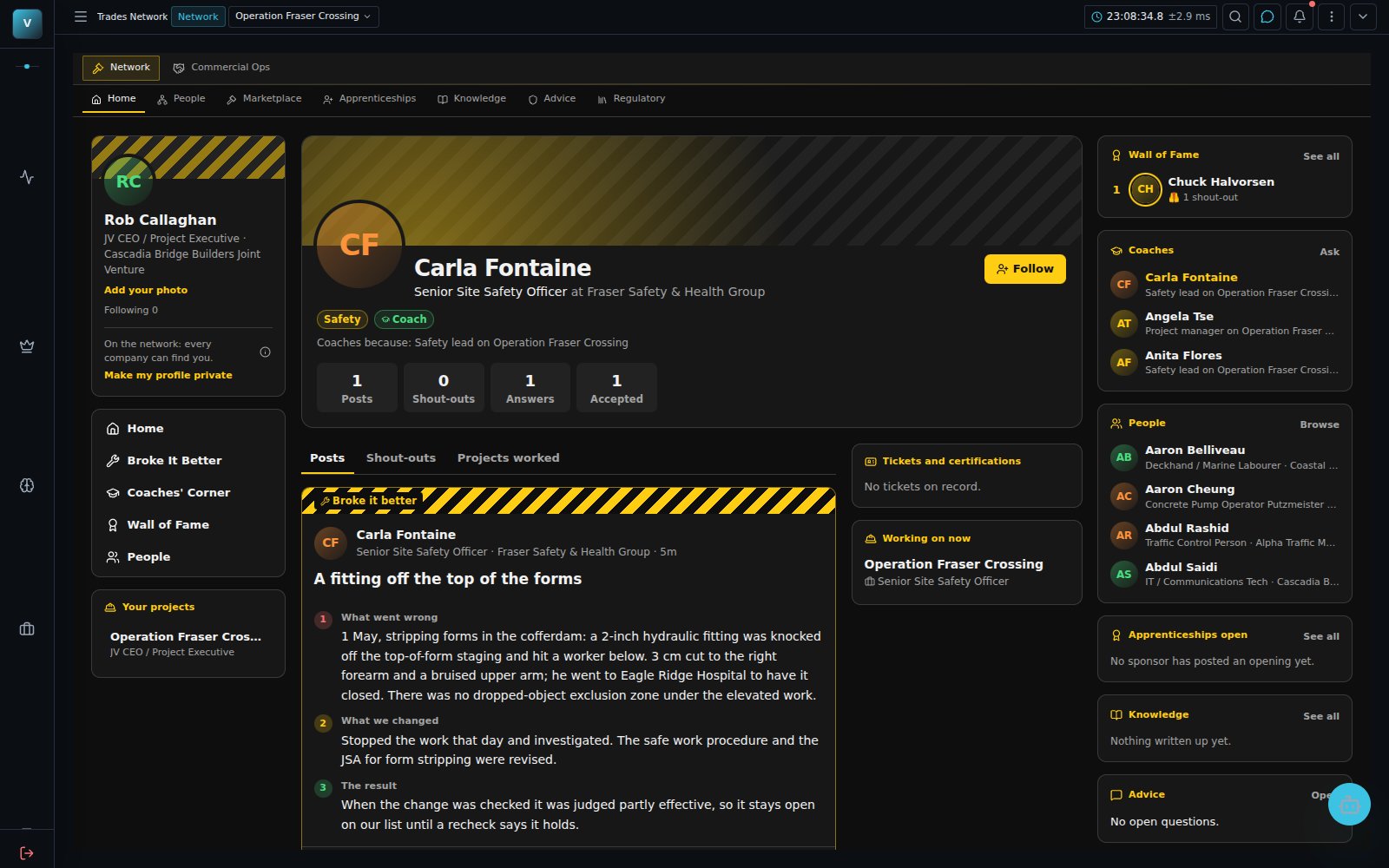
The Trades Network is the trades' own professional network: a wall for questions and wins, Broke It Better stories of fixes worth stealing, a Coaches' Corner where apprentices ask the people who have done it, a Wall of Fame, profiles read from each person's records, a directory, a marketplace of public work, and a desk for drafting contracts, and for each company, its own place on the project. On the fictional Fraser Crossing project, its people use it for real problems from the project's records: a piling crew wanted, a falling fitting, a gas reading in the cofferdam.
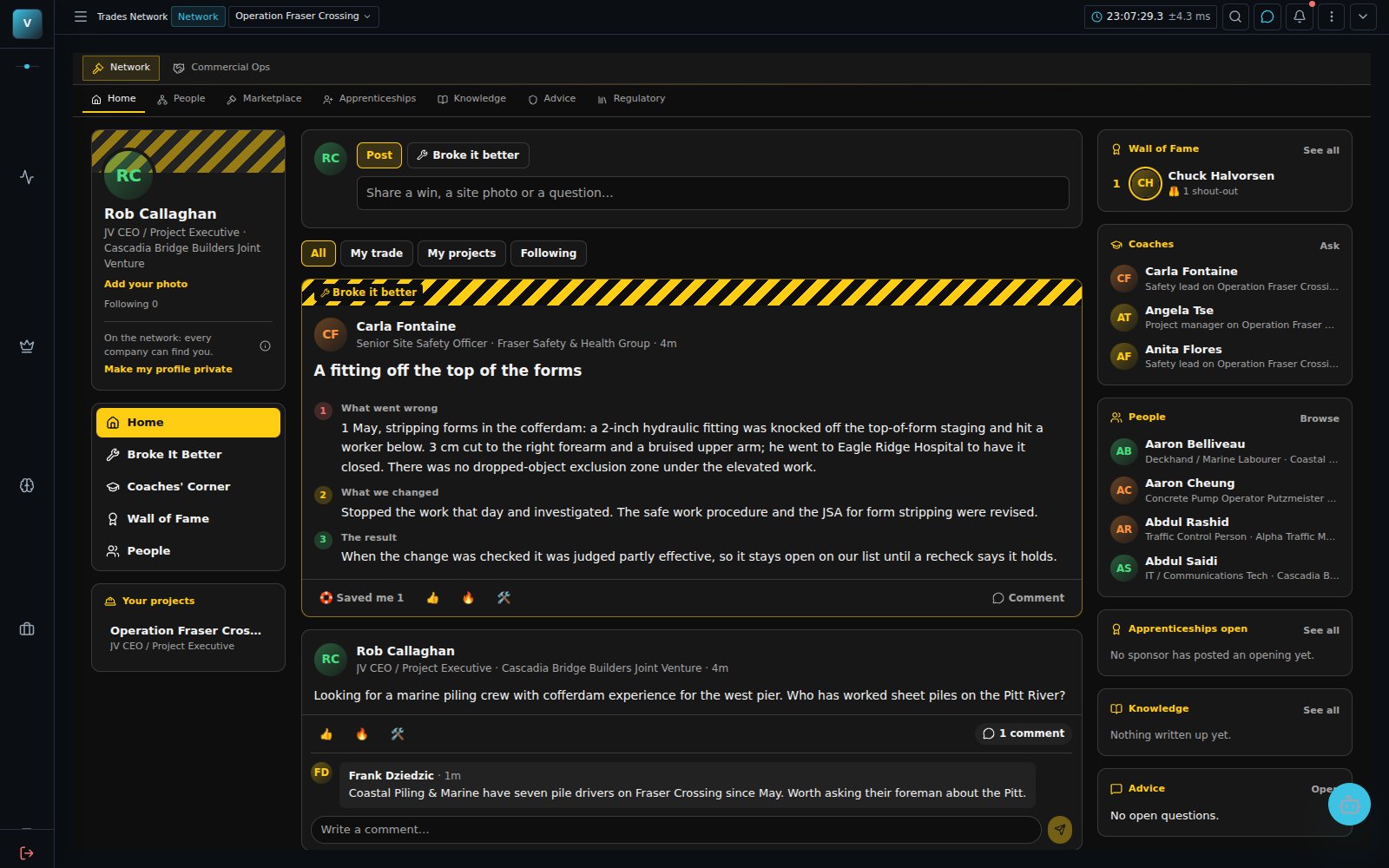
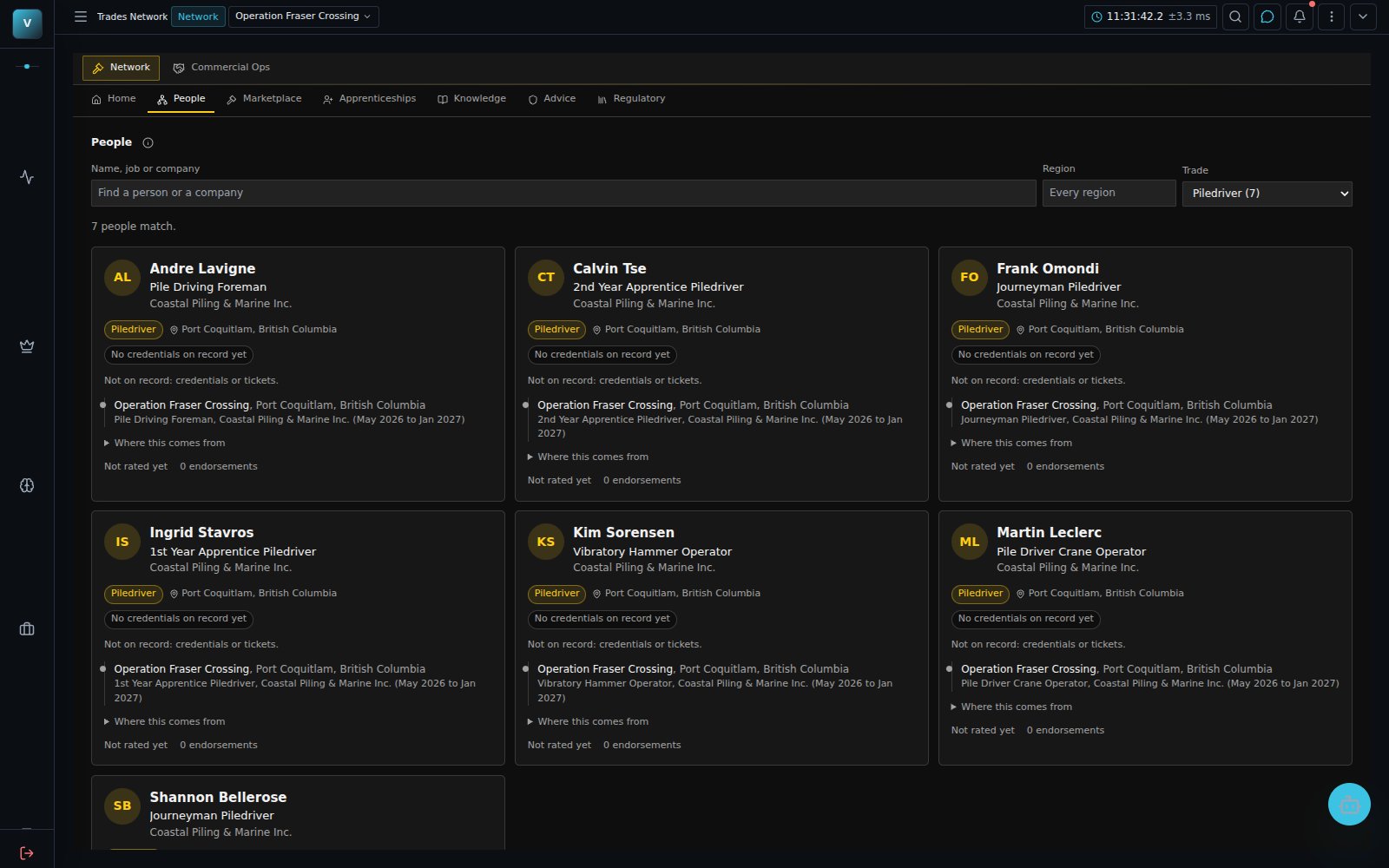
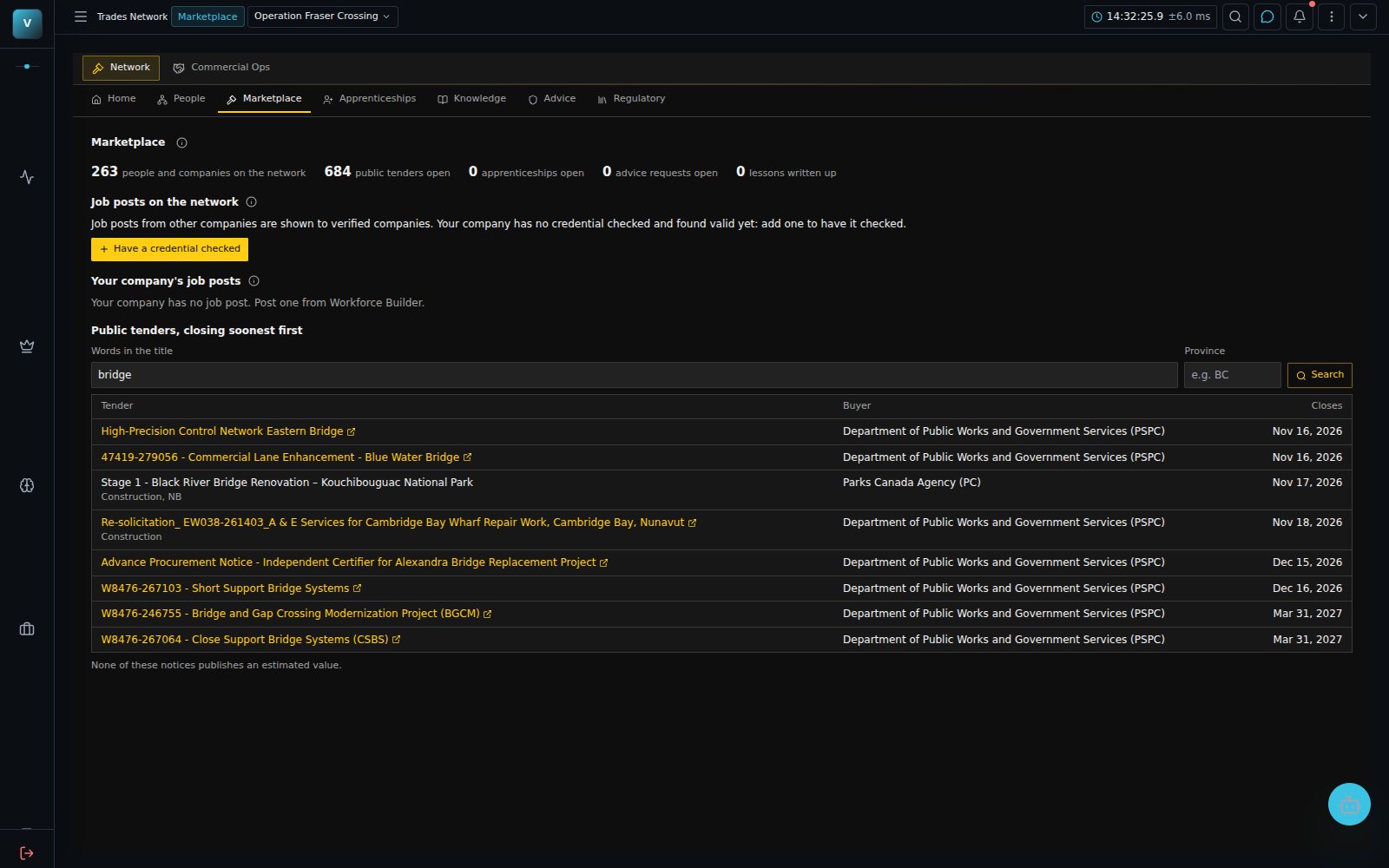
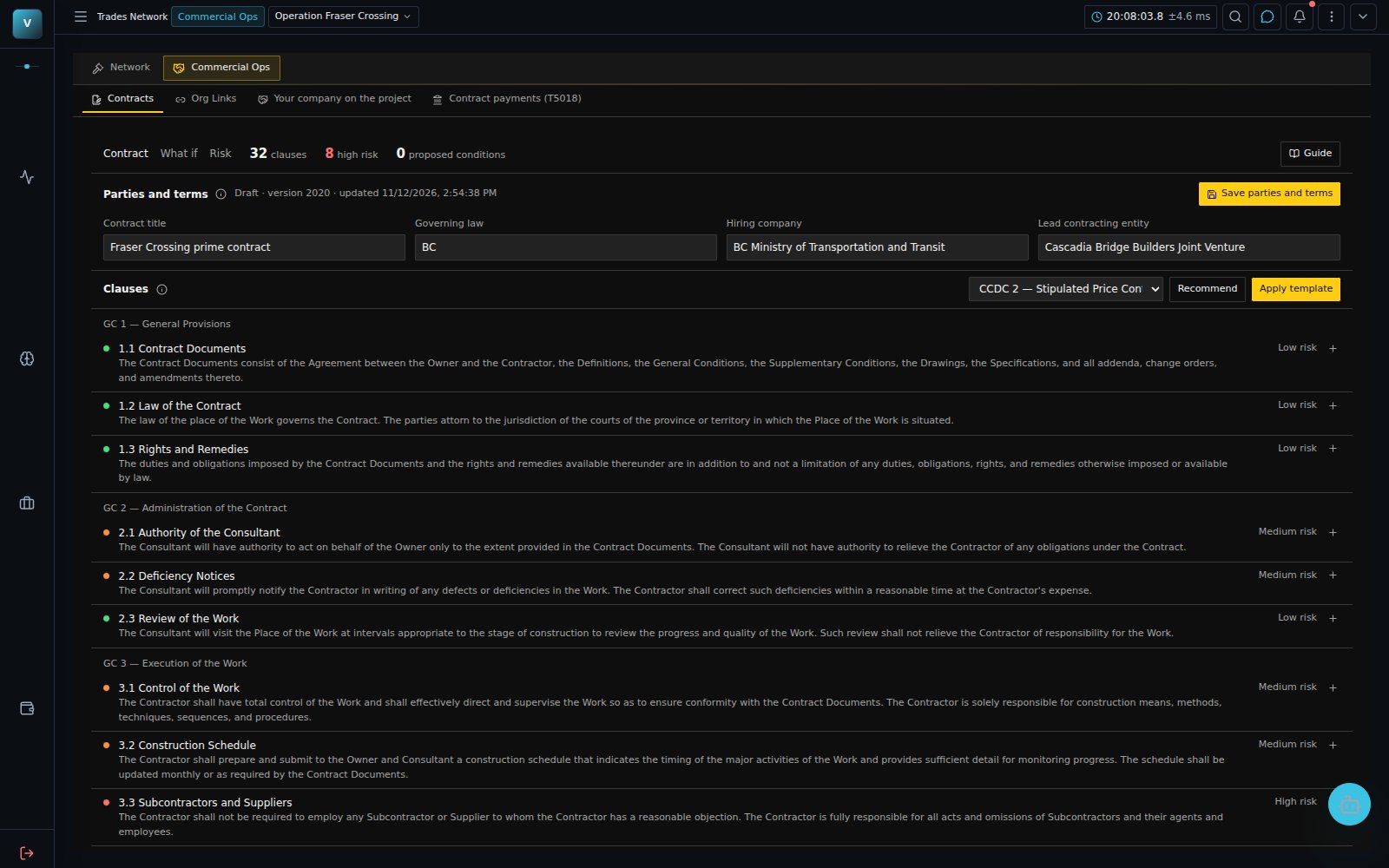
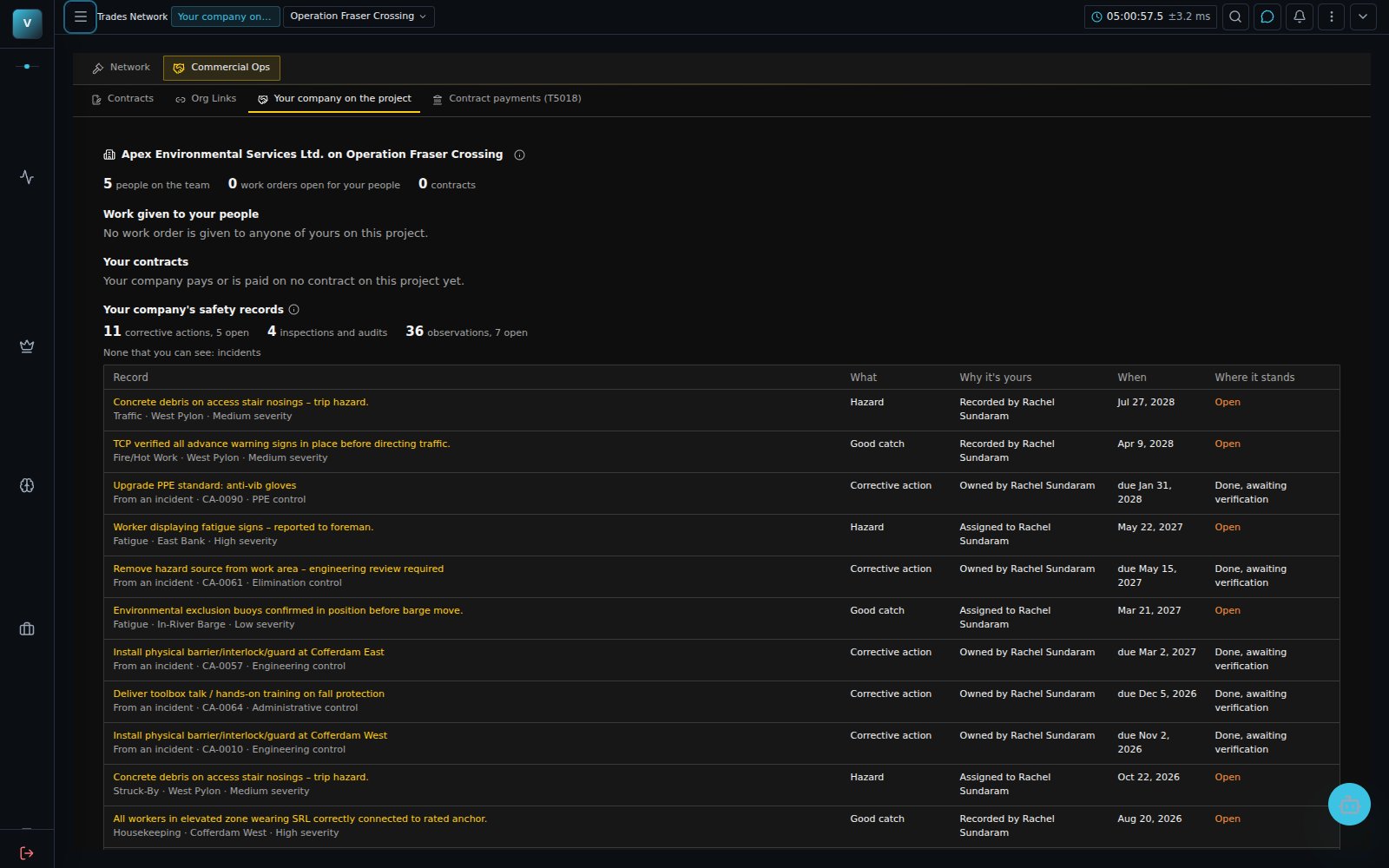
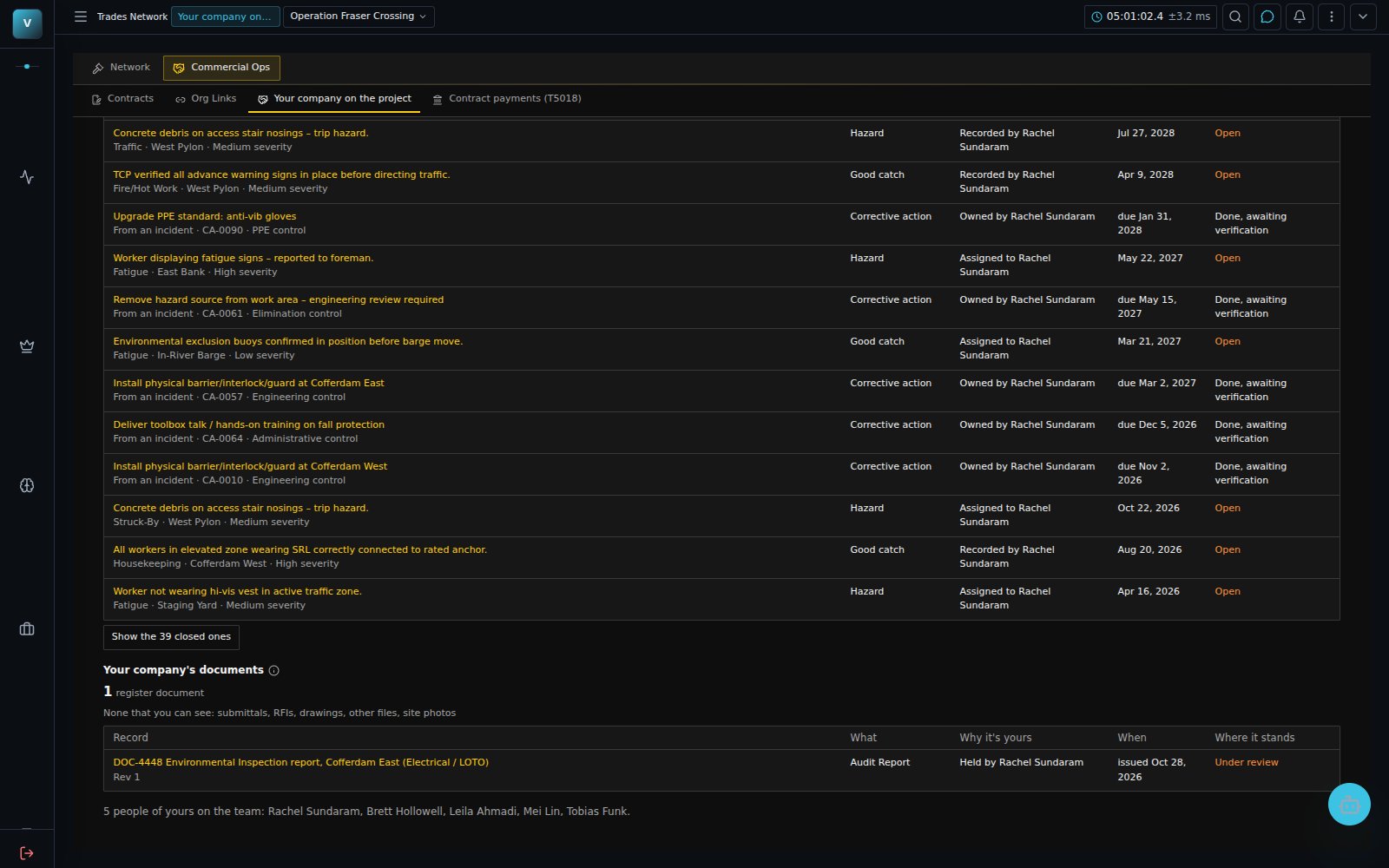
1Ask the networkRob Callaghan, chief executive of the joint venture, asks the whole network for a marine piling crew with cofferdam experience for the west pier. Frank Dziedzic, the joint venture's superintendent of marine foundations, answers under it: Coastal Piling & Marine have seven pile drivers on Fraser Crossing since May. Frank published his own profile first; until a person does, only their project teams see them.Tap the picture for the whole screen.2A fix worth stealingCarla Fontaine, senior site safety officer, tells the 1 May incident as a Broke It Better story, from the incident and its corrective action: a fitting knocked off the form staging hit a worker below, with no exclusion zone under the work; the safe work procedure was revised; when checked, the change was judged only partly effective, and the story says so. An apprentice marked it Saved me.Tap the picture for the whole screen.3Ask the people who've done itAiden Mok, a first-year apprentice ironworker, asks the coaches what to check before he goes down into the cofferdam, for his project team only. Carla answers from the records: the June gas test that read 4 ppm H2S in the dewatering sump before entry, and the fitting that fell in May. Aiden marks her answer as the one that settled it.Tap the picture for the whole screen.4Who made the weekThe Wall of Fame leads with Carla's safety shout-out to Chuck Halvorsen, a teamster with the joint venture: on 4 June he waited for the gas test before going into the dewatering sump, it read 4 ppm H2S, and he stayed out. A shout-out given on a project is seen by that project's team.Tap the picture for the whole screen.5A profile from the recordsCarla's profile reads her job and company from the project team, why the records make her a coach (safety lead on Fraser Crossing), and her posts, answers and accepted answers. No tickets are on record for her, and the card says so instead of leaving a blank.Tap the picture for the whole screen.6Find the people behind the workRob narrows the directory to pile drivers: seven people, all with Coastal Piling & Marine Inc., each card showing their job, region and the project on their record, read from their own records. Where a credential or ticket is missing, the card says it is not on record rather than leaving a blank.Tap the picture for the whole screen.7Look for public workOn the Marketplace, Rob searches the public tenders still taking bids for bridge work. Eight are open, closing soonest first, among them a bridge renovation in Kouchibouguac National Park and an independent certifier for the Alexandra Bridge replacement. A tender whose notice gives an address links to it on CanadaBuys.Tap the picture for the whole screen.8Name the parties on a contractAngela Tse names the parties on the contract desk: the BC Ministry of Transportation and Transit hires Cascadia Bridge Builders Joint Venture under BC law, and the save is stamped with its time. The draft is built from the CCDC 2 standard form, and each of its 32 clauses carries a risk rating, 8 of them high.Tap the picture for the whole screen.9Your company on the projectRachel Sundaram, environmental manager of Apex Environmental Services, sees her own company on the project: 5 people on the team, no work orders or contracts yet, and its safety records, with 11 corrective actions (5 open), 4 inspections and audits, and 36 observations (7 open). Each row says why it is her company's, and incidents she cannot see are named as such.Tap the picture for the whole screen.10Your company's documentsBelow the open safety records, the closed ones are a click away, then the documents her company holds: DOC-4448, the report of the 28 October environmental inspection at Cofferdam East, which Rachel entered in the project's document register, still under review.Tap the picture for the whole screen.
People 8 steps
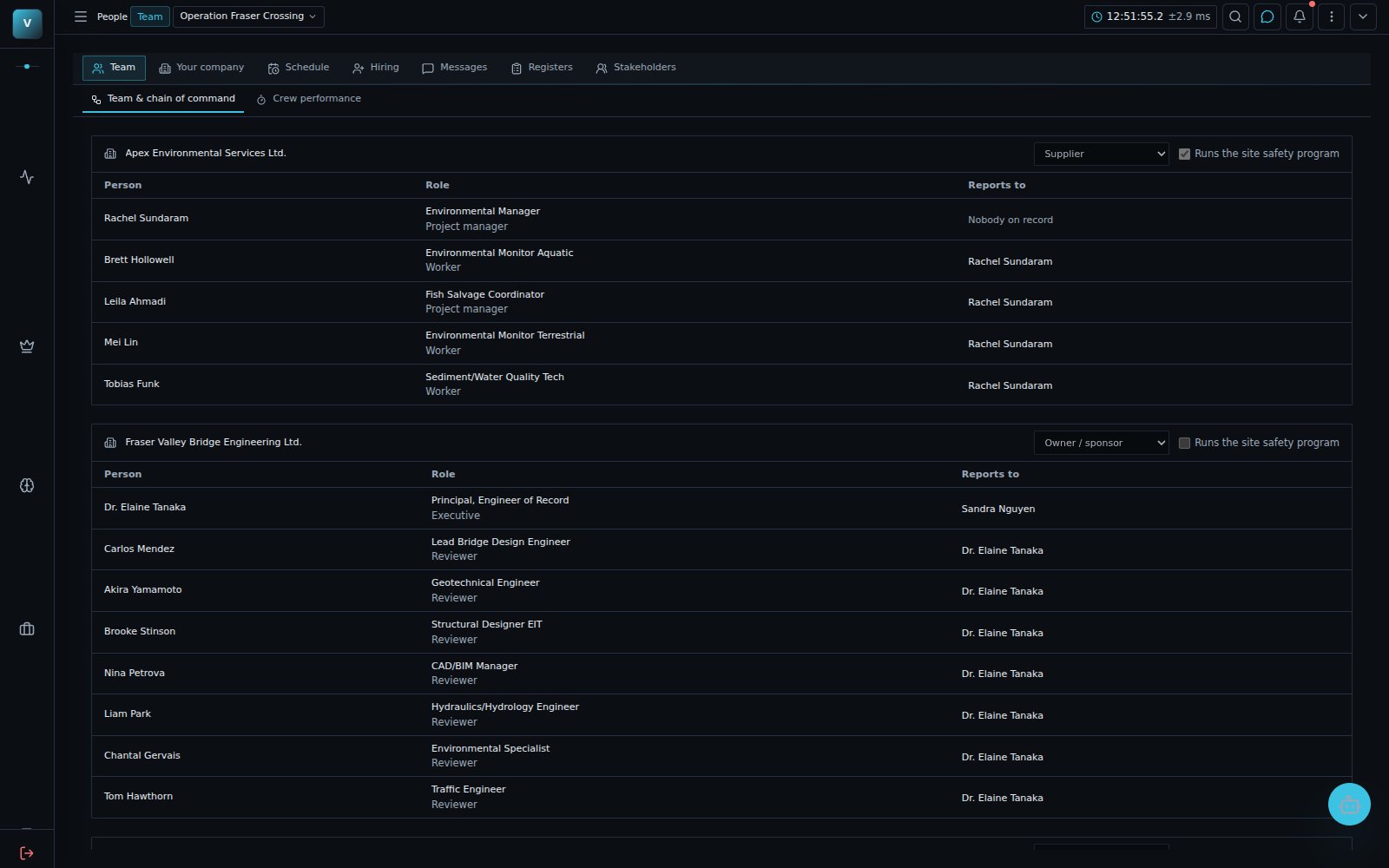
People is who works on the job: each company's people and who they report to, the general contractor's own staff, the schedule they work to, and who is on what. Seen by Rob Callaghan, CEO of the general contractor, and Howard Kramer, its senior safety advisor, on the fictional Fraser Crossing project.
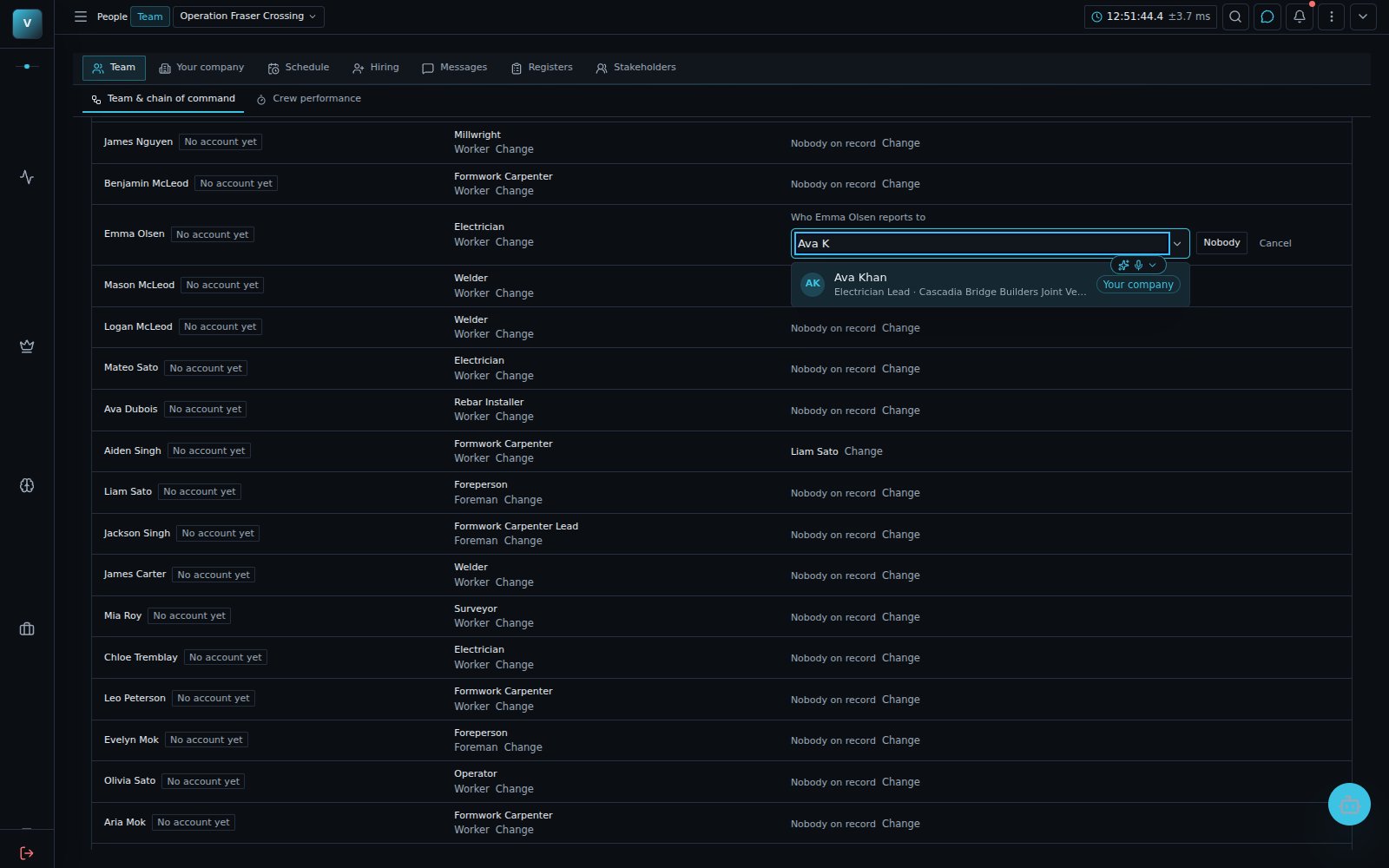
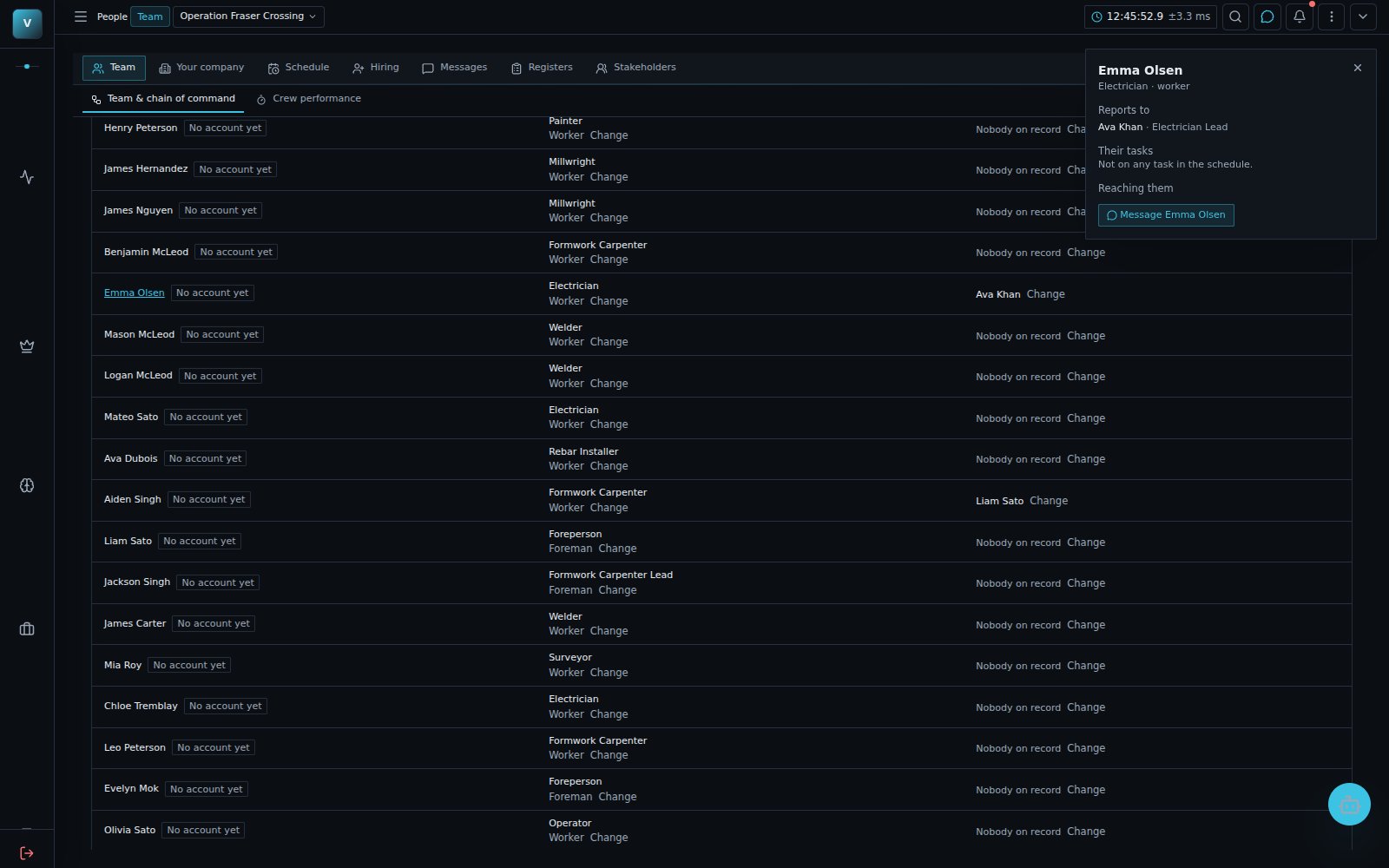
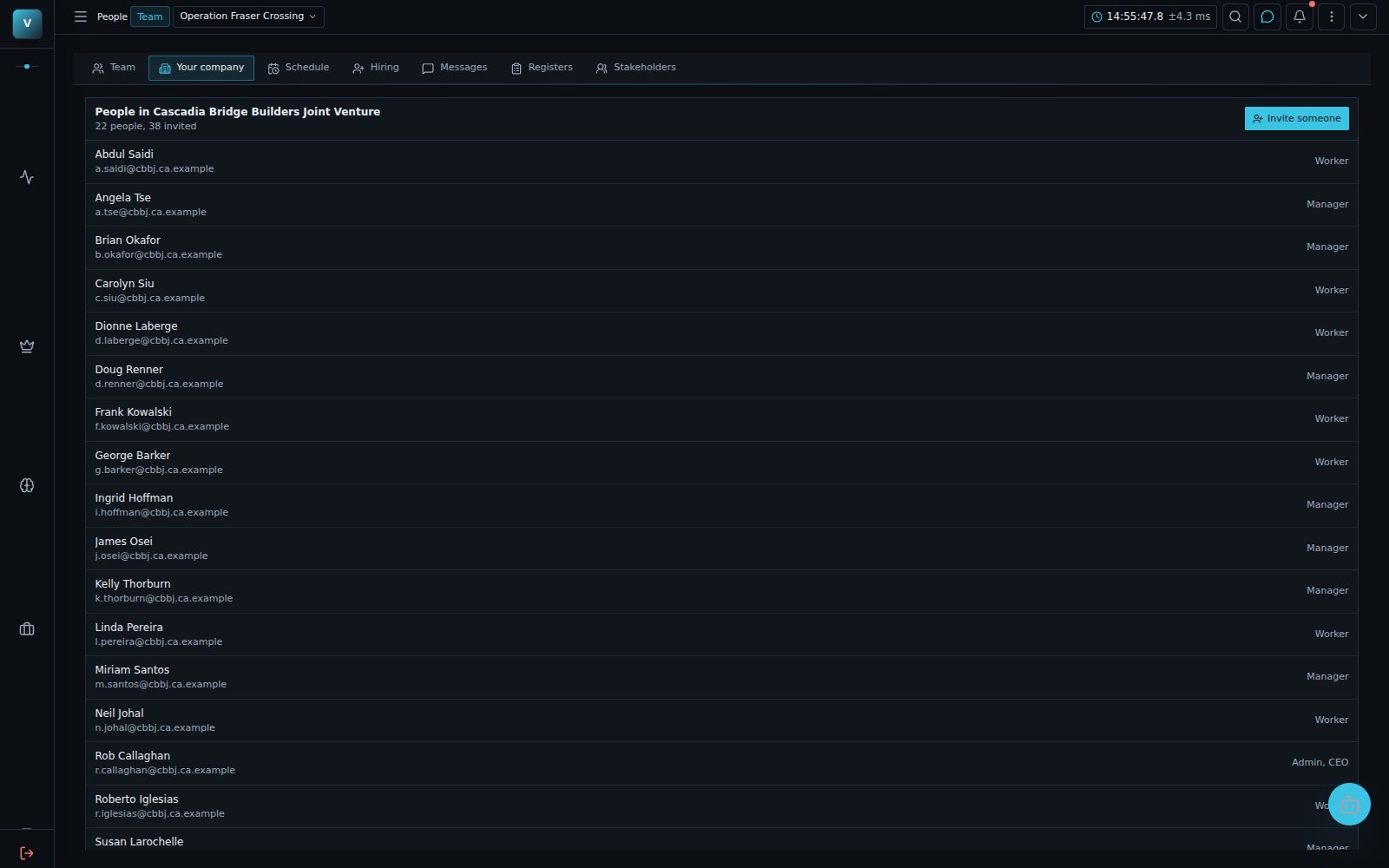
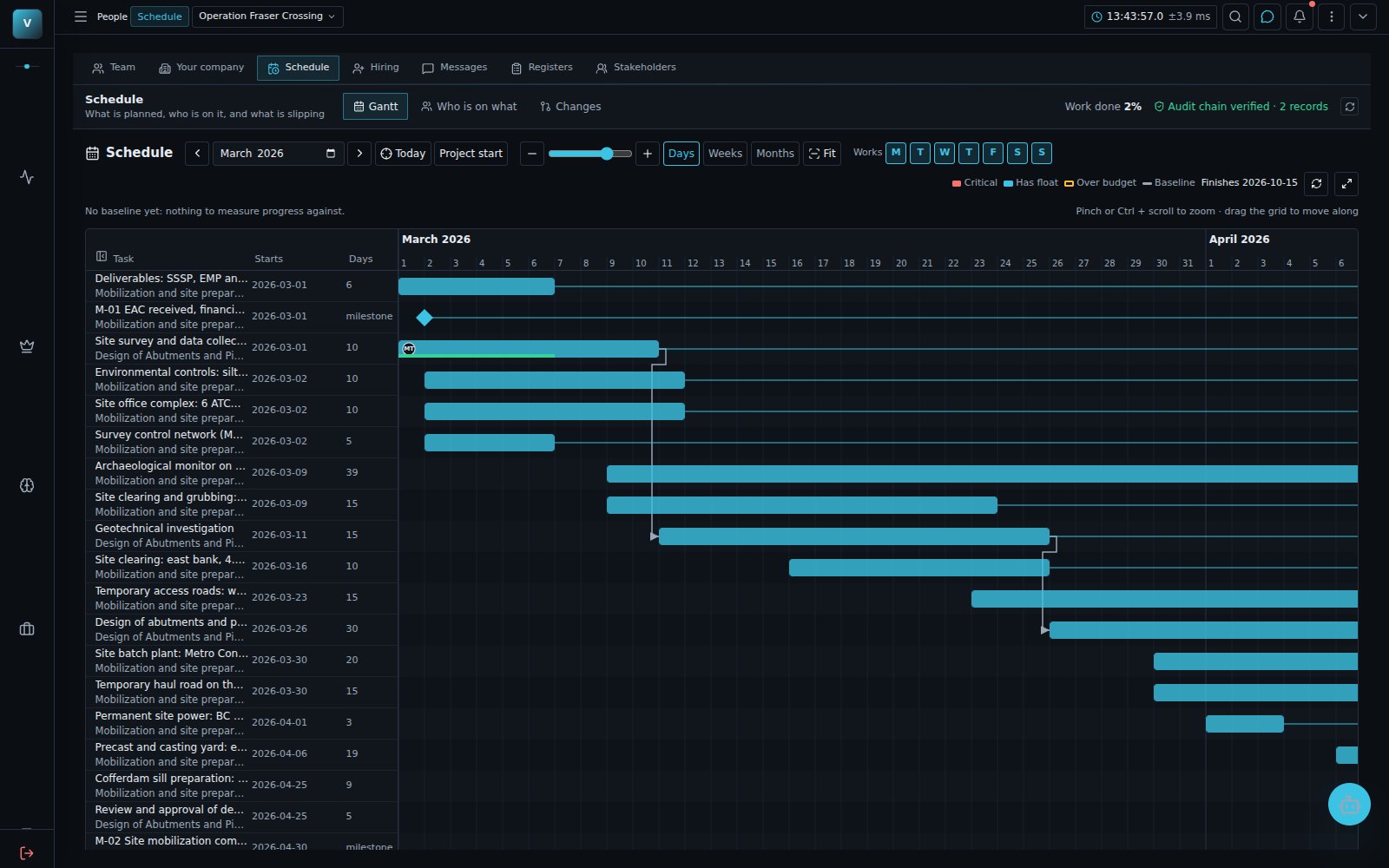
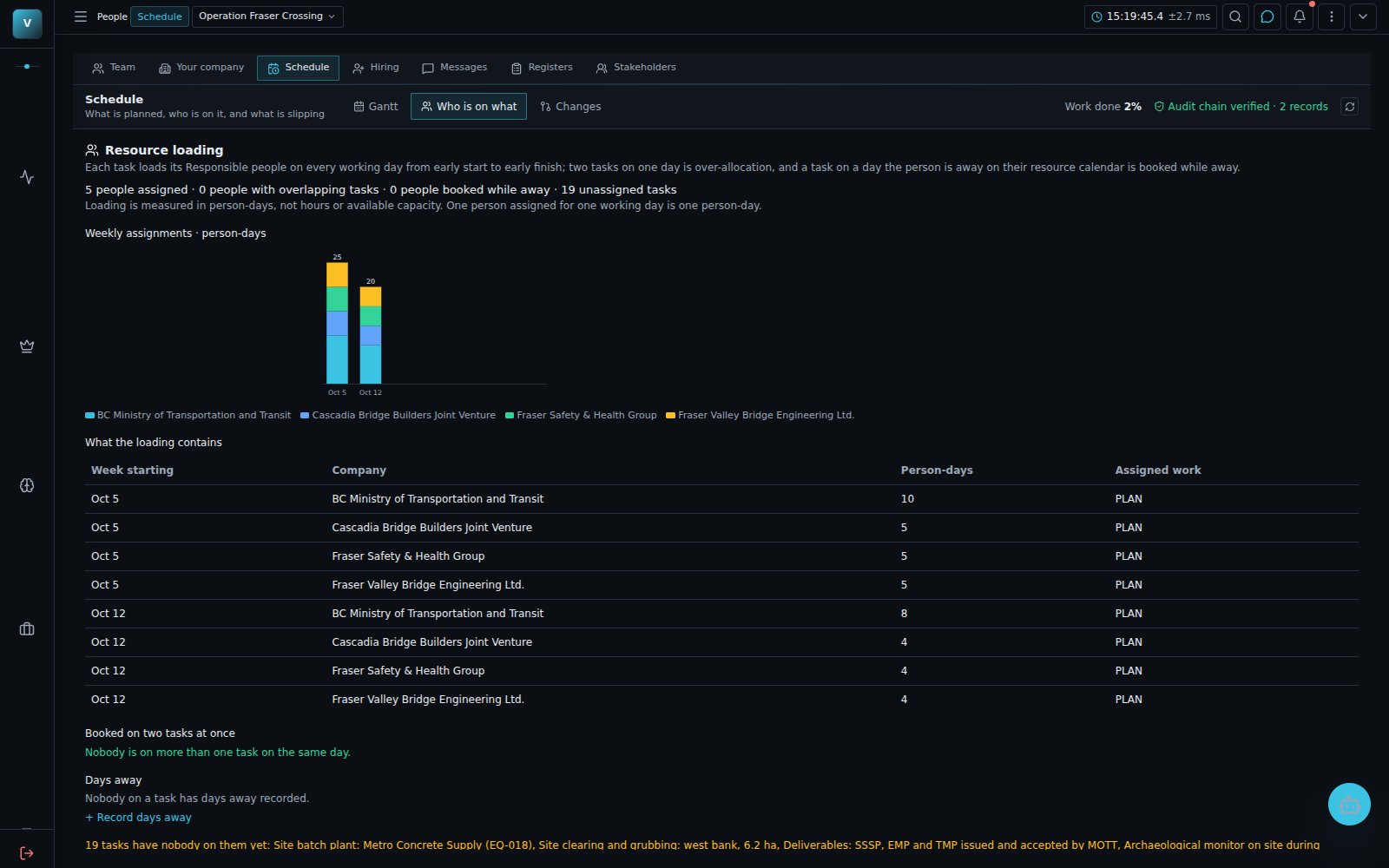
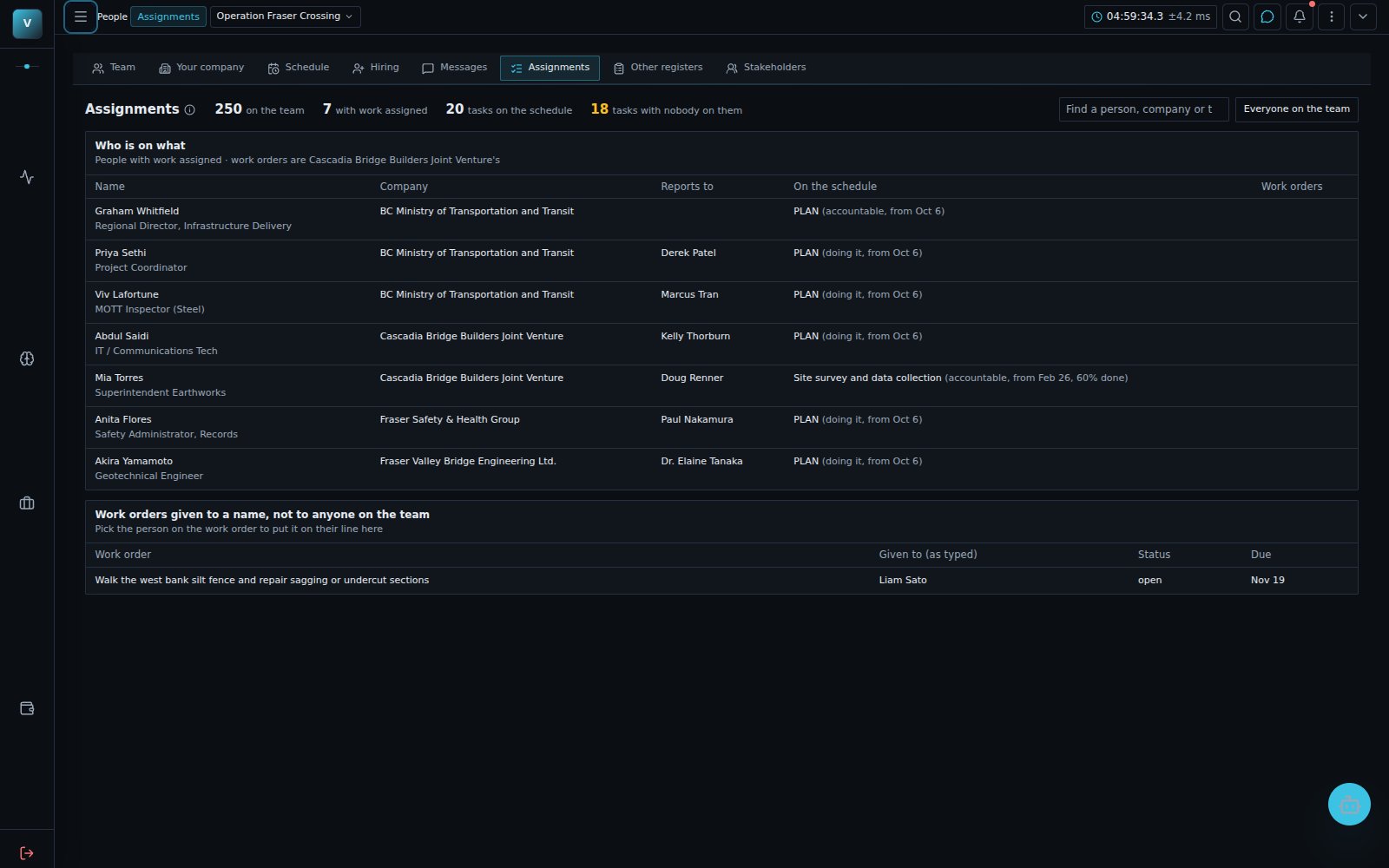
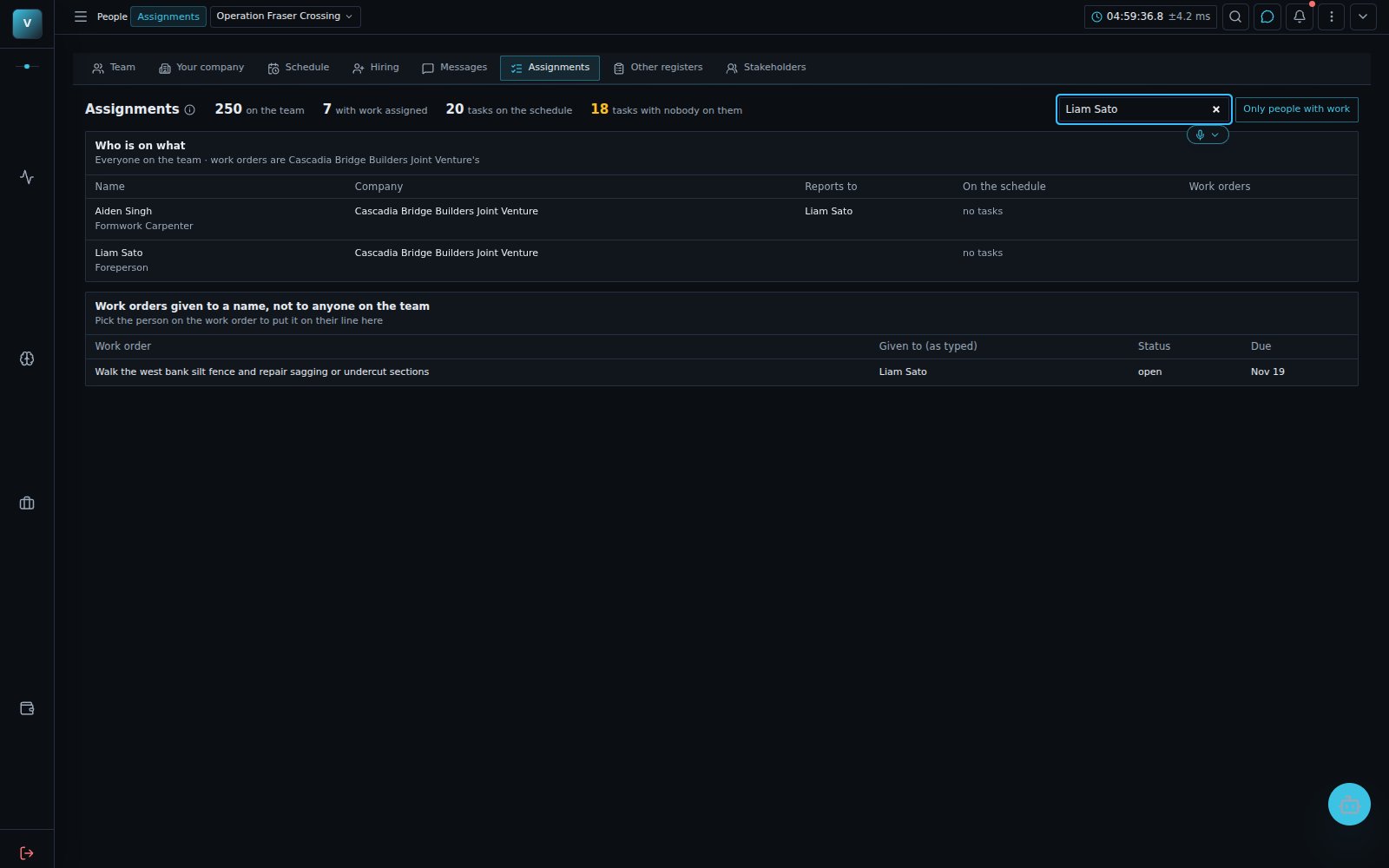
1Everyone on the project, by companyEach company on the project lists its people, their role on the job and who they report to. Where nobody is recorded, it says so.Tap the picture for the whole screen.2Choose a supervisor by face and nameEmma Olsen, an electrician, reports to nobody on record. Rob Callaghan types a name and picks Ava Khan, the electrician lead in the same company. Each suggestion shows its initials, role and company.Tap the picture for the whole screen.3The line is savedEmma Olsen's row and card show she reports to Ava Khan. Reporting lines decide who up the chain sees what she reports.Tap the picture for the whole screen.4The general contractor's own staffYour company lists everyone in Cascadia Bridge Builders Joint Venture: 22 people and 38 invitations, each with an email address and a role. Others join through Invite someone.Tap the picture for the whole screen.5The schedule as a bar chartEach task is a bar across the calendar, starting with the March 2026 mobilization work, and arrows link tasks that must finish before the next can start. The header shows 2% of the work done and a finish of 2026-10-15; with no baseline set, it says there is nothing yet to measure progress against.Tap the picture for the whole screen.6Who is on what, week by weekWho is on what counts each company's person-days on the schedule, week by week, from the people responsible for each task. Nobody is booked on two tasks at once and nobody is away, and the screen names the 19 tasks that still have nobody on them.Tap the picture for the whole screen.7Who is on what, person by personAssignments lists the people with work: each one's company, who they report to, their tasks on the schedule with their part in each, and their work orders. Seven of the 250 on the team have work assigned, and 18 of the 20 tasks on the schedule have nobody on them.Tap the picture for the whole screen.8Find anyone, and work given only to a nameEveryone on the team can be searched by person, company or task. Liam Sato, a foreperson, has no task on the schedule. The silt-fence work order was given to his name as typed, not to his place on the team, so it waits below until someone picks him on it.Tap the picture for the whole screen.
Budget & Payments 11 steps
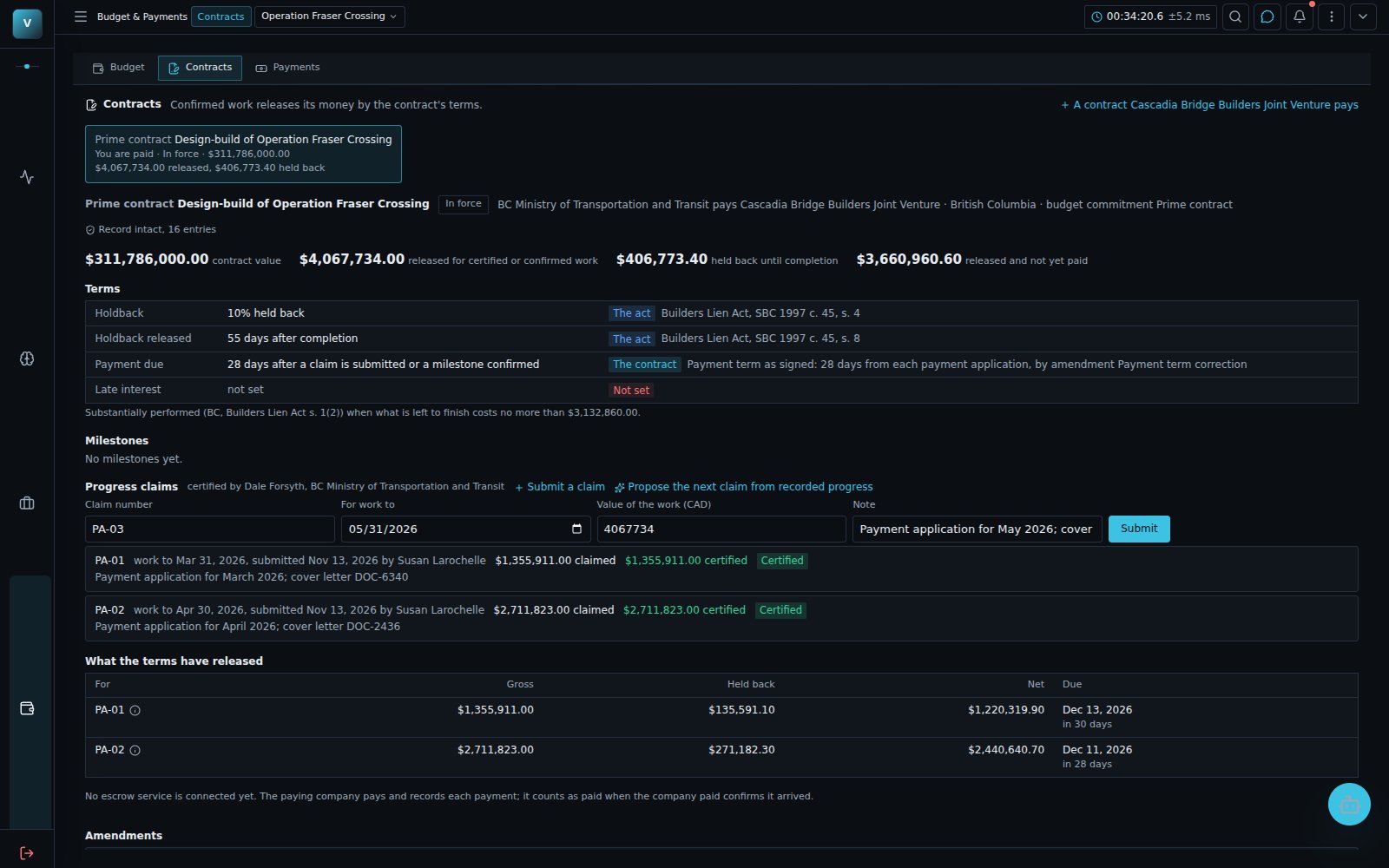
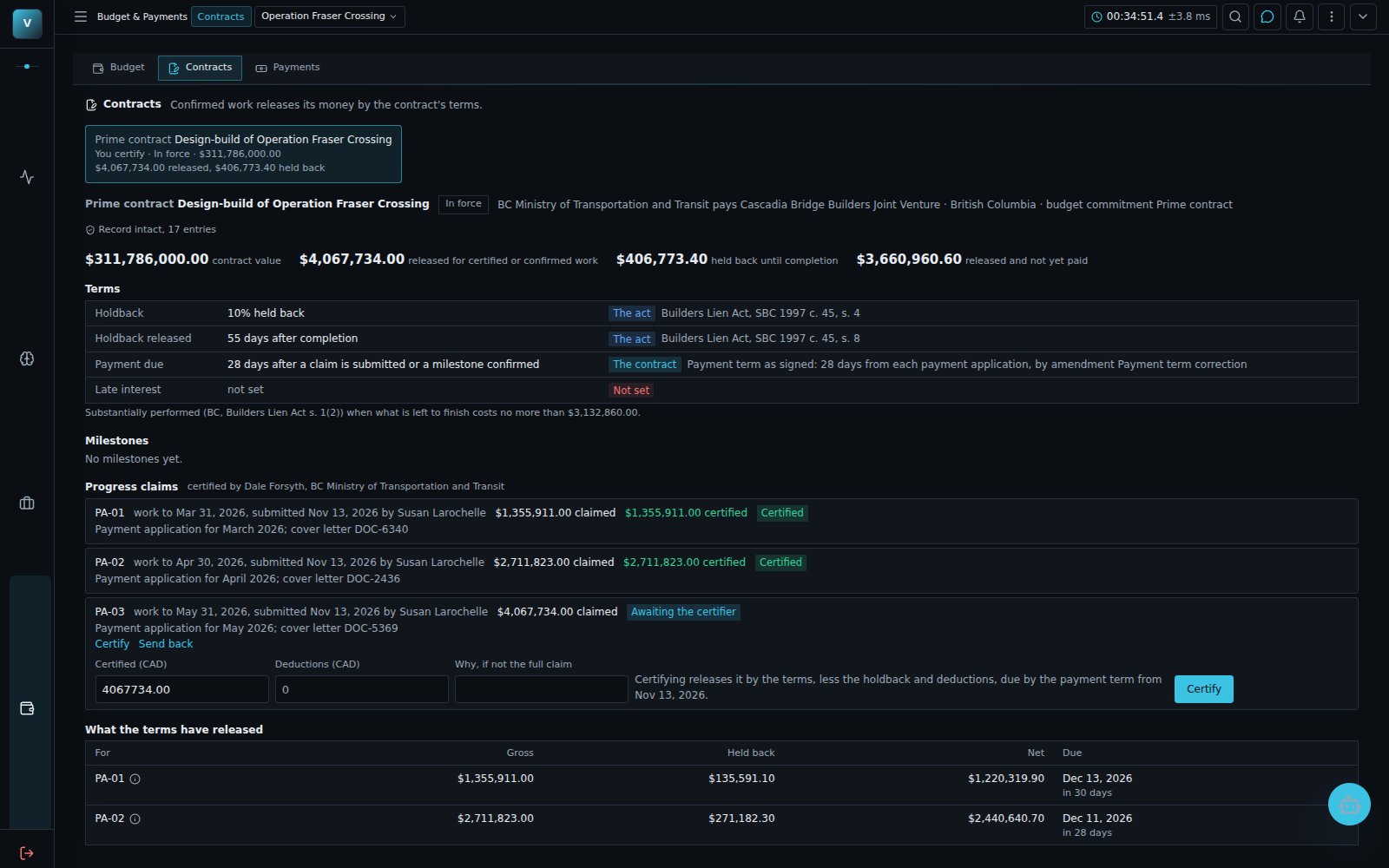
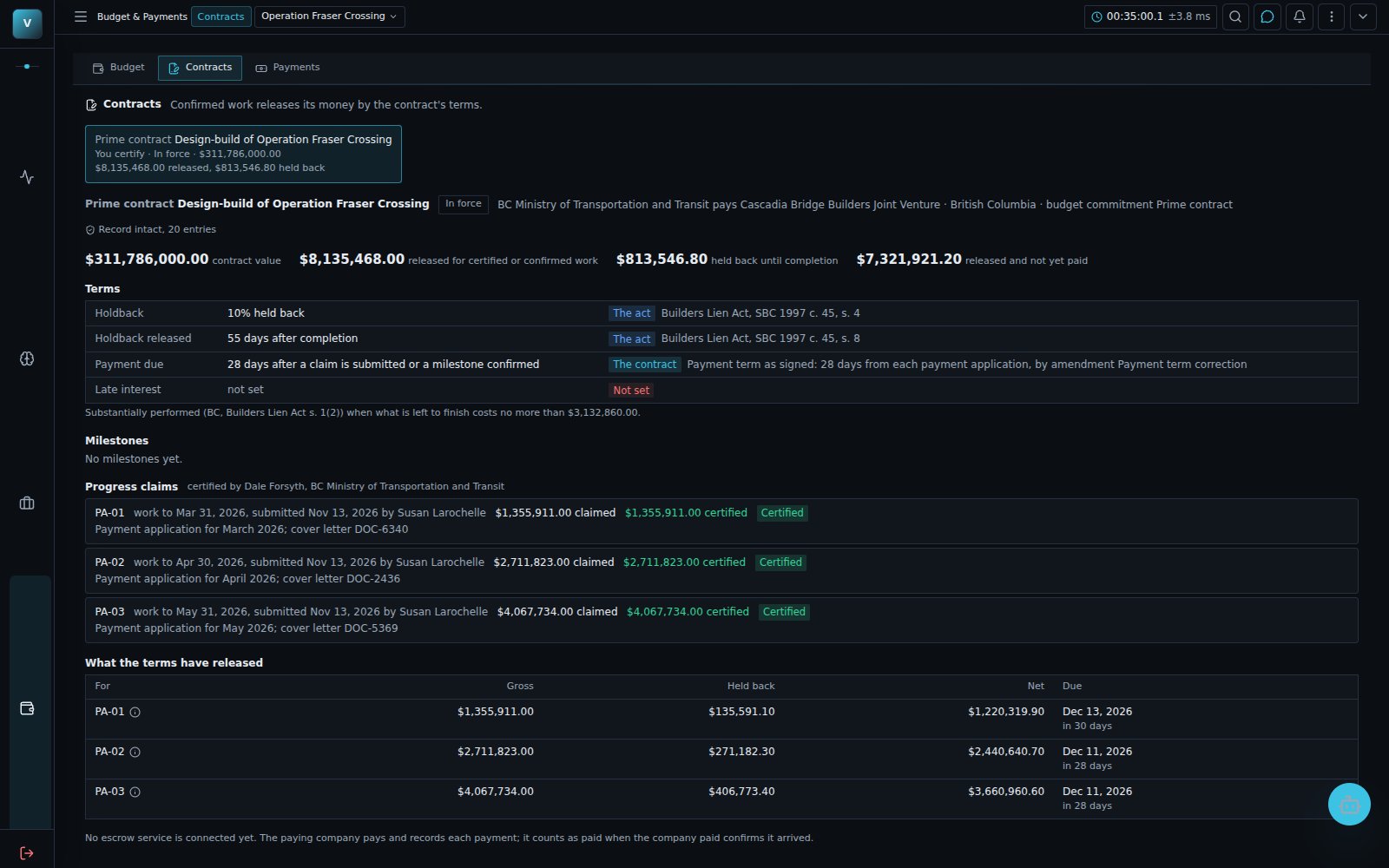
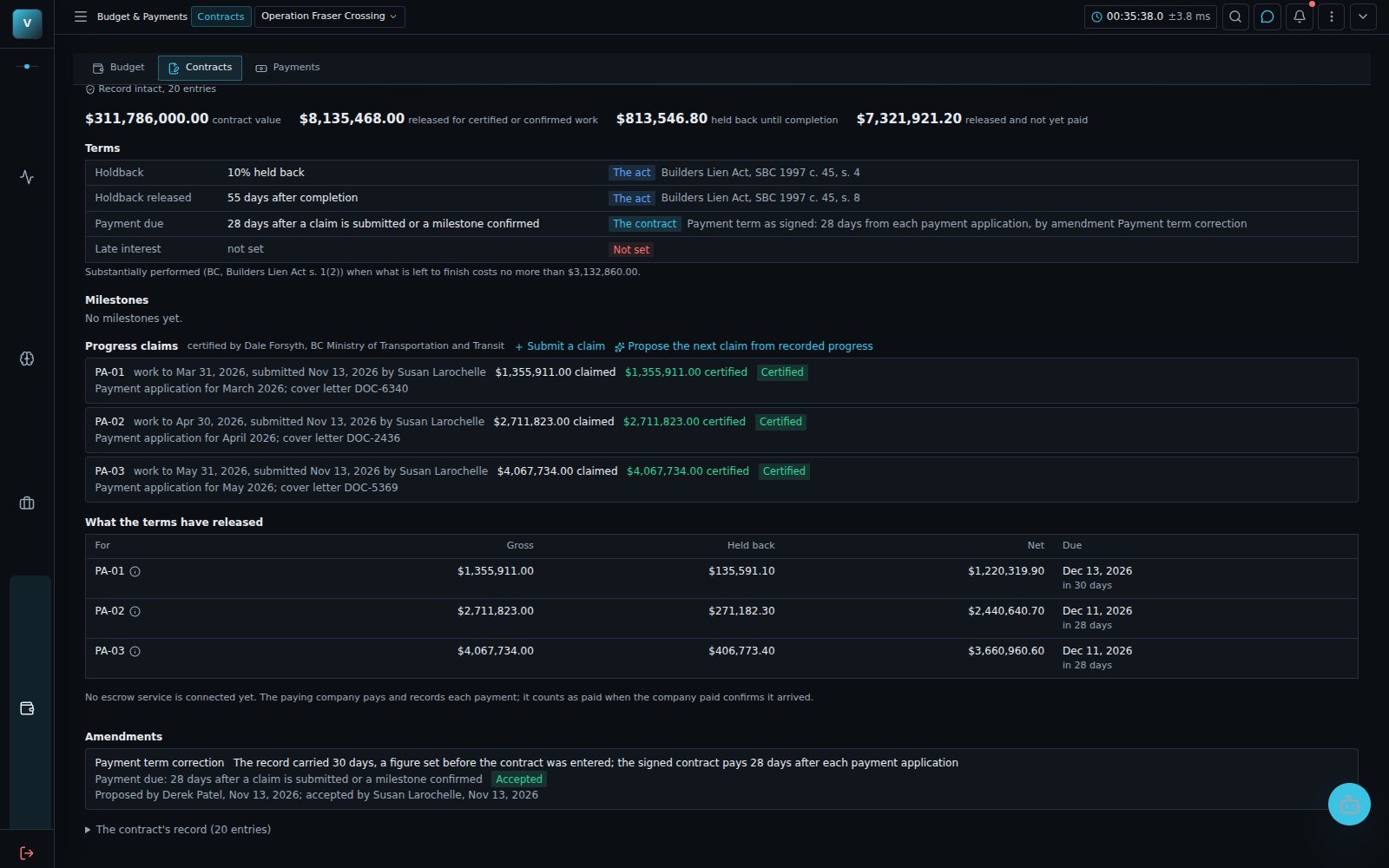
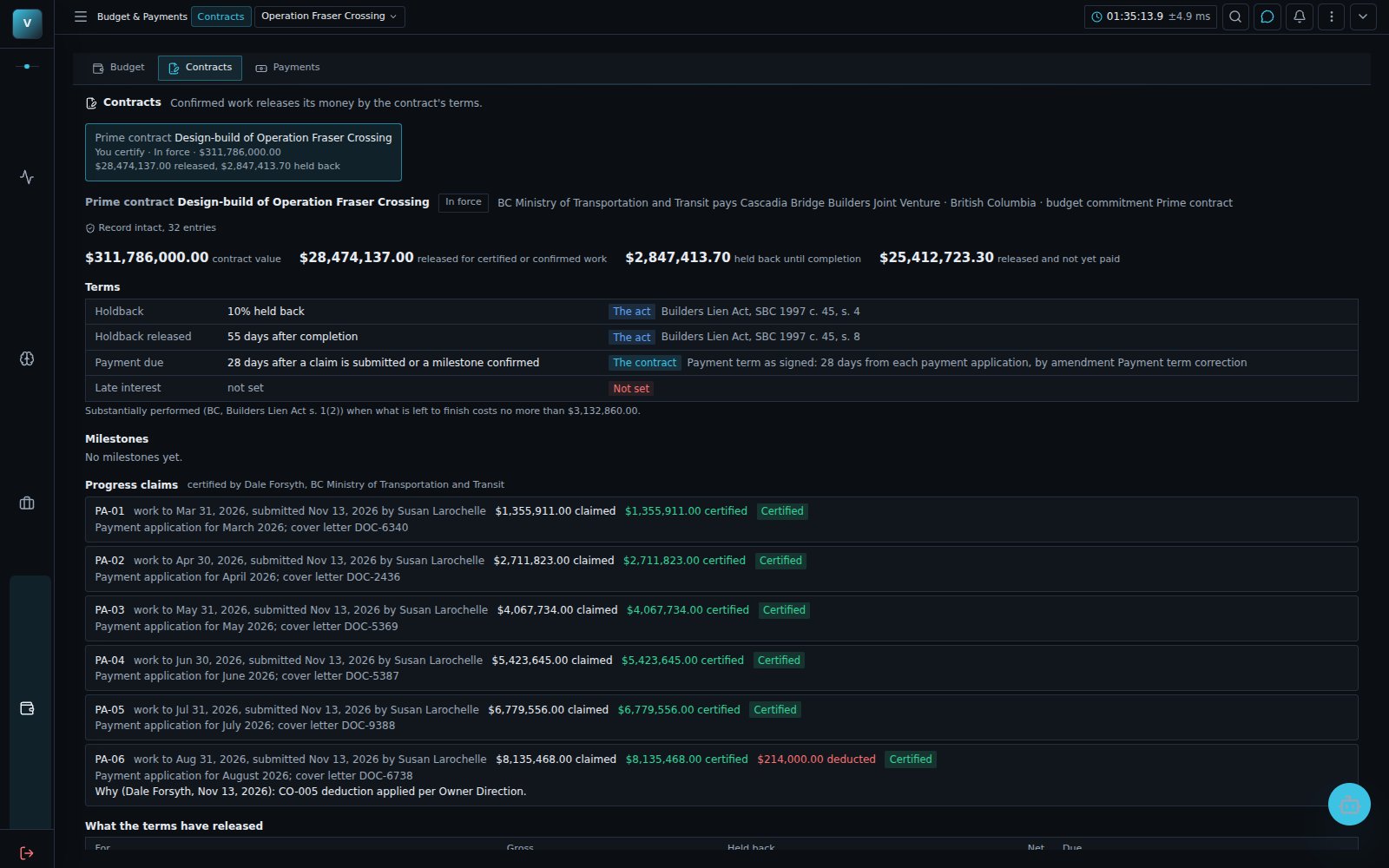
Budget & Payments keeps the money on the fictional Fraser Crossing project: the joint venture's budget, proposed from the work packages, and the prime contract with the BC Ministry of Transportation and Transit, where each progress claim is certified by the person the Ministry named and released by the contract's terms. Each step is done by the person whose job it is. Nothing is paid yet.
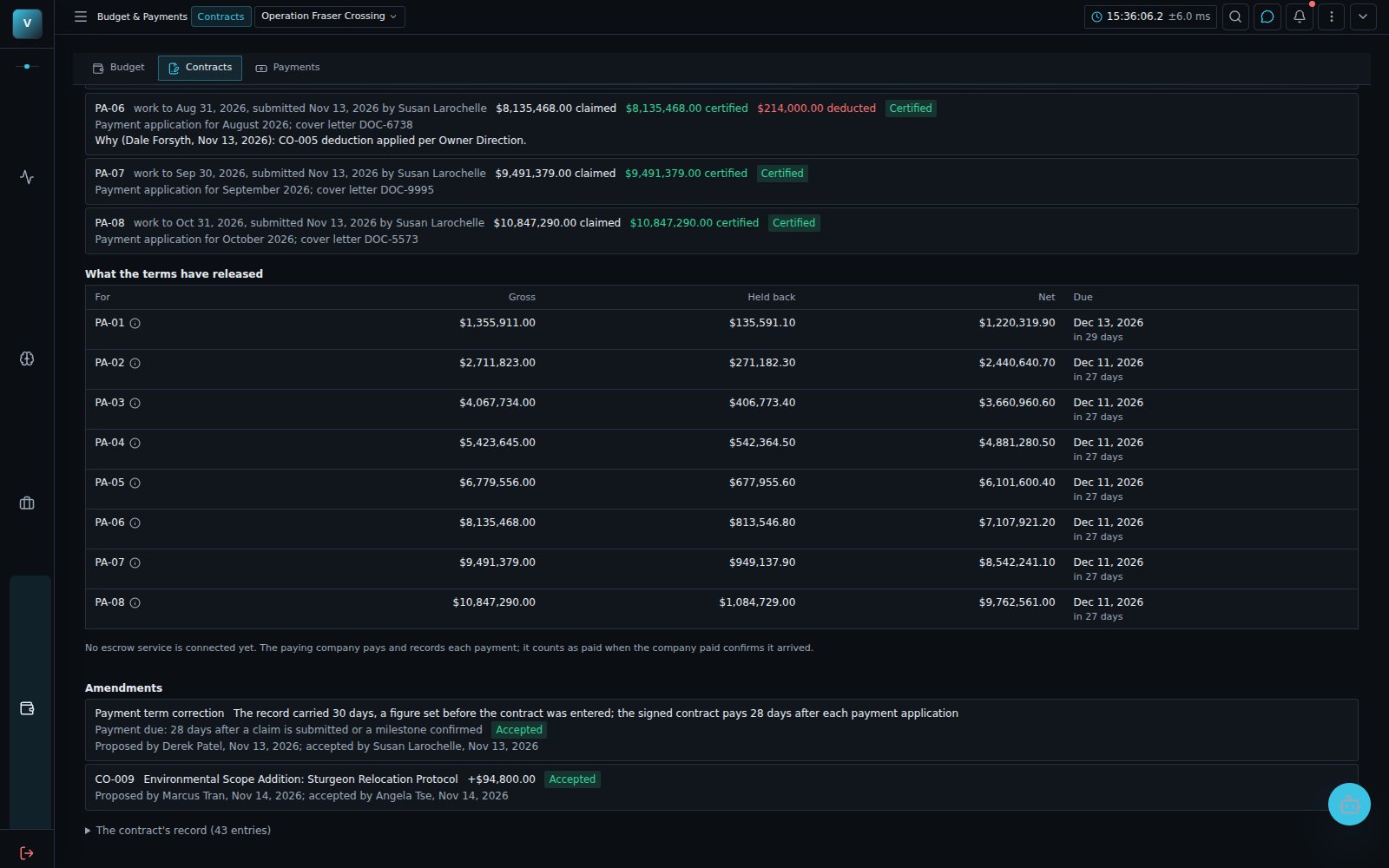
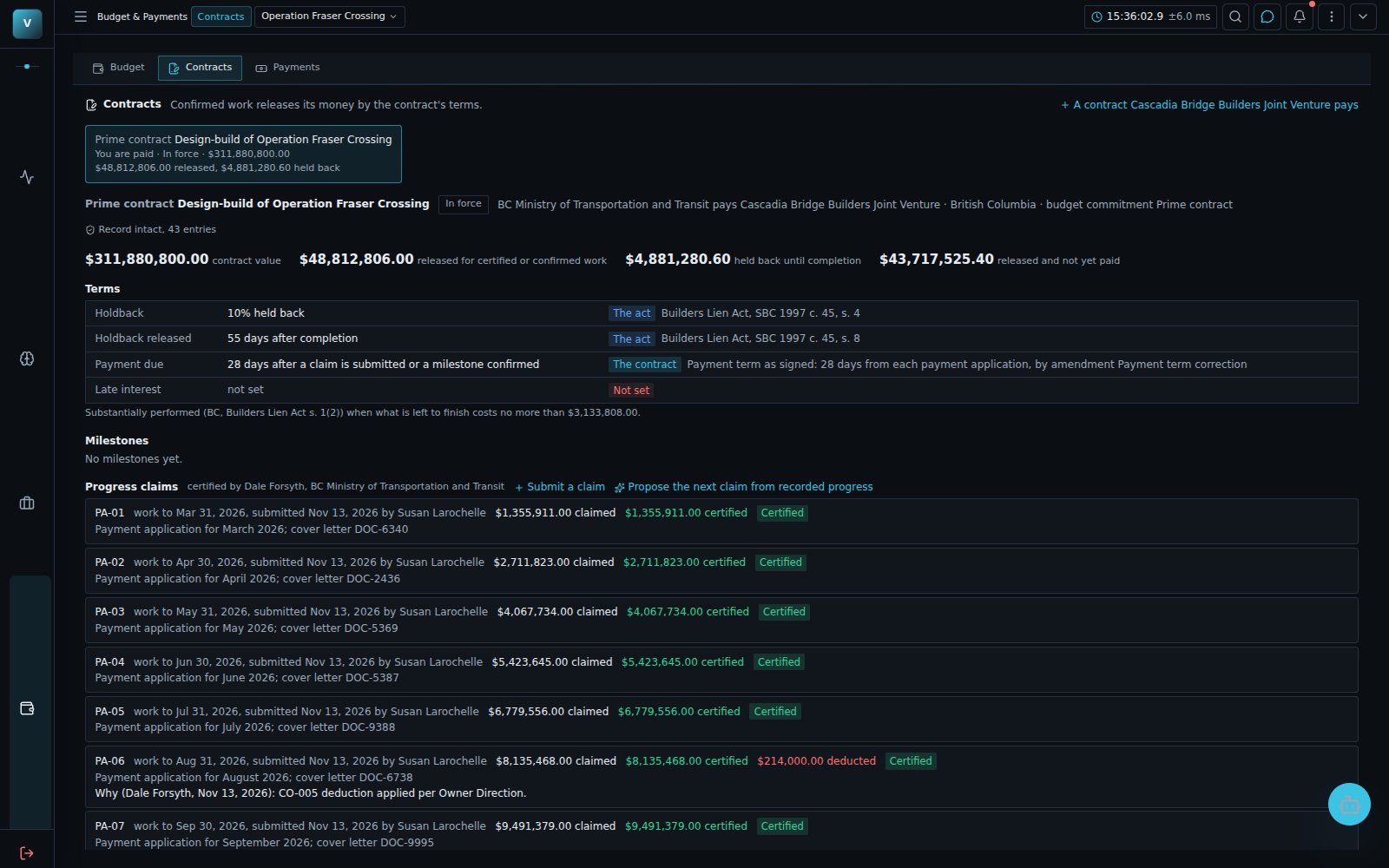
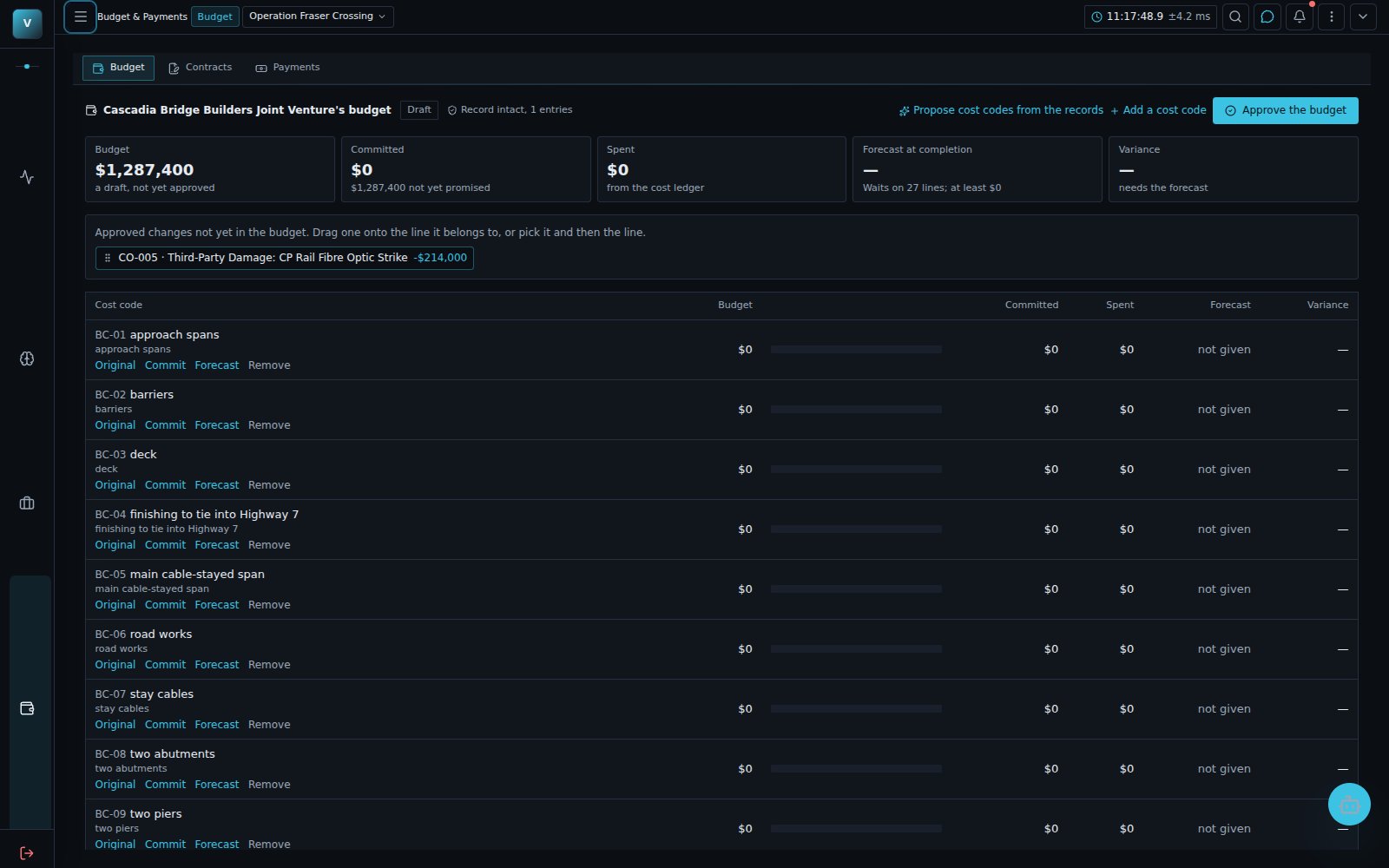
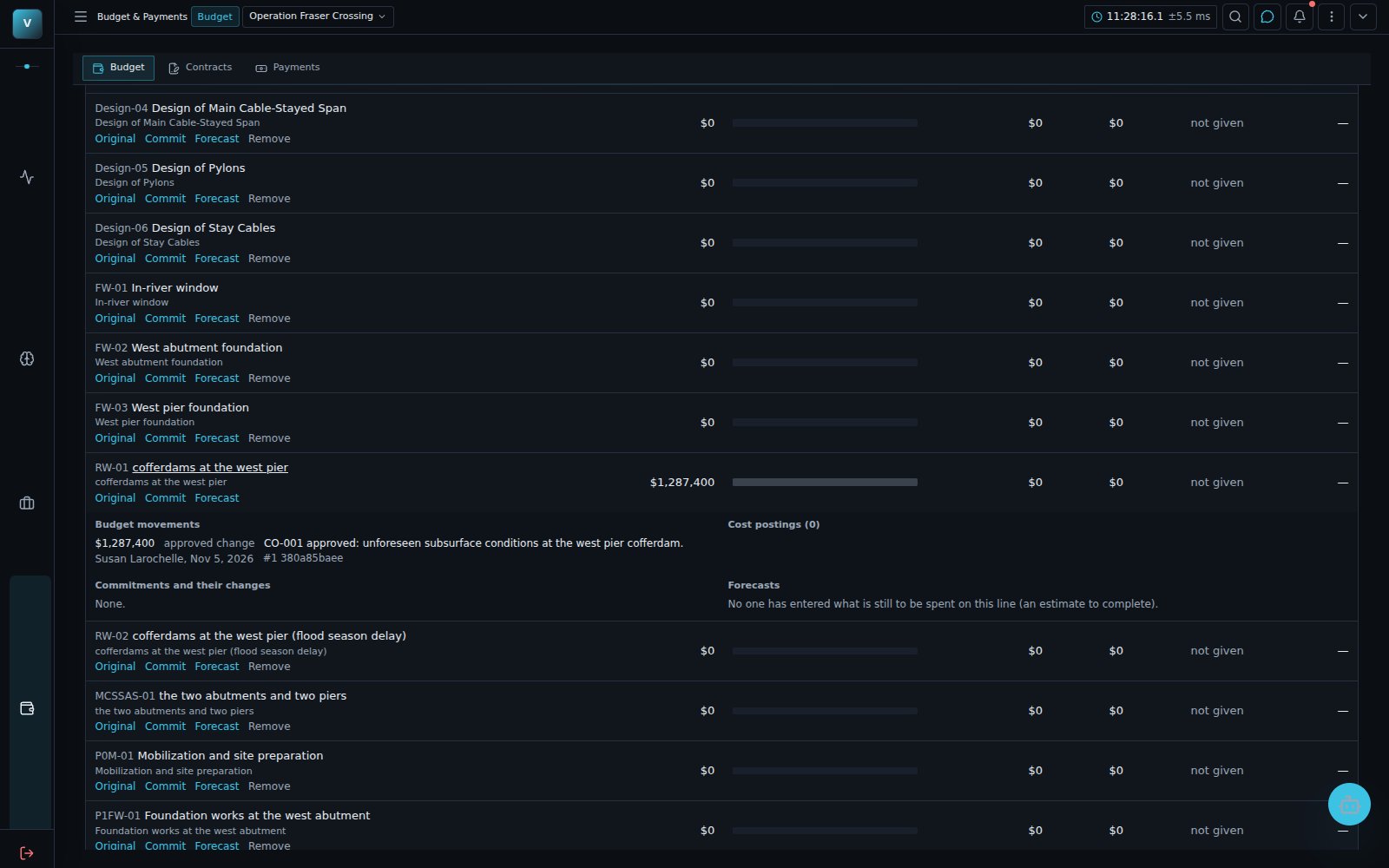
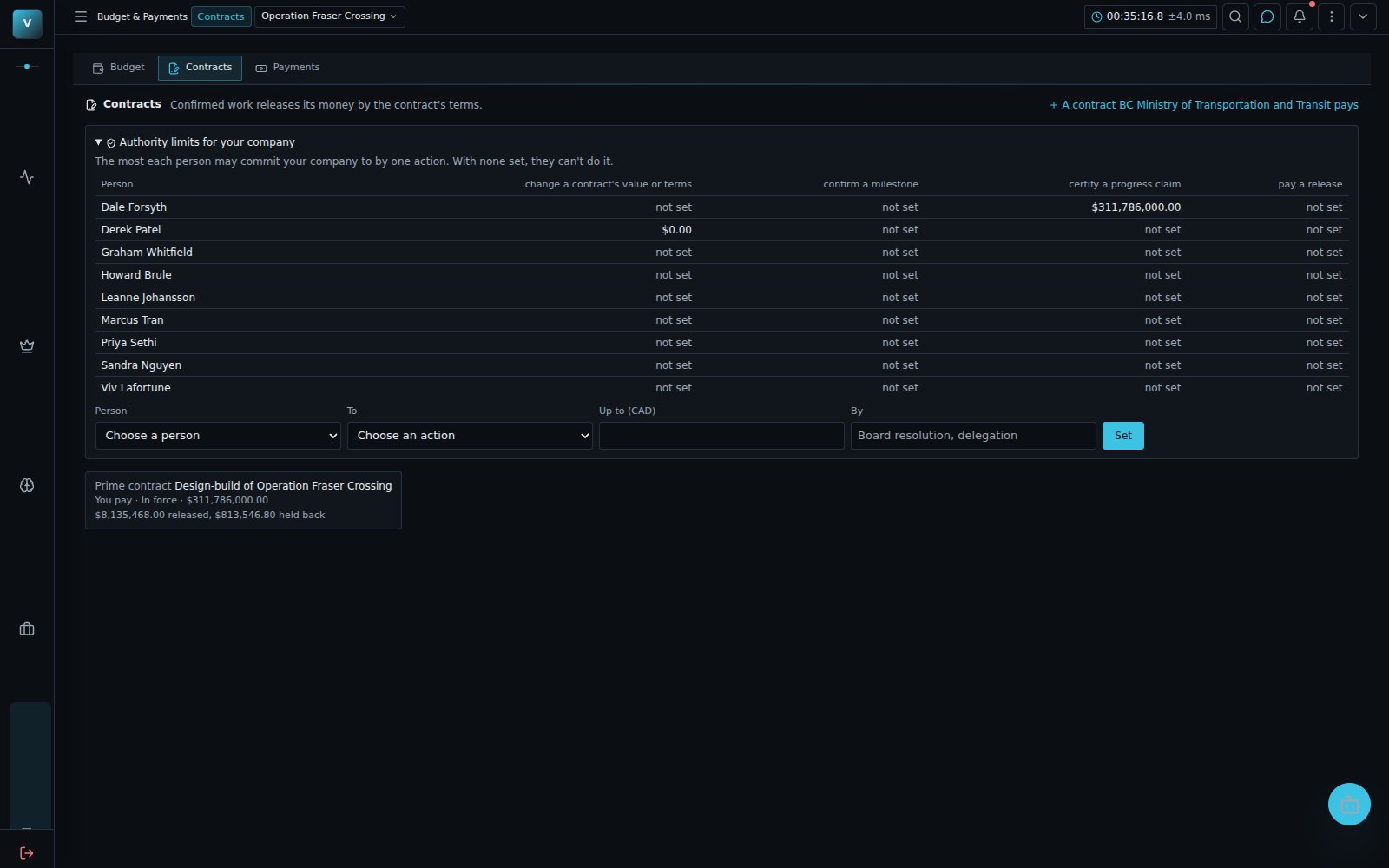
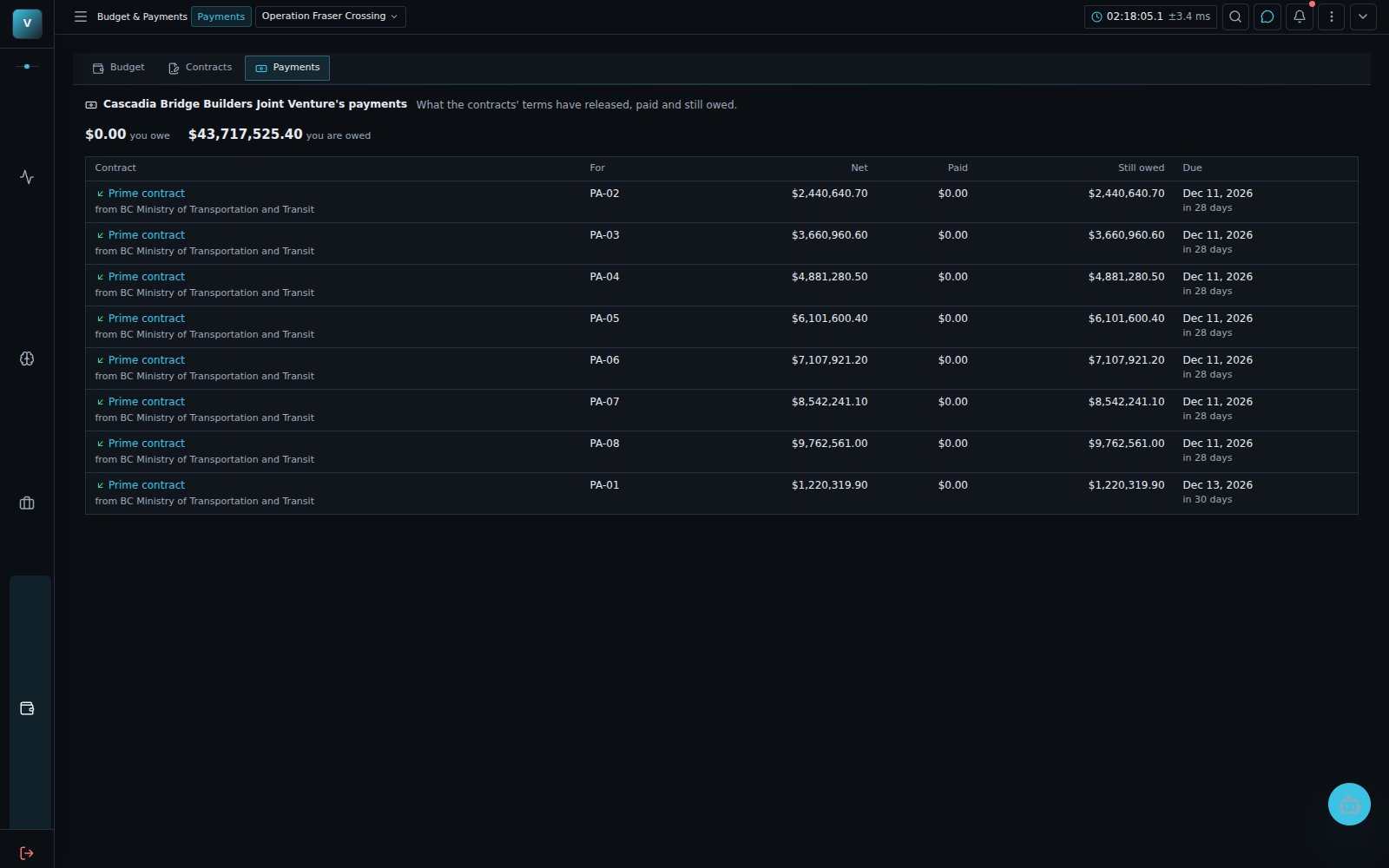
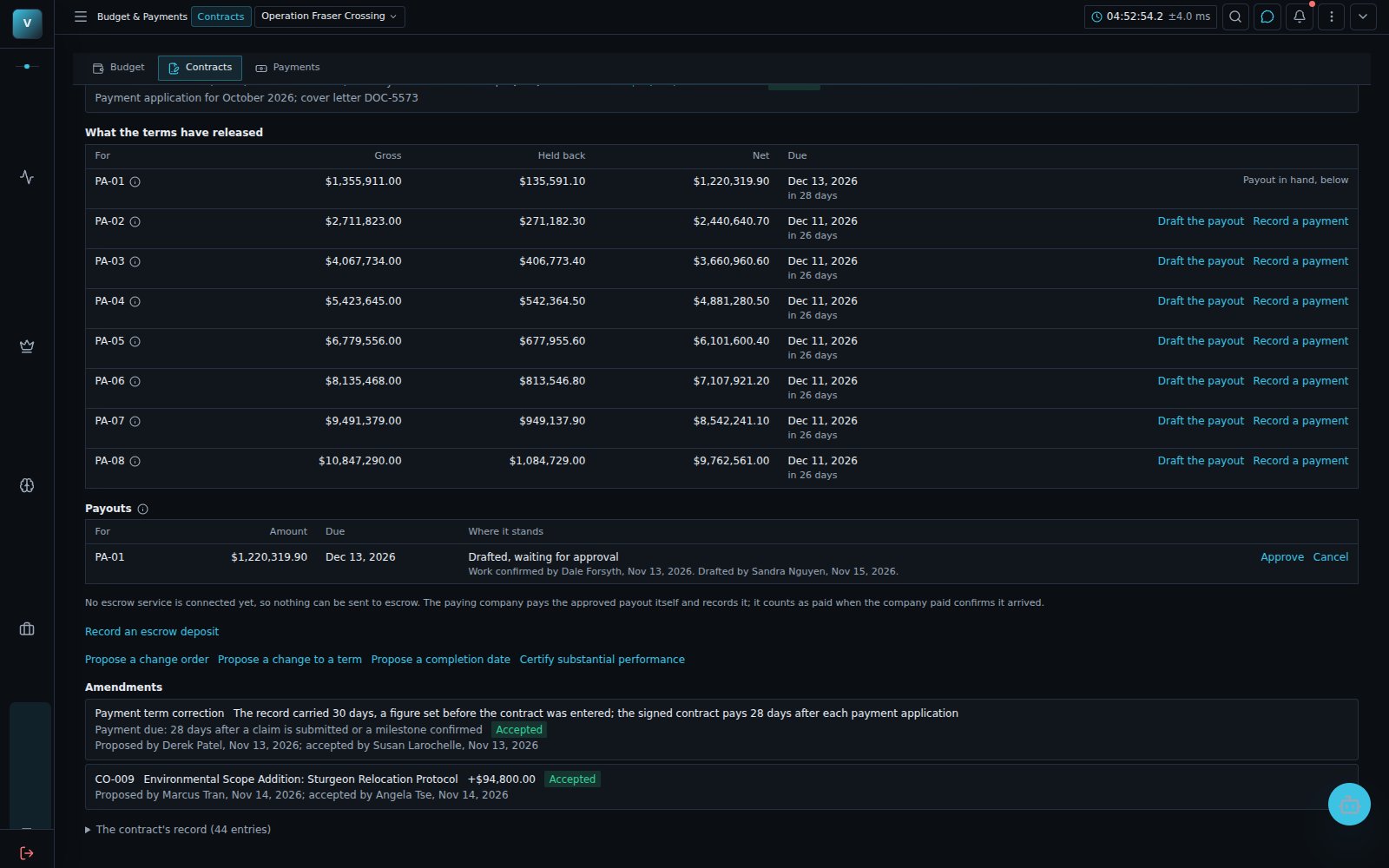
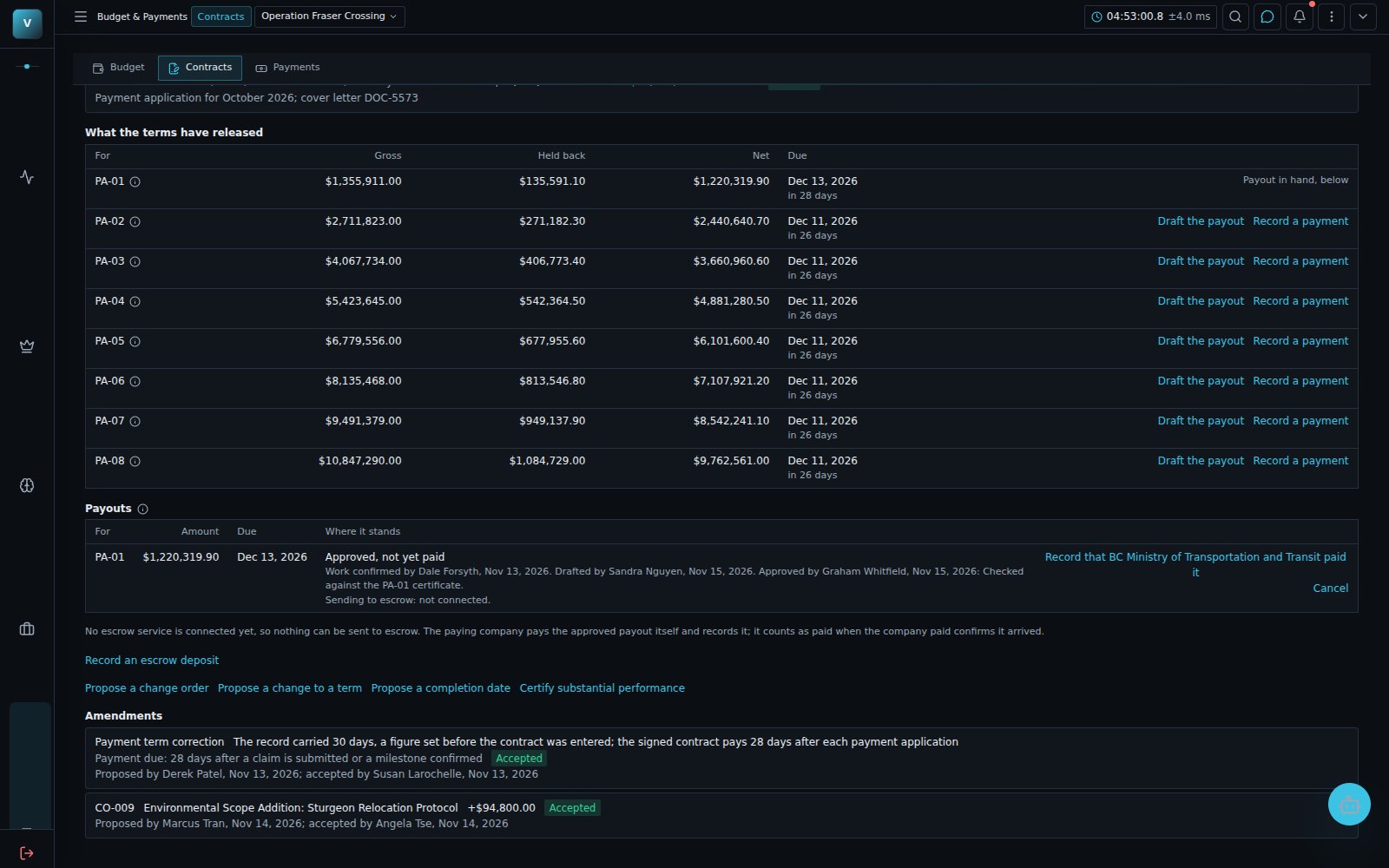
1Read the draft budgetCost codes come from the project's work packages. Approved change CO-001 is in the draft at $1,287,400; CO-005 is still waiting to be placed on a line.Tap the picture for the whole screen.2Trace the money to its recordOpen the cofferdam line. The movement shows the amount, the approved change, who placed it, the date and its reference. Commitments, costs and forecasts say what is not yet recorded.Tap the picture for the whole screen.3Say who may commit the Ministry, and how farSandra Nguyen, the Ministry's project director, records each person's authority. Dale Forsyth, contract administrator, may certify a progress claim up to the contract's value. Derek Patel's change-order authority is nil: he may correct a term but move no money. With nothing set, the action is refused.Tap the picture for the whole screen.4Submit a progress claimSusan Larochelle claims the work to the end of May: PA-03, $4,067,734, with its cover letter. It goes to the payment certifier the Ministry named, Dale Forsyth.Tap the picture for the whole screen.5Certify the claimDale Forsyth certifies PA-03 in full. Certifying less takes the deduction and the reason. What is certified is released by the terms: 10% held back under the Builders Lien Act, due 28 days from submission.Tap the picture for the whole screen.6What each claim released, and when it is dueThree claims certified: $8,135,468 released, $813,546.80 of it held back until completion, $7,321,921.20 owed. PA-01 was certified before the payment term was corrected, so it keeps 30 days. The i beside each claim shows how it was worked out.Tap the picture for the whole screen.7Correct a term by amendmentThe record had payment due in 30 days; the signed contract says 28. Derek Patel proposed the correction and Susan Larochelle accepted it for the joint venture. The terms now name the amendment as their source.Tap the picture for the whole screen.8Certify less, and say whyFor August's work, PA-06, Dale Forsyth certifies the $8,135,468 claimed and deducts $214,000, giving the reason with it: a deduction for change order CO-005, applied as the owner directed. It comes off what is released, beside the holdback.Tap the picture for the whole screen.9What the joint venture is owedAcross every contract of the joint venture: eight claims released, $43,717,525.40 owed by the Ministry and nothing paid yet, each with its due date. A payment counts once the joint venture confirms it arrived.Tap the picture for the whole screen.10Draft the payout for a releaseSandra Nguyen drafts the payout for PA-01: $1,220,319.90, worked out from the certified work less the holdback, never typed. Nobody approves a payout they drafted, so it waits for Graham Whitfield, the Ministry's regional director, whose delegation of authority gives him owner final approval and whom she has recorded as able to pay a release.Tap the picture for the whole screen.11Approved, and not sent: escrow is not connectedGraham Whitfield approves it with a note: checked against the PA-01 certificate. It reads Approved, not yet paid, with who confirmed the work, who drafted it and who approved it. Sending to escrow is not connected, and the screen says so: the Ministry pays it itself and records the payment, and it counts as paid only when the joint venture confirms it arrived.Tap the picture for the whole screen.
Supply Chain Management 7 steps
Supply Chain Management tracks what each task needs on site, the orders that bring it, and whether each supplier's invoice matches what was ordered and what arrived. On the fictional Fraser Crossing project, Bart Halliday, a superintendent with the joint venture, records what an environmental-control task needs, raises the late order as a risk, and orders sheet piles for the west cofferdam; Angela Tse, its commercial manager, checks the supplier's invoice against the order and the delivery.
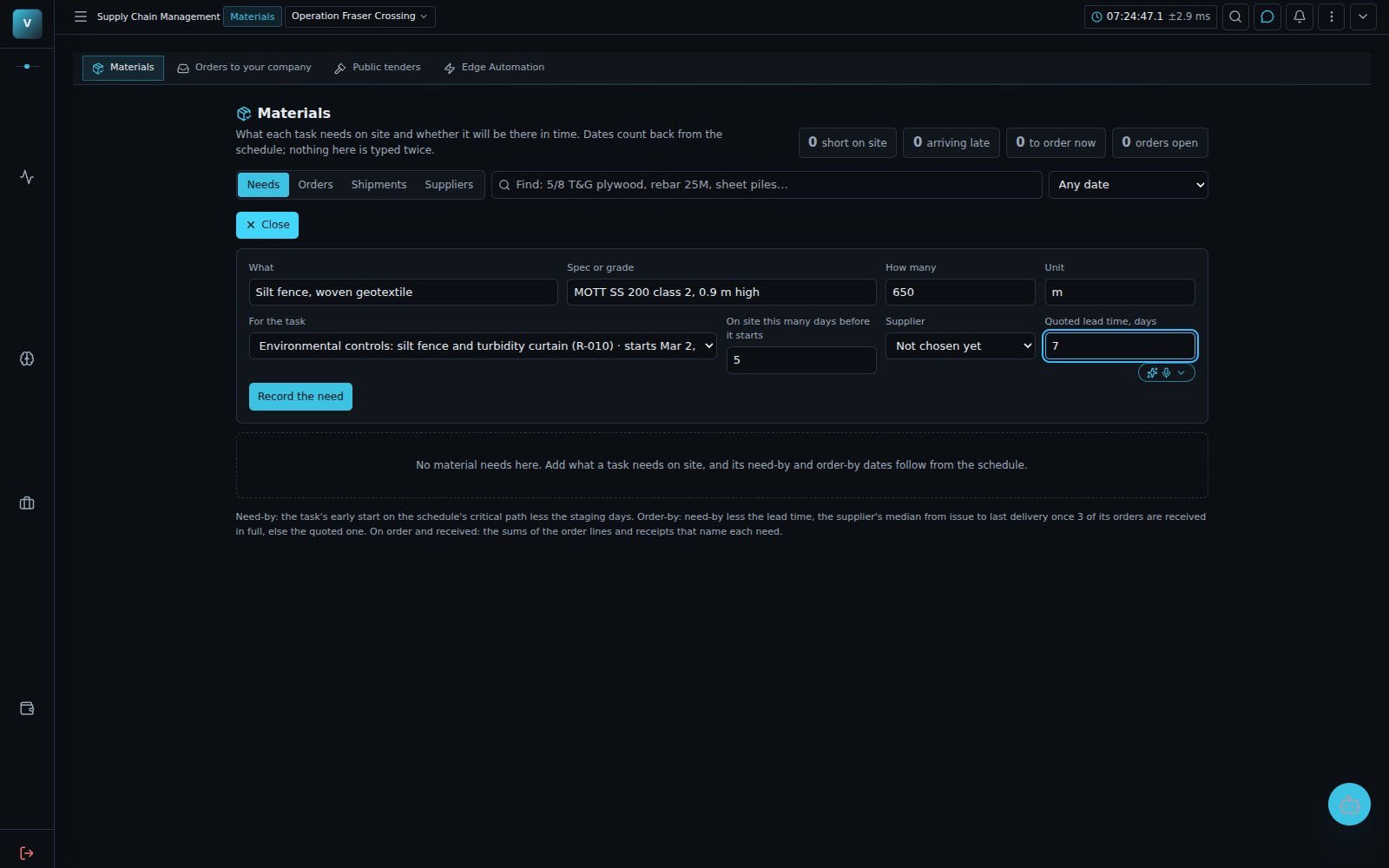
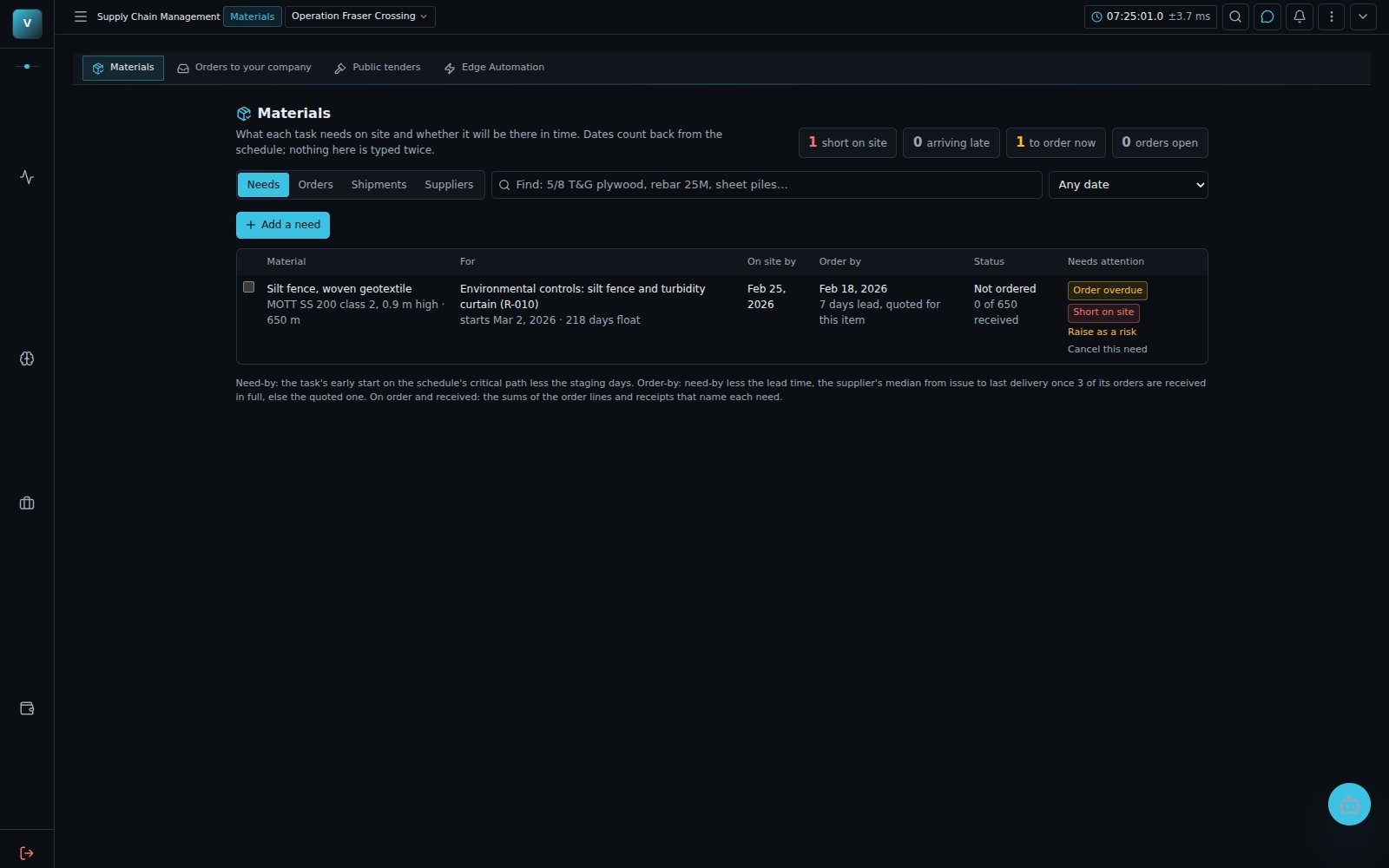
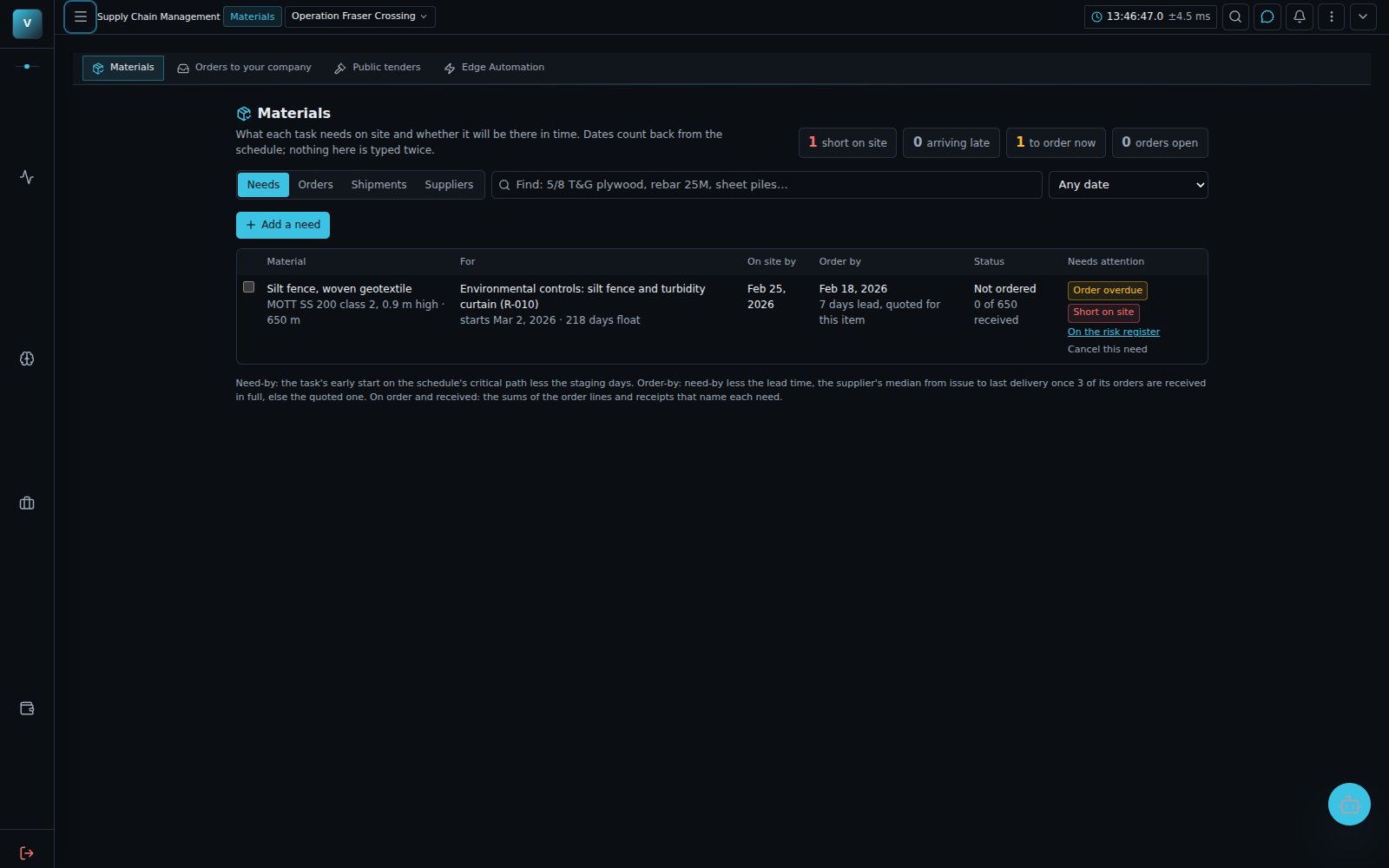
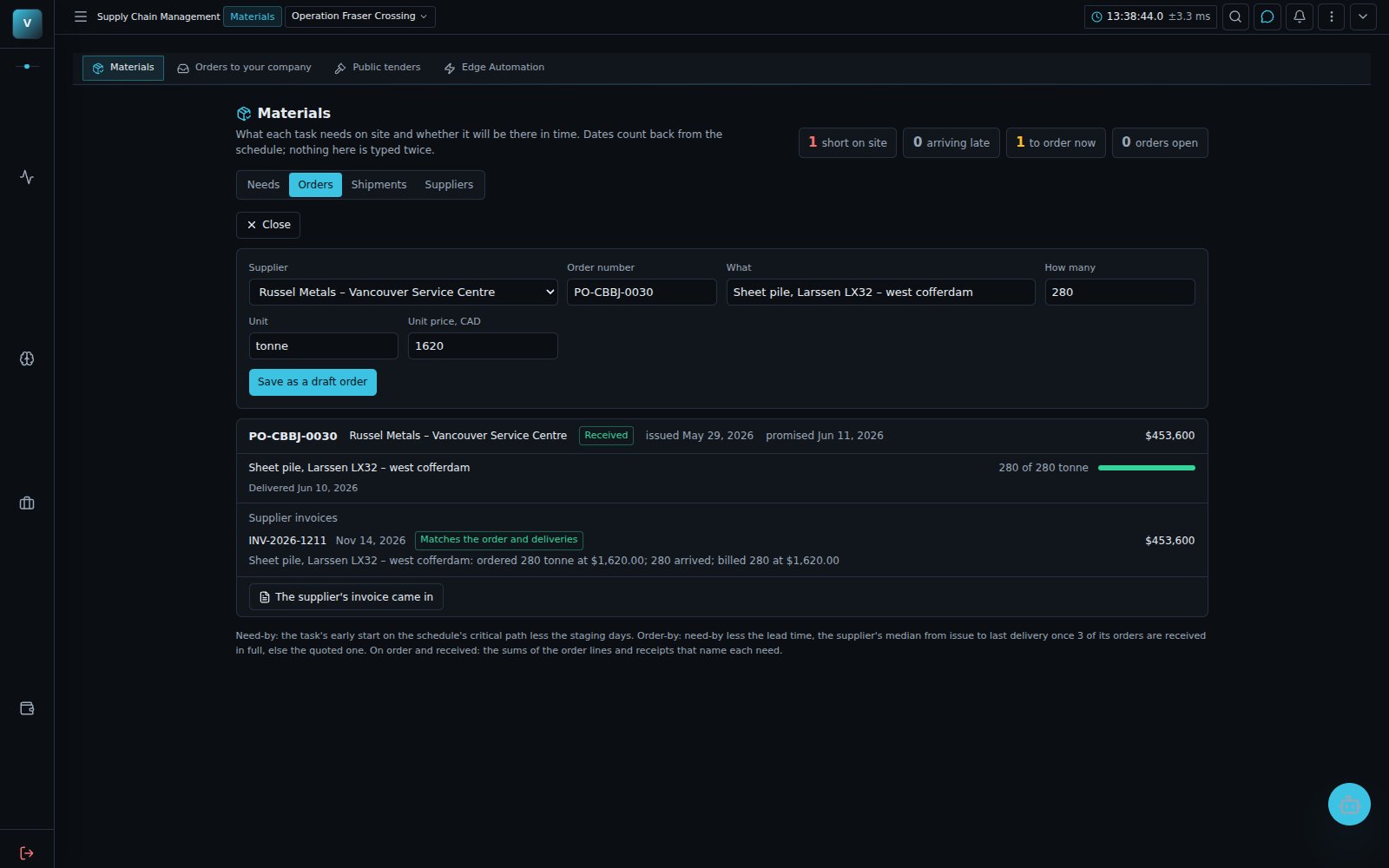
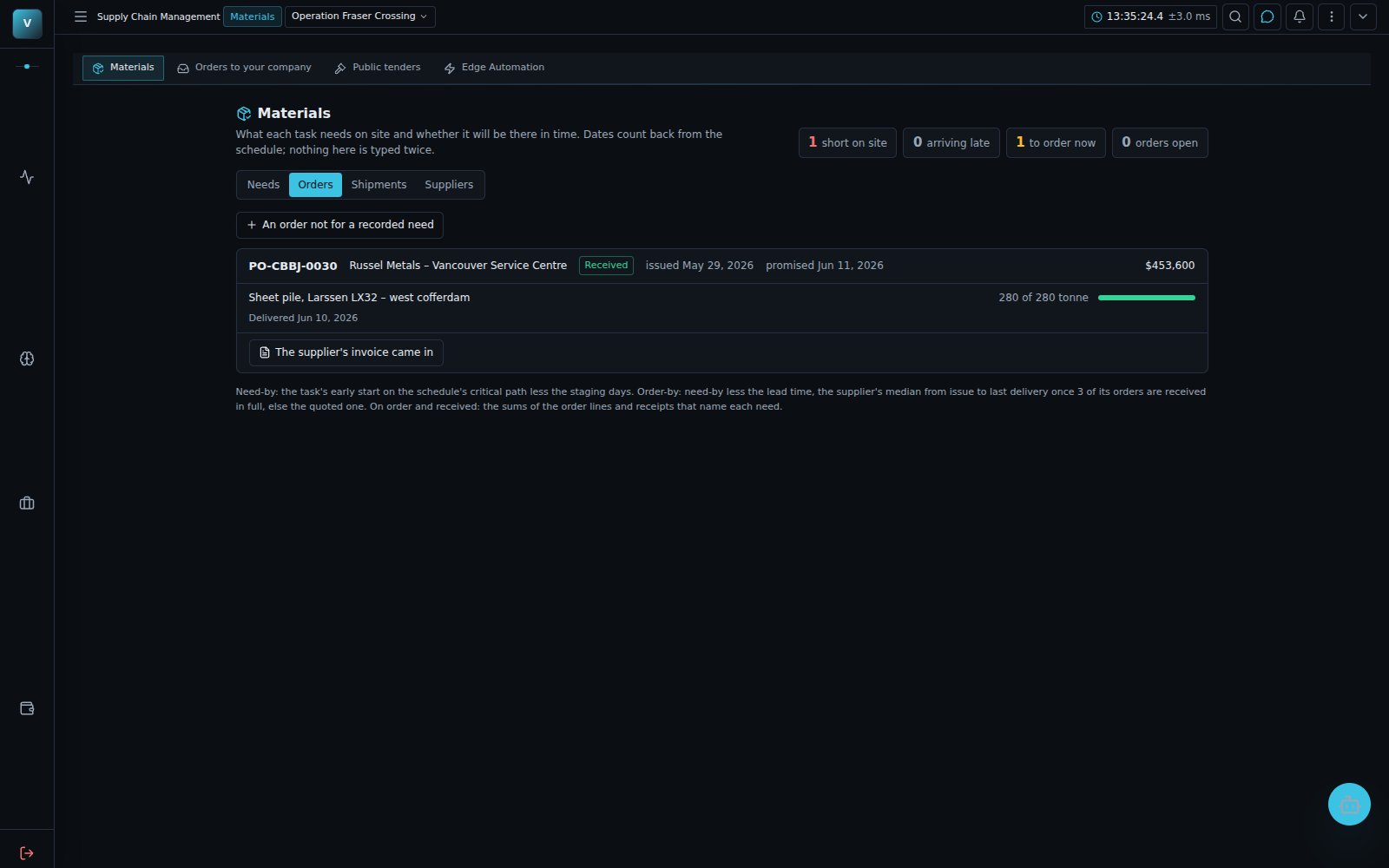
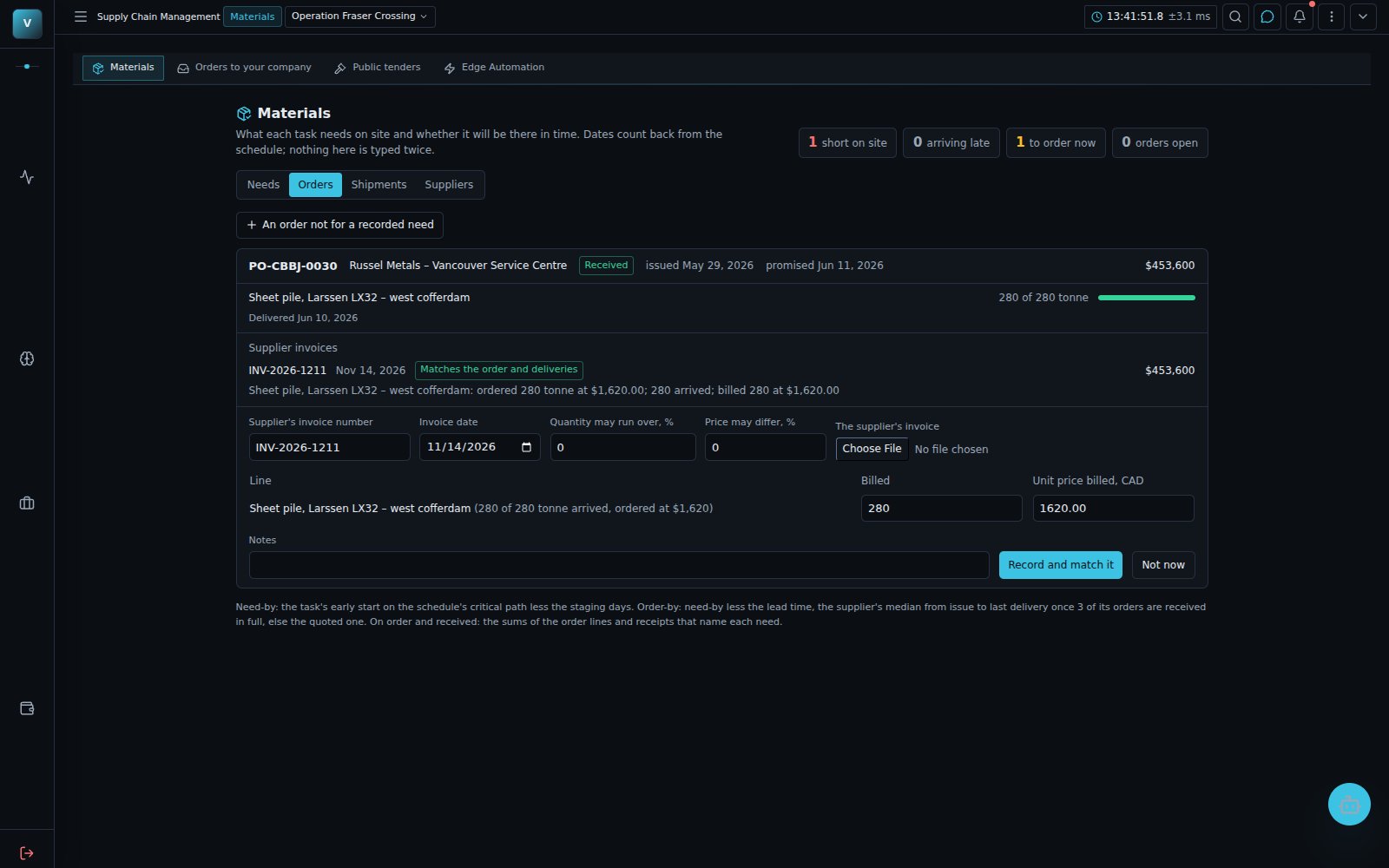
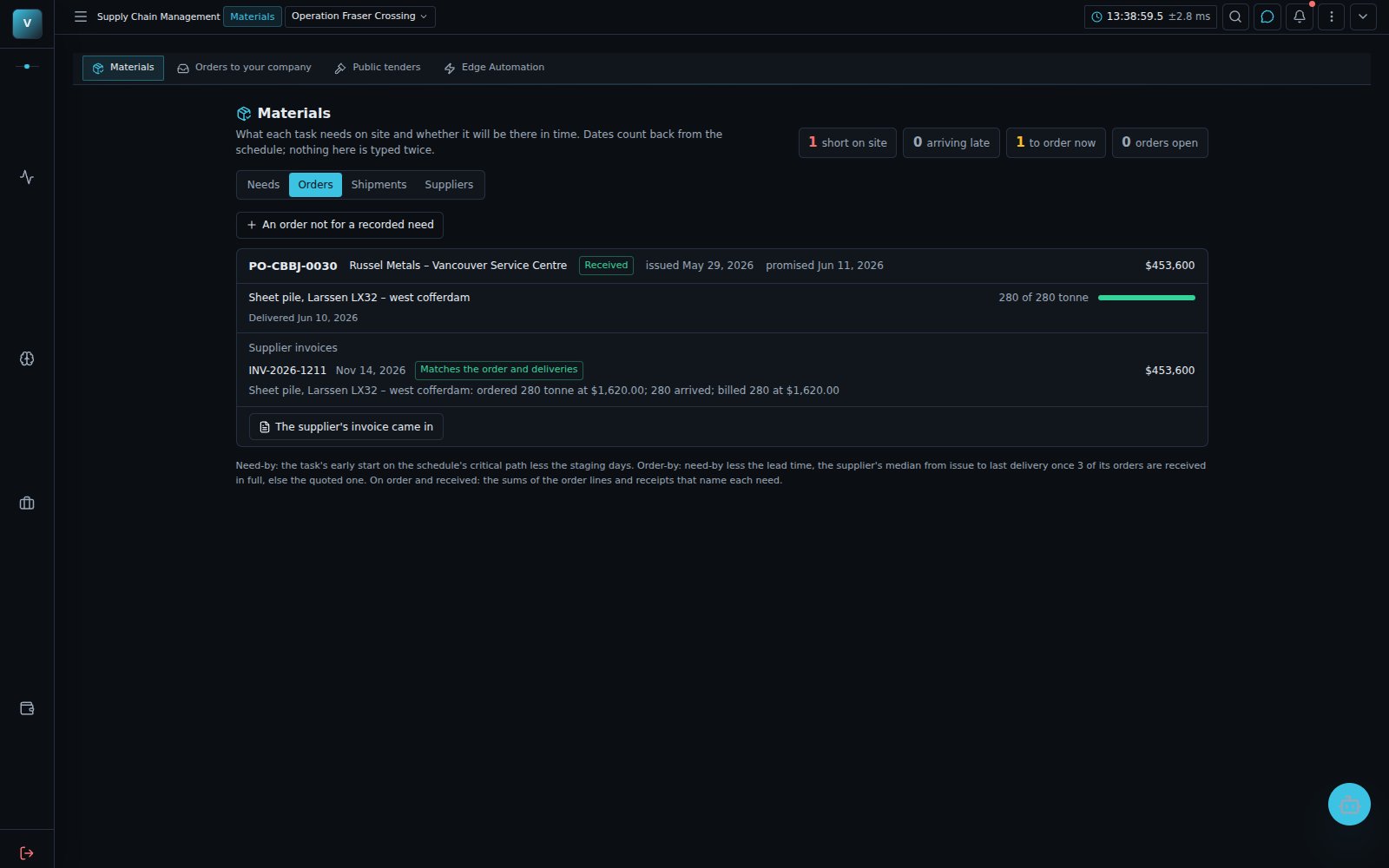
1Record the task's material needBart enters 650 metres of woven-geotextile silt fence, its specification, the environmental-control task it serves, five days on site before the task starts and a seven-day quoted lead time, then selects Record the need.Tap the picture for the whole screen.2Reopen the saved need and its datesThe saved row keeps the quantity, specification and task. The task's March 2 start sets the on-site date of February 25 and the order-by date of February 18, so the order shows as overdue with nothing received. No purchase or delivery is claimed.Tap the picture for the whole screen.3Raise the late order as a riskBart selects Raise as a risk on the overdue order. The row then links to the entry it opened on the project's risk register, so the shortfall is weighed alongside every other risk on the job.Tap the picture for the whole screen.4Order the cofferdam's sheet pilesBart opens an order that is not tied to a recorded need: Russel Metals' Vancouver service centre, the joint venture's own order number PO-CBBJ-0030, 280 tonnes of Larssen LX32 sheet pile for the west cofferdam at $1,620 a tonne. Saved and issued, it is the order shown beneath the form.Tap the picture for the whole screen.5See the order arriveThe order as it stands once delivered: issued May 29, promised for June 11, and all 280 tonnes received on June 10, $453,600 in total. The supplier's invoice is entered against it from the same row.Tap the picture for the whole screen.6Enter the supplier's invoiceAngela Tse enters Russel Metals' invoice INV-2026-1211 against the order: 280 tonnes billed at $1,620.00, with no allowance for the quantity running over or the price differing. Beside the line she sees how much arrived and the price on the order.Tap the picture for the whole screen.7Match the invoice to the order and the deliveryRecorded, the invoice is checked three ways: ordered 280 tonnes at $1,620.00, 280 arrived, billed 280 at $1,620.00. All three agree, so it reads Matches the order and deliveries, for $453,600. An invoice that bills more than arrived, or at another price, would be held instead.Tap the picture for the whole screen.
Oh Canada 3 steps
Search the open federal tenders published by CanadaBuys and keep the ones worth following on the company's watchlist. The tenders shown are real public notices; a value the government did not publish reads that way.
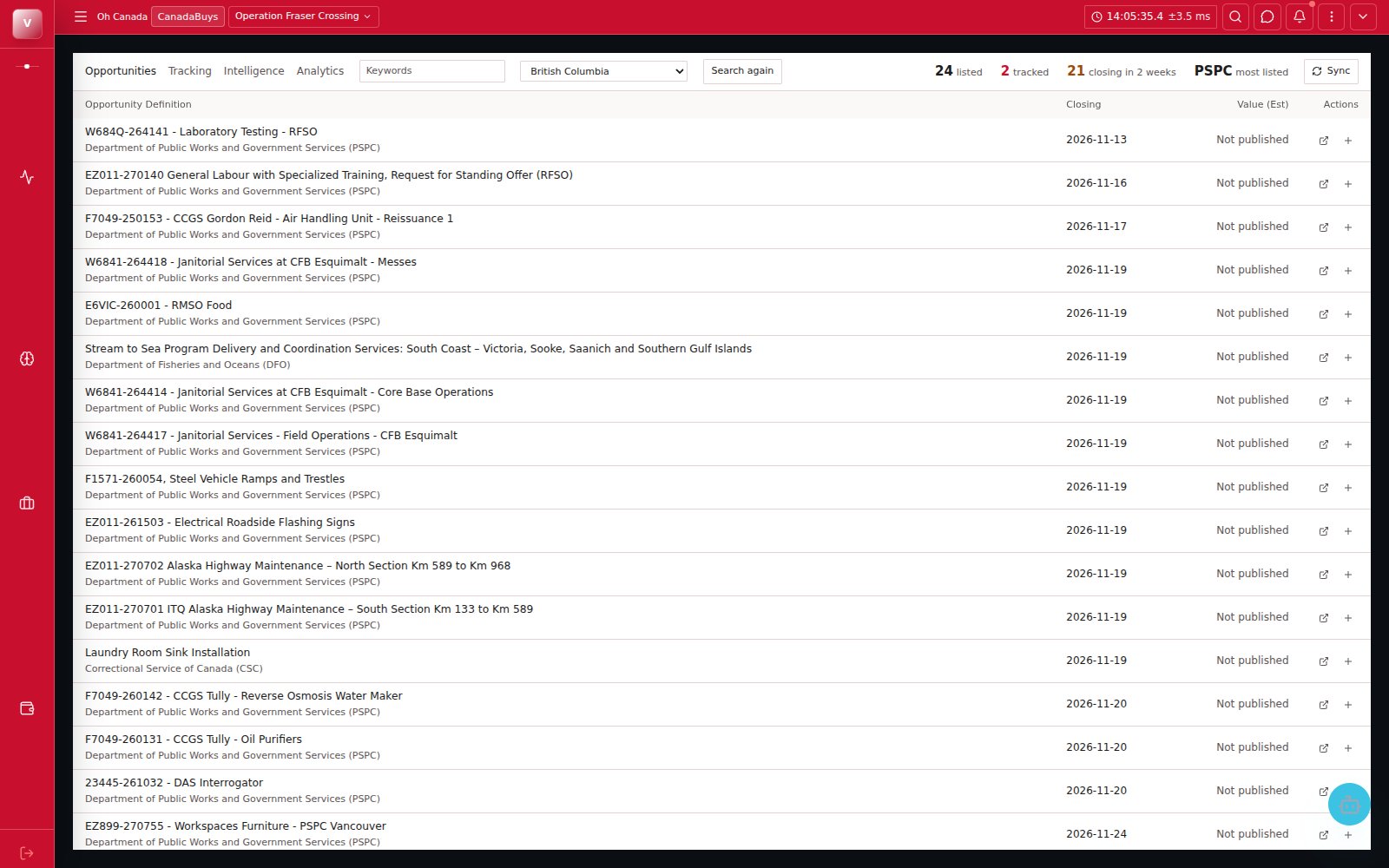
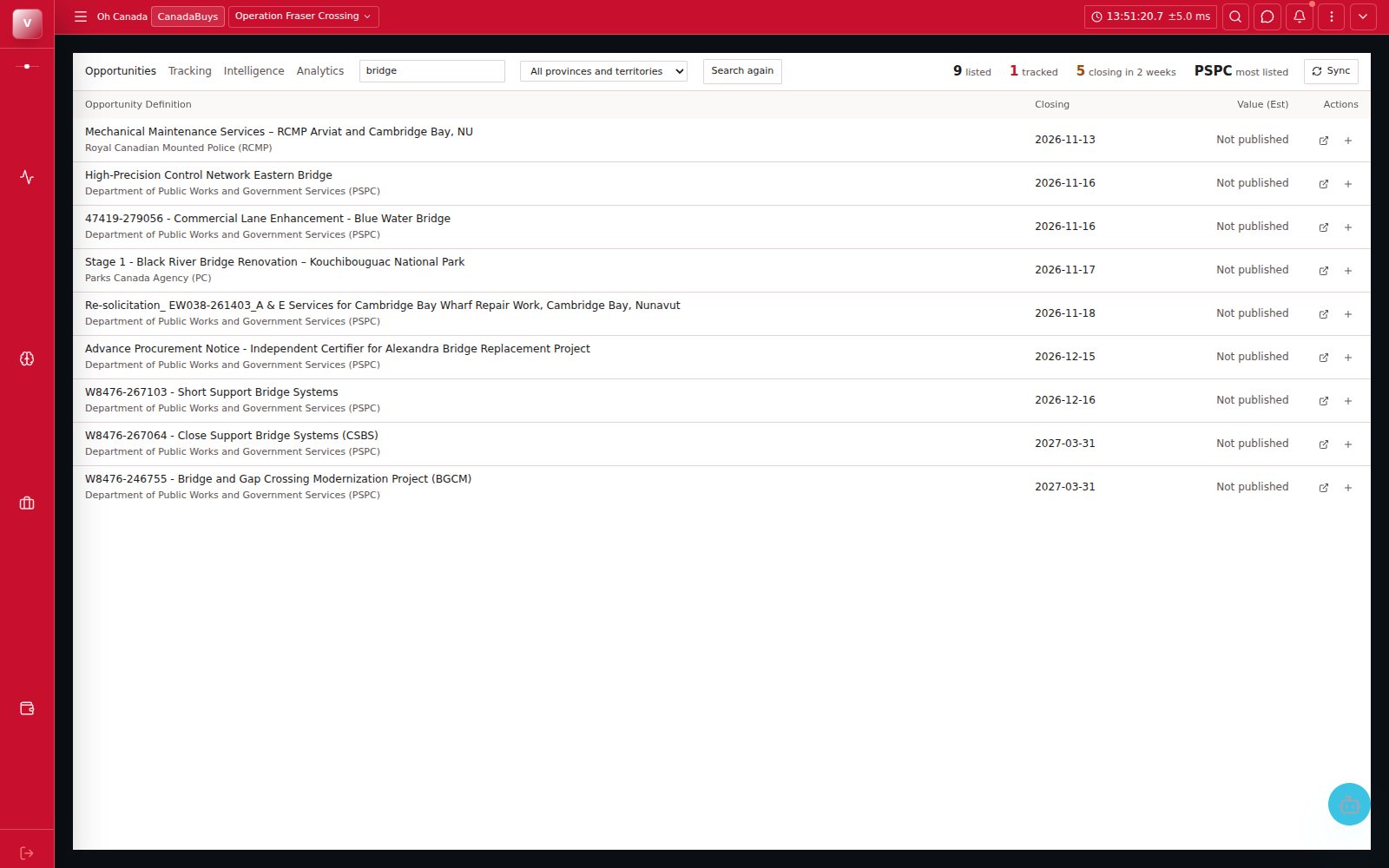
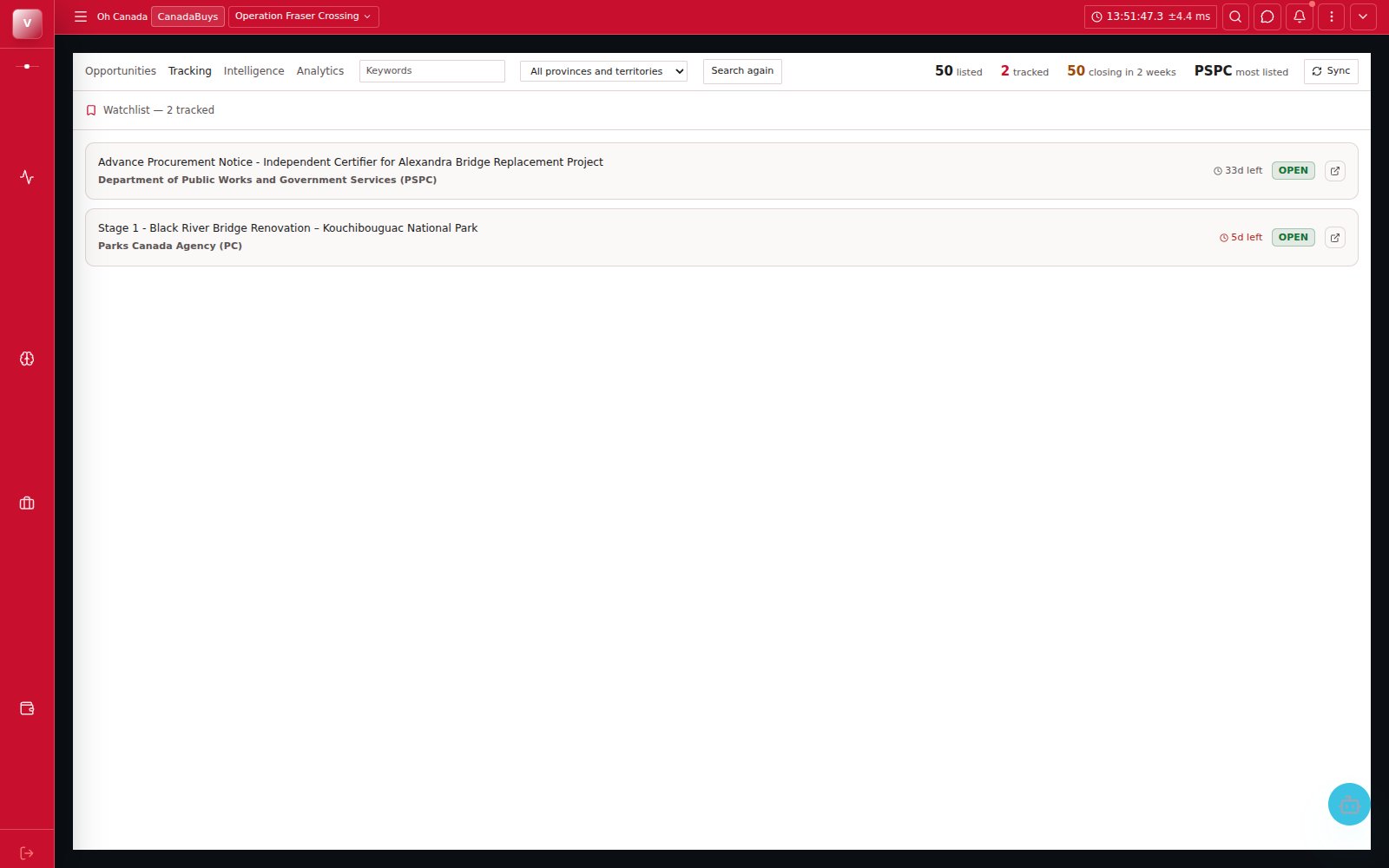
1See what is open in British ColumbiaOpen federal notices for delivery in British Columbia, soonest closing first, each with its buyer and closing date. The line above counts what is listed, what the company tracks and what closes within two weeks.Tap the picture for the whole screen.2Search open tendersA search for bridge lists nine open notices with their buyers and closing dates. No estimated value is shown where the government did not publish one.Tap the picture for the whole screen.3Keep one on the watchlistThe Black River Bridge renovation in Kouchibouguac National Park is added with the track button. The company's watchlist holds two notices, each with the days left before it closes.Tap the picture for the whole screen.
Government Portal 9 steps
A provincial inspector's view of the permits on the fictional Fraser Crossing project: what needs attention, what the project holds, and what each permit requires. The inspector reads the same records the contractor keeps. Then Graham Whitfield, regional director at the ministry that owns the project, oversees it: the ministry's own permit, the project's risk and delivery, and the AI used on it, entered on the ministry's register with every control still to meet.
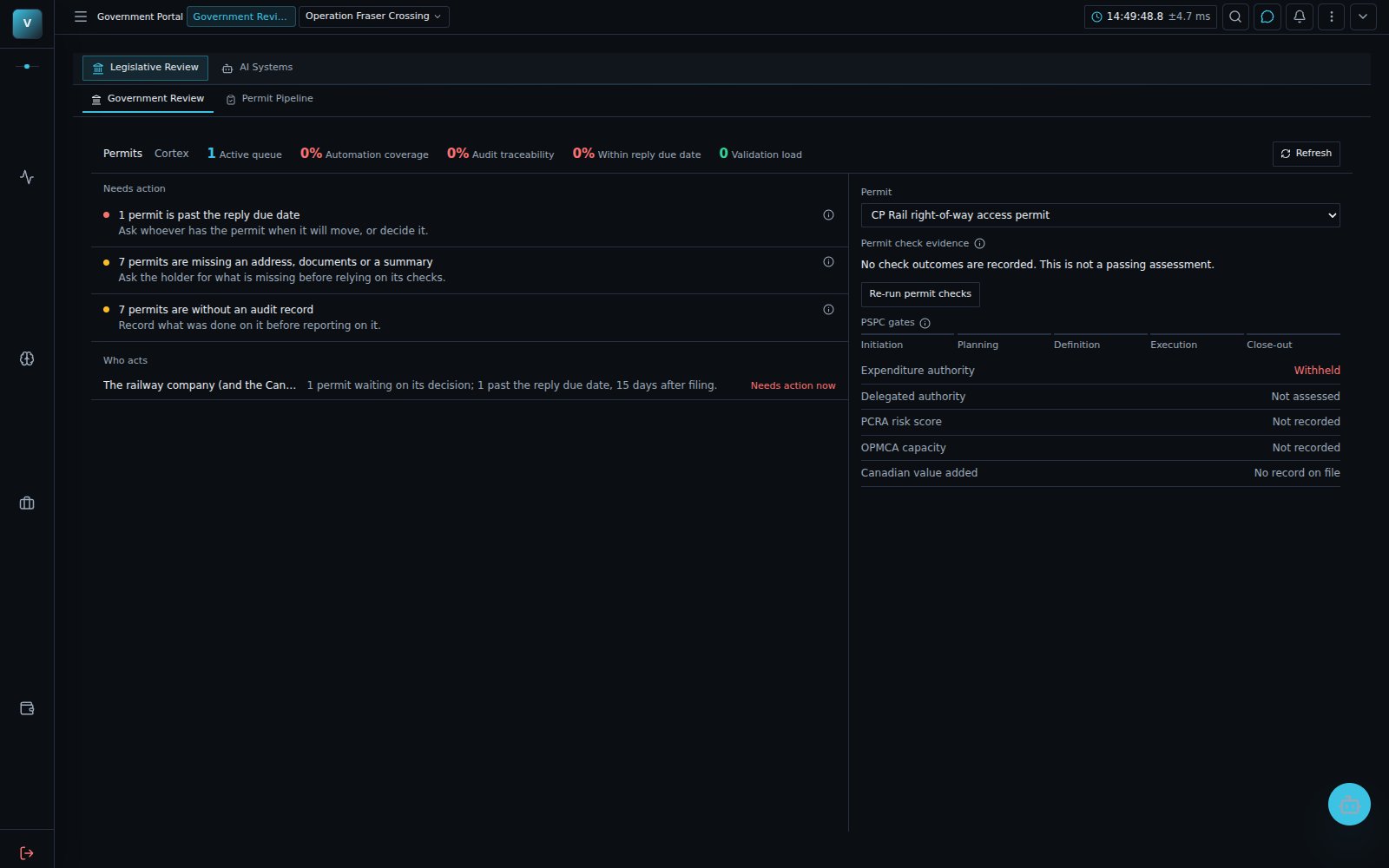
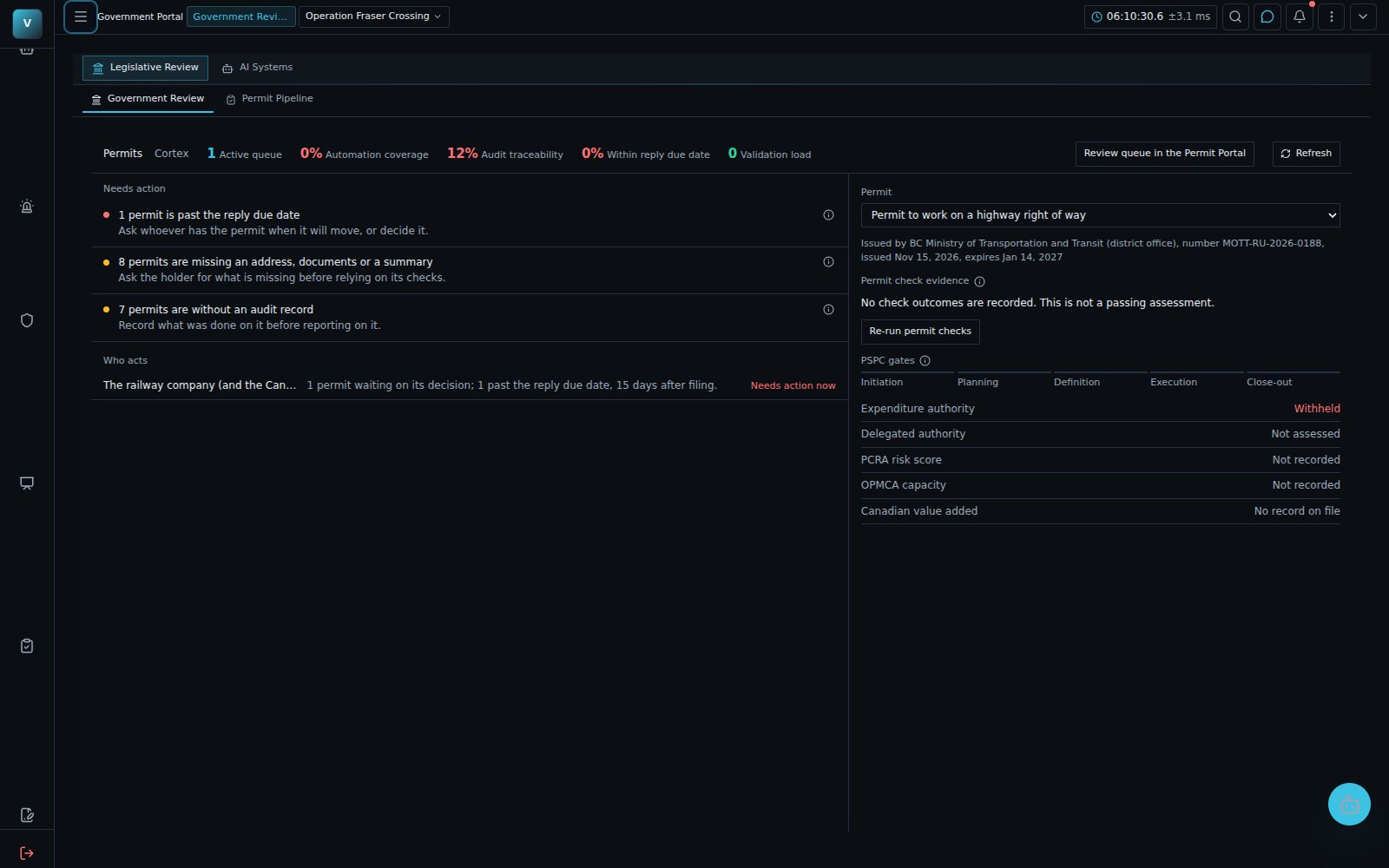
1Read the permit queueAlerts say what needs action: one permit is past its reply due date, and seven are missing an address, documents or a summary. Who acts is the authority named on the record, here the railway company. For the CP Rail permit, the screen states that no check outcomes are recorded and that this is not a passing assessment.Tap the picture for the whole screen.2See every permit the project holdsOne row per permit: the issuing authority, its number, who holds it, whether it is in force and when it runs out. Two permits are marked as awaiting a reply to a letter.Tap the picture for the whole screen.3Open a permit's recordThe Fisheries Act authorization shows its dates and the security held, a critical condition with the record that proves it, the letter sent to Fisheries and Oceans Canada with who kept it and its reply due date, and the permit's history with who entered each change. The inspector reads it; the contractor's controls are not offered.Tap the picture for the whole screen.4See the contractor's follow-upOn the CP Rail permit, still under review, the inspector sees the contractor's email asking the railway when to expect a decision, kept by Doug Renner, with the reply due date it set.Tap the picture for the whole screen.5The ministry's own permit on its projectGraham Whitfield, regional director of infrastructure delivery at the BC Ministry of Transportation and Transit, opens the Government Portal on the project his ministry owns. The ministry's permit to work on the Highway 7 right of way is on record: issued by its district office as MOTT-RU-2026-0188 on 15 November and running to 14 January 2027, from case PP-2026-0001, which Theresa Kwong filed and Howard Brule issued in the Permit Portal. No check outcomes are recorded against it, and the screen says that is not a passing assessment.Tap the picture for the whole screen.6Read the risk on the ministry's projectRisk Intelligence counts the events recorded on Fraser Crossing, with no single score. Of 165 safety observations, 136 are closed; all 98 corrective actions are completed and 47 of them verified, each counted from those records. The 85 percent chance of at least one safety incident in the next 30 days comes from 10,000 runs over the 17 incidents recorded since 28 February. The finish and cost forecasts are not given until the schedule and the risk register hold what they need.Tap the picture for the whole screen.7See what each delivery figure rests onExecutive Command gives the ministry the project's card from its own records: the $311.88M head contract, 2% of the scheduled work done, and 21 days and 0.37% added by approved change orders. Opened, the 3 high or critical risks are 3 of the 33 open risks on the project's register, rated so by their latest assessment, with one open risk not yet assessed and a link to the register.Tap the picture for the whole screen.8Register the AI used on the projectGraham registers the AI the project really uses: the platform's Digital Foreman, which answers construction questions for people on the project from the language model alone and does not read the project's records. He records it for Infrastructure Delivery as support to a person who decides, with the impact level not assessed yet, the data not classified yet, not used by the public, and English and French not required.Tap the picture for the whole screen.9Every control applies until it is assessedWith no Algorithmic Impact Assessment, the impact level is not assessed and every control that depends on it applies: the assessment itself, privacy, security, data staying in Canada, peer review, a person reviewing decisions and a way to challenge one. None of the seven is met, so the system stays a draft, not ready for use.Tap the picture for the whole screen.
Risk Intelligence (RICB) 3 steps
Howard Brule, the project inspector, reads the project's risk state from every event recorded on it. There is no single risk score: each kind of event is counted on its own. This is the fictional Fraser Crossing project.
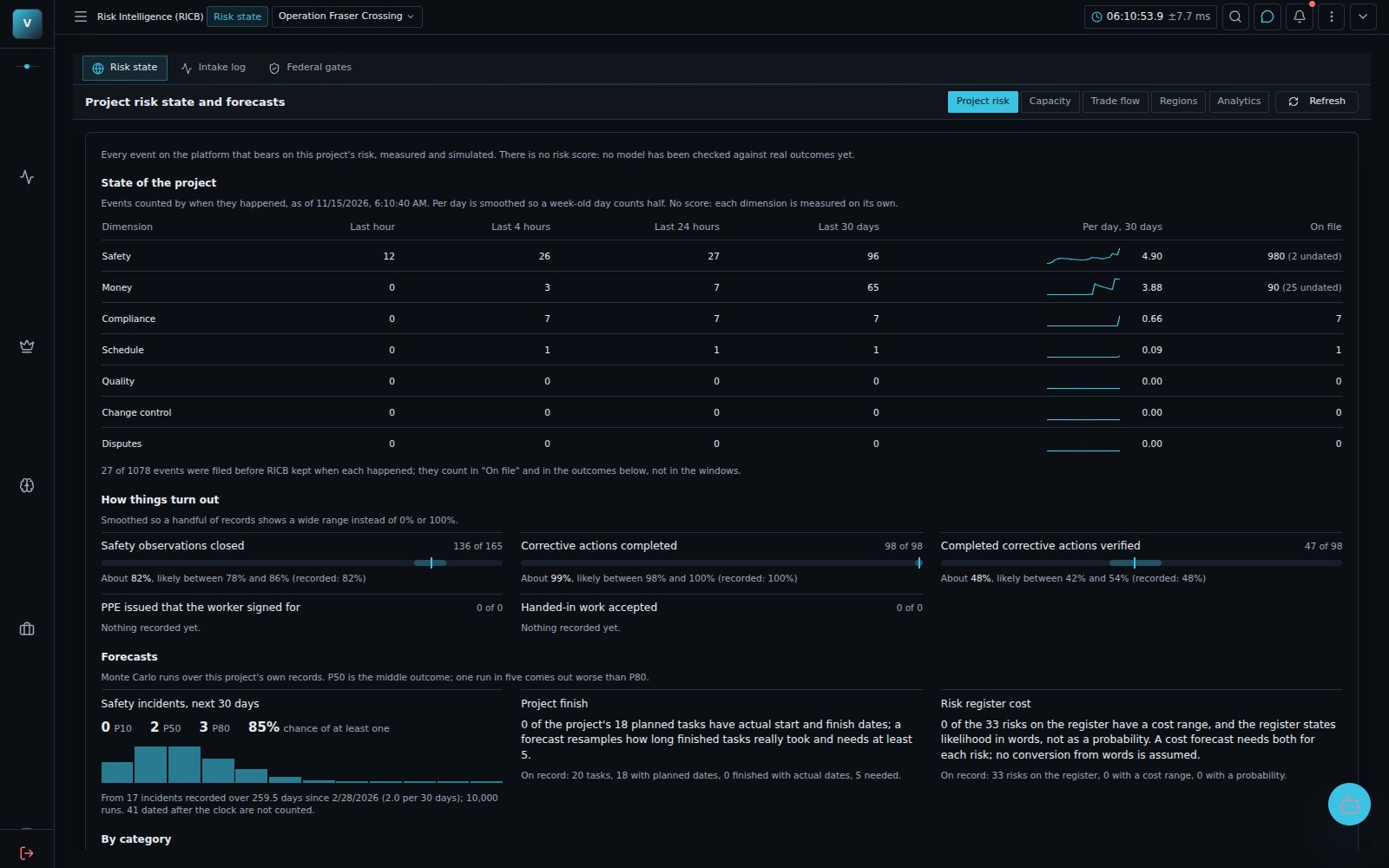
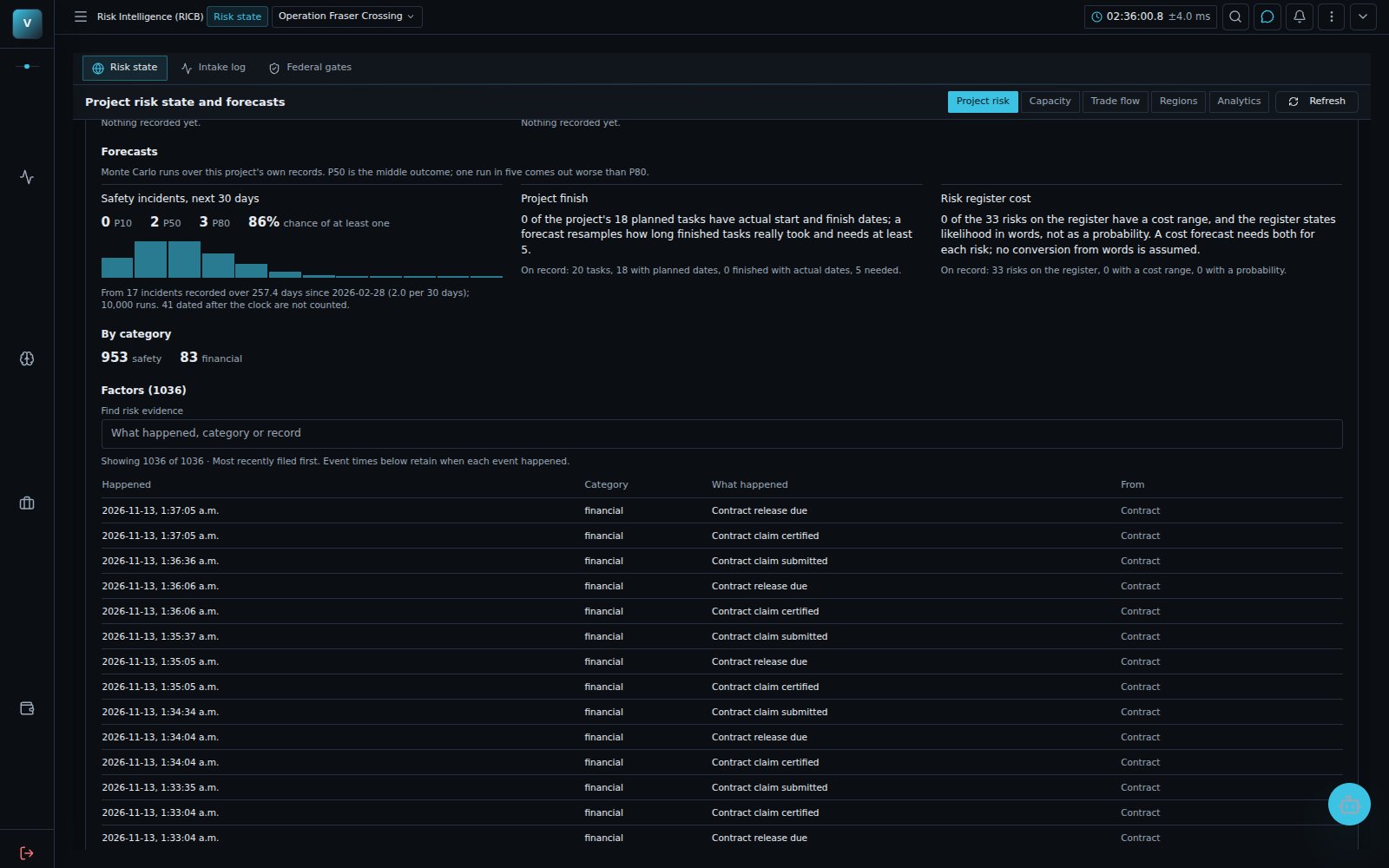
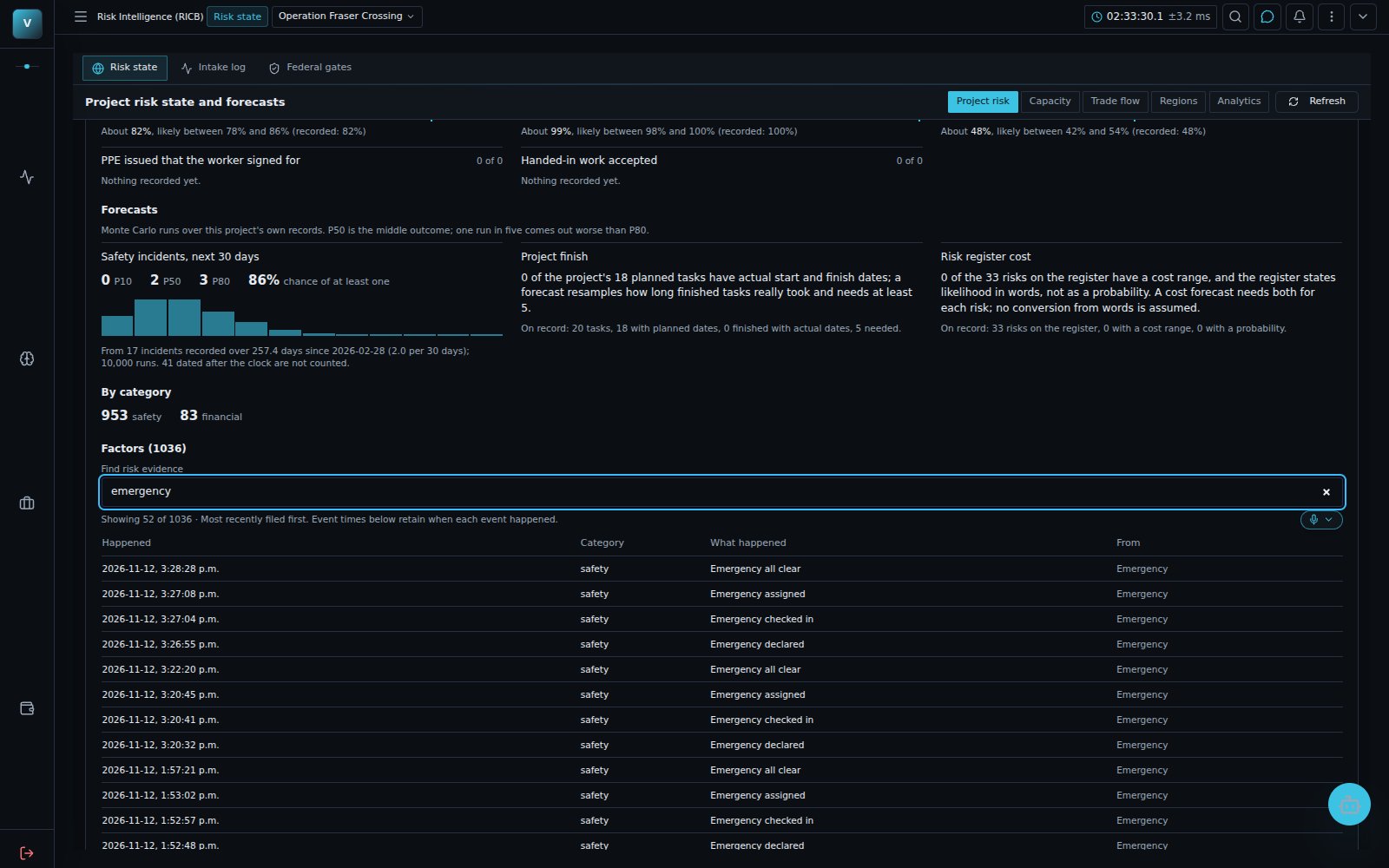
1Read the state of the projectEvents are counted by when they happened: in the last hour, four hours, day and 30 days, with a smoothed daily rate and the total on file. Safety holds 953 events and money 83; compliance, schedule, quality, change control and disputes hold none. Recorded outcomes follow with a likely range, such as 47 of 98 completed corrective actions verified.Tap the picture for the whole screen.2Read the forecasts and the evidence under themFrom 17 recorded incidents, the chance of at least one in the next 30 days is put at 86 percent; the finish and cost forecasts say which records they still need. Under them is every event on file, newest first: here the progress claims submitted and certified, and the payments they made due.Tap the picture for the whole screen.3Trace emergencies through their source eventsSearching the evidence for emergency leaves 52 of 1,036 events, the most recently filed first. Each emergency appears step by step, from declared through assignments and check-ins to all clear, with the time it happened and where it came from.Tap the picture for the whole screen.
Cortex AI Intelligence 4 steps
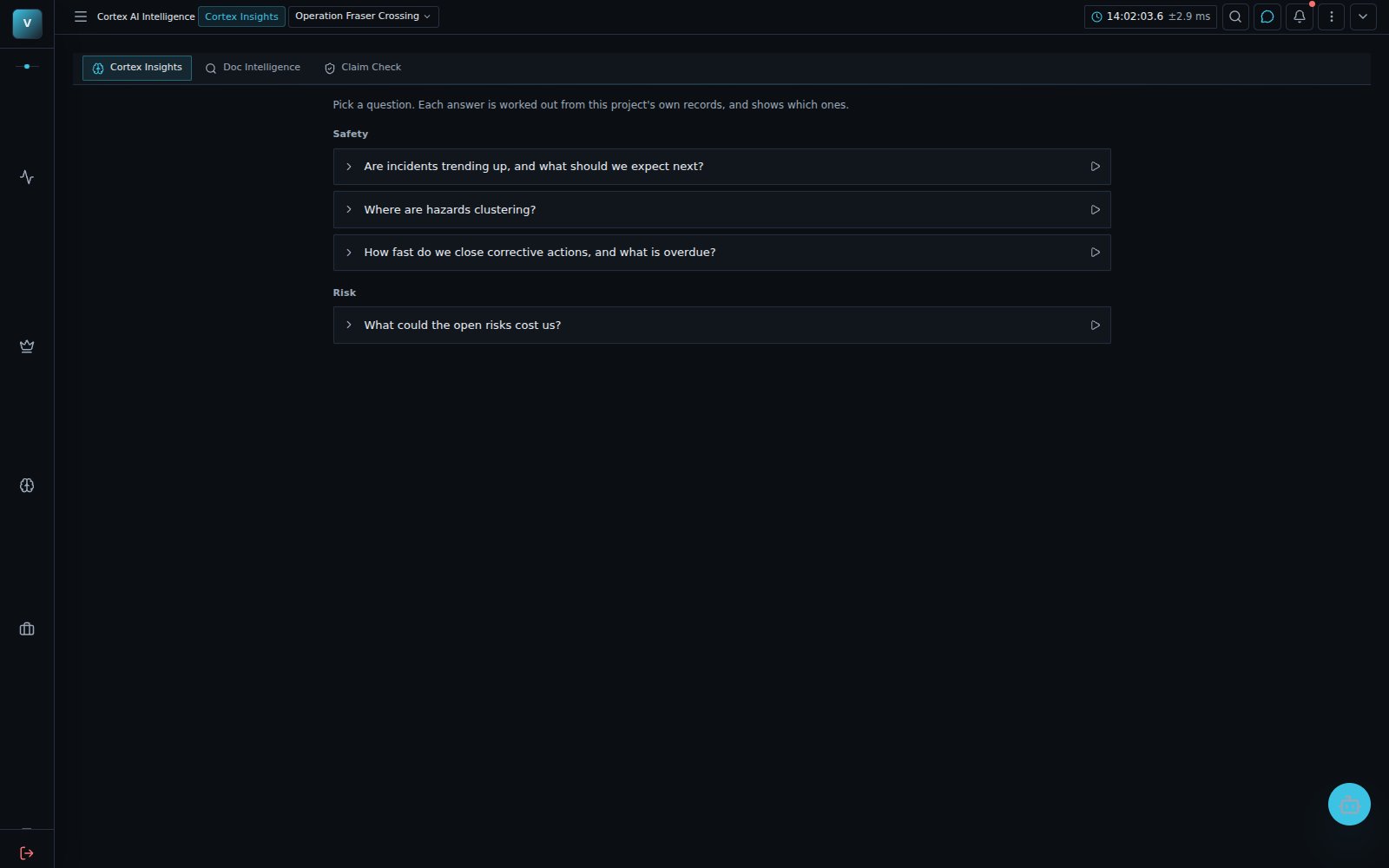
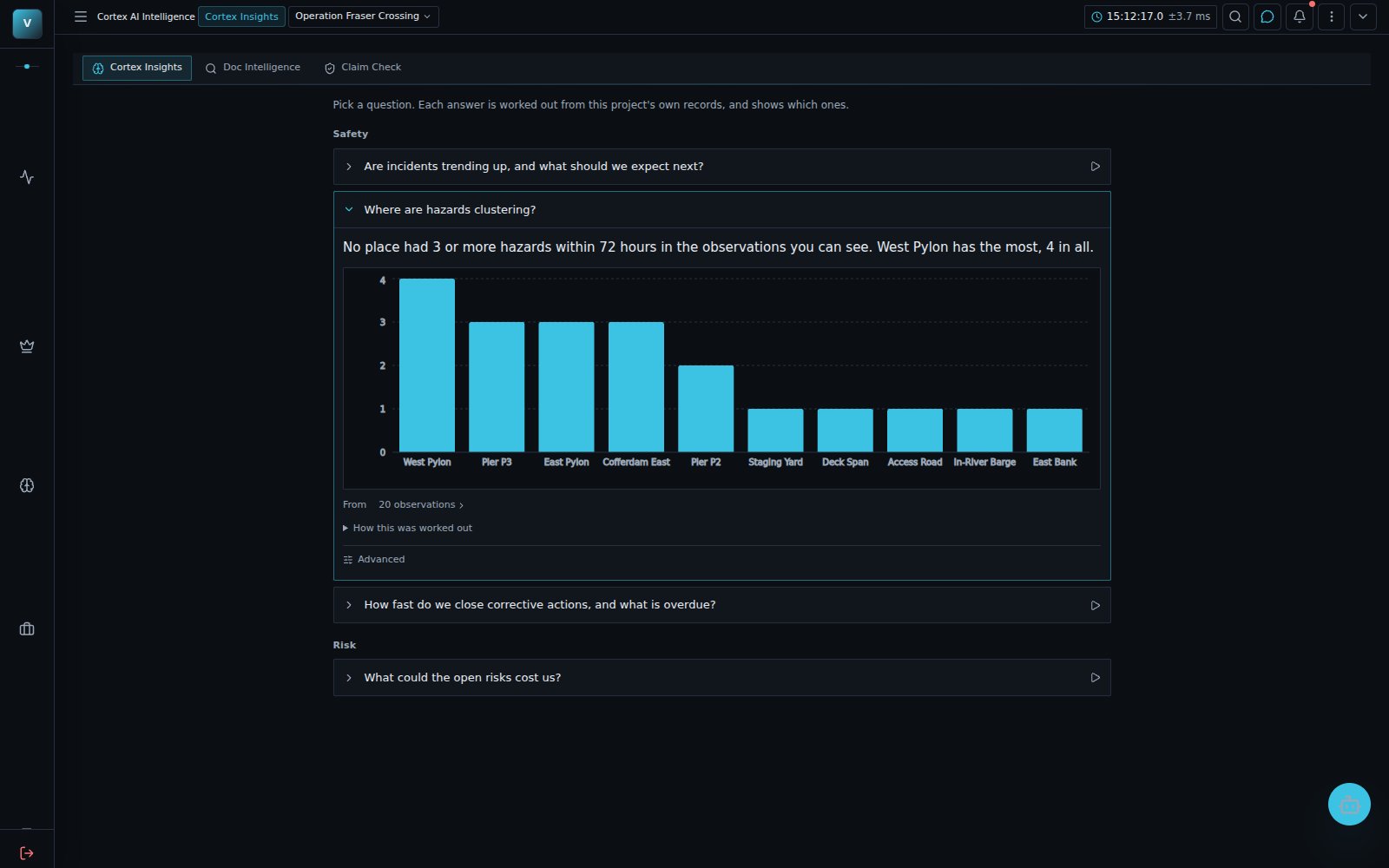
Rob Callaghan picks a question about the project. Each answer is worked out from the project's own records and says which ones. This is the fictional Fraser Crossing project.
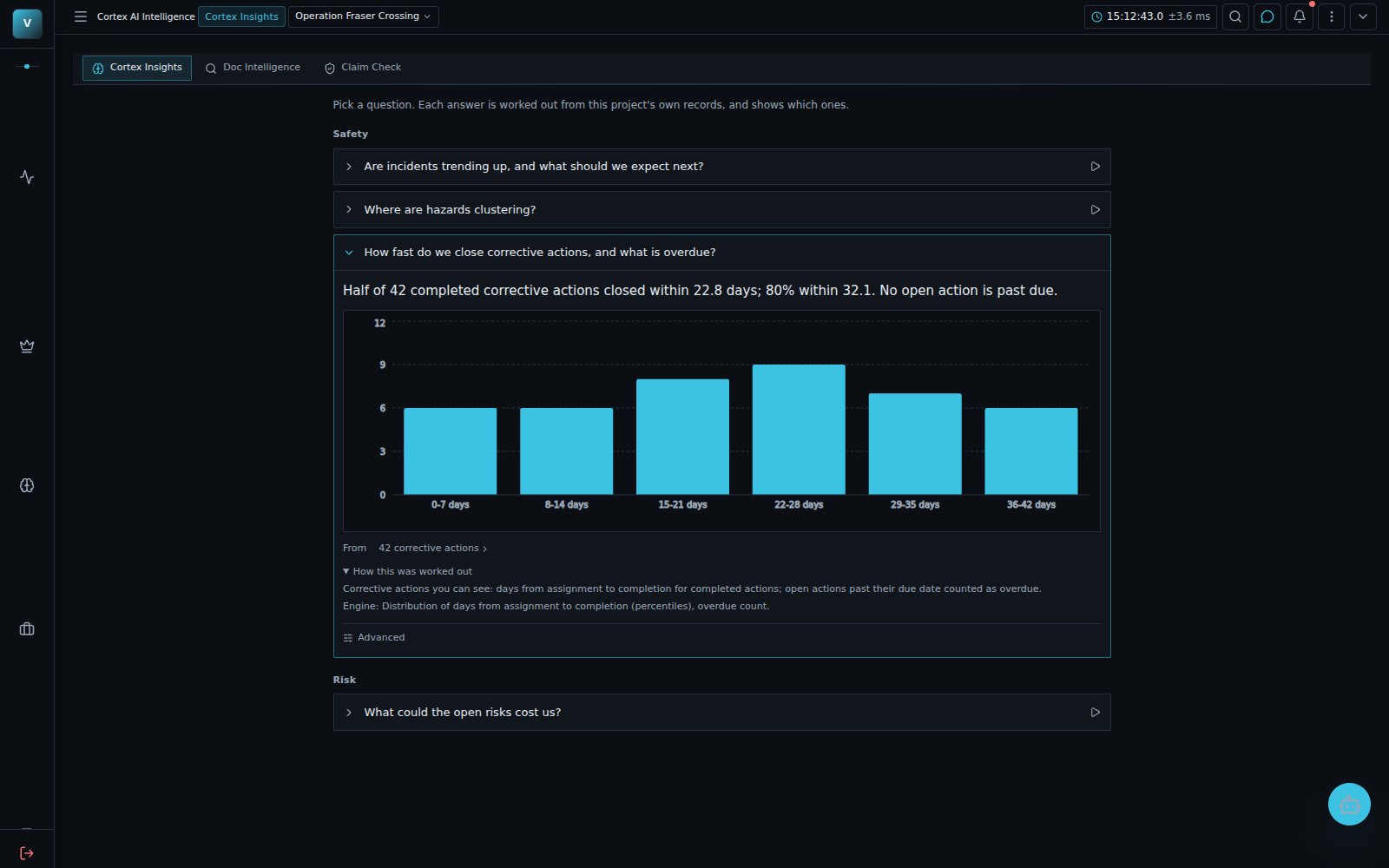
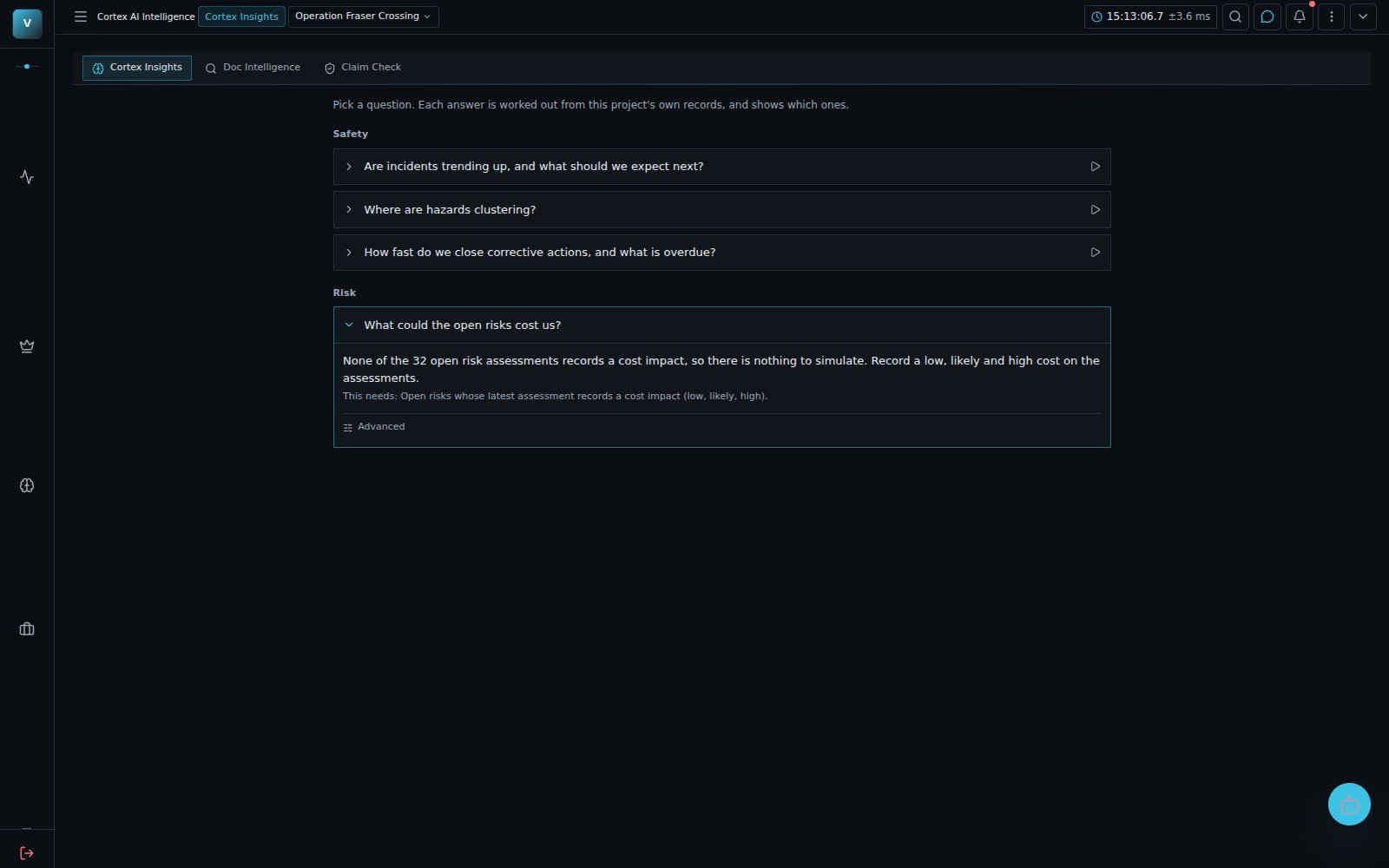
1Pick a questionFour questions are ready, three on safety and one on risk. Opening one works out its answer from the project's records.Tap the picture for the whole screen.2See where hazards gatherNo place had three or more hazards within 72 hours, so no cluster is reported, and the answer names West Pylon as the place with the most, four in all. The chart shows how the 20 observations behind it spread across the site.Tap the picture for the whole screen.3Ask how fast actions closeHalf of 42 completed corrective actions closed within 22.8 days, and 80 percent within 32.1; no open action is past due. The chart counts how many closed in each week, and opening how this was worked out shows the method: days from assignment to completion.Tap the picture for the whole screen.4See a question it will not answerNone of the 32 open risk assessments records a cost impact, so no simulation is run and no figure is given. The answer says what to record first: a low, likely and high cost on each assessment.Tap the picture for the whole screen.